Docs / for WooCommerce / WooCommerce coupons and promotions
AEO Ultimate for WooCommerce
WooCommerce coupons and promotions
Discounts are the hardest thing on a store to describe honestly to a search engine, because most of them happen in the cart and the product page never shows them. Promotions & Price Rules publishes only what can be stated without contradicting the page, and sends coupon codes to Merchant Center, the channel Google built for them. Watch the walkthrough, or read the guide below.
Read the transcript
0:00 Discounts that tell the truth
Discounts are the hardest thing on a store to describe honestly to a search engine, because most of them happen in the cart, and the product page never shows them. Promotions publishes only what can be stated without contradicting the page, and sends coupon codes to Merchant Center, the channel Google built for them.
0:21 What it will never do
So there are things it will never do. It never changes the price in your product schema, never writes a coupon code into it, because no schema property exists for that on an offer, and never sends anything to Merchant Center unless you press the button.
0:39 Every coupon, read from WooCommerce
The Coupons tab reads every coupon straight from WooCommerce, including ones made by coupon plugins. Each shows what it really gives, here fifteen percent off and free shipping, and any coupon that can't be described honestly is listed with the reason.
0:58 No price the checkout won't charge
Price Rules covers the two conditional prices that can be published safely: quantity breaks and member prices. WooCommerce can't charge a quantity break on its own, and this store has no plugin that does, so the plugin publishes no tiers. A price the checkout won't honour is a false statement.
1:18 Codes on the page, as a question
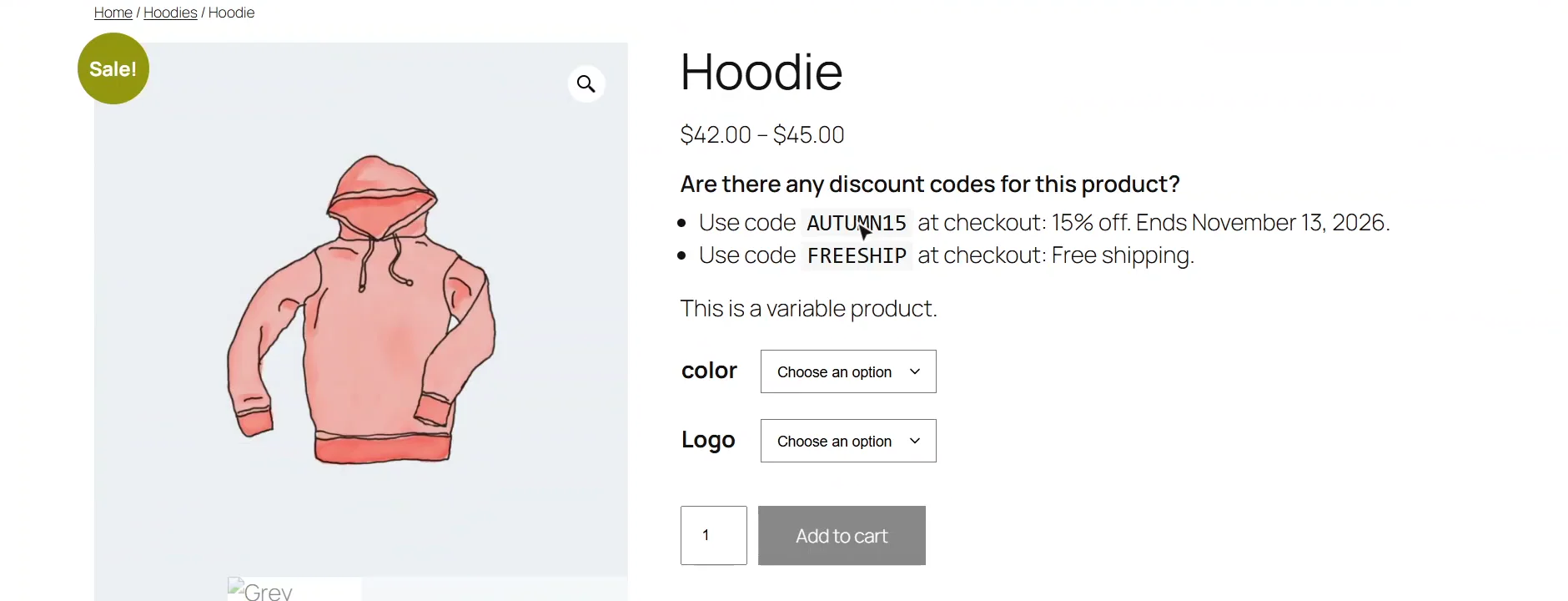
A coupon code can't go in the offer markup, but it can be written on the product page as a visible question and answer, and then marked up as part of the product's FAQ. Switch the module on, show applicable codes, and save.
1:36 What a shopper sees
On the product page, the shopper now sees the codes as a question and answer, word for word what the FAQ markup says. The price itself hasn't changed, because the discount only happens in the cart.
1:53 Merchant Center promotions
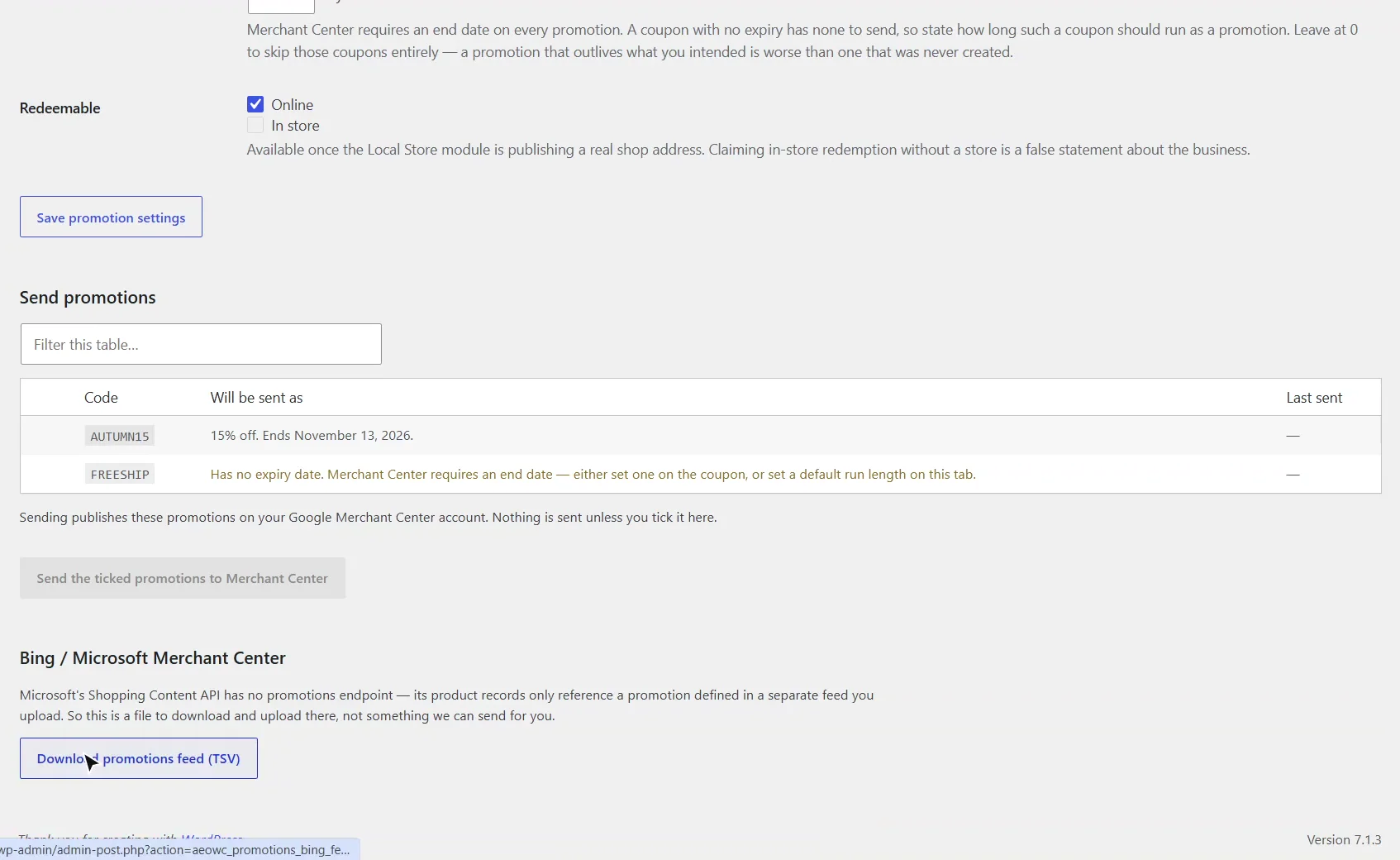
Merchant Center is where a code belongs. Tick the coupons to send, and only those go. Google needs an end date, so a coupon without one is held back until you set one. Microsoft has no promotions API, so for Bing you download a file and upload it there.
2:11 Next: AI citations
That's Promotions: real discounts, described only where they're true. Next, AI citations and the crawler log.
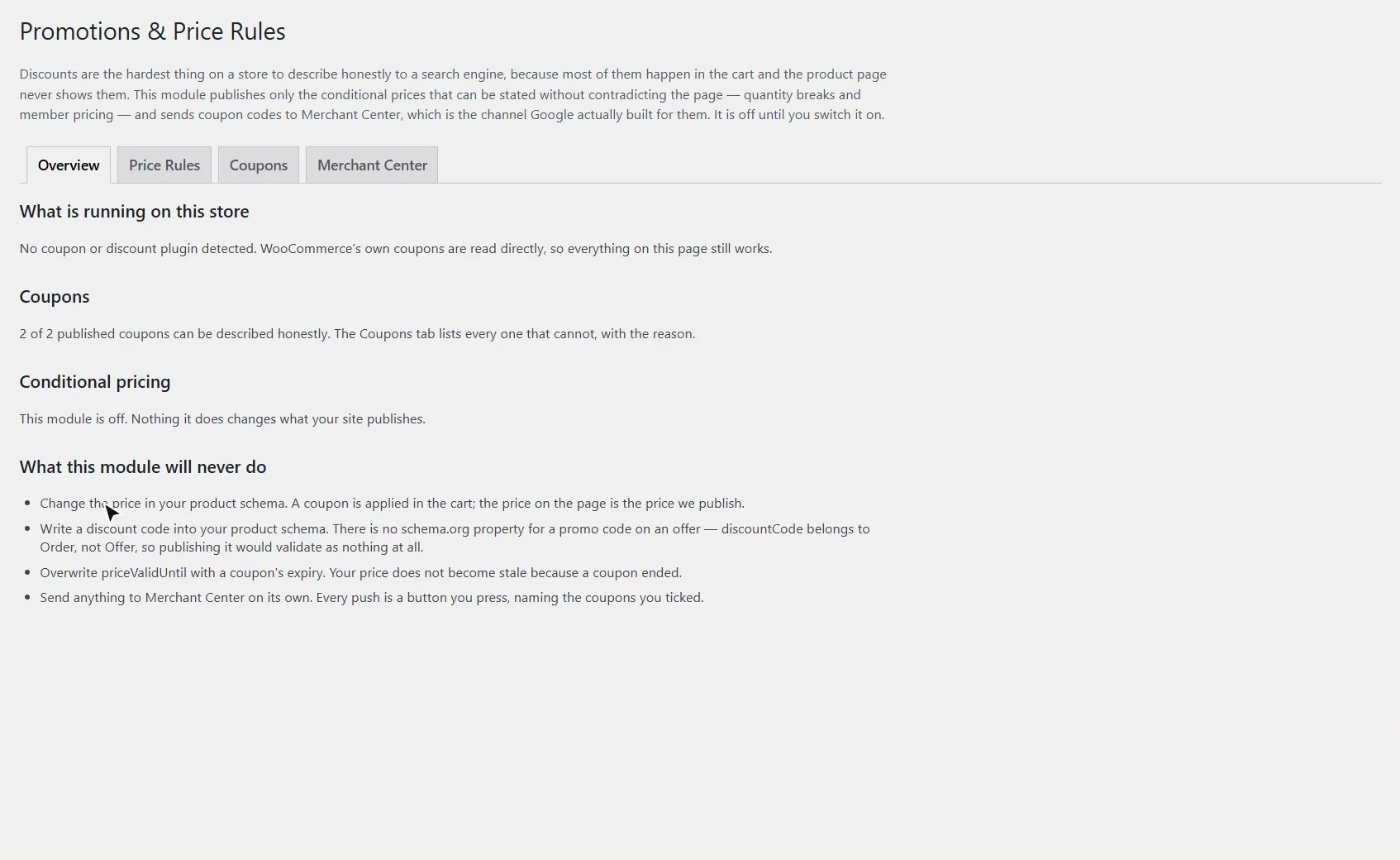
Can I put a coupon code in my product schema?
No, and the plugin will not. schema.org defines discountCode on Order, not on Offer, so a code in the offer markup validates as nothing at all. The module also never changes the price in your product schema (a coupon is applied in the cart, and the price on the page is the price published), never overwrites priceValidUntil with a coupon’s expiry, and never sends anything to Merchant Center unless you press the button. Turn it on under AEO Ultimate → Modules, then open AEO Ultimate → Promotions.
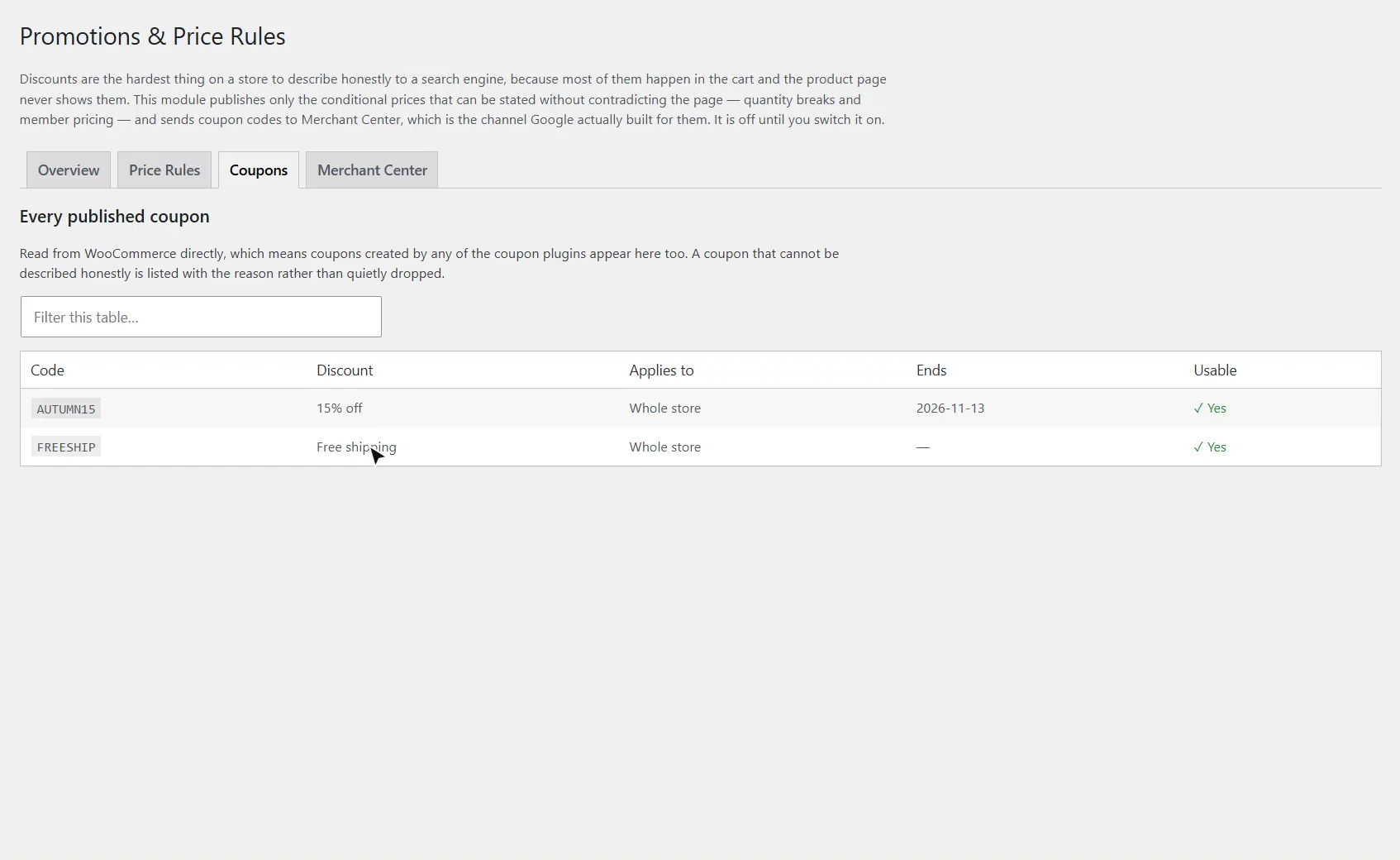
Which coupons does it read?
Every published coupon, straight from WooCommerce, which includes coupons made by coupon plugins that extend WooCommerce’s own. The Coupons tab describes each one by what it really gives, and any coupon that cannot be described honestly is listed with the reason rather than quietly dropped.
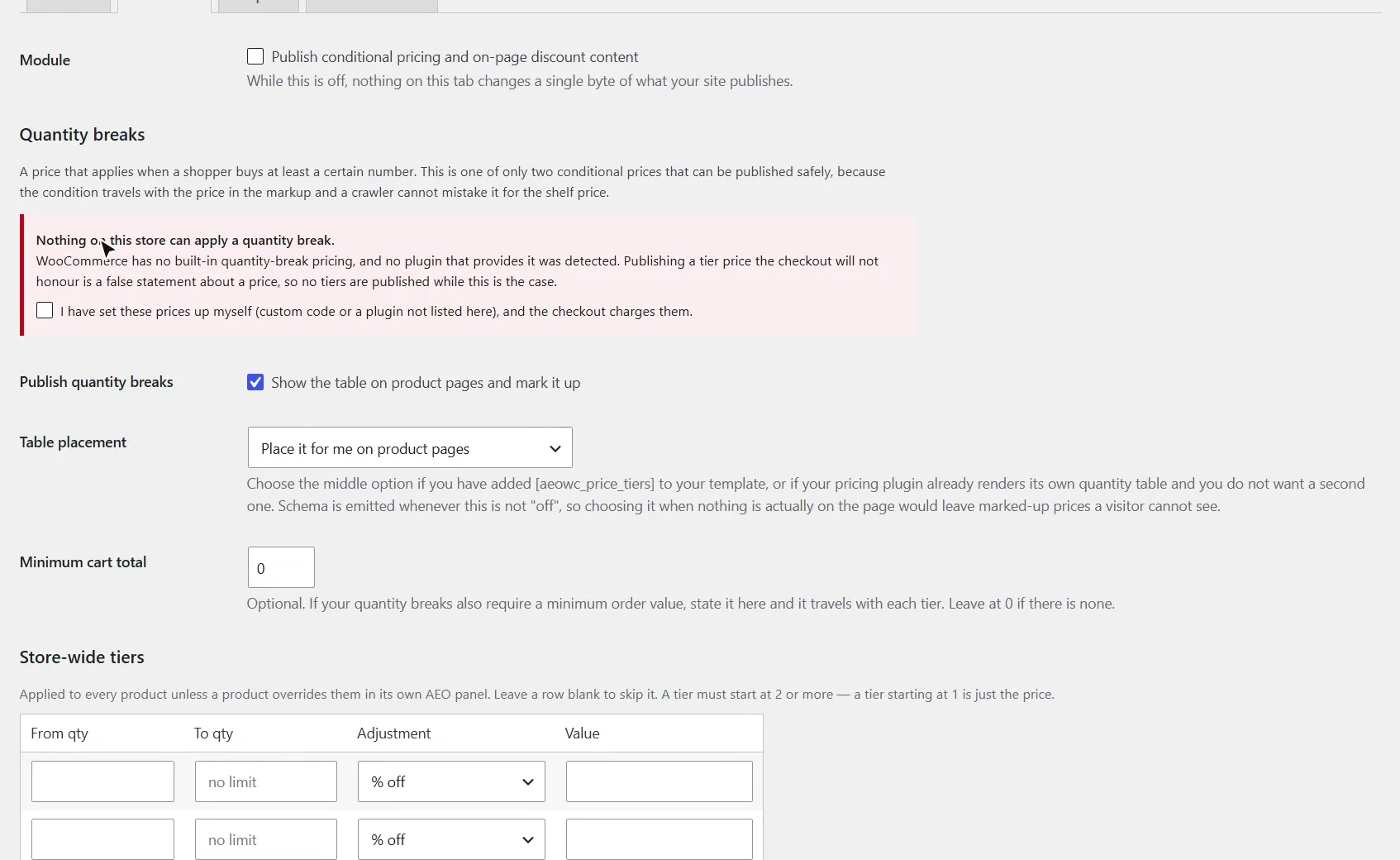
Why won’t it publish my quantity discounts?
Quantity breaks and member prices are the only conditional prices that can be published safely, because the condition travels with the price in the markup. But WooCommerce cannot charge a quantity break on its own. Unless a pricing plugin is answering WooCommerce’s price filter (Discount Rules for WooCommerce, for example), or present, or you confirm that your own setup charges these prices, no tiers are published: a price the checkout will not honour is a false statement about a price. On a variable product, only the breaks every variation shares are published.
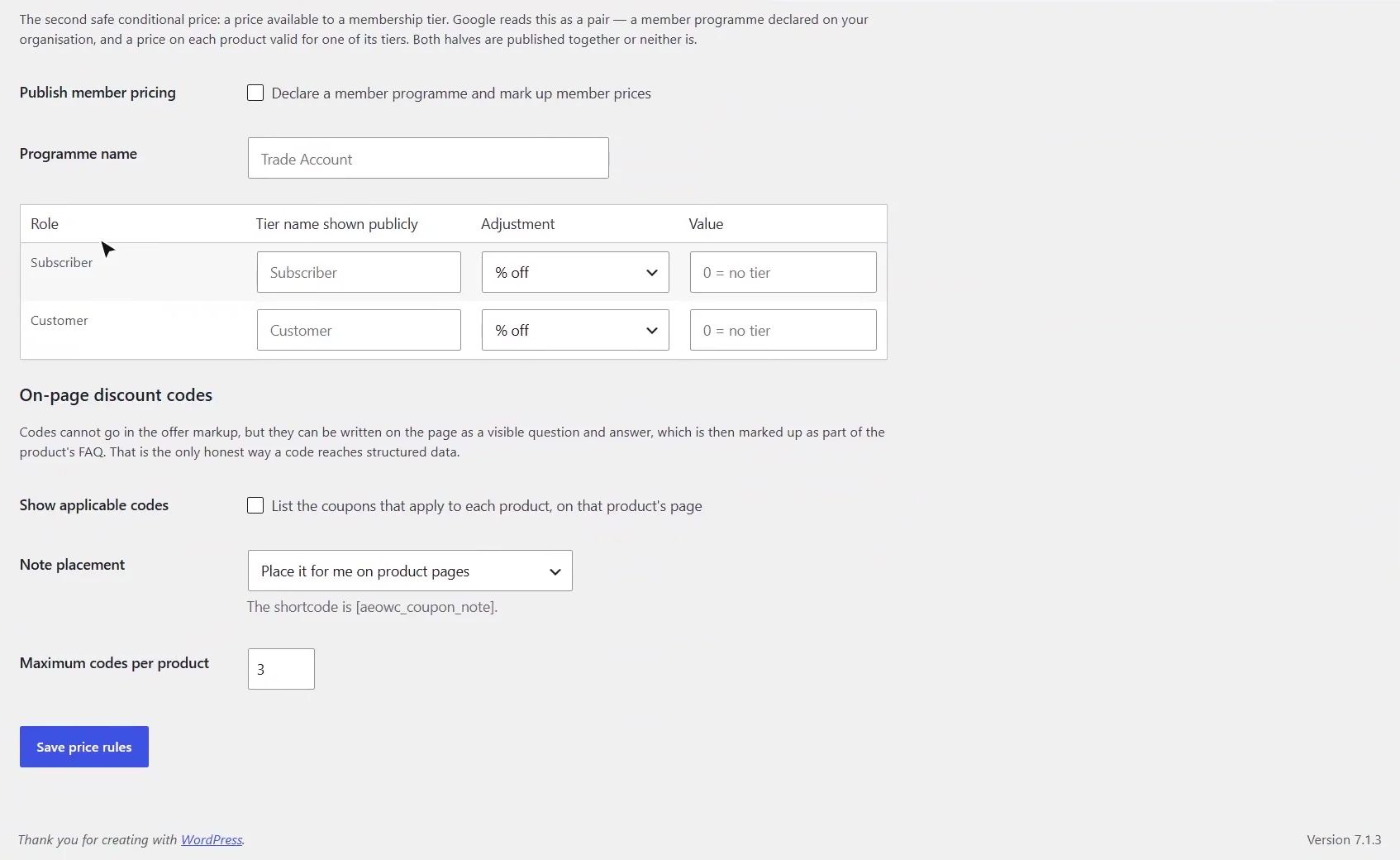
How do coupon codes reach structured data?
As a visible question and answer on the product page. Switch on Publish conditional pricing and on-page discount content and Show applicable codes on the Price Rules tab, then save. Each product page lists the codes that apply to it, up to the maximum you set, and the same question and answers are marked up as part of the product’s FAQ. You can place the note yourself with [aeowc_coupon_note].
The visible text is the FAQ markup, word for word, and the price is unchanged, because the discount only happens in the cart.
How do I send coupons to Google Merchant Center?
On the Merchant Center tab, using the same Google connection as Products & Feeds. Tick the coupons to send and press the button; only those go. Google needs an end date on every promotion, so a coupon without one is held back until you set one on the coupon or set a default run length on the tab. Microsoft has no promotions API, so for Bing you download a promotions file and upload it in Microsoft Merchant Center.
What should I set up next?
Next is AI citations and the crawler log.
All WooCommerce tutorials
- Getting started
- Product schema
- Agent Ready
- Agentic checkout
- Merchant Center
- Meta descriptions and AI enrichment
- Store trust and reviews
- Local Store
- Smart Collections
- Promotions and price rules
- AI citations and the crawler log
- AI Ready and the schema detector
- The RAG Engine (coming soon)
← Previous: Smart Collections
Next: AI citations and the crawler log →
Still stuck?
Message me directly — free tier included. Most replies land within the hour during Tampa working hours. Get support →