Docs / for WooCommerce / AI Ready and the schema detector for WooCommerce
AEO Ultimate for WooCommerce
Make your store readable to AI
AI agents and crawlers read your store differently from people. AI Ready gives them clean versions of your pages, files that describe the whole store, and a clear statement of how AI may use your content. The Schema Detector then finds pages that should carry schema but do not. Watch the walkthrough, or read the guide below.
Read the transcript
0:00 Readable by AI agents
AI Ready makes your store readable to AI agents and crawlers: clean versions of your pages, files that describe the whole store, and a clear statement of how AI may use your content.
0:14 Clean Markdown for agents
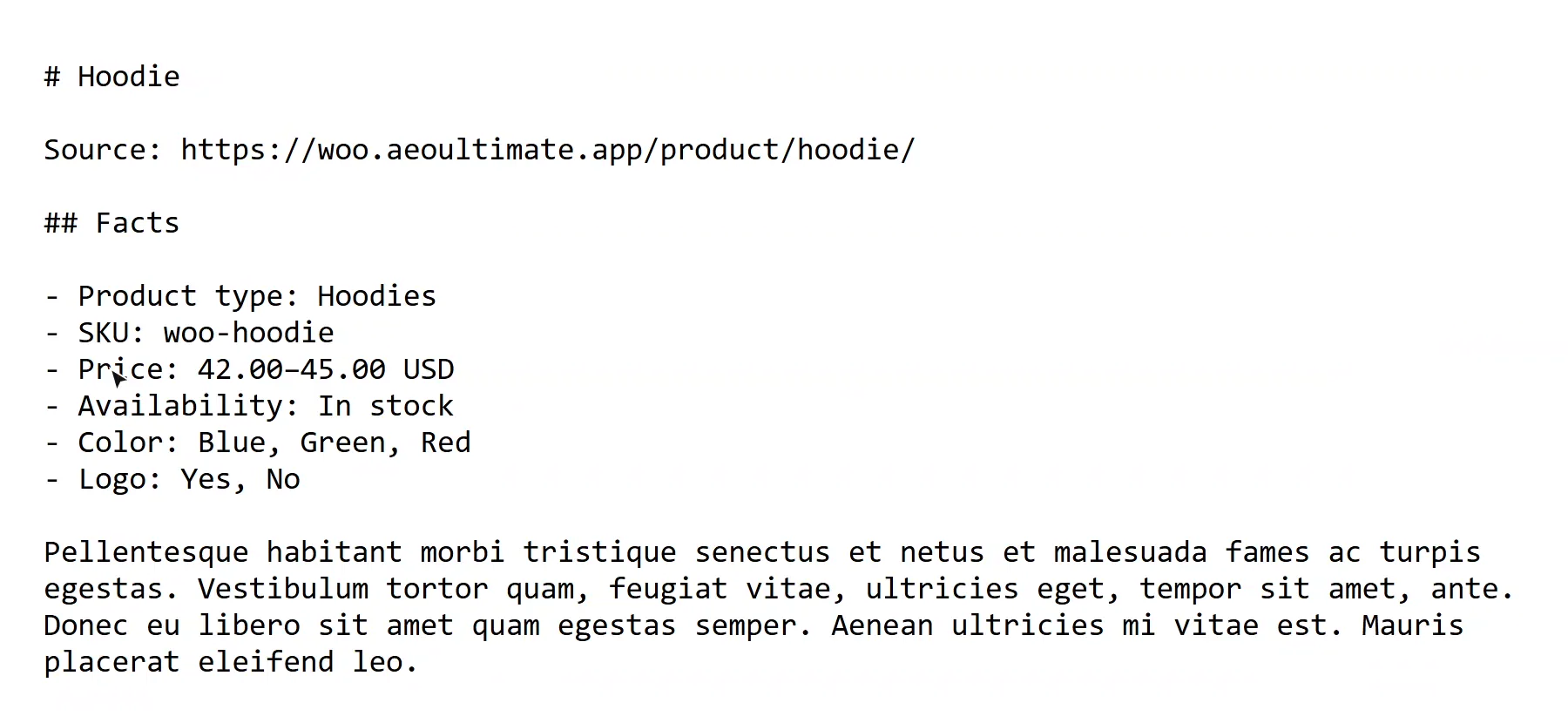
When an agent asks for Markdown, it gets a clean version of the page instead of the HTML: fewer tokens, less noise. On a product, it opens with the facts an agent needs, price, stock, SKU and options, taken from the same source as your product schema.
0:36 llms.txt
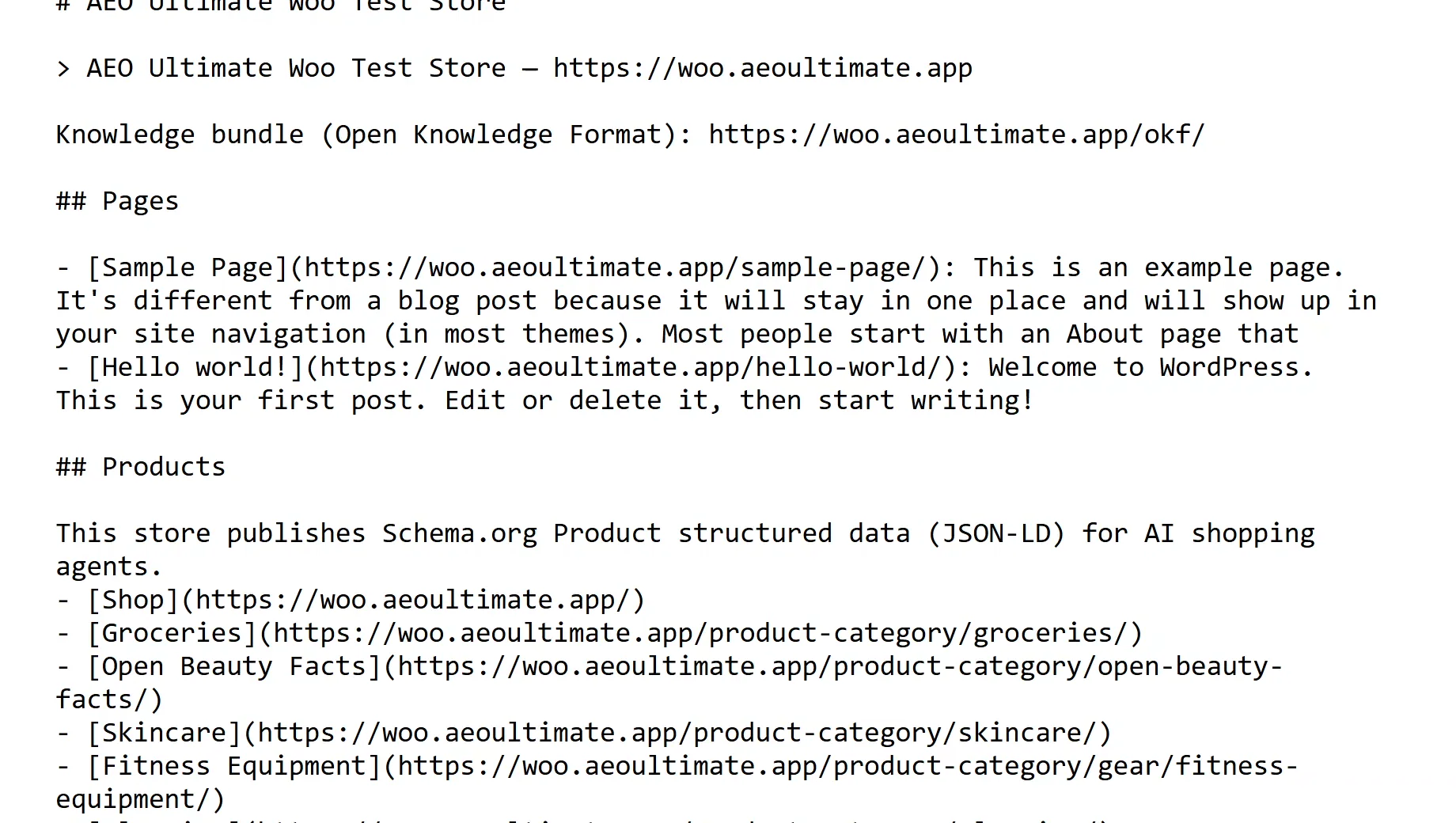
llms.txt is a short guide to your store for AI models: your pages, your biggest categories, and your collections, with a note on how many more there are, never a list that silently stops.
0:52 A knowledge bundle
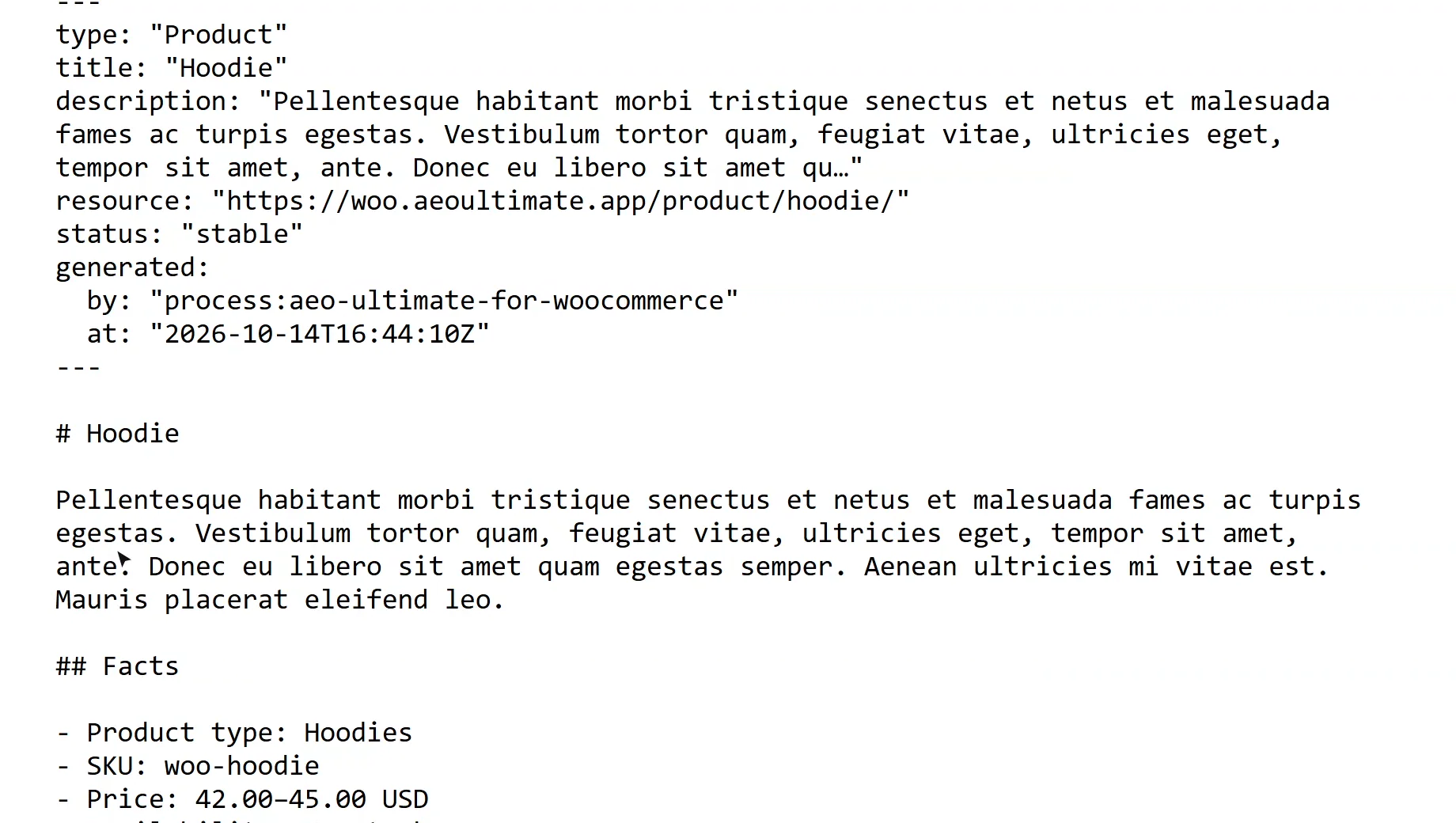
The knowledge bundle publishes the whole store as Markdown files an AI can read without crawling: your organization, every product and category, and your policies, each with a header it can parse.
1:08 How AI may use your content
Content signals tell AI companies what they may do with your content: train on it, index it for search, or use it to answer a question. They're sent with every page and written into robots.txt.
1:22 Pages stay open to crawlers
The rate limit protects only the agent API endpoints. Your pages and products are never rate-limited, because crawlers reading your store are the point. To keep one crawler out entirely, block it.
1:38 The schema detector
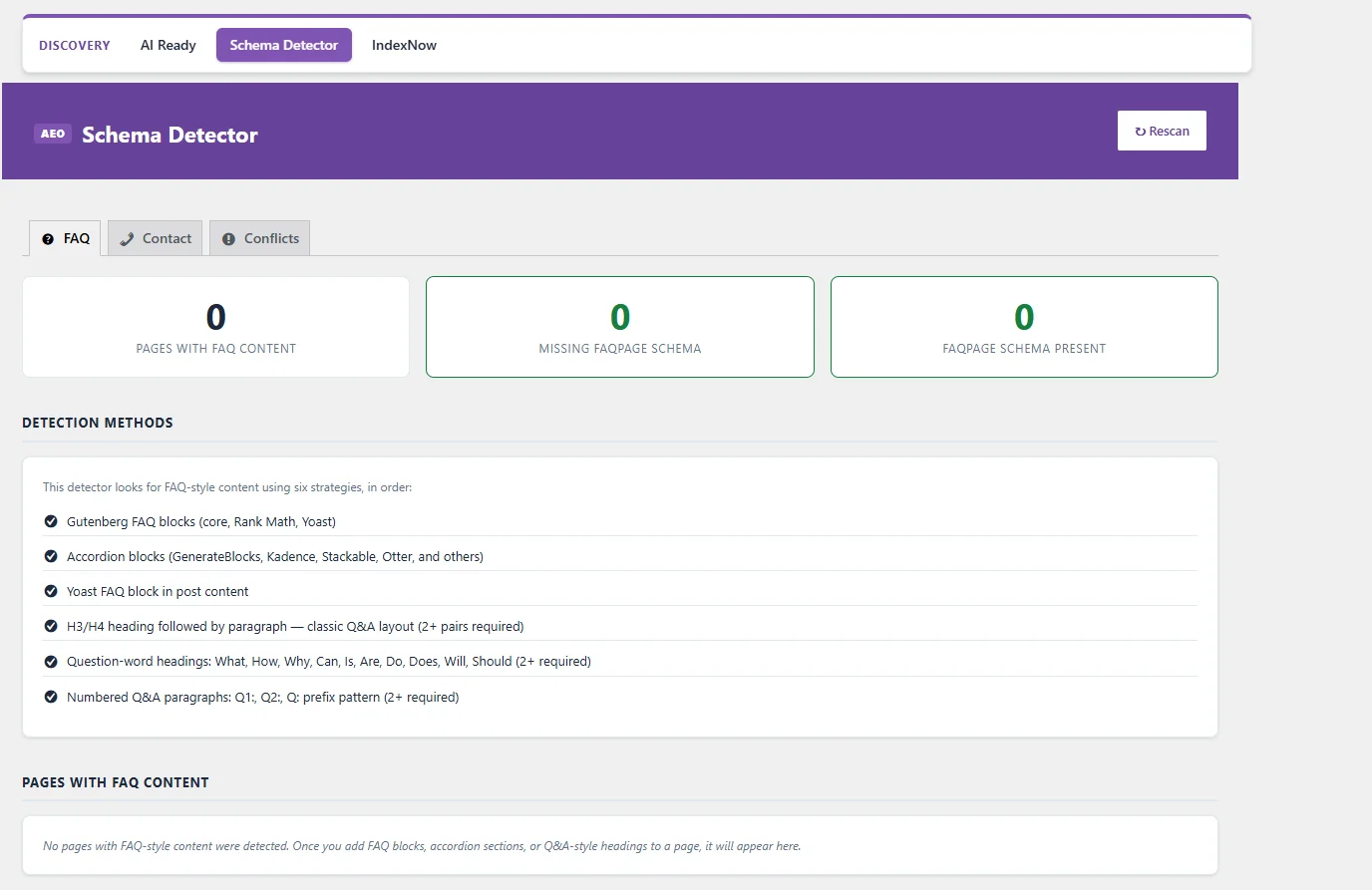
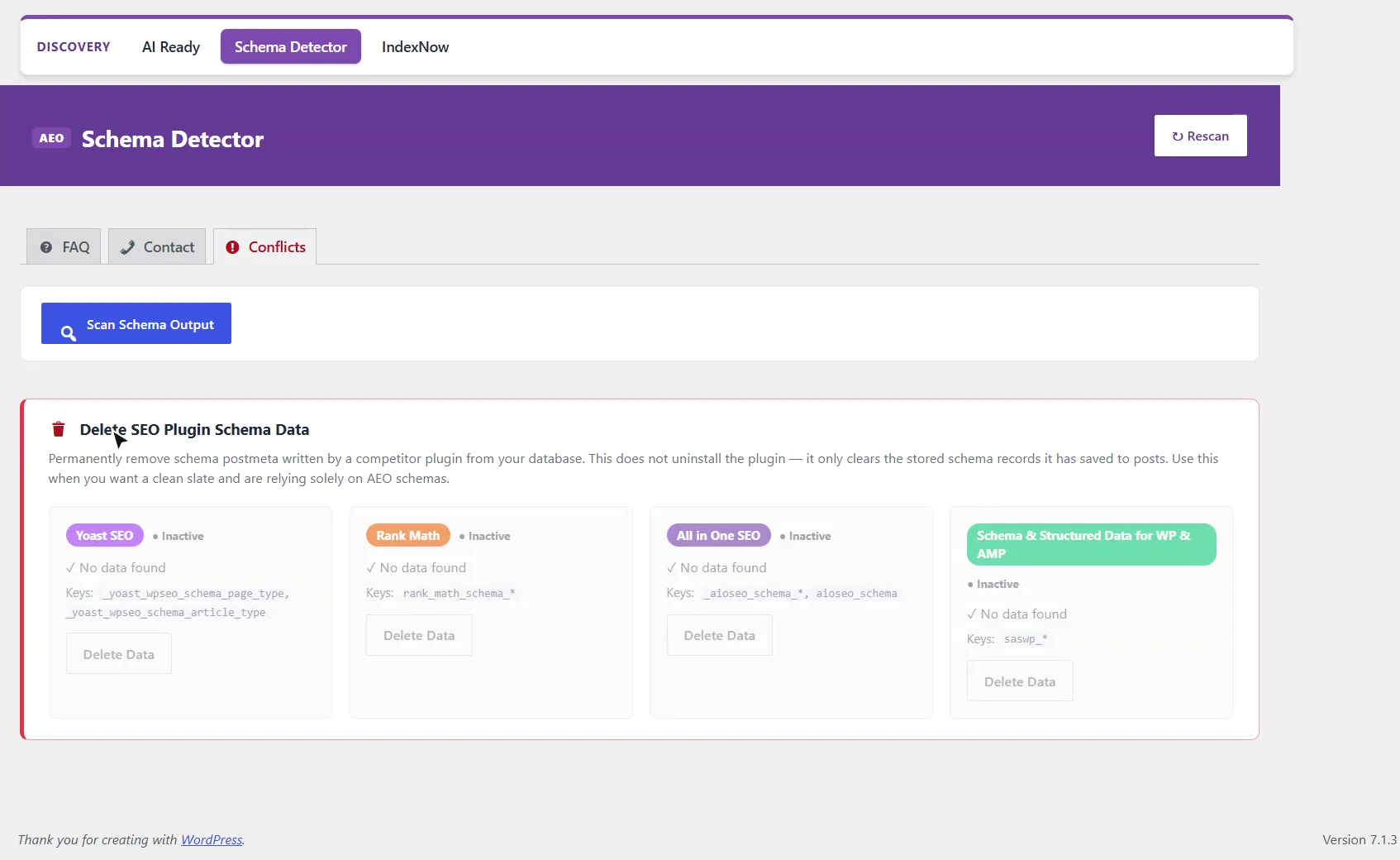
The Schema Detector looks through your pages and posts for content that should carry schema but doesn't, like a list of questions with no FAQ markup, or a contact page with no address. Conflicts finds schema left behind by other SEO plugins. On this store, there's nothing to fix.
1:58 Next: the RAG Engine
That's AI Ready: your store, in a form AI can read. Next, the RAG Engine, which matches your product documents to your product pages.
Where is AI Ready in AEO Ultimate for WooCommerce?
Open AEO Ultimate → Discovery → AI Ready. Each feature has its own switch and a note on what it does; the header shows how many are on.
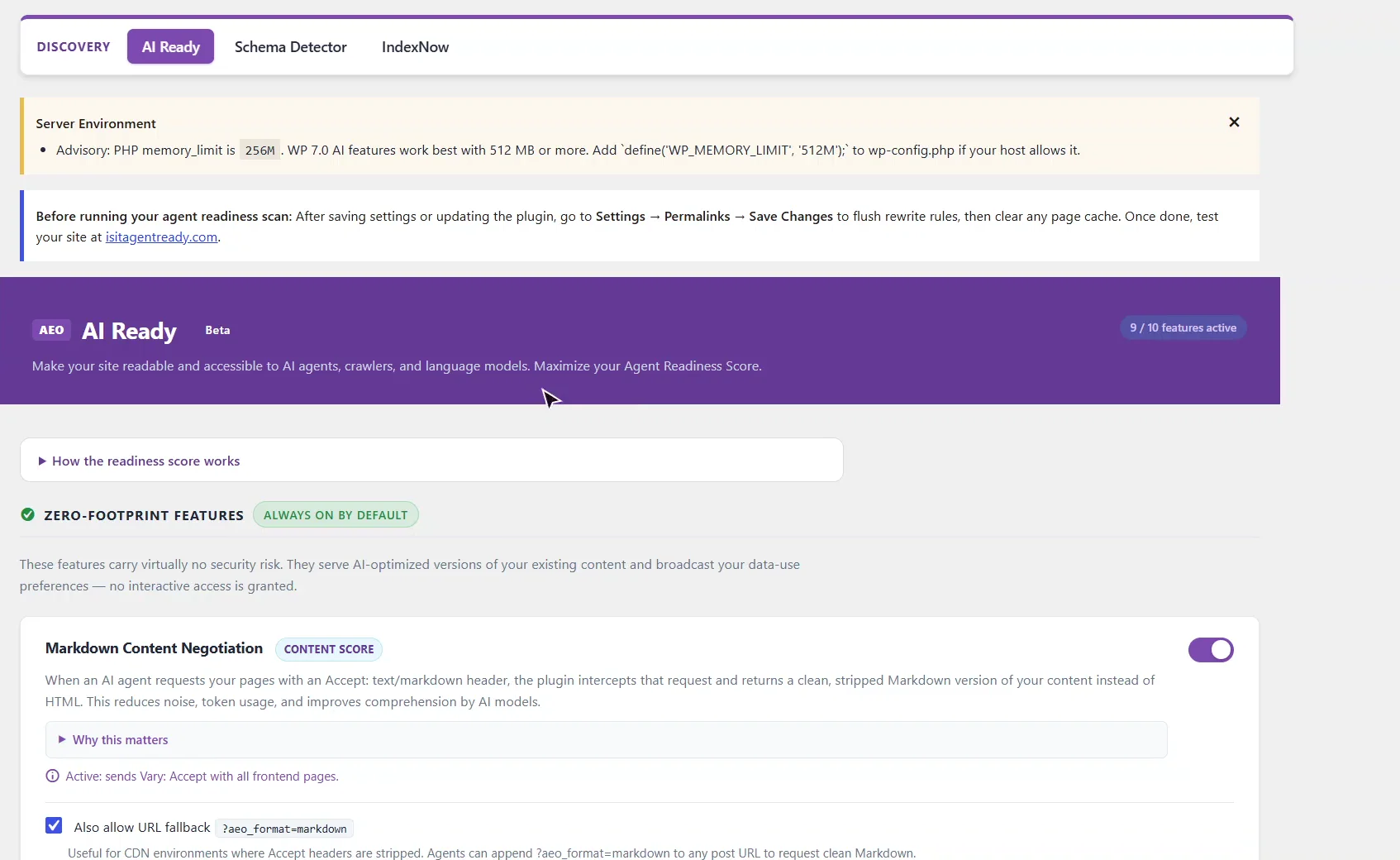
What does an AI agent see when it asks for Markdown?
When an agent asks for a page with an Accept: text/markdown header, it gets a clean Markdown version instead of the HTML: fewer tokens, less noise. With the URL fallback on, adding ?aeo_format=markdown to any page does the same, for CDNs that strip the header. On a product, the Markdown opens with the facts an agent needs (price, stock, SKU and options) taken from the same source as your product schema, so the two cannot disagree.
What is llms.txt?
/llms.txt is a short guide to your store for AI models: your pages, your biggest categories and your collections. Where there are more than it lists, it says how many more, rather than a list that silently stops.
What is the knowledge bundle?
The knowledge bundle at /okf/ publishes the whole store as Markdown files an AI can read without crawling: your organization, every product and category, and your policies. Each file starts with a header an AI can parse: what it is, where it lives, and when it was generated.
How do I tell AI companies how they may use my content?
Content signals state three separate permissions: whether AI may train on your content, index it for search, or use it as input to answer a question. You can say yes to one and no to another. They are sent as a header with every page and written into robots.txt.
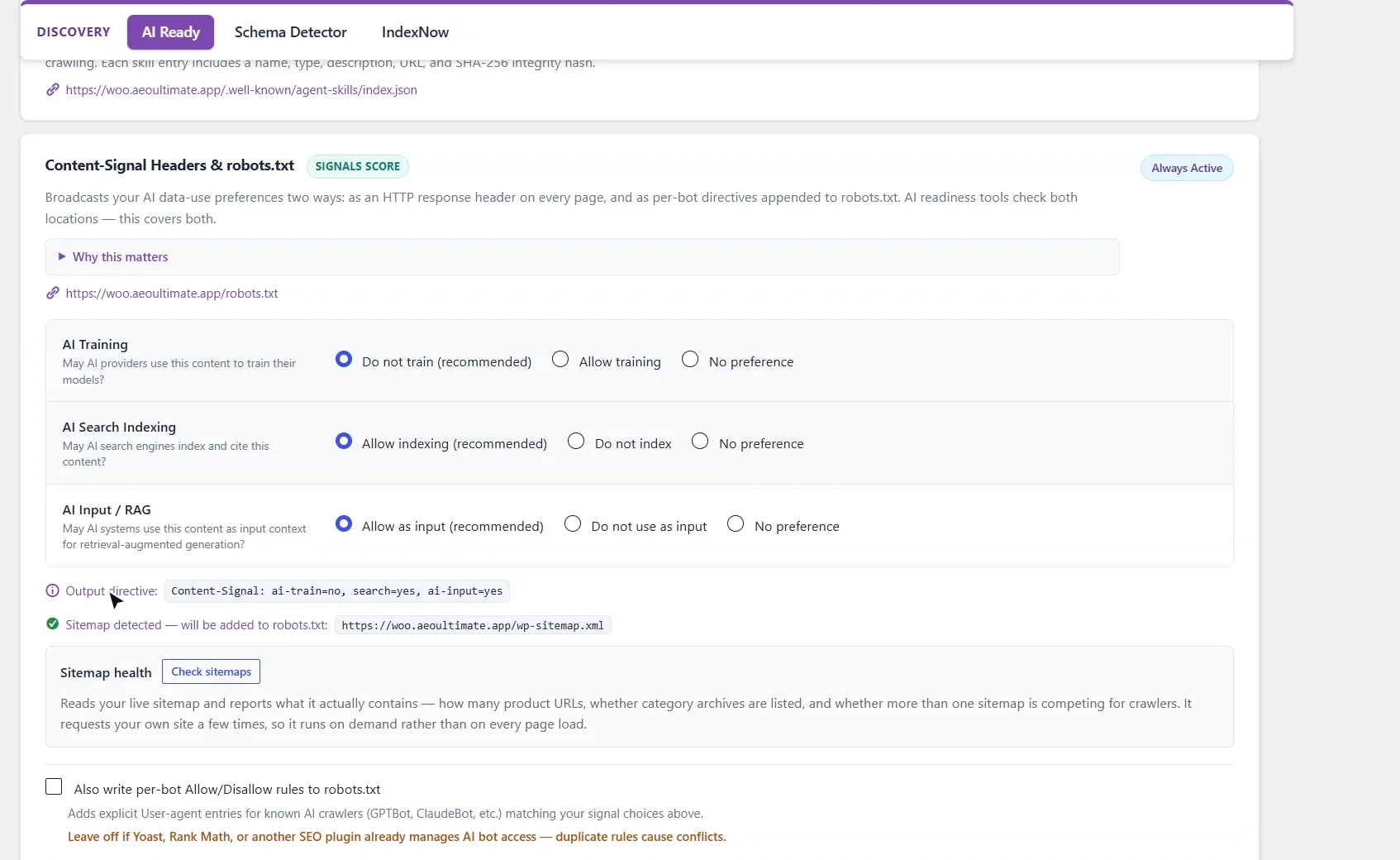
Does the rate limit block crawlers from my pages?
No. The rate limit protects only the agent API endpoints (Agent Search and MCP), 60 requests per address per hour by default. Your pages and products are never rate-limited, because crawlers reading your store are the point. To keep one crawler out entirely, set it to Block under Per-Bot Controls: that writes a Disallow rule into robots.txt and refuses its requests.
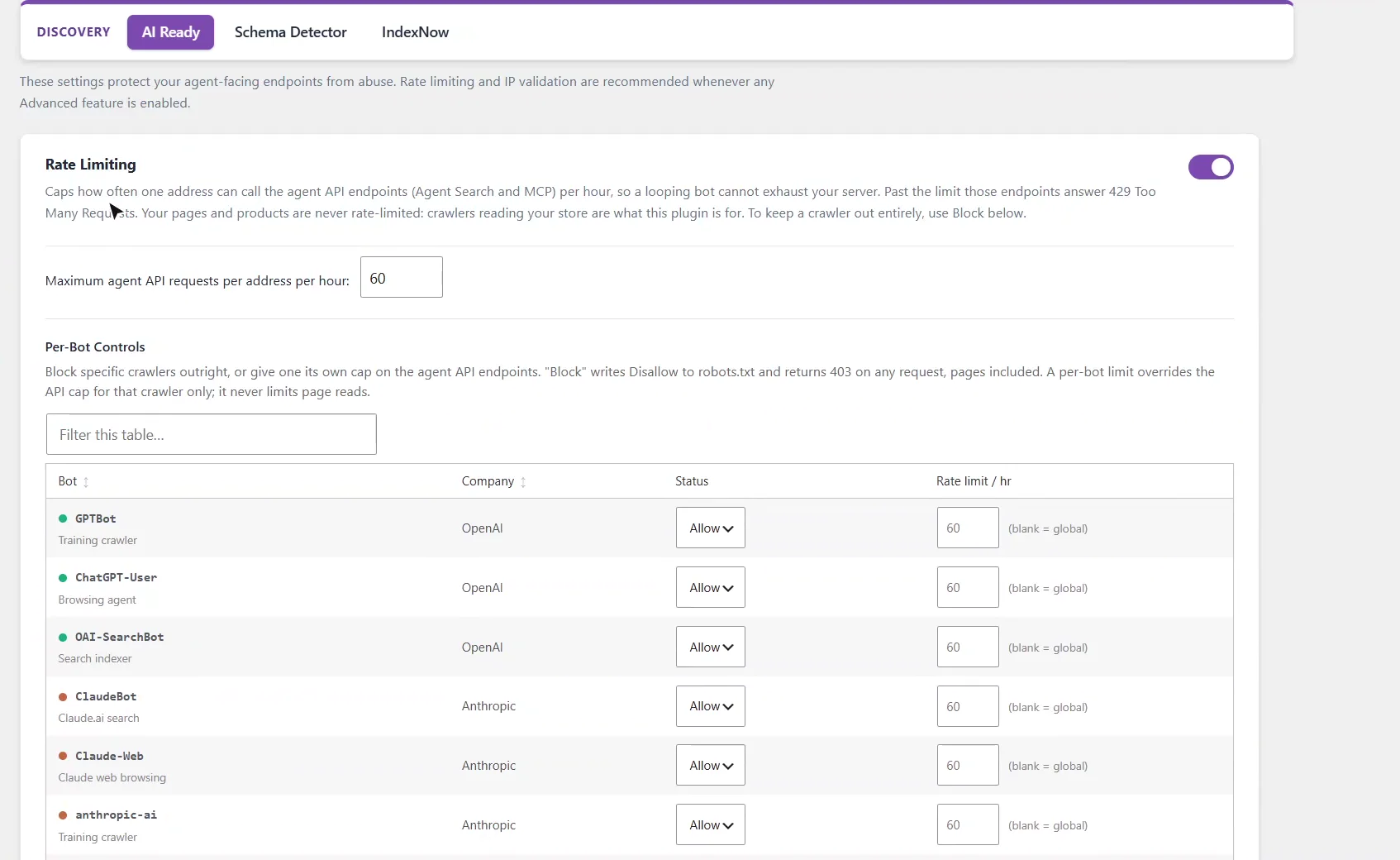
What does the Schema Detector find?
Open AEO Ultimate → Discovery → Schema Detector. It looks through your pages and posts for content that should carry schema but does not. The FAQ tab finds question-and-answer content with no FAQ markup, whether it was built with FAQ blocks, accordions or question headings. The Contact tab checks contact pages for an address and contact details in their schema.
Conflicts finds schema data left in your database by other SEO plugins, such as Yoast SEO, Rank Math and All in One SEO, and can clear it. It does not uninstall anything. On this store there was nothing to fix.
What should I set up next?
Next is the RAG Engine, which matches your product documents to your product pages.
All WooCommerce tutorials
- Getting started
- Product schema
- Agent Ready
- Agentic checkout
- Merchant Center
- Meta descriptions and AI enrichment
- Store trust and reviews
- Local Store
- Smart Collections
- Promotions and price rules
- AI citations and the crawler log
- AI Ready and the schema detector
- The RAG Engine (coming soon)
← Previous: AI citations and the crawler log
Next: The RAG Engine (coming soon) →
Still stuck?
Message me directly — free tier included. Most replies land within the hour during Tampa working hours. Get support →