Docs / for WooCommerce / WooCommerce meta descriptions and AI product enrichment
AEO Ultimate for WooCommerce
Meta descriptions and AI enrichment for WooCommerce
Two ways to fill the gaps in your product data: a free template that writes meta descriptions from what your catalogue already holds, and AI suggestions for the attributes and descriptions it does not. Watch the walkthrough, or read the guide below.
Read the transcript
0:00 Meta descriptions from a template
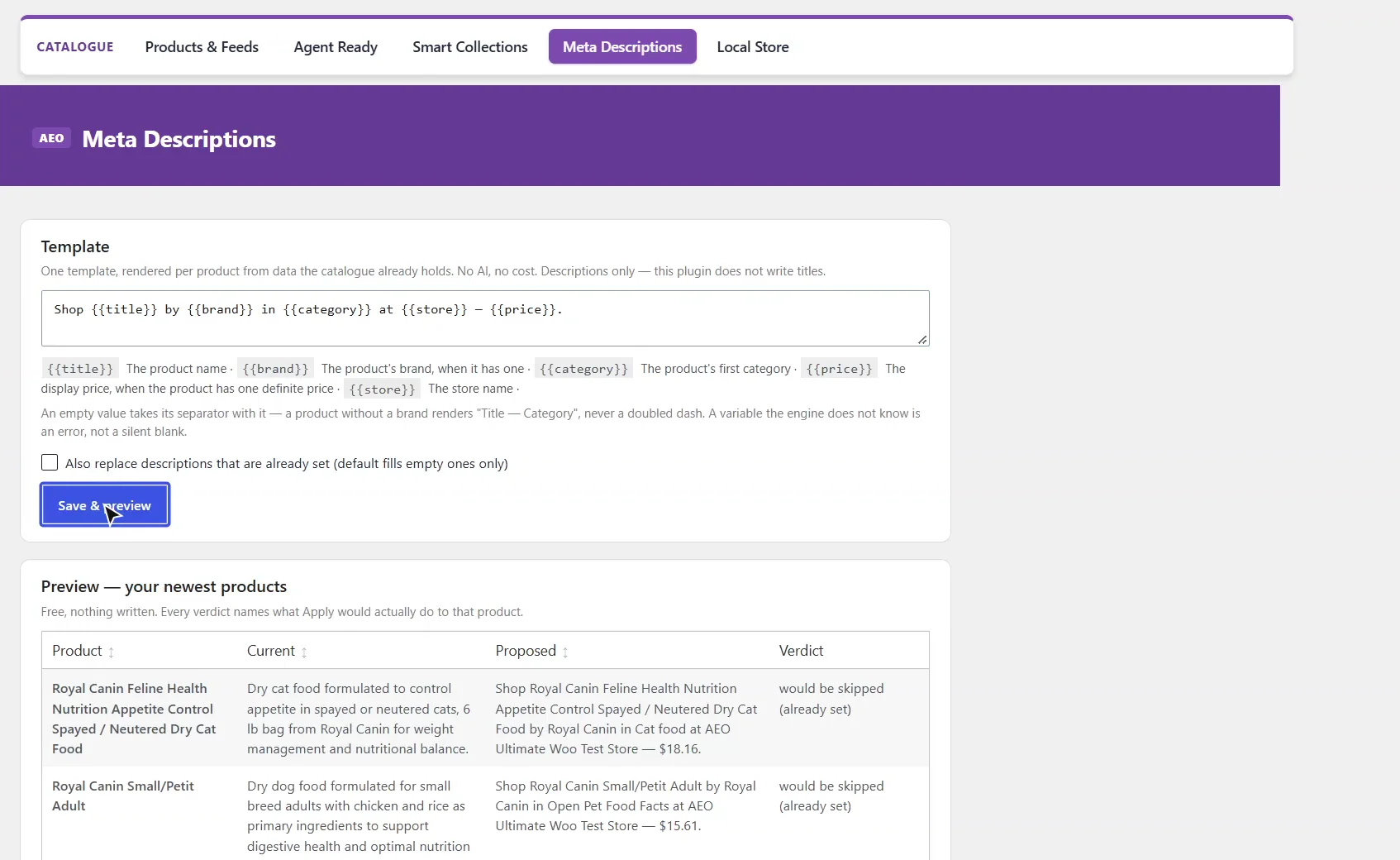
Meta Descriptions writes a description for every product from one template, using data your catalogue already holds. There's no AI and no cost, and it writes descriptions only, never titles.
0:14 Write the template
Build it from the product's own data: title, brand, category, price and store. If a product has no brand, the words by brand go with it, so there's never a gap or a doubled dash. Then save and preview.
0:31 Preview before anything is written
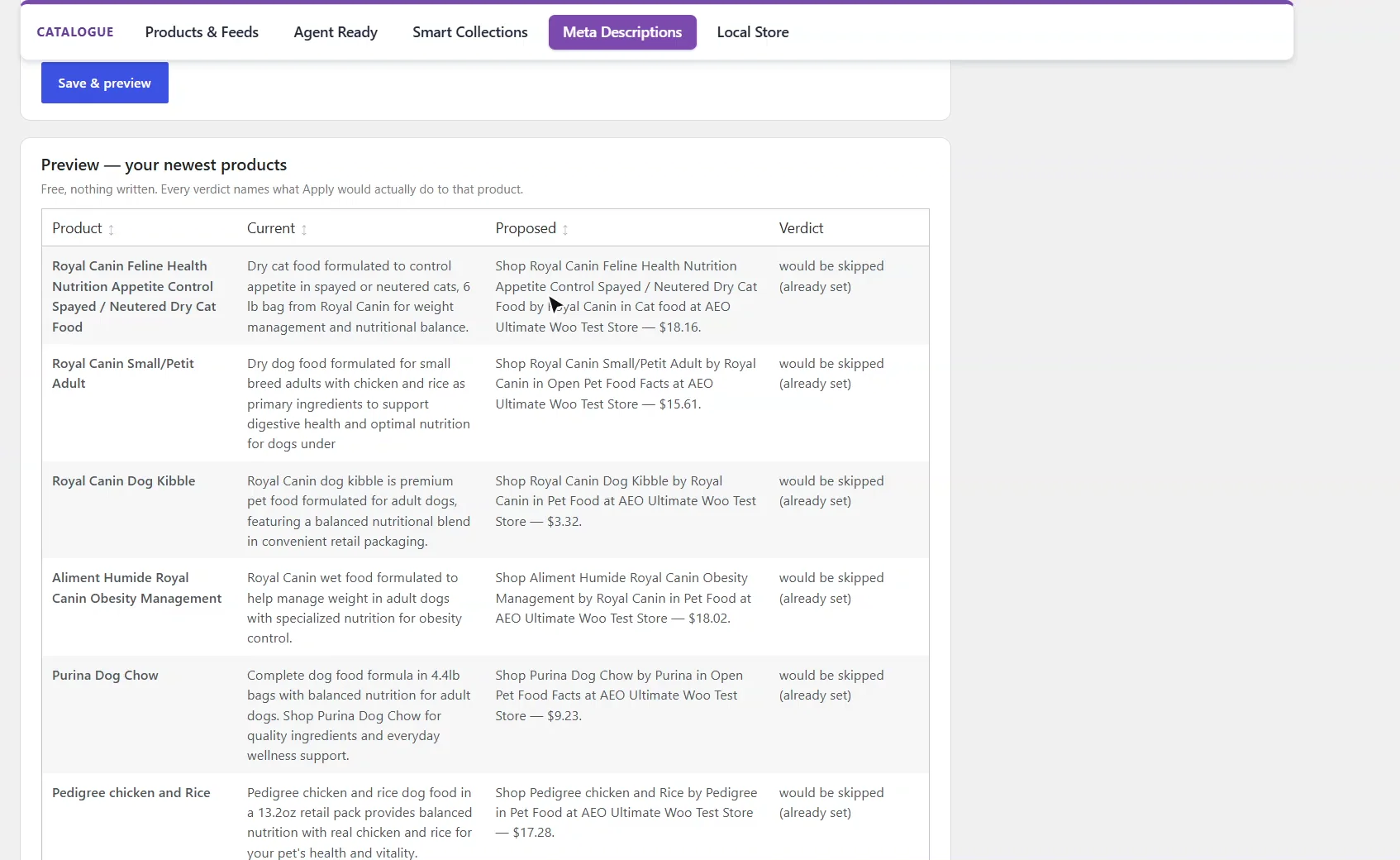
The preview shows your newest products, free, with nothing written. Each verdict says what Apply would actually do. These already have descriptions, so they'd be skipped, unless you tick the box to replace existing ones.
0:46 Find any product
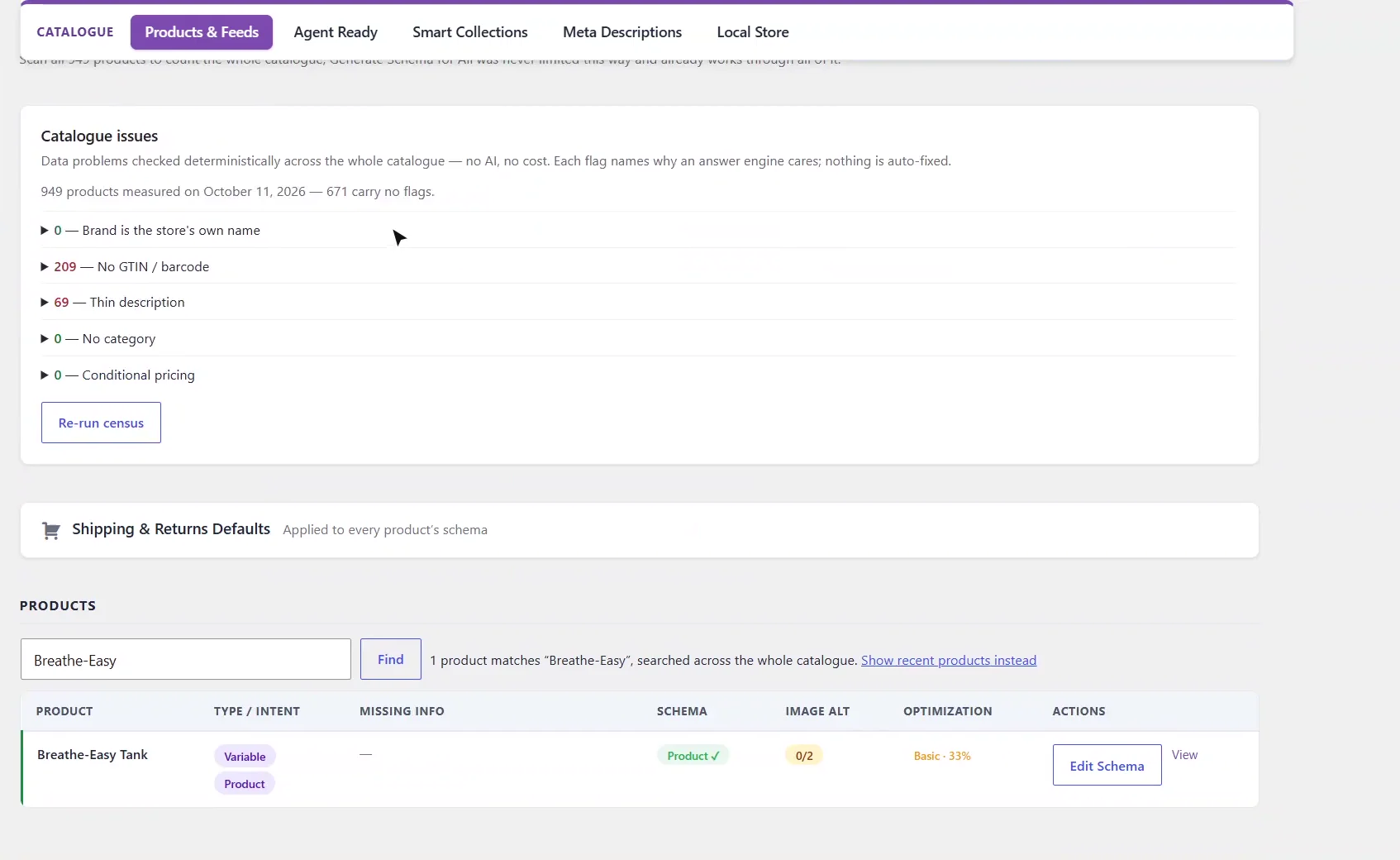
For AI enrichment, go to Products and Feeds. The Find box searches your whole catalogue by name, SKU or ID, not just your newest products.
0:57 Open Edit Schema
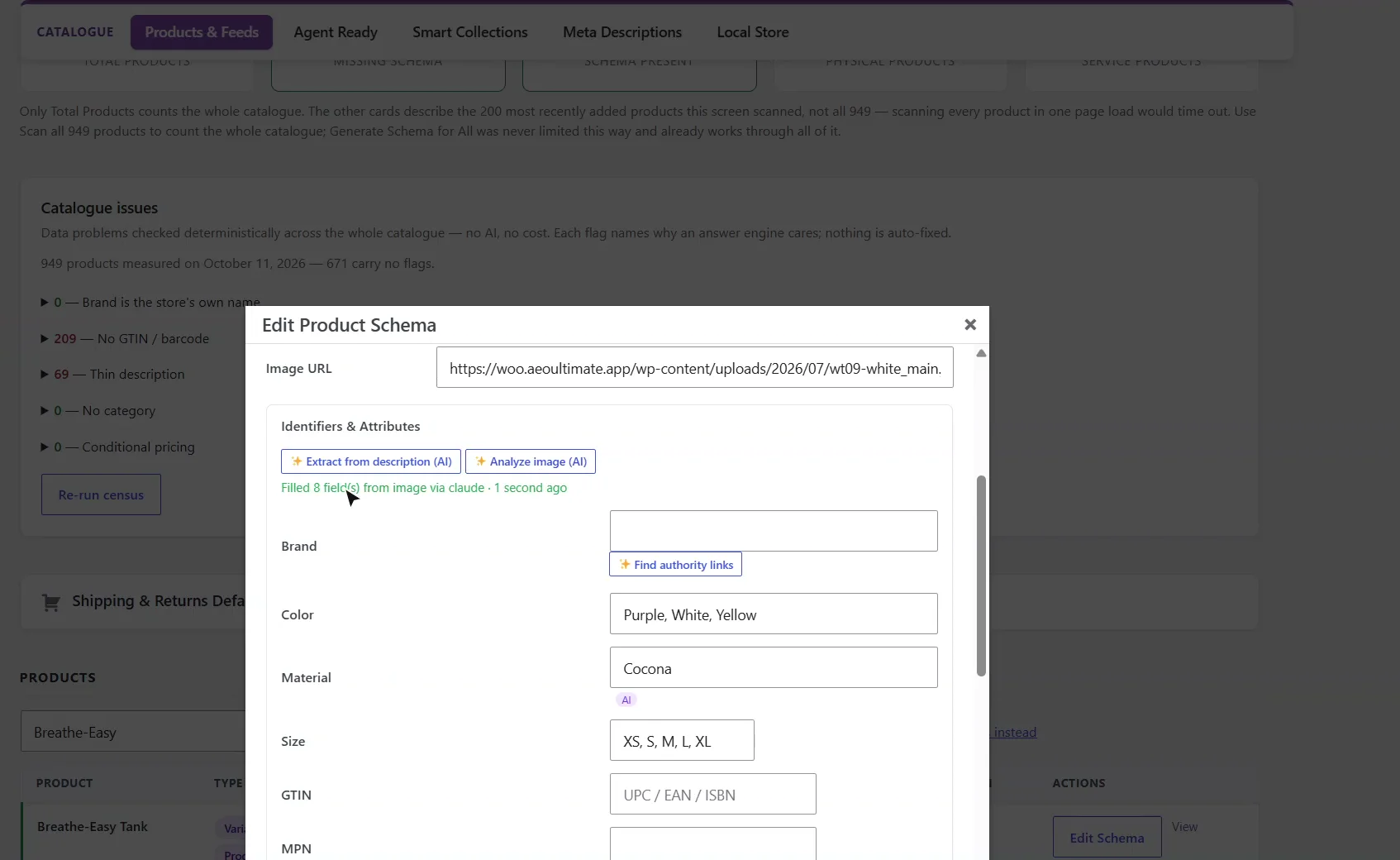
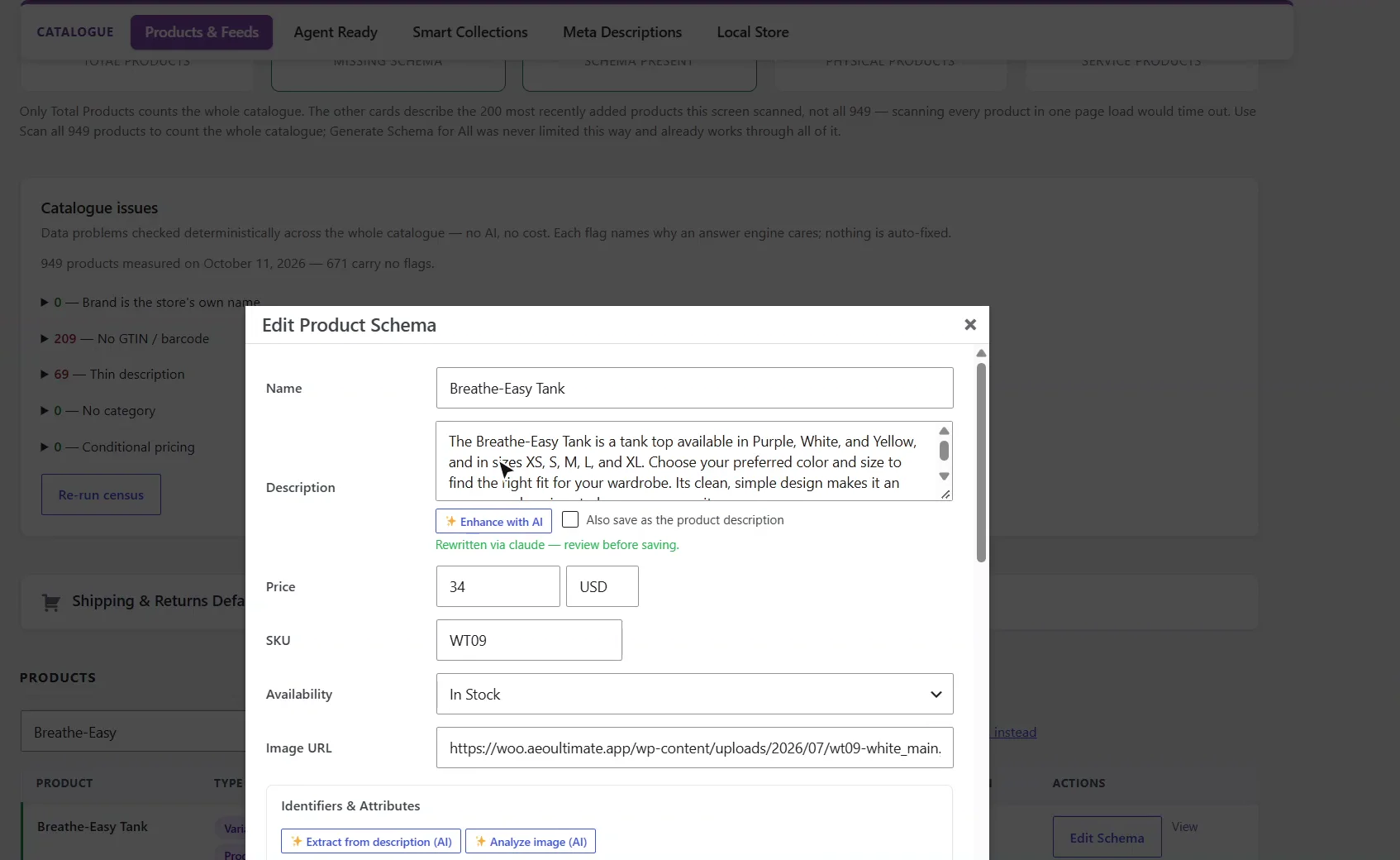
Open the product's Edit Schema. We'll use the Breathe-Easy Tank. Everything the AI suggests in this window stays a suggestion until you save.
1:08 Extract attributes from the description
Extract from description reads the product's text and suggests attributes like colour, material and size. It runs on your own AI key, and here that's Claude.
1:20 Suggestions you review
The suggestions fill in the fields, and nothing is saved until you've checked them. Analyze image does the same from the product photo.
1:29 Analyze the product image
The image reading fills in what the text never mentioned. Enhance with AI goes further, and rewrites the description itself.
1:39 Rewrite the description
The rewrite appears for you to review. It's saved only when you click Save, and it becomes the product's own description only if you tick that box. Here, we close without saving.
1:51 Next: trust and reviews
That's meta descriptions and AI enrichment: free templates where your data is enough, and AI where it isn't. Next, store trust and reviews.
How do I write meta descriptions for every product without AI?
Open AEO Ultimate → Catalogue → Meta Descriptions and write one template from the product’s own data: {{title}}, {{brand}}, {{category}}, {{price}} and {{store}}. For example: Shop {{title}} by {{brand}} in {{category}} at {{store}} — {{price}}. An empty value takes its separator with it, so a product with no brand loses “by …” instead of leaving a gap or a doubled dash. There is no AI and no cost, and the plugin writes descriptions only, never titles.
Will a template overwrite my existing descriptions?
Not unless you ask it to. Click Save & preview to see your newest products with their current and proposed descriptions. The preview is free and writes nothing, and each verdict says what Apply would actually do. By default only empty descriptions are filled; tick Also replace descriptions that are already set to replace the rest. A render identical to another product’s description is skipped, and Duplicate check scans the catalogue for products sharing one description.
How do I find a product to enrich?
On Products & Feeds, the Find box searches your whole catalogue by name, SKU or ID, not just the newest products in the table. Open the product’s Edit Schema to see its schema fields and the AI tools.
How does AI product enrichment work?
Extract from description (AI) reads the product’s text and suggests attributes such as colour, material and size. Analyze image (AI) does the same from the product photo, for details the text never mentions. Both run on your own AI key, with the provider you choose, and fill in the form for you to review.
Does the AI change my products automatically?
No. Enhance with AI rewrites the description in the form, and every AI suggestion stays a suggestion until you click Save Schema. The rewrite becomes the product’s own description only if you also tick Also save as the product description; close the window and nothing changes.
What should I set up next?
Next is store trust and reviews.
All WooCommerce tutorials
- Getting started
- Product schema
- Agent Ready
- Agentic checkout
- Merchant Center
- Meta descriptions and AI enrichment
- Store trust and reviews
- Local Store
- Smart Collections
- Promotions and price rules
- AI citations and the crawler log
- AI Ready and the schema detector
- The RAG Engine (coming soon)
← Previous: Merchant Center
Next: Store trust and reviews →
Still stuck?
Message me directly — free tier included. Most replies land within the hour during Tampa working hours. Get support →