Docs / for WooCommerce / AI citations and the crawler log for WooCommerce
AEO Ultimate for WooCommerce
Is AI using your store?
A crawl proves an AI engine read your page. It does not prove the engine used it. AI Citations answers both questions and keeps them apart: what AI engines actually did on your store, and whether they cite you when you ask them directly. Watch the walkthrough, or read the guide below.
Read the transcript
0:00 Two ways to know if AI uses your store
Is AI actually using your store? AI Citations answers that two ways, and keeps them apart: what engines really did on your site, and what they say when you ask them directly.
0:14 Crawls, retrievals and citations
Your traffic sorts every AI visit, checked against each operator's own published addresses. Crawls build an index or a training set. Live retrievals happen while a person is asking a question, which is a stronger signal. Citations are people who arrived from an answer. Anything that fails the check isn't counted.
0:38 What it refuses to count
The Excluded tab shows everything it refused to count, and why. Here, a scanner probing for config files, which is worth knowing about, but isn't an AI engine reading your store.
0:53 The crawler log
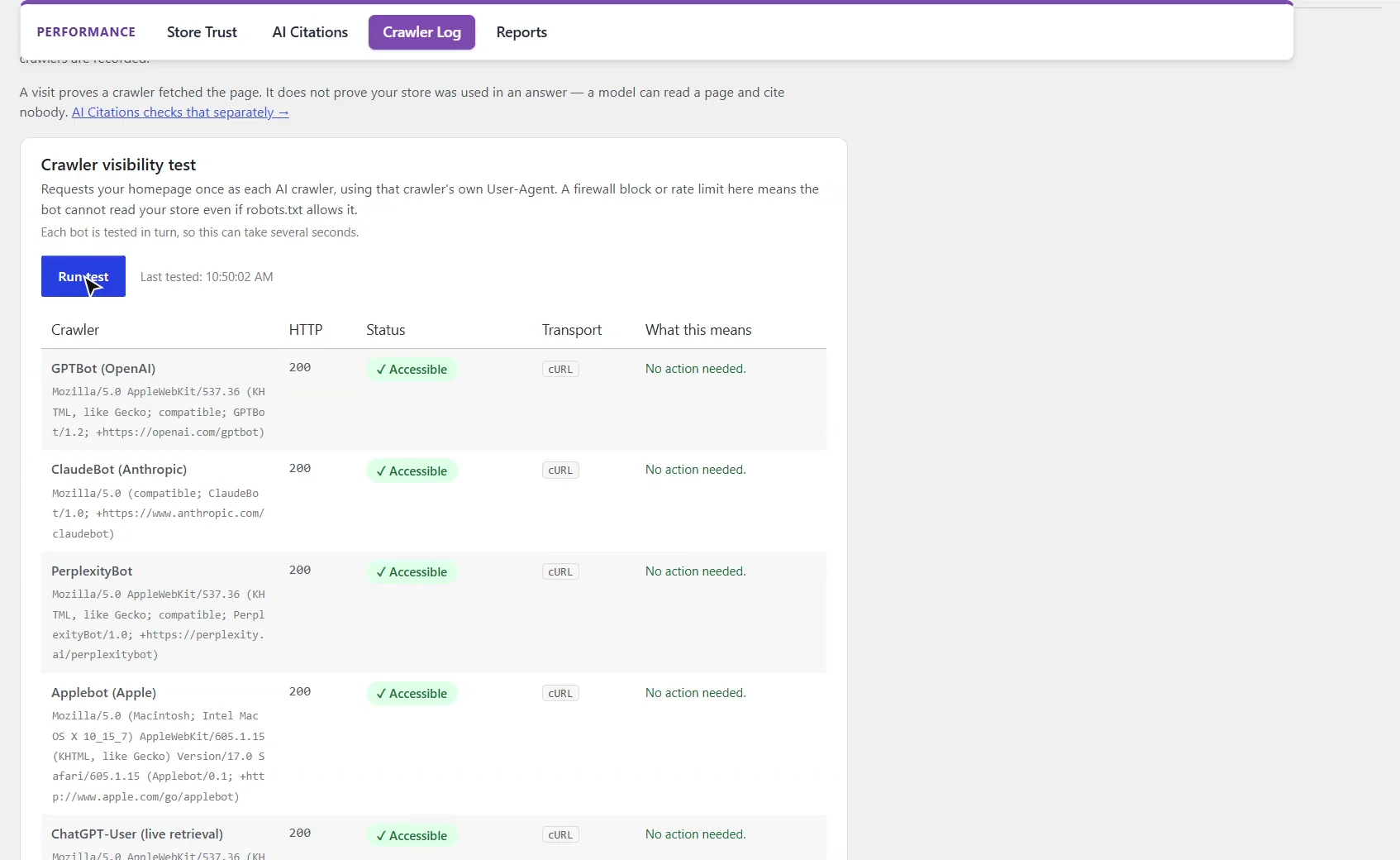
The Crawler Log shows which AI crawlers read your store and what your site sent back. ClaudeBot was turned away about two thousand times with a too-many-requests answer, crawl budget spent on nothing. The visibility test requests your homepage as each crawler, to catch a firewall that blocks them.
1:15 Ask the engines
A crawl proves a page was read, not that it was used. Ask the engines puts your store's questions to each AI engine's web-grounded model, and records whether your site came back in its citations. Cited and merely named are counted separately, and every check is a billed call, capped per day.
1:36 Run a check
Run check now. Each engine is asked in turn, so a run takes a few minutes. This is the result.
1:47 Reading the result
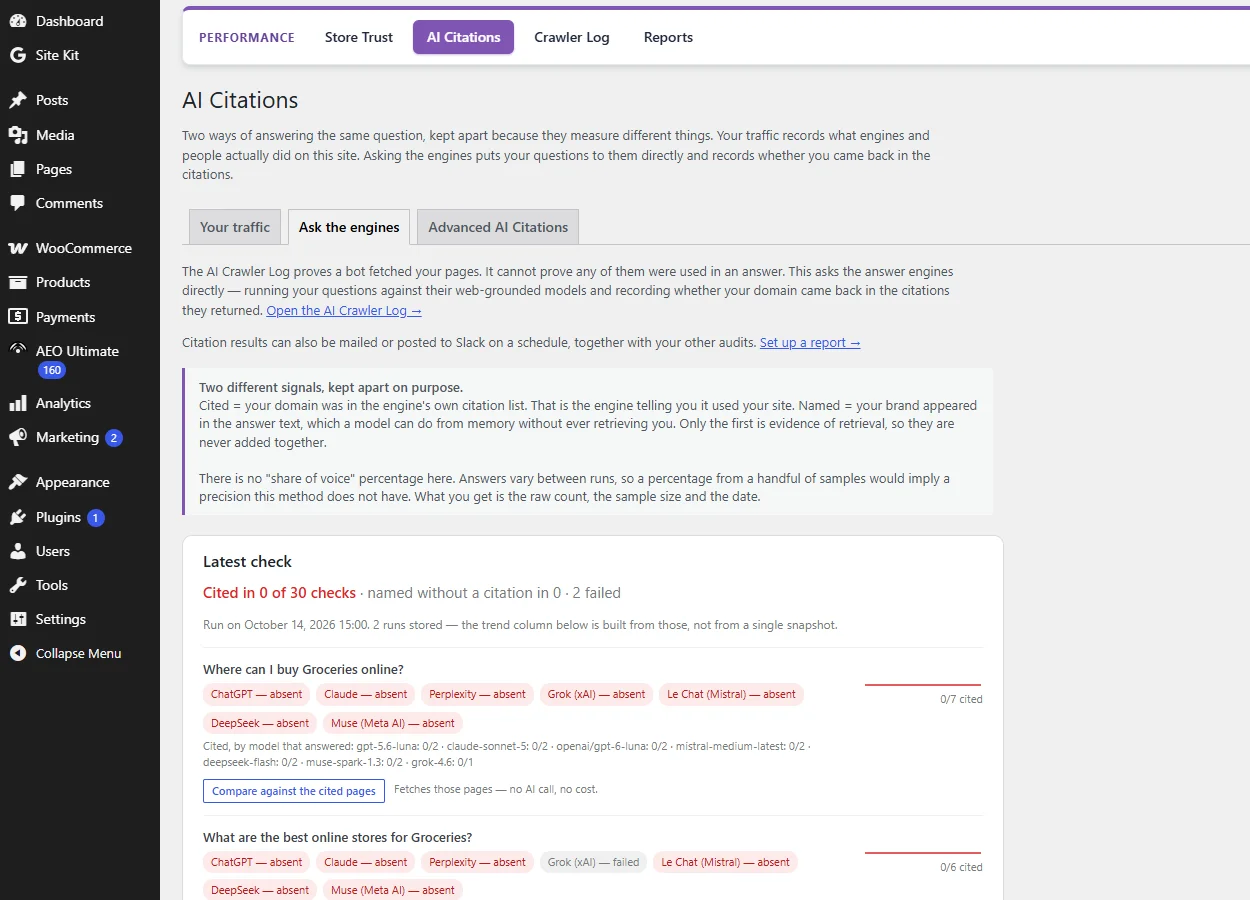
Every result is counted exactly as it came back: cited, named only, the number of checks, the model that actually answered, and any engine that failed. Two runs now give a trend line, and the engines' own follow-up questions show how they split your category.
2:05 Next: AI Ready and the schema detector
That's AI citations: what AI engines read, and whether they use it. Next, AI Ready and the schema detector.
How do I know which AI engines visit my store?
Open AEO Ultimate → Performance → AI Citations. Your traffic sorts every AI visit, checked against the operator’s own published address ranges: crawls build an index or a training set; live retrievals happen while a person is asking a question, which is a stronger signal; citations are people who arrived from an answer. A retrieval is not a citation: an engine can read a page and not use it.
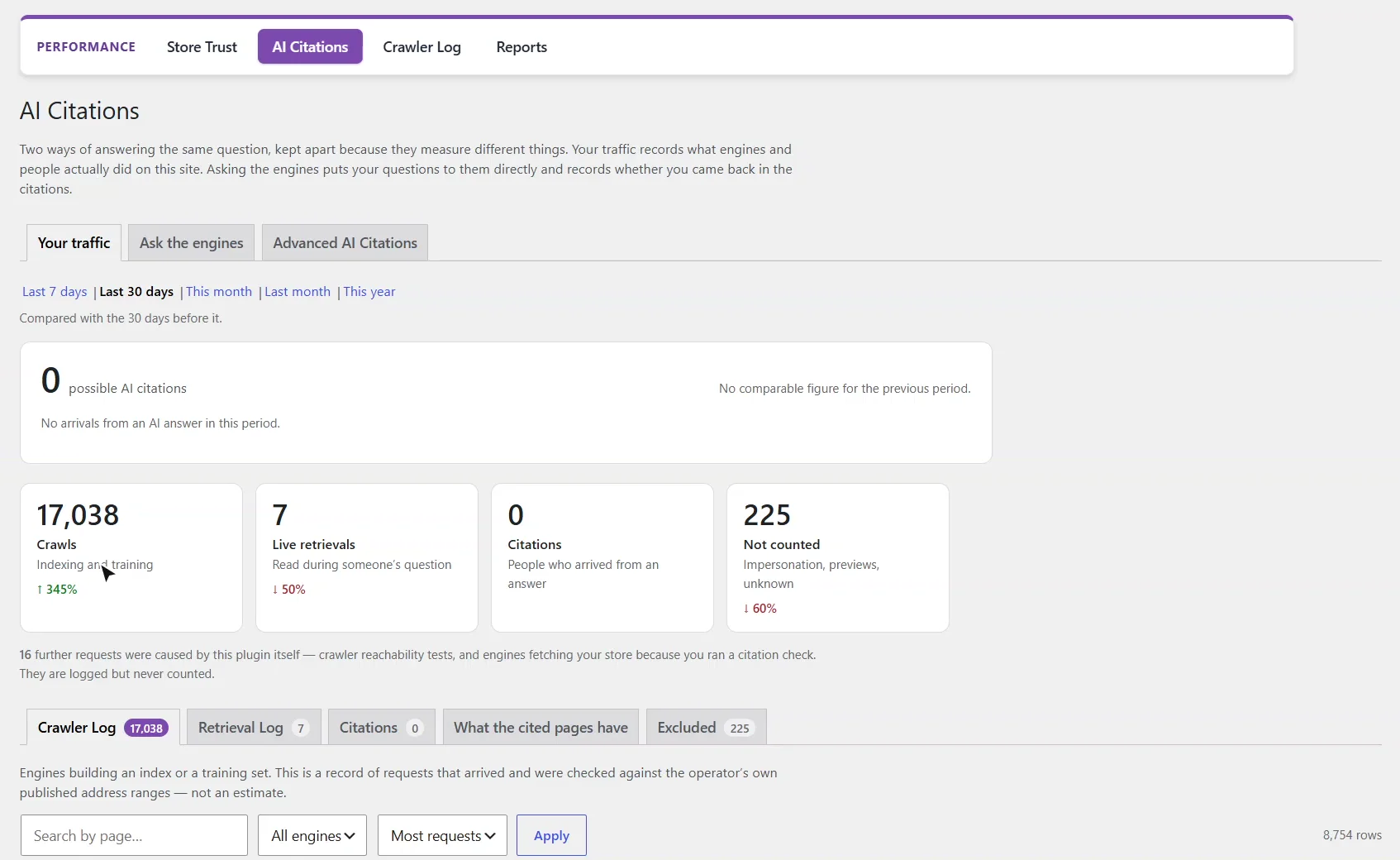
Why are some visits not counted?
Anything that fails the address check, or that is not an AI engine at all, is listed under Excluded with the reason: impersonators claiming to be a known crawler, link previews, archivers, unidentified clients. On this store that included a scanner probing for files like /config.json and /graphql, worth knowing about, but not an AI engine reading the store.
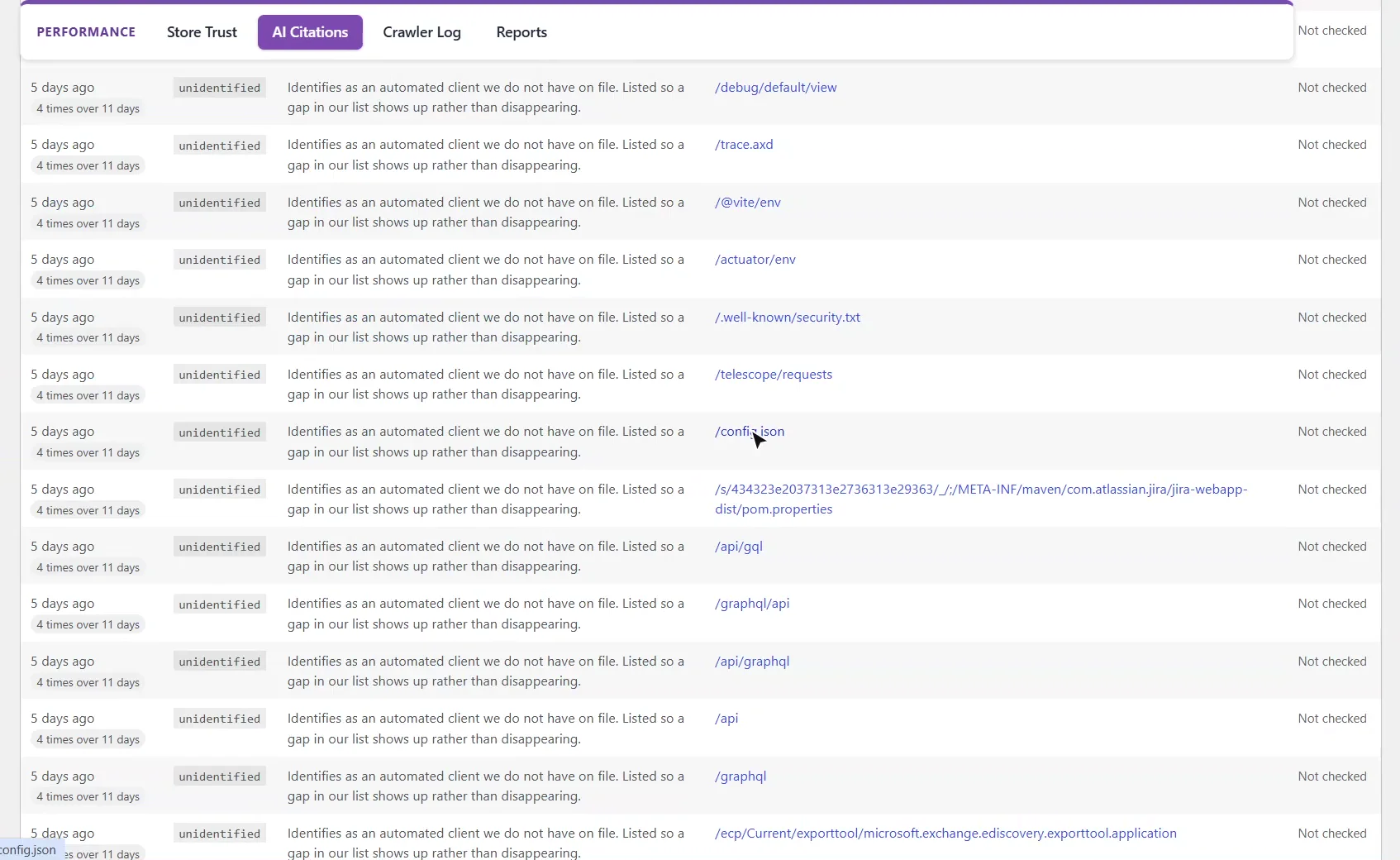
What does the AI crawler log show?
AEO Ultimate → Performance → Crawler Log shows which AI crawlers read your store, what they fetched most, and what your site sent back. Errors matter: a crawler turned away with an error spends its budget on a page it can never use. On this store ClaudeBot was answered with “too many requests” about two thousand times.
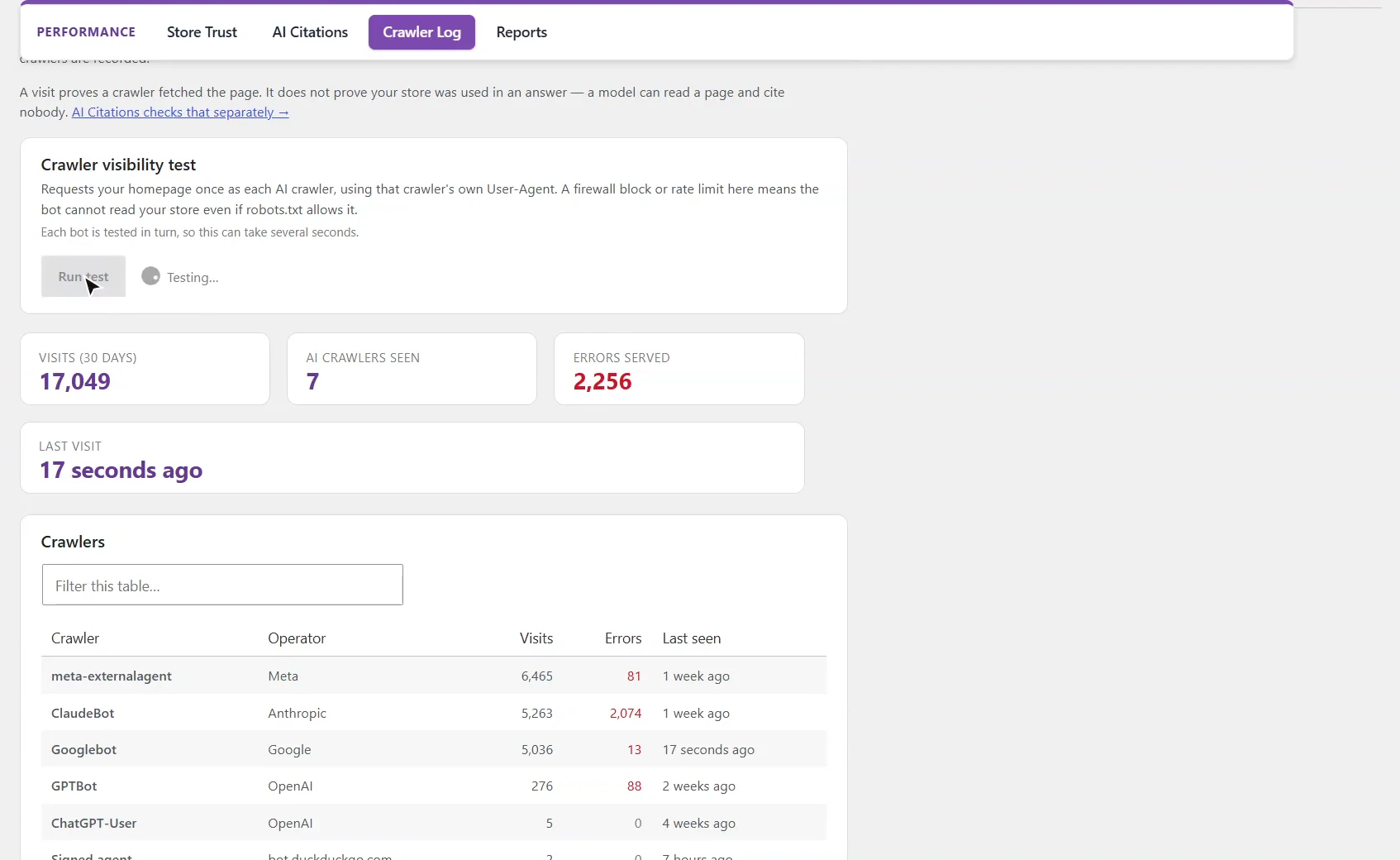
The crawler visibility test requests your homepage once as each AI crawler, using its own user agent, to catch a firewall or rate limit that blocks them even when robots.txt allows them. It costs nothing.
Does ChatGPT or Perplexity cite my store?
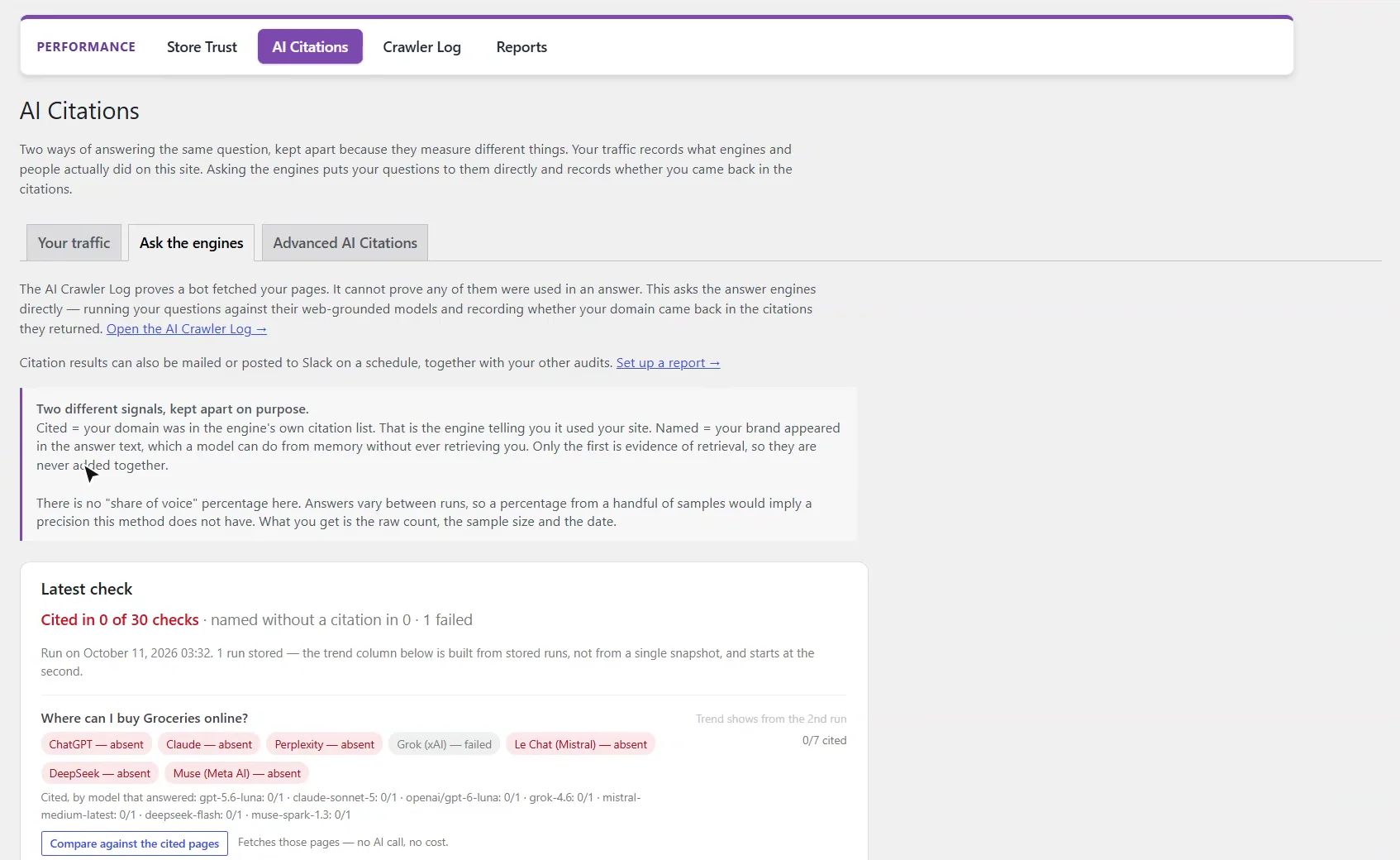
Ask the engines puts your store’s questions to each engine’s web-grounded model (ChatGPT, Claude, Perplexity, Grok, Le Chat, DeepSeek, Muse and others) and records whether your site came back in its citations. Cited means your domain was in the engine’s own citation list; named means your brand appeared in the answer text, which a model can do from memory, so the two are never added together. There is no share-of-voice percentage: answers vary between runs, and you get the raw count, the sample size and the date instead.
How much does a citation check cost?
Each check is one billed API call on your own keys. The screen says how many calls a full run is before you press Run check now, and if that is more than the daily cap allows, how many would be skipped. Checks run one at a time while the page is open; Muse can take a minute per question, so a run can take several minutes.
How do I read the result?
Every result is counted as it came back: cited, named only, the number of checks, the model that actually answered, and any engine that failed. A failed check is never counted as “not cited”. From the second run, each question shows a trend line, and the engines’ own follow-up questions show how they split your category.
What should I set up next?
Next is AI Ready and the schema detector.
All WooCommerce tutorials
- Getting started
- Product schema
- Agent Ready
- Agentic checkout
- Merchant Center
- Meta descriptions and AI enrichment
- Store trust and reviews
- Local Store
- Smart Collections
- Promotions and price rules
- AI citations and the crawler log
- AI Ready and the schema detector
- The RAG Engine (coming soon)
← Previous: Promotions and price rules
Next: AI Ready and the schema detector →
Still stuck?
Message me directly — free tier included. Most replies land within the hour during Tampa working hours. Get support →