Docs / for WooCommerce / Agentic checkout for WooCommerce: let AI agents buy
AEO Ultimate for WooCommerce
Let AI agents buy from your WooCommerce store
AI shopping agents now check out, not just recommend. Agentic Checkout lets them buy from your WooCommerce store through the two agent checkout protocols, with the order and the payment landing in your own WooCommerce and Stripe. Watch a test agent buy, or read the guide below.
Read the transcript
0:00 What agentic checkout does
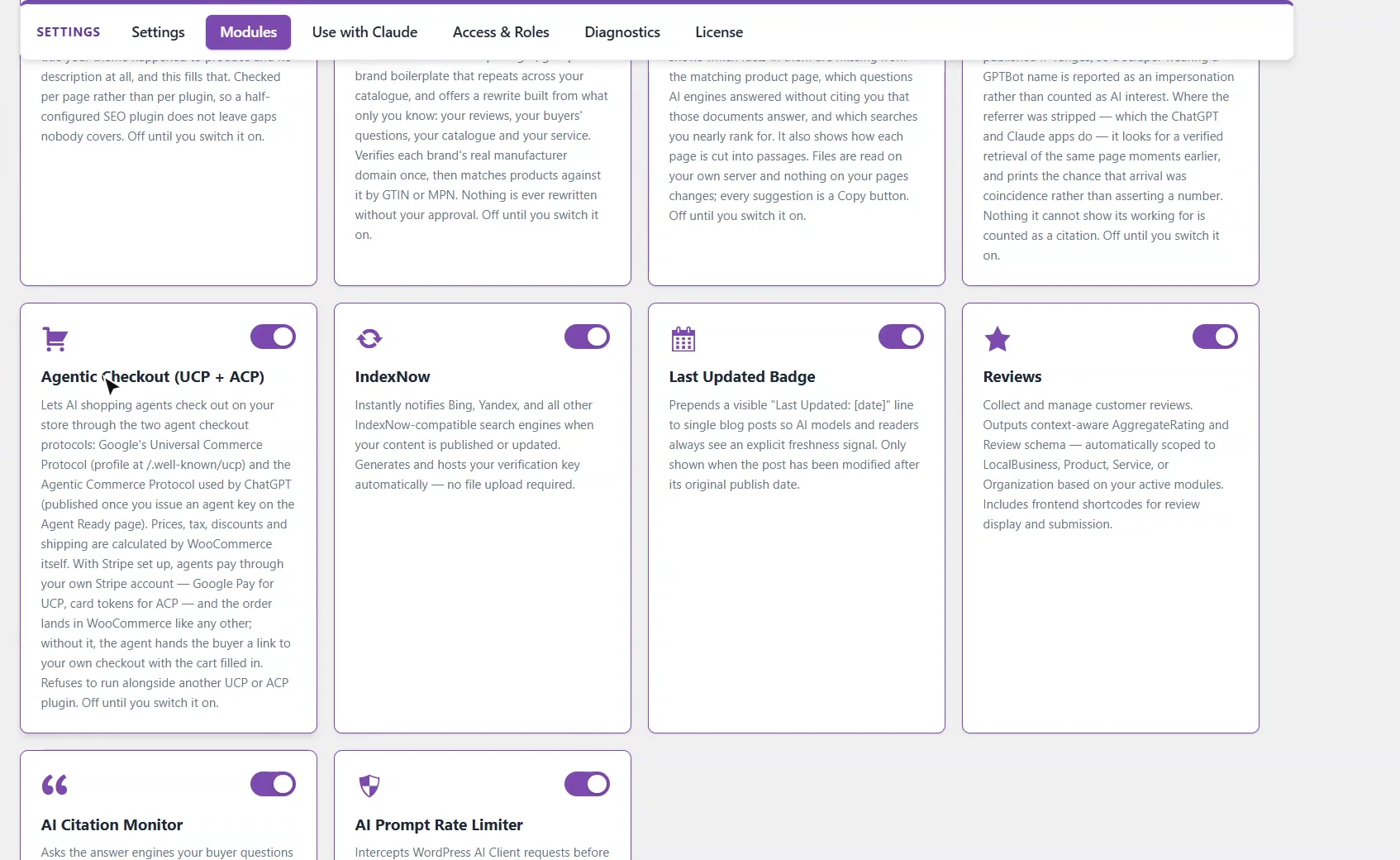
Agentic checkout lets AI shopping agents buy from your store, not just recommend it. Switch on Agentic Checkout on the Modules page. It speaks both agent checkout protocols, Google's UCP and the Agentic Commerce Protocol that ChatGPT uses, and it refuses to run beside another plugin that does the same.
0:22 Your UCP profile
Once it's on, your UCP profile is published at slash well-known slash UCP. It tells Google's agents what this store supports: shopping, checkout and fulfillment, and payment by Google Pay through your own Stripe account. Prices, tax, discounts and shipping are all calculated by WooCommerce itself.
0:44 An ACP key for each agent platform
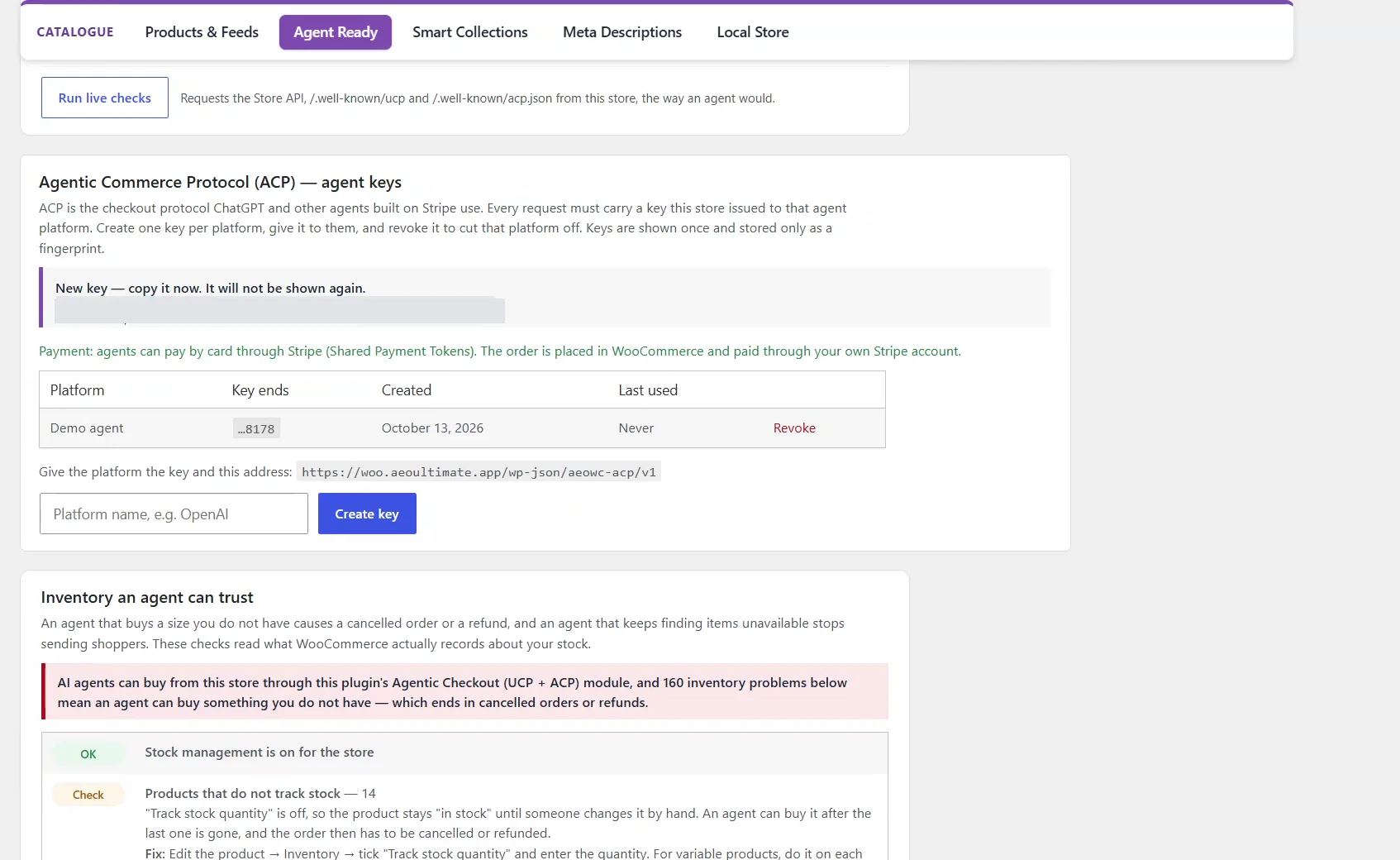
ACP needs a key for each agent platform. On the Agent Ready page, name the platform and create a key. It's shown once, so copy it and give it to the platform with your store's address. Agents pay by card through your own Stripe account.
1:02 The ACP discovery file goes live
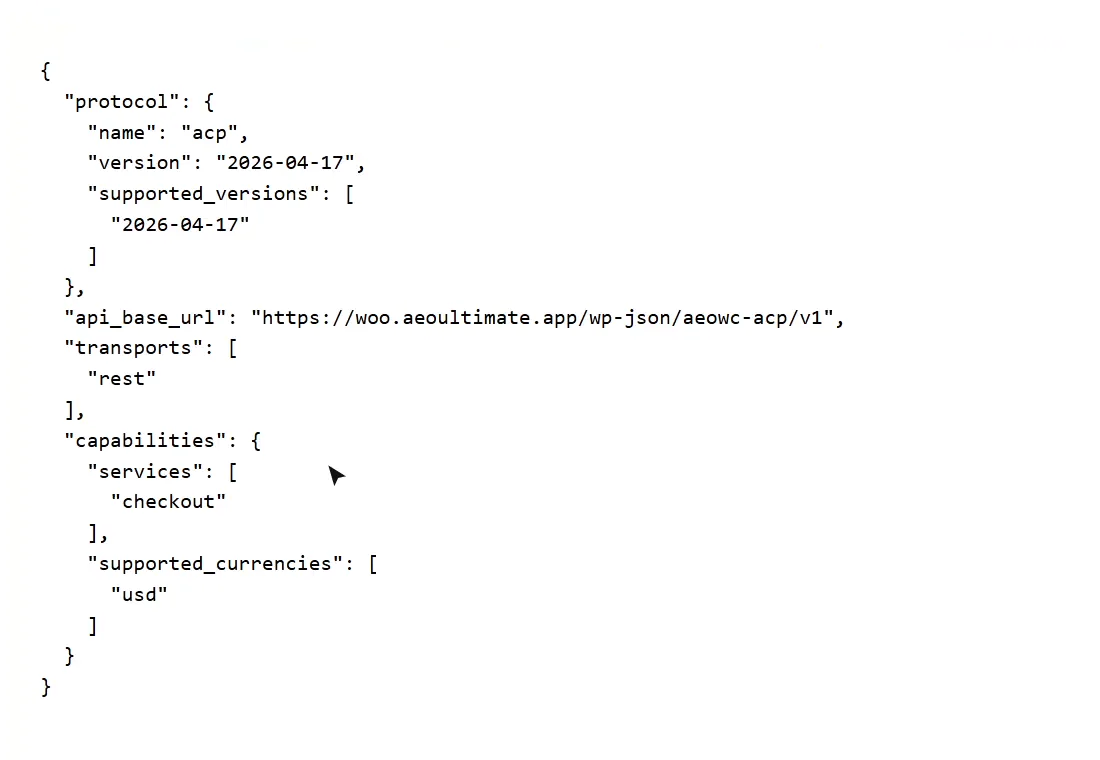
With a key issued, your ACP discovery file goes live at slash well-known slash ACP dot JSON, so agents can find your checkout. Until a key exists, it isn't published at all.
1:18 An agent buys
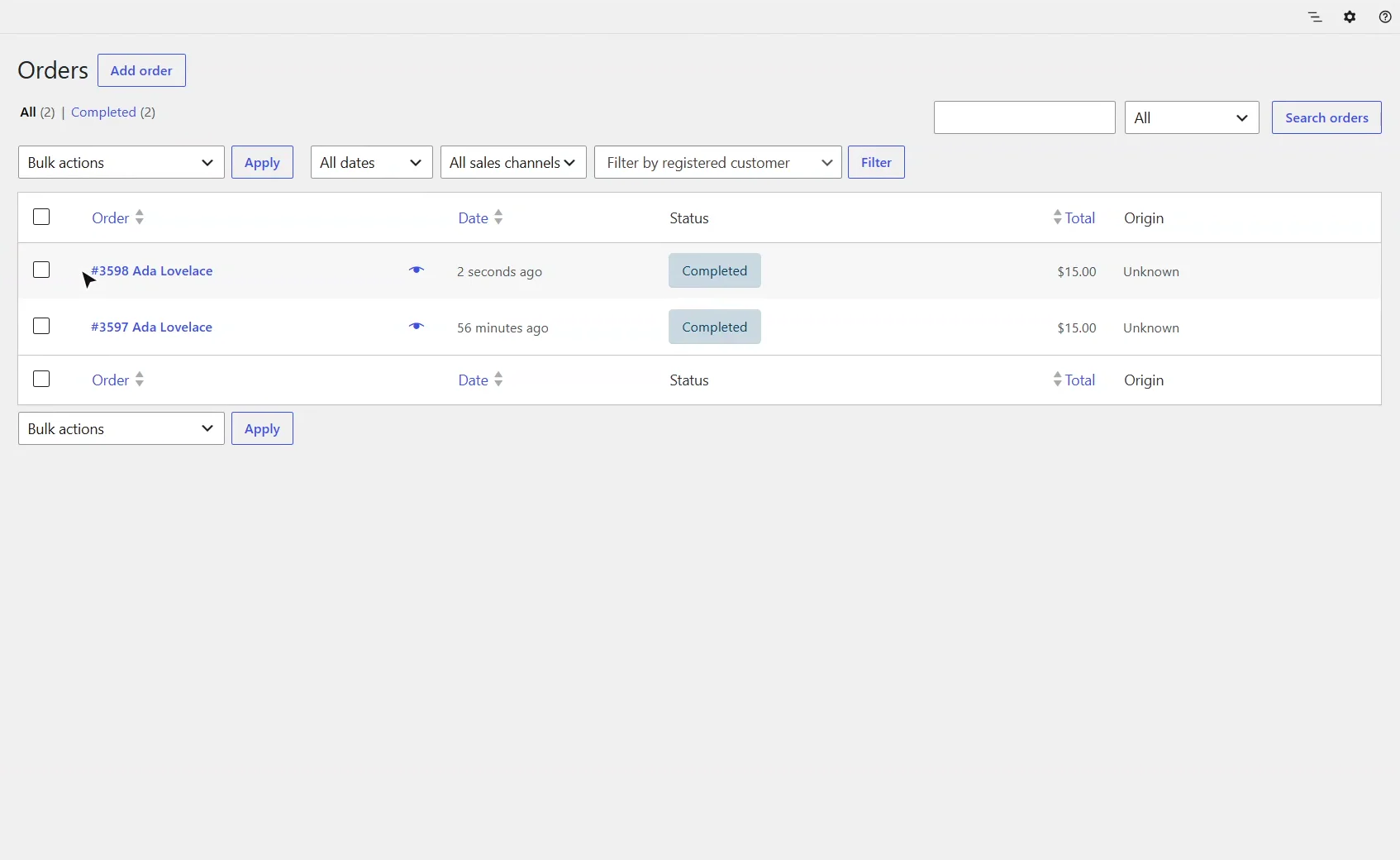
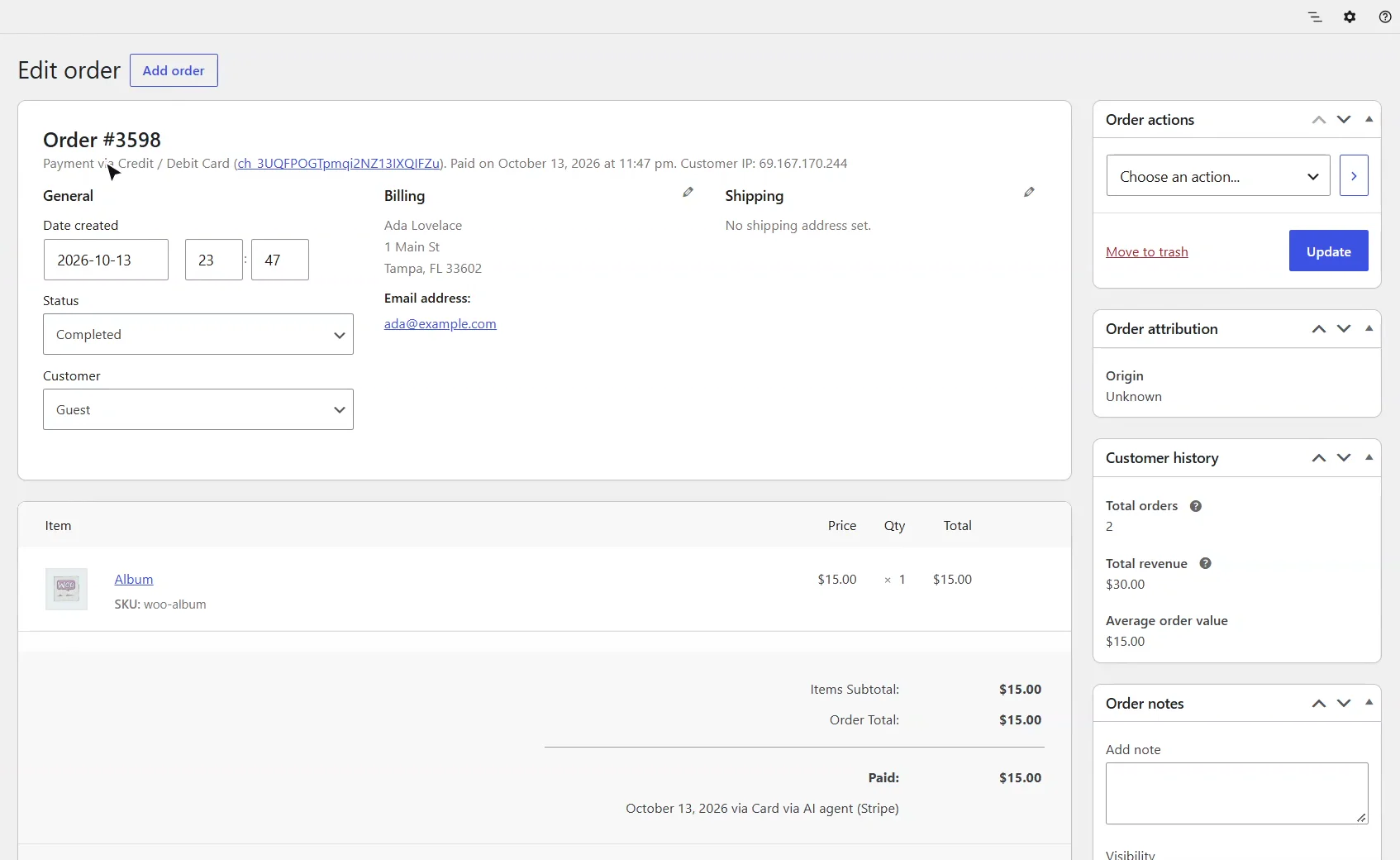
Now an agent buys. This test agent uses that key to open a checkout session for the Album, then pays with a Stripe test token for exactly the total it was shown. A moment later, the order is in WooCommerce.
1:37 A normal WooCommerce order
It's a normal WooCommerce order, paid through Stripe, with the buyer's details and a note saying an AI agent paid for it. You fulfil it and refund it the way you always do.
1:53 Revoke a key, cut a platform off
Back on Agent Ready, the key shows when it was last used. Revoke it, and that platform is cut off at once. Next, Merchant Center puts your products in front of Google's shopping agents.
What is agentic checkout?
Agentic checkout lets an AI shopping agent build a cart, calculate the total and pay on your store on the shopper’s behalf. Switch on Agentic Checkout (UCP + ACP) under AEO Ultimate → Settings → Modules. It speaks both agent checkout protocols: Google’s Universal Commerce Protocol (UCP) and the Agentic Commerce Protocol (ACP) used by ChatGPT. Prices, tax, discounts and shipping are calculated by WooCommerce itself. It is off until you switch it on, and it refuses to run alongside another UCP or ACP plugin, because two profiles at one address would answer agents unpredictably.
What does the UCP profile publish?
With the module on, your UCP profile is published at /.well-known/ucp. It tells Google’s agents what the store supports, namely shopping, checkout and fulfillment, and how to pay: Google Pay, charged through your own Stripe account. With Stripe set up, agents pay and the order is placed for you; without it, the agent hands the buyer a link to your own checkout with the cart already filled in.
How do I give an AI platform access through ACP?
ACP requires every request to carry a key your store issued to that agent platform. On the Agent Ready page, open Agentic Commerce Protocol (ACP) — agent keys, type the platform’s name and click Create key. The key is shown once and stored only as a fingerprint, so copy it then and give it to the platform with the address shown under the list. Agents on ACP pay by card through Stripe Shared Payment Tokens, into your own Stripe account.
When is the ACP discovery file published?
Only once a key exists. Until then /.well-known/acp.json is not published at all and the ACP routes are not registered, so no agent can reach a checkout you have not opened. After you create a key, the file names the protocol version, your API address, and the checkout service.
What happens when an AI agent buys?
The agent opens a checkout session, WooCommerce calculates the total, and the agent pays with a payment token capped at exactly the total it was shown. In the video, a test agent bought a $15 product and paid with a Stripe test token, and the order appeared in WooCommerce seconds later. It is a normal WooCommerce order, paid through Stripe, with the buyer’s details and an order note that an AI agent paid for it. You fulfil and refund it the way you always do.
How do I stop a platform from buying?
The key list shows when each key was last used. Click Revoke and that platform is refused at once; when no key is left, the ACP discovery file stops being published.
What should I set up next?
Next is Merchant Center, which puts your products in front of Google’s shopping agents.
All WooCommerce tutorials
- Getting started
- Product schema
- Agent Ready
- Agentic checkout
- Merchant Center
- Meta descriptions and AI enrichment
- Store trust and reviews
- Local Store
- Smart Collections
- Promotions and price rules
- AI citations and the crawler log
- AI Ready and the schema detector
- The RAG Engine (coming soon)
← Previous: Agent Ready
Next: Merchant Center →
Still stuck?
Message me directly — free tier included. Most replies land within the hour during Tampa working hours. Get support →