Docs / for Shopify / The RAG Engine for Shopify: find the facts your product pages miss
AEO Ultimate for Shopify
The RAG Engine: facts your product pages miss
AI answer engines such as ChatGPT, Perplexity and Google’s AI Overviews don’t read your pages top to bottom. They cut the web into short passages and write their answer from the few that best match a shopper’s question. The RAG Engine, on the Pro plan, shows your documents the way that retrieval sees them, and finds the facts your documents state that your product pages don’t. The video uses a sample spec sheet made up for a test product; Clearleaf Labs is not a real company.
What documents can I add?
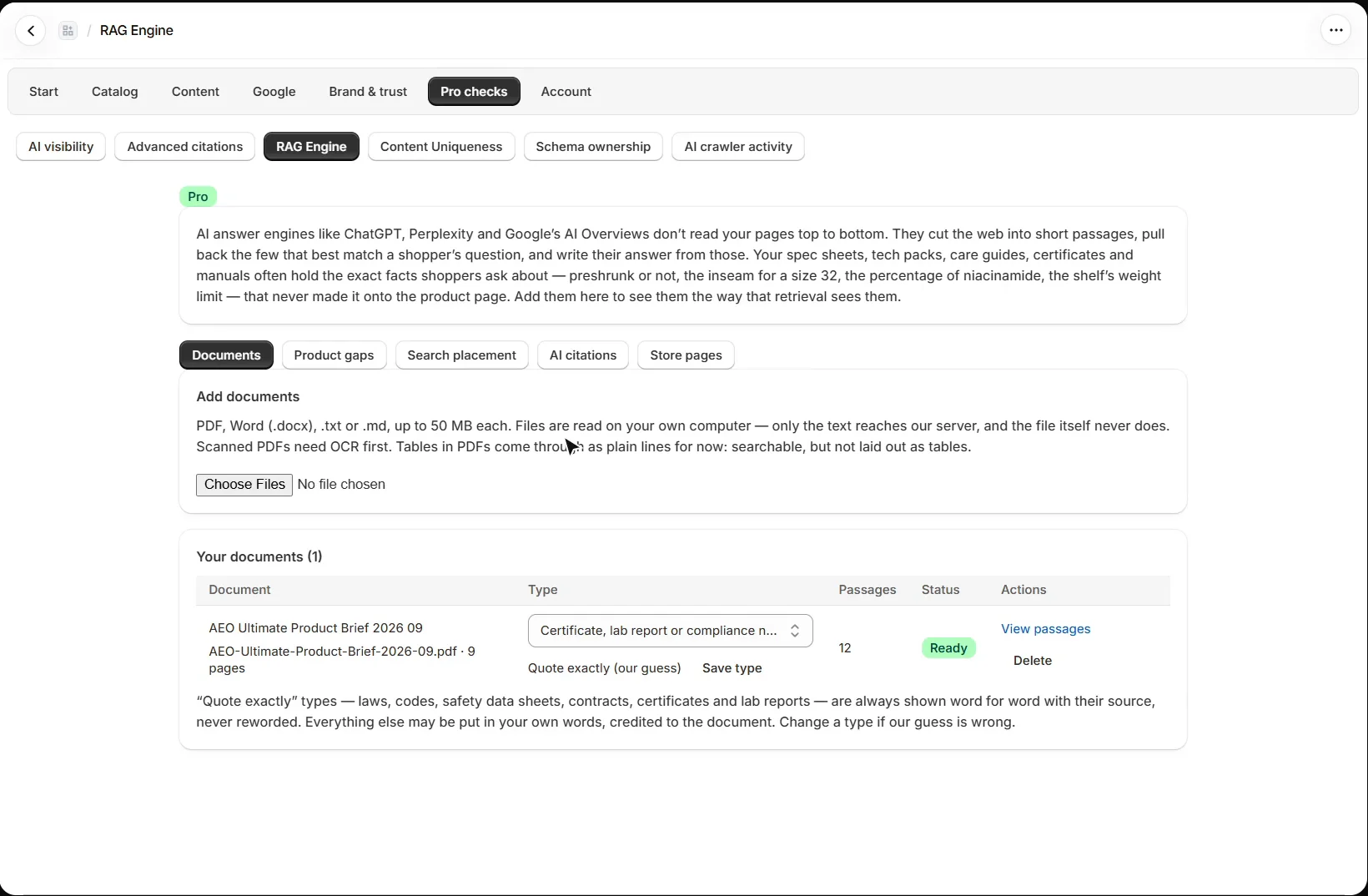
Open Pro checks → RAG Engine. Spec sheets, tech packs, care guides, certificates and manuals often hold the exact facts shoppers ask about that never made it onto the product page. Add PDF, Word (.docx), .txt or .md files, up to 50 MB each. Scanned PDFs need OCR first, and tables in PDFs come through as plain lines for now.
Are my files uploaded to your server?
No. Files are read on your own computer, in your browser; only their text reaches the AEO Ultimate document service, and the file itself never does. Nothing the RAG Engine finds is written to your store. If a store leaves the Pro plan, its documents are kept for 90 days and then deleted. The details are in the RAG Engine privacy policy and terms.
What do the document types mean?
Each document is cut into passages and given a type, which you can change if the guess is wrong. “Quote exactly” types, such as laws, codes, safety data sheets, contracts, certificates and lab reports, are always shown word for word with their source, never reworded. Everything else, such as a spec sheet or a care guide, may be put in your own words, credited to the document.
How does it know what my product pages already say?
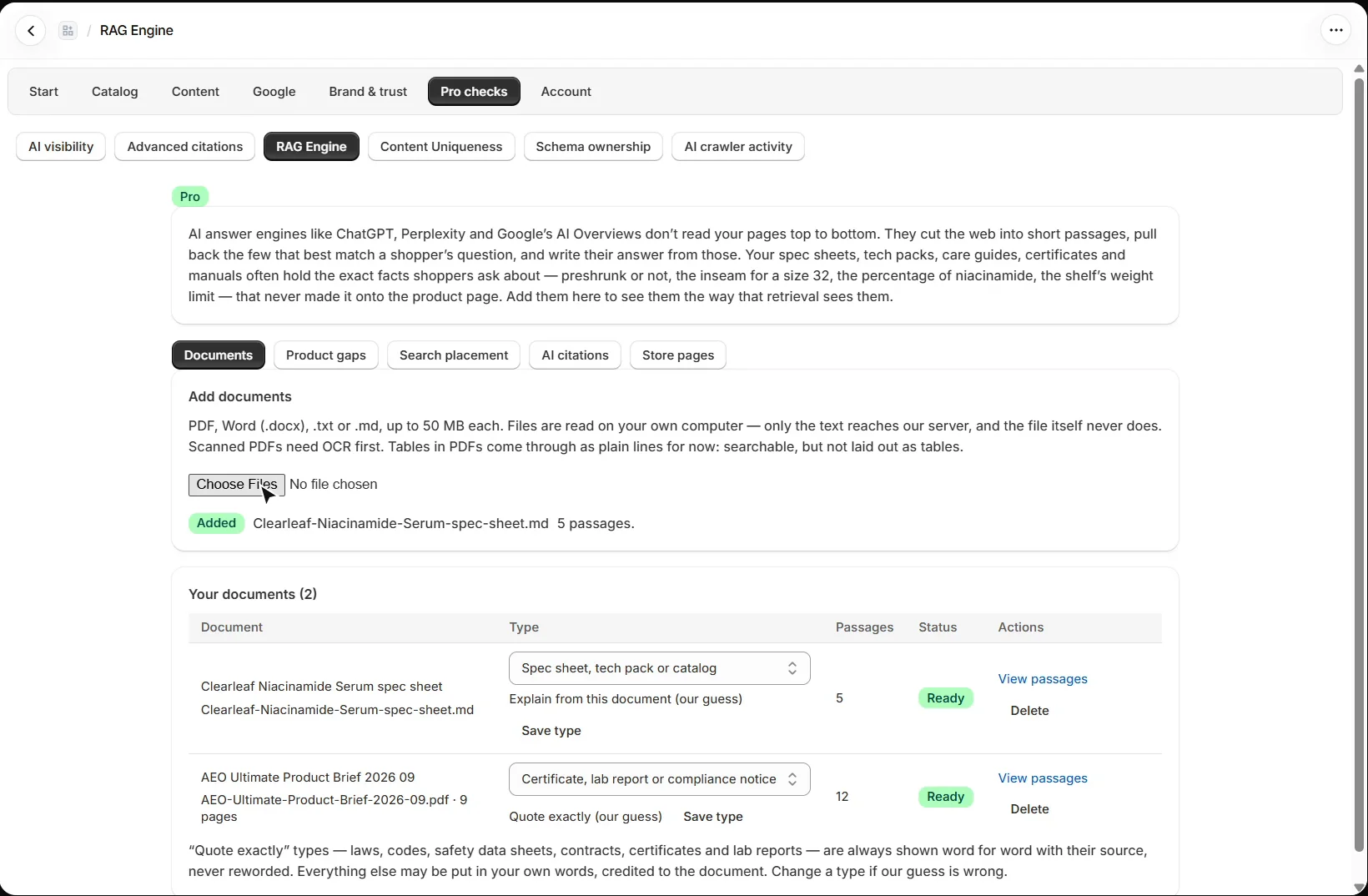
The Store pages tab keeps your active products (description, SKUs, barcodes and options), collections and published blog articles split into passages the same way as your documents. They are read from Shopify directly, never from your storefront, and kept current as you edit products. Shopify “Pages” (/pages/…) are not included.
How does Product gaps find missing facts?
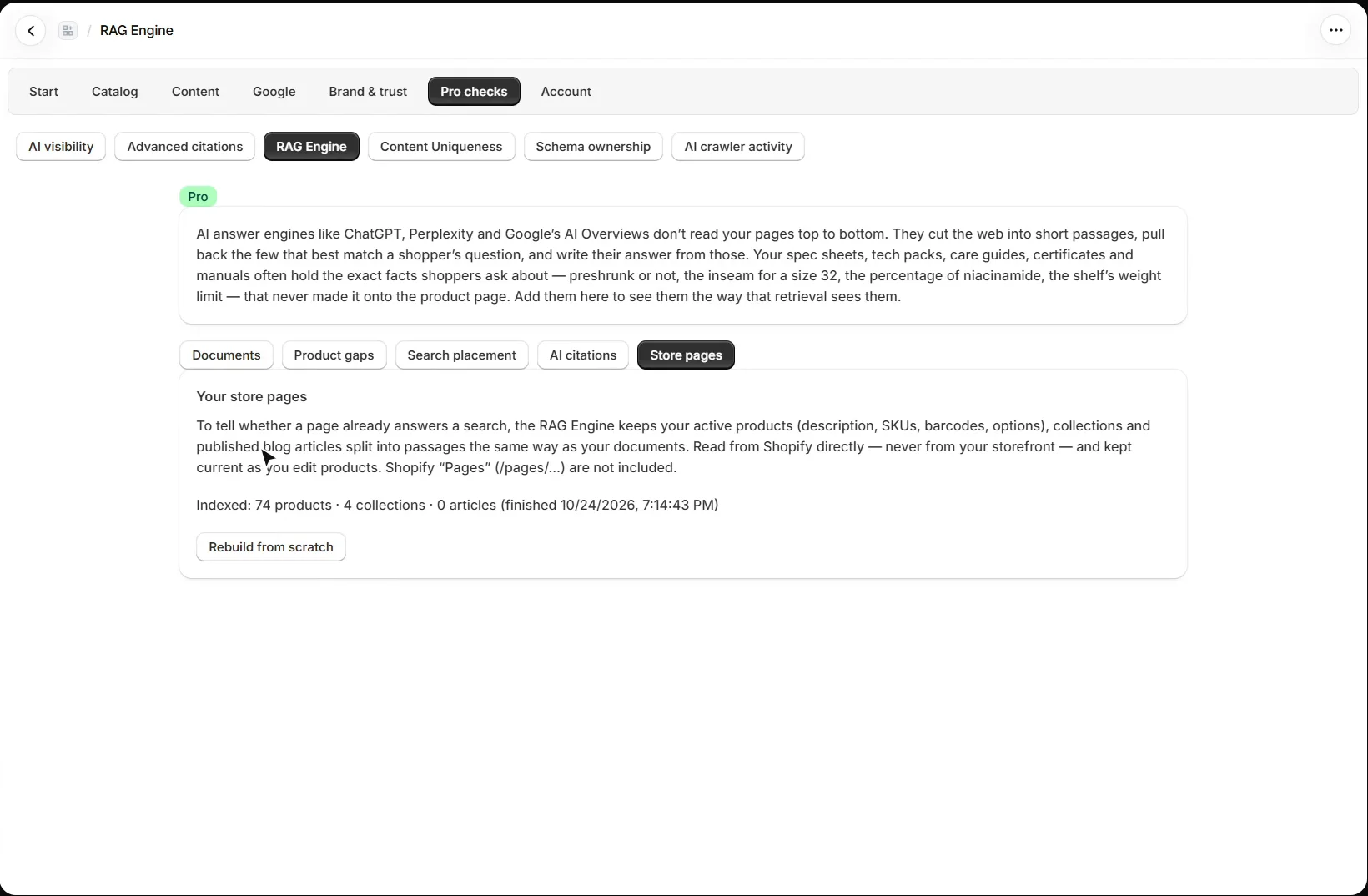
Each active product is matched to your documents by its exact SKU or model number, or by every word of its title together. Then every fact the document gives, such as measurements, percentages, weights, “Label: value” lines and table rows, is checked against the product page by its value, so “32-inch inseam” on the page counts for “Inseam: 32 in” in a tech pack. What is left is what shoppers, and AI answers, cannot find on the page. Copy the facts and open the product in Shopify to add them; when many stores publish the same manufacturer text, the page that answers in its own words usually does better.
What do the Search placement and AI citations tabs do?
Search placement, with Search Console connected, lists the searches you nearly win and the passages that could answer them. AI citations uses your AI visibility runs to find the questions the assistants left you out of, and the passages from your documents that could answer them.
What should I set up next?
Next is the Claude connector. Every walkthrough is listed in the Shopify video tutorials.
Still stuck?
Message me directly — free tier included. Most replies land within the hour during Tampa working hours. Get support →