Docs / for Shopify / Meta tags: bulk SEO titles and meta descriptions for Shopify
AEO Ultimate for Shopify
Meta tags: SEO titles and descriptions for every product
Meta tags fills the SEO title and meta description of every product: the lines search engines show under your link, which AI assistants often quote. It works from a template, or from an AI draft per product written on your own AI key. It is on every plan, including Free.
Read the transcript
0:00 What Meta tags does
Meta tags fills the SEO title and meta description of every product: the lines search engines show under your link, which AI assistants often quote. It works from a template, or from an AI draft per product. It's on every plan, including Free.
0:18 Write a template once
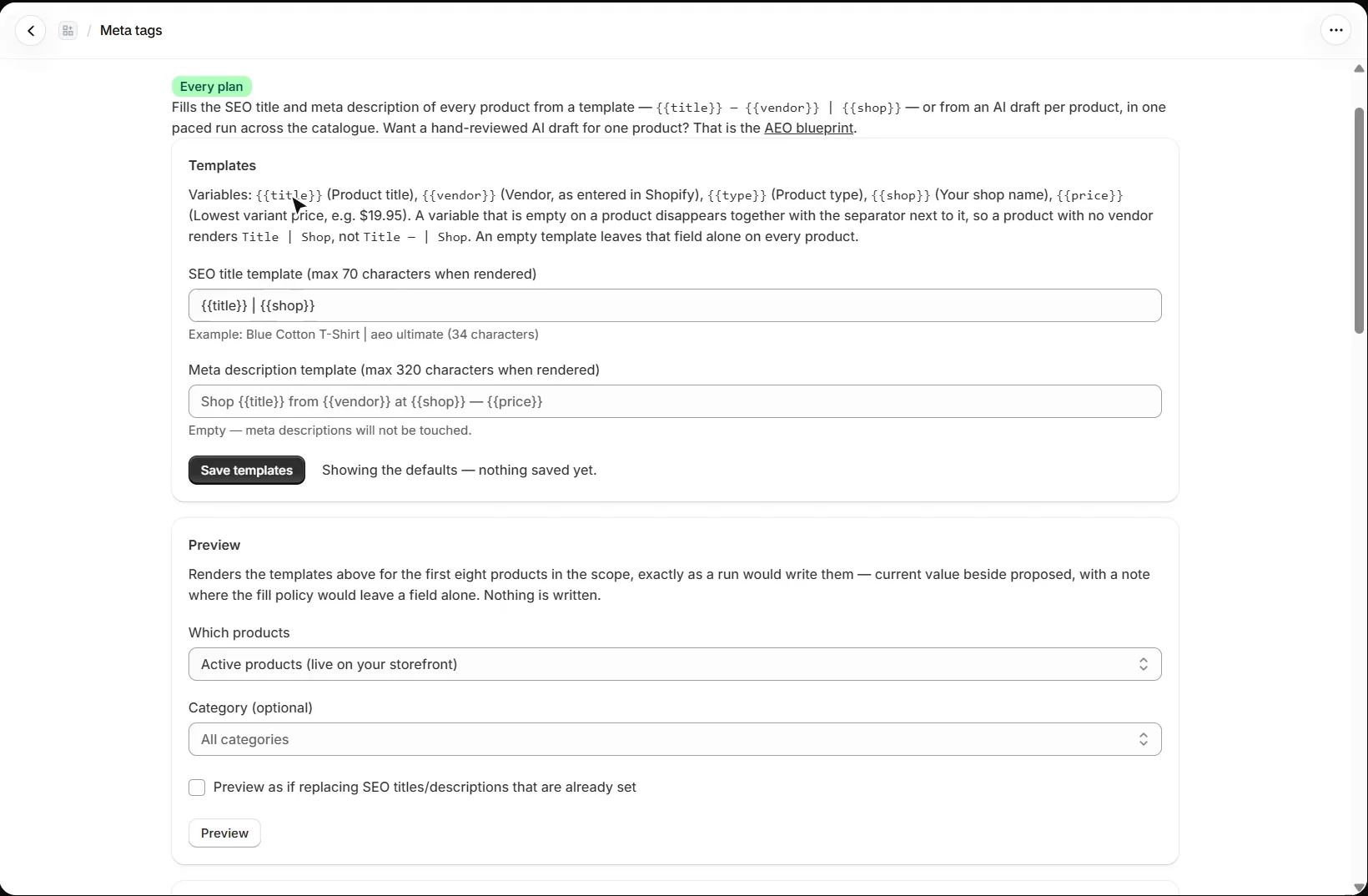
Write a template once. Variables like title, vendor, product type, shop name and price are filled in from each product. A variable that's empty disappears together with the separator next to it, so a product with no vendor never shows a dangling dash. An empty template leaves that field alone.
0:39 Preview before anything changes
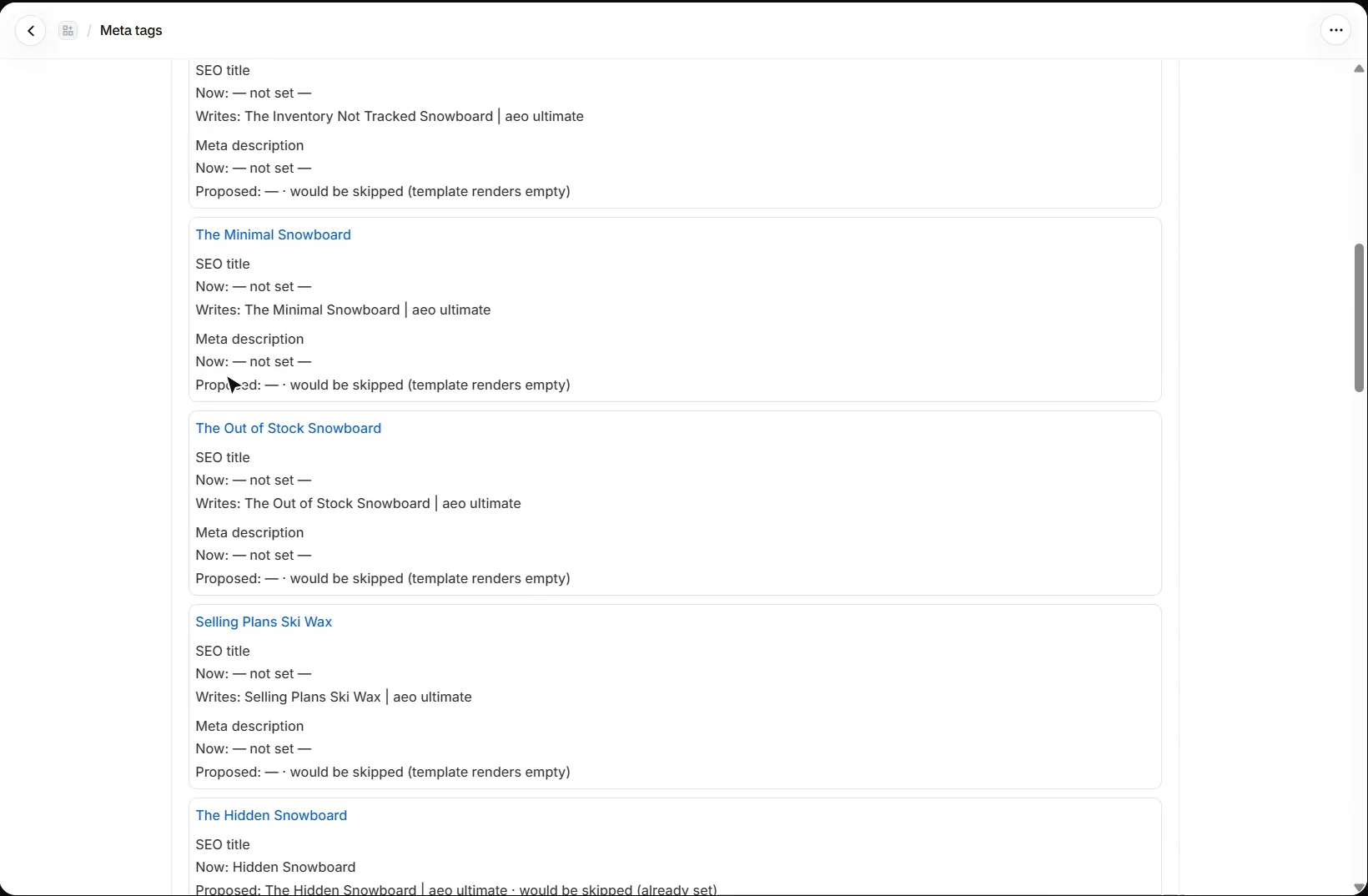
Preview renders the templates for the first eight products, exactly as a run would write them: the current value beside the proposed one, with a note wherever a field would be left alone. Nothing is saved.
0:52 Find duplicate descriptions
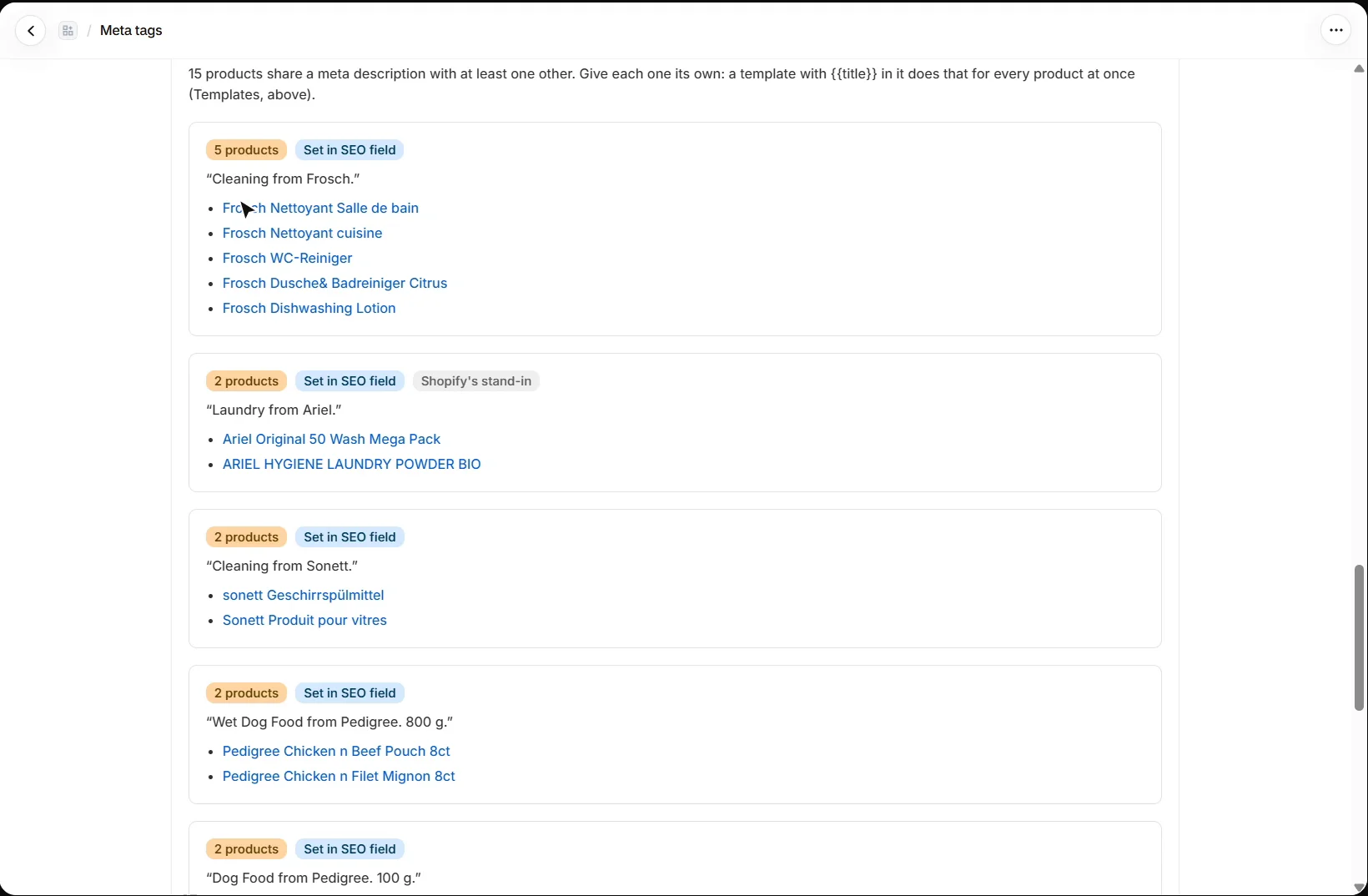
The duplicate check finds products that share a meta description or SEO title. Identical descriptions read as duplicate content, and an AI answer quoting one can't tell your products apart. Where a product has no SEO description, Shopify shows the start of its description instead, so shared body copy counts too. It's free and uses no AI.
1:15 Templates or AI drafts
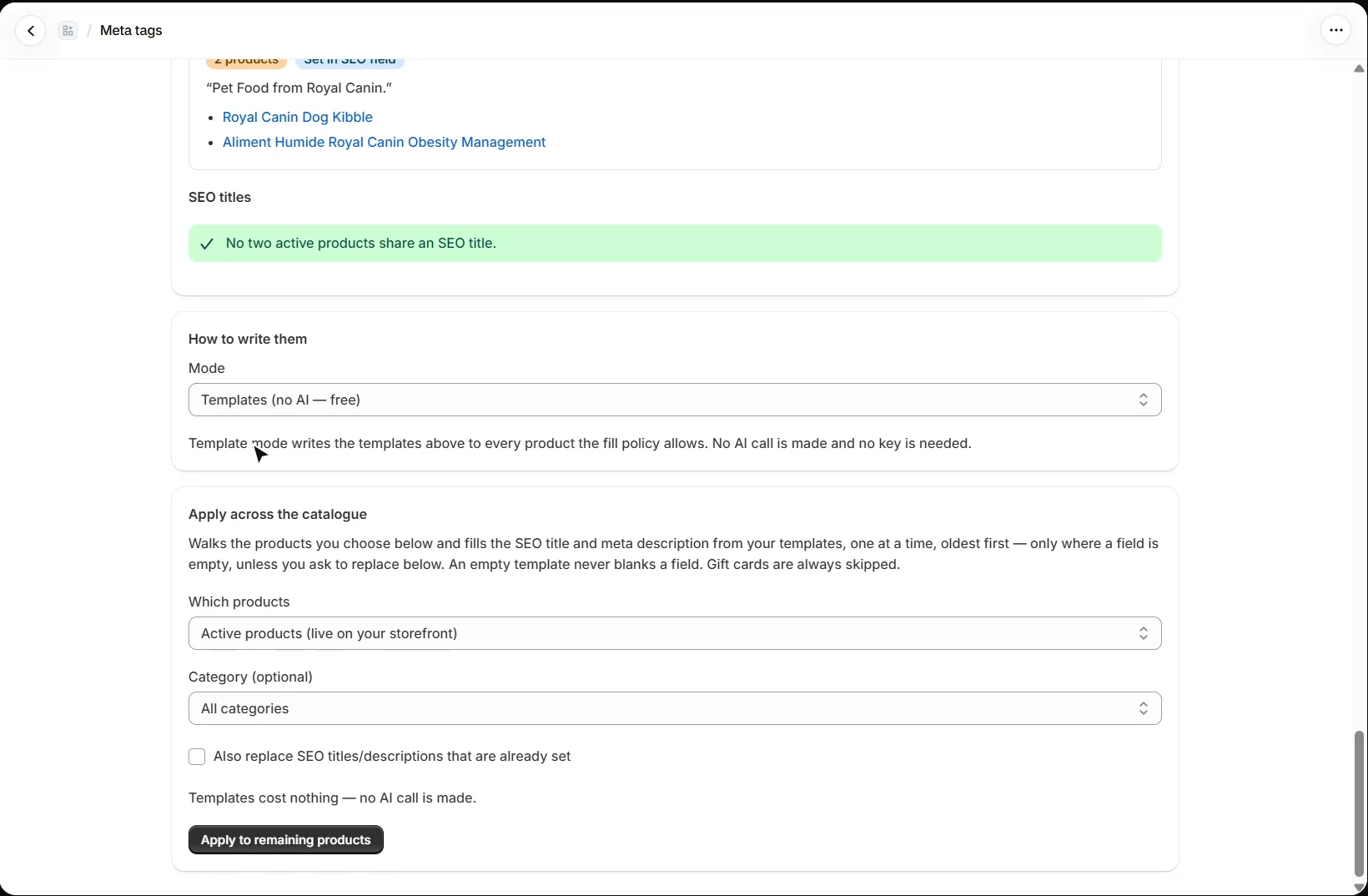
How to write them chooses between templates, which are free and use no AI, and an AI draft per product, written from its own title and description on your AI key, one generation each.
1:29 Apply across the catalogue
Apply across the catalogue walks the products you choose, oldest first, filling only empty fields unless you tick to replace the ones already set. Gift cards are always skipped. For a hand-reviewed AI draft of a single product, use the AEO blueprint.
1:47 Next: images and FAQs
That's Meta tags. Next up: product images, alt text and FAQs.
How do SEO title and meta description templates work?
Open Content → Meta tags. Under Templates, write each one once. Variables are filled in from each product: {{title}}, {{vendor}}, {{type}} (product type), {{shop}} (your shop name) and {{price}} (the lowest variant price). A variable that is empty on a product disappears together with the separator next to it, so a product with no vendor never shows a dangling dash.
Shopify caps the SEO title at 70 characters and the meta description at 320, and the page shows an example of each template with its length. An empty template leaves that field alone on every product. Press Save templates to keep them.
Can I see what will change before anything is written?
Yes. Preview renders the templates for the first eight products in the scope you choose, exactly as a run would write them: the current value beside the proposed one, with a note wherever a field would be left alone, for example because it is already set or because the template renders empty. Nothing is saved.
How do I find duplicate meta descriptions?
The Duplicate check finds active products that share a meta description or an SEO title. Identical descriptions read as duplicate content to search engines, and an AI answer quoting one cannot tell your products apart. Where a product has no SEO description, Shopify shows the start of its product description instead, so products sharing body copy are counted too, labelled “Shopify’s stand-in”. The check is free, uses no AI and changes nothing.
A template with {{title}} in it gives every product its own description in one run.
Should I use templates or AI drafts?
How to write them chooses between Templates, which are free and make no AI call, and an AI draft per product, written from that product’s own title and description on your AI key, one generation per product. For a hand-reviewed AI draft of a single product, use the AEO blueprint instead.
How do I apply them across the catalogue?
Apply across the catalogue walks the products you choose, one at a time and oldest first. It fills only empty fields unless you tick Also replace SEO titles/descriptions that are already set, and an empty template never blanks a field. Gift cards are always skipped.
What should I set up next?
Next is product images, alt text and FAQs. Every walkthrough is listed in the Shopify video tutorials.
Still stuck?
Message me directly — free tier included. Most replies land within the hour during Tampa working hours. Get support →