Docs / for Shopify / Search Console, lost links, IndexNow and Bing for Shopify
AEO Ultimate for Shopify
Search Console, Lost links, IndexNow and Bing: your search tools
The Google group gathers your search tools: Search Console, Lost links, IndexNow and Bing Webmaster Tools. The video was recorded on a development store with no real search traffic, so its query analysis uses the app’s own sample rows, and Search Console and Bing are shown unconnected.
What does connecting Search Console add?
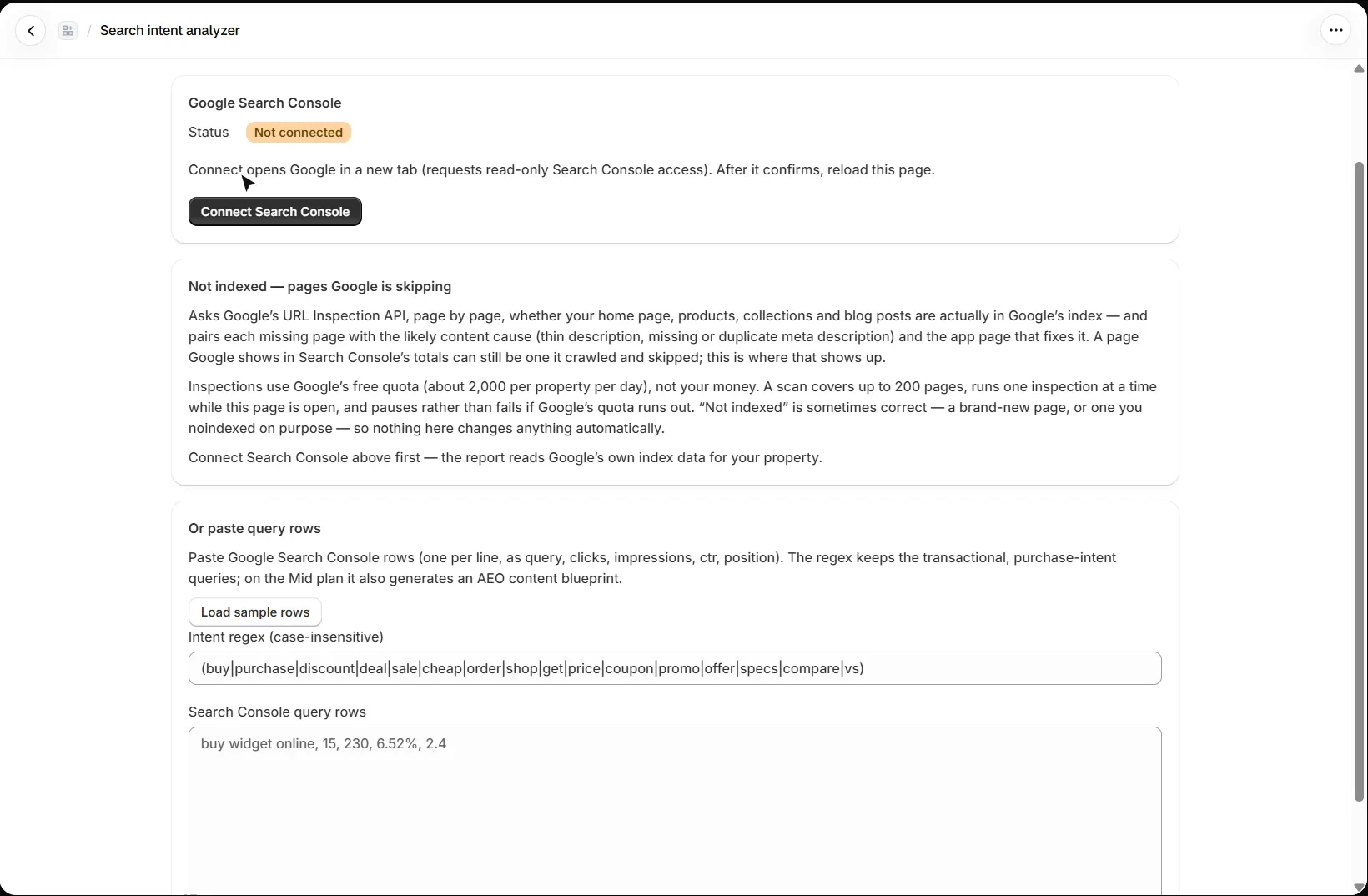
Open Google → Search intent and press Connect Search Console (Mid plan); it asks for read-only access. The Not indexed report then asks Google’s URL Inspection API, page by page, whether your home page, products, collections and blog posts are really in Google’s index, and pairs each missing page with the likely content cause, such as a thin or missing description, and the app page that fixes it. Inspections use Google’s free daily quota, not your money.
How do I find buying-intent searches?
Paste query rows exported from Search Console, one per line as query, clicks, impressions, CTR and position, or press Load sample rows to try it. Analyze queries keeps the transactional, purchase-intent searches and shows their clicks, impressions and position, and the product each one points to when exactly one product’s title matches. On Mid it also writes an AEO content blueprint, one AI generation on your key.
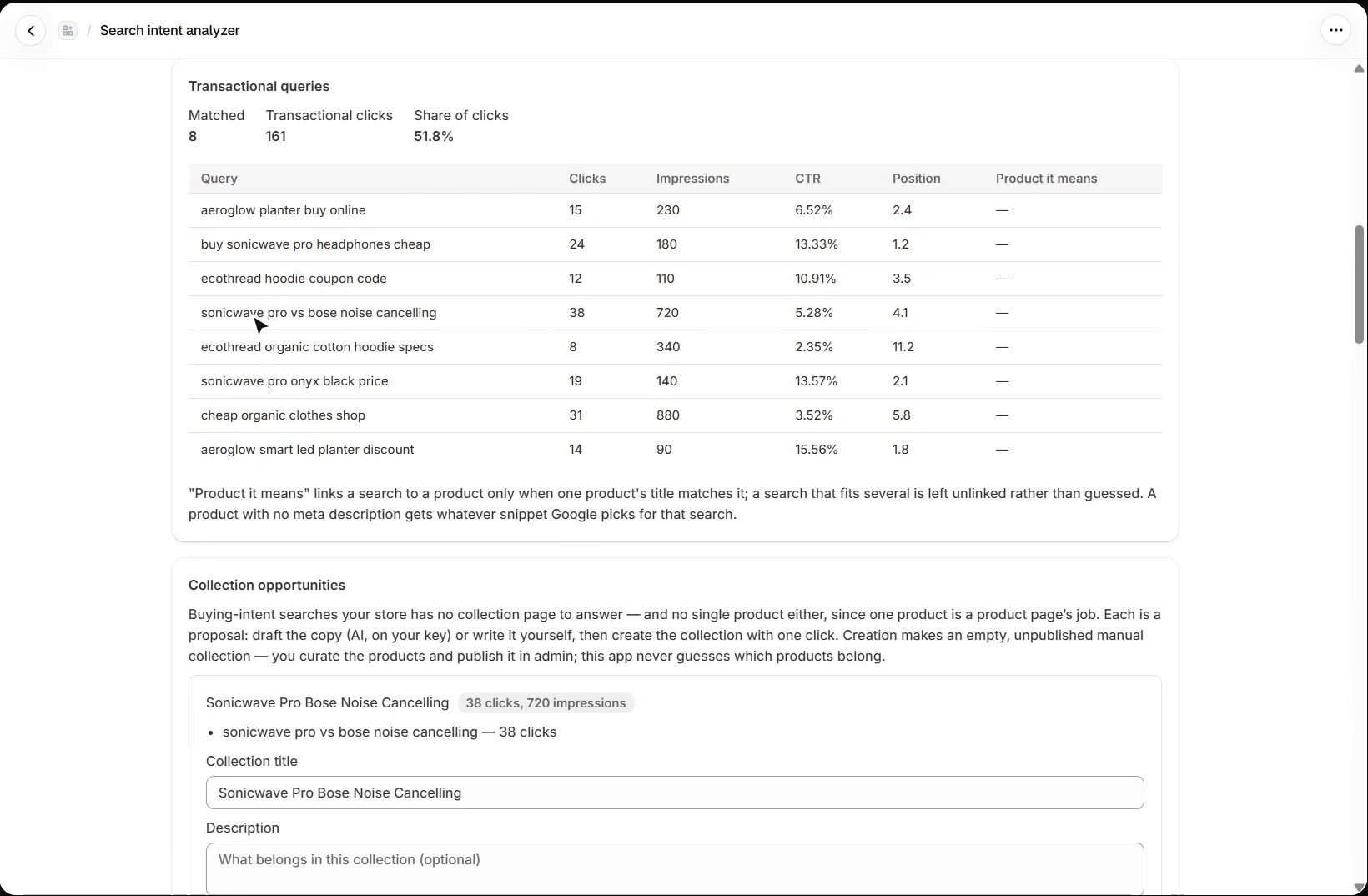
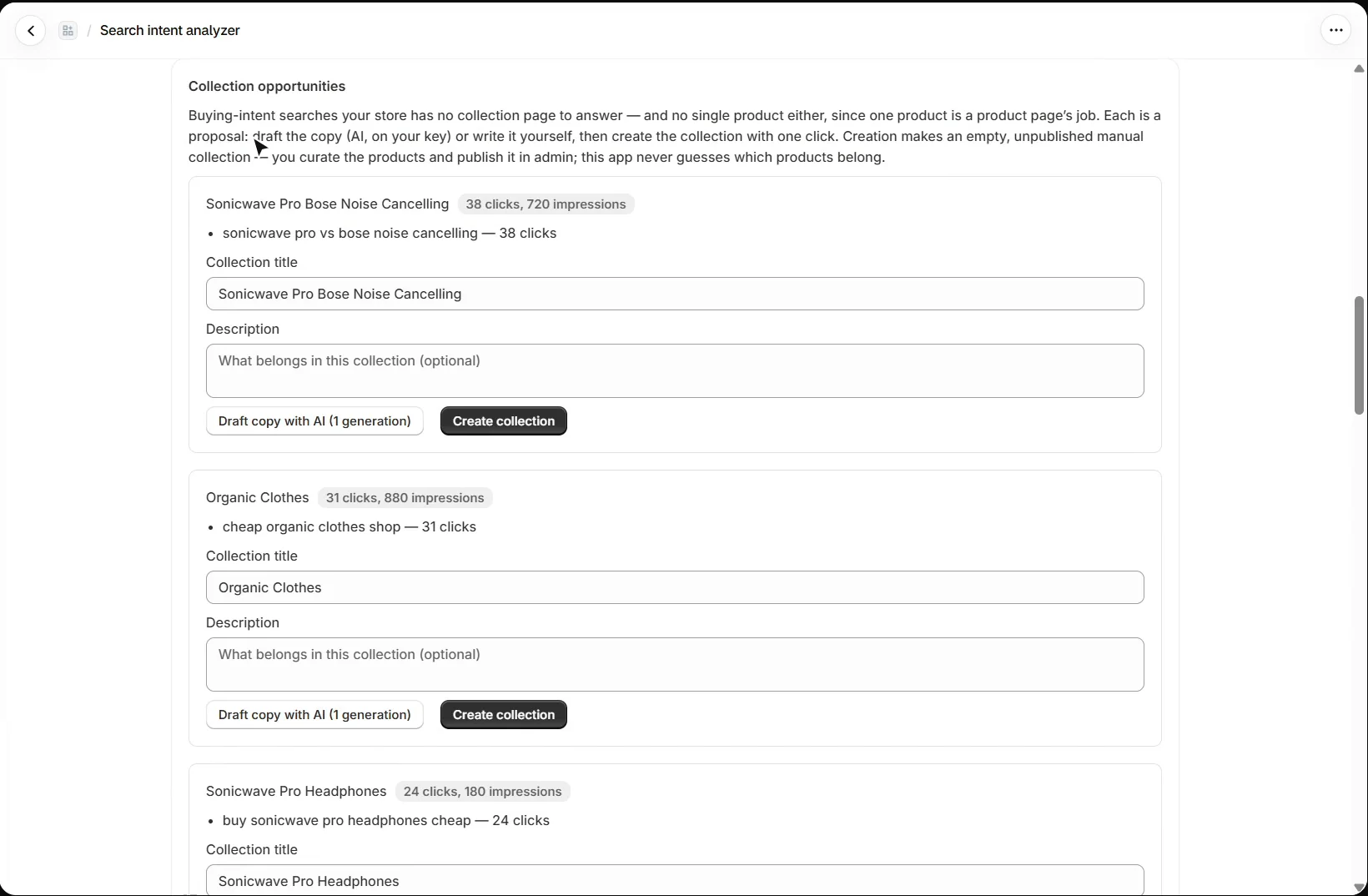
On Pro, buying-intent searches your store has no collection page for become collection opportunities: draft the copy with AI or write it yourself, then create the collection. It is created empty and unpublished, and you choose its products.
How do I redirect old URLs after moving to Shopify?
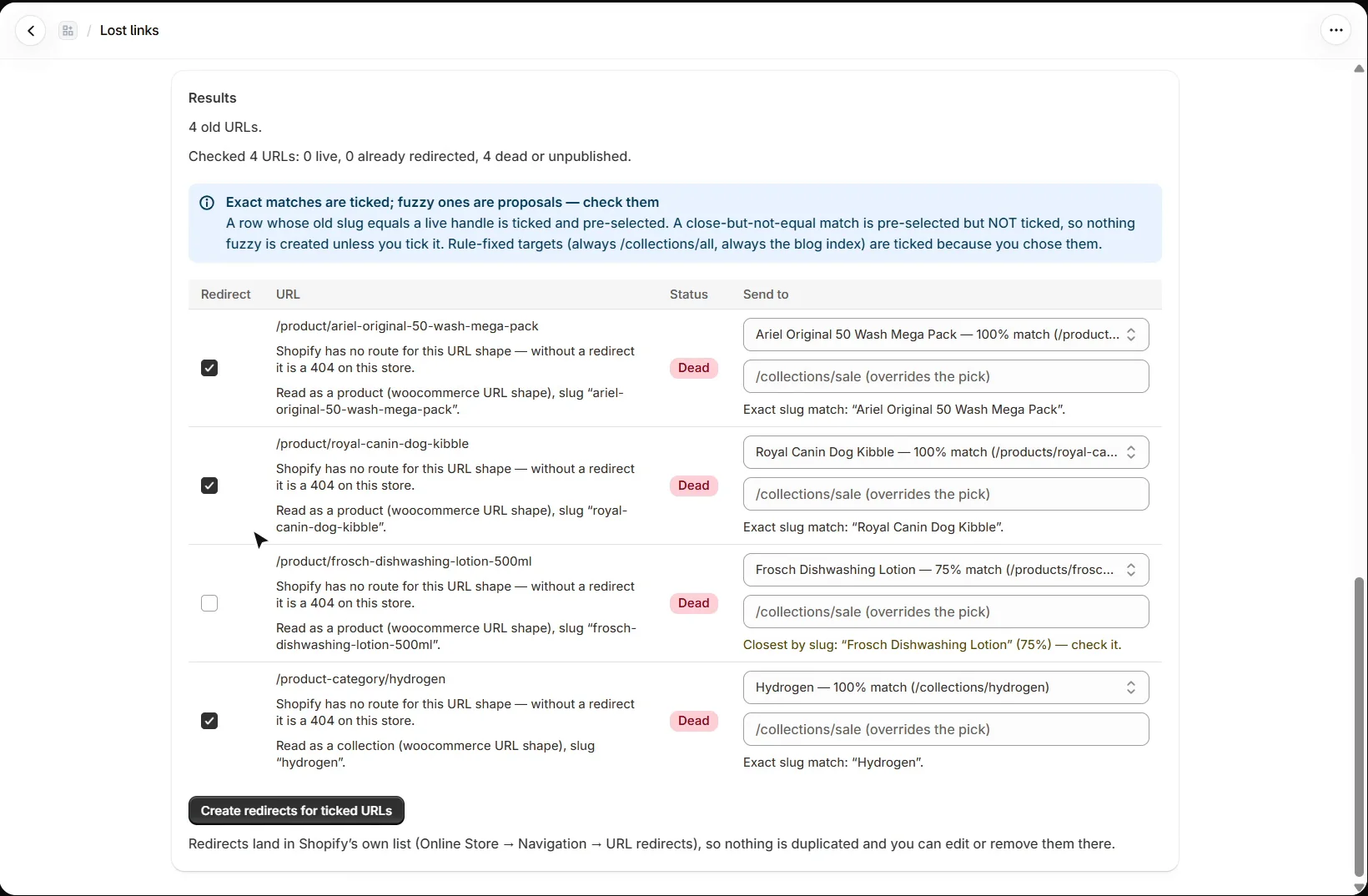
Open Google → Lost links and the Migration tab, on every plan. Paste the old store’s URLs: an export, a sitemap or Search Console’s not-found list. Each URL is read for what it named (a product, collection, post or page; WooCommerce, Magento, Wix, Squarespace, WordPress and BigCommerce address shapes are recognised), and you set a rule for each kind.
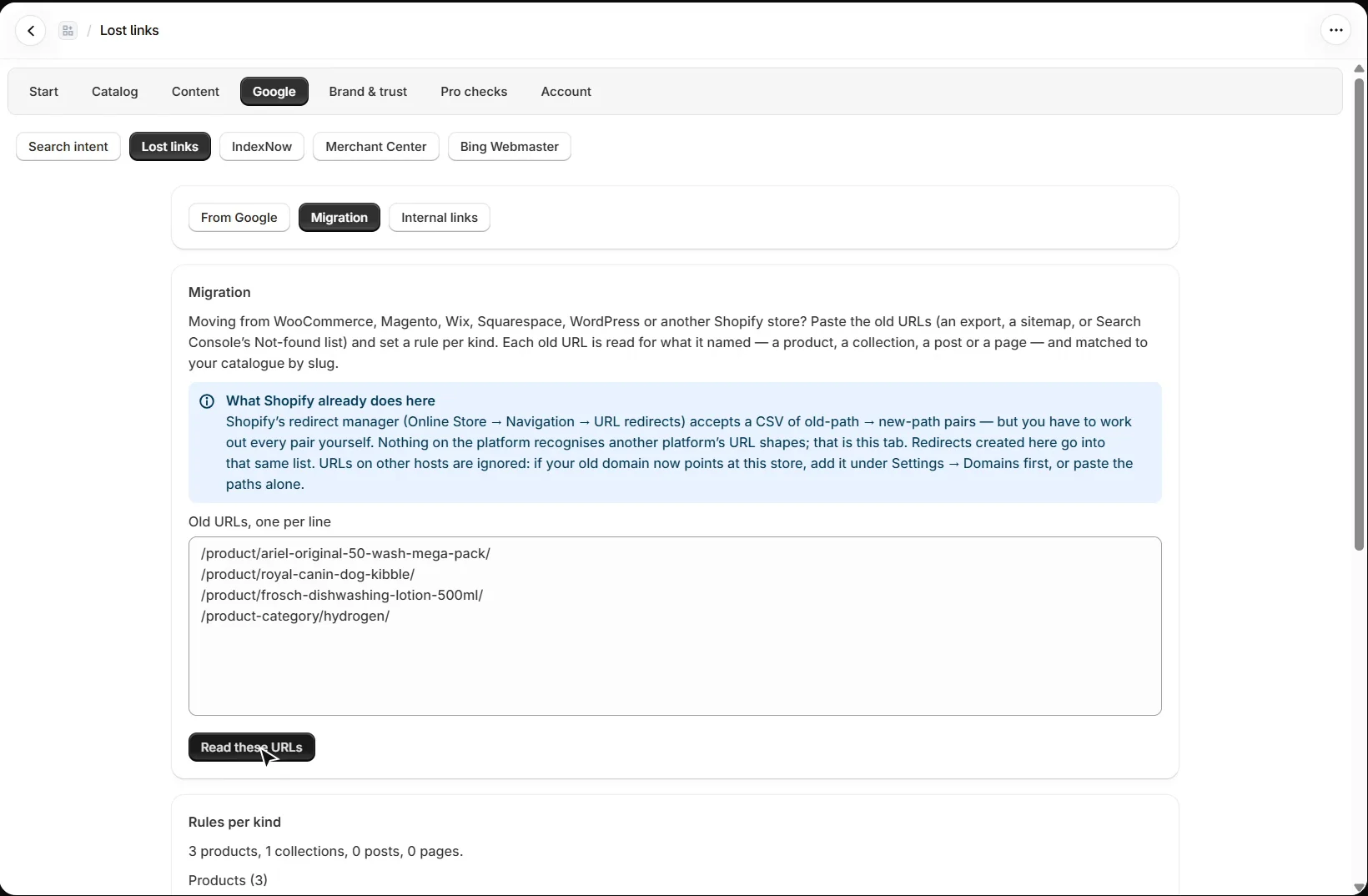
Preview targets matches each old address to your catalogue by its slug. An exact match is ticked; a close one is proposed with its percentage but left unticked for you to check. Anything with no match goes to the fallback you choose. Previewing is free; creating the 301 redirects is Mid, and they land in Shopify’s own URL redirects list.
How do I find broken links inside my store?
The Internal links tab scans your active products’ descriptions and your published articles for links to your own store that no longer work, which Shopify does not check. Scanning is free. With Search Console connected, the From Google tab (Mid) checks the pages Google still sends people to.
What does IndexNow do?
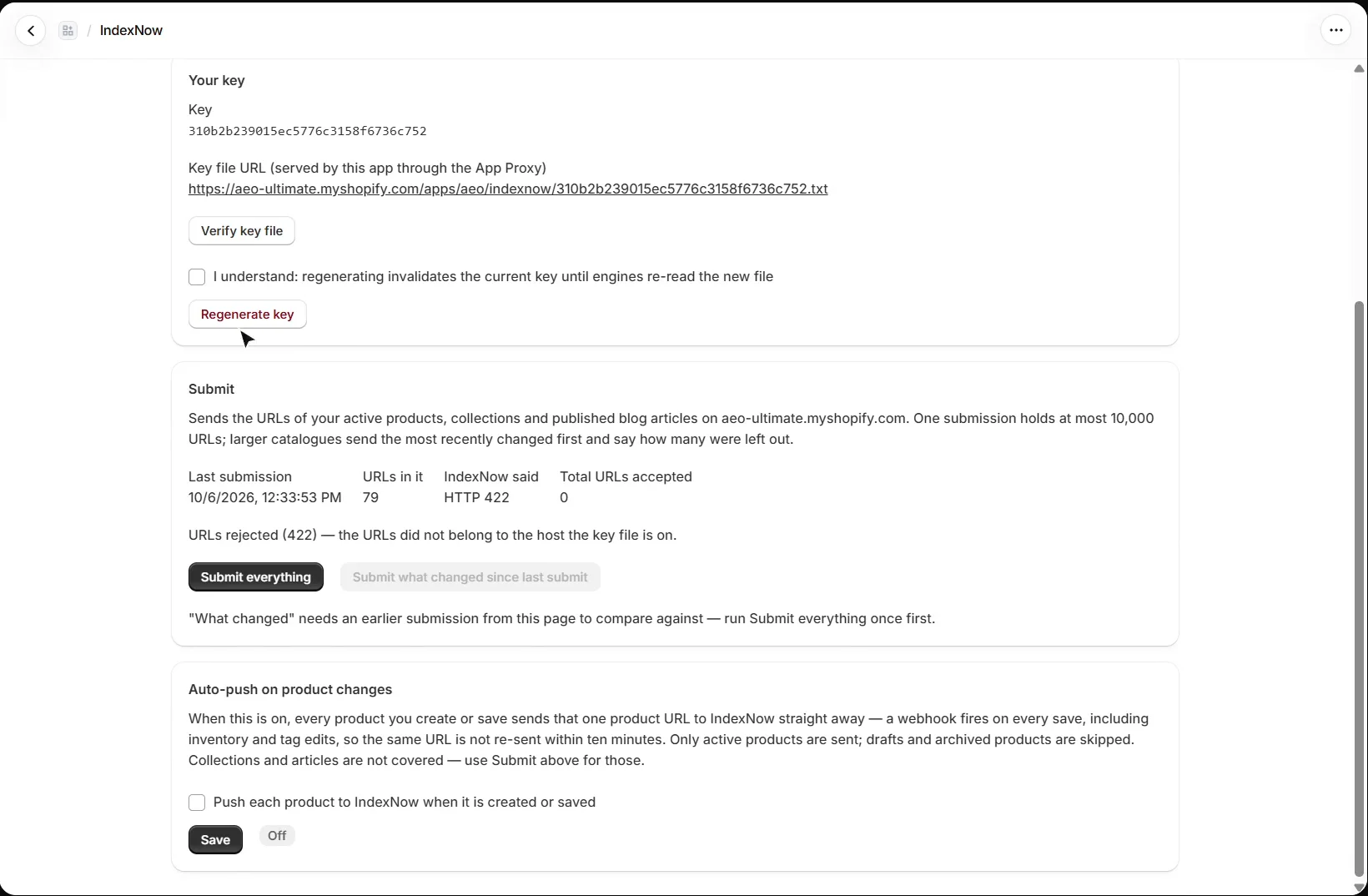
IndexNow tells Bing, Yandex, Naver, Seznam and Yep the moment a page on your store changes; Google does not take part, so use Search Console for Google. The app serves your key file through the App Proxy. Submitting your URLs is Mid, and auto-push of every product you save is Pro. It only works once your storefront is public: engines cannot read a password-protected store.
Why connect Bing Webmaster Tools?
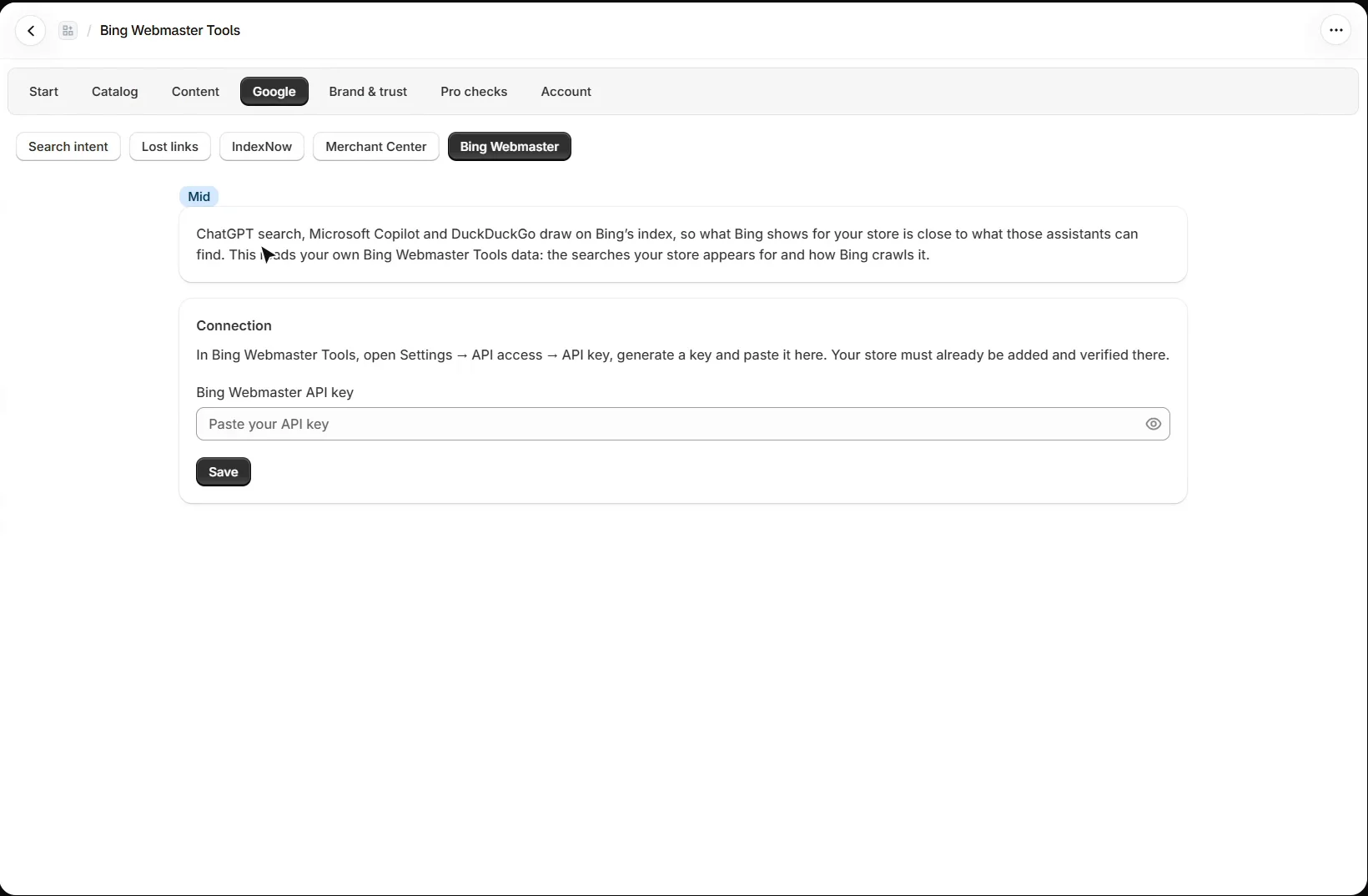
ChatGPT search, Microsoft Copilot and DuckDuckGo draw on Bing’s index, so what Bing shows for your store is close to what those assistants can find. Google → Bing Webmaster (Mid) reads your own Bing Webmaster Tools data: the searches your store appears for and how Bing crawls it. In Bing Webmaster Tools, open Settings → API access, generate a key and paste it here.
What should I set up next?
Next is AI visibility. Every walkthrough is listed in the Shopify video tutorials.
Still stuck?
Message me directly — free tier included. Most replies land within the hour during Tampa working hours. Get support →