Docs / for Shopify / AI crawlers, robots.txt and duplicate product schema on Shopify
AEO Ultimate for Shopify
AI crawlers and schema ownership: what the bots read
Two Pro pages cover what AI crawlers read from your Shopify store: who is allowed to read it, and whose product structured data they find there. Neither changes your theme: where a theme file has to change, the app prepares the exact edit, you make it, and the app checks the result.
How do I know which AI crawlers visit my store?
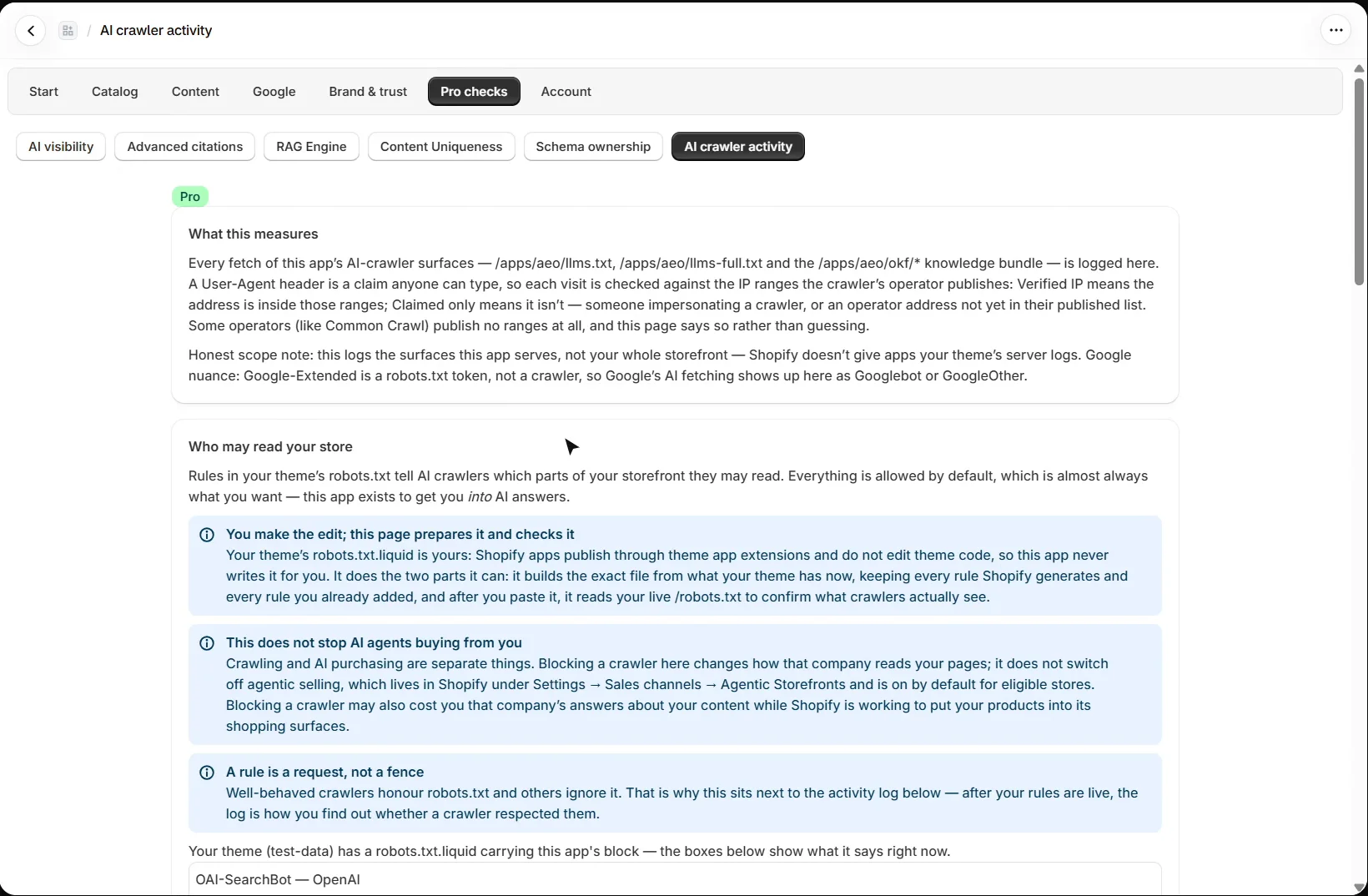
Open Pro checks → AI crawler activity. It logs every fetch of the app’s own AI-crawler files: llms.txt, llms-full.txt and the knowledge bundle. A user agent is a claim anyone can type, so each visit is checked against the IP ranges the crawler’s company publishes: Verified IP means the address is inside them, Claimed only means it is not. Some operators, such as Common Crawl, publish no ranges, and the page says so. It covers the files this app serves, not your whole storefront, because Shopify does not give apps your theme’s server logs.
How do I control what AI crawlers may read?
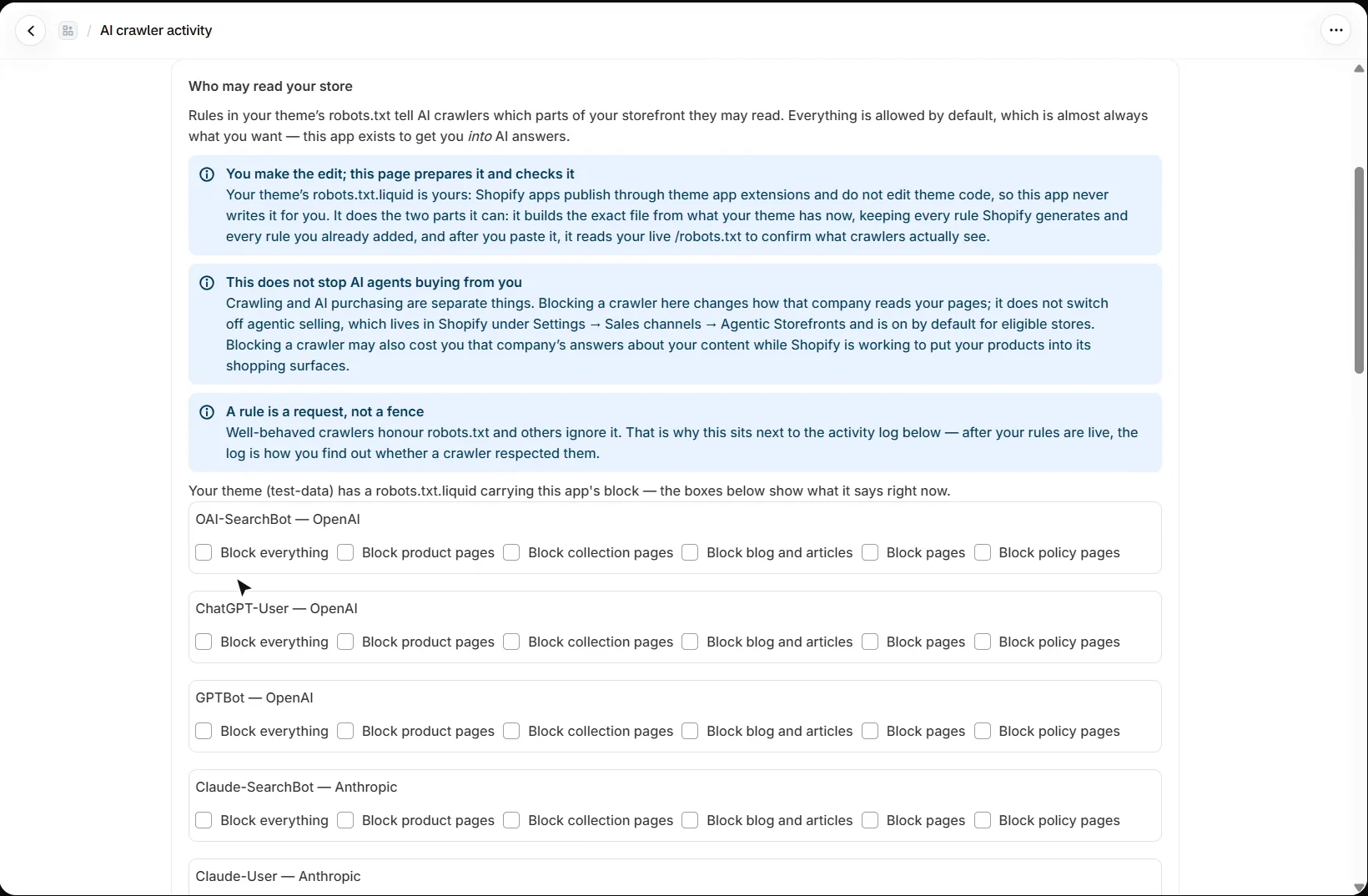
Under Who may read your store, each crawler the app recognises, from GPTBot and ClaudeBot to PerplexityBot, Applebot and Meta’s agent, has its own choices: block everything, or just product, collection, blog, page or policy pages. Everything is allowed by default, which is almost always what a store wants.
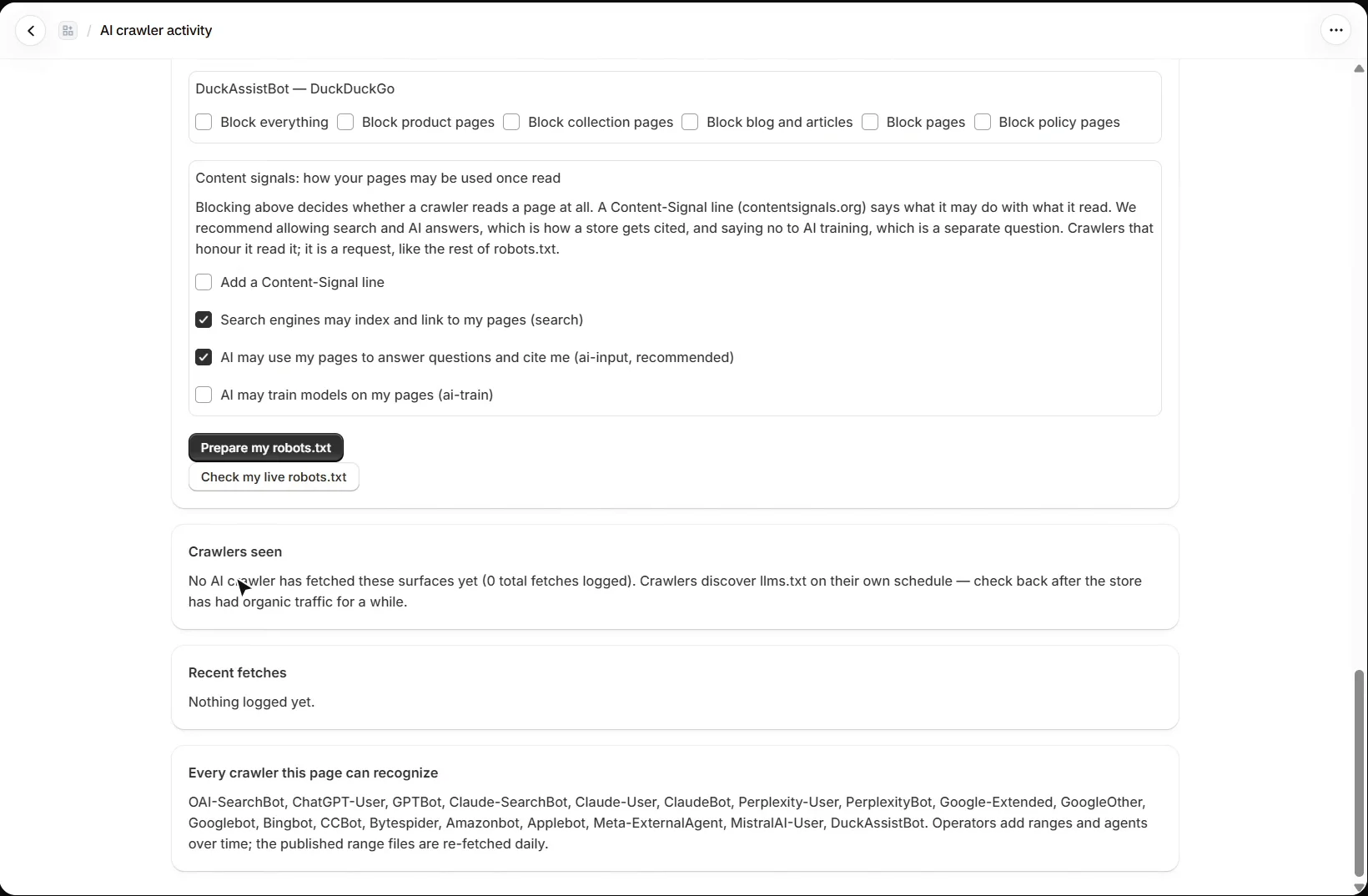
An optional Content-Signal line (contentsignals.org) says what a crawler may do with what it reads. The recommended setting allows search and AI answers, which is how a store gets cited, and says no to AI training, a separate question. Like the rest of robots.txt, it is a request that well-behaved crawlers honour.
Does the app edit my robots.txt?
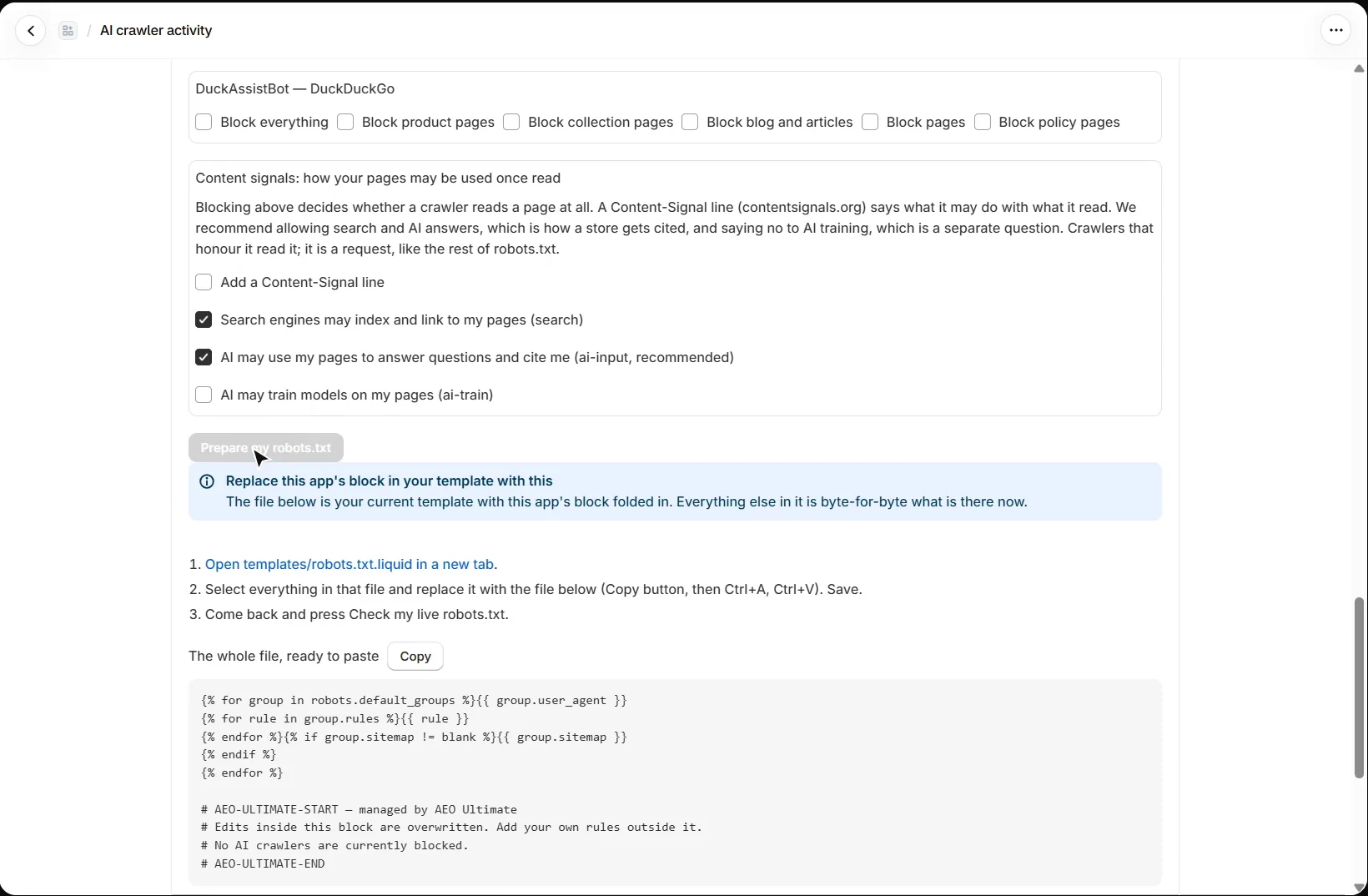
No. Your theme’s robots.txt.liquid is yours, and Shopify apps do not edit theme code. Prepare my robots.txt builds the exact file from what your theme has now, keeping every rule Shopify generates and every rule you added, and shows you where to paste it. After you save it, Check my live robots.txt reads your public /robots.txt to confirm what crawlers actually see.
Does blocking an AI crawler stop AI agents buying from me?
No. Crawling and AI purchasing are separate. Blocking a crawler changes how that company reads your pages; agentic selling lives in Shopify under Settings → Sales channels and is on by default for eligible stores. Blocking may still cost you that company’s answers about your content.
Why does duplicate product schema matter for AI?
Open Pro checks → Schema ownership. Most themes, including Dawn, already publish Product structured data, and this app adds its own richer version. Its storefront block removes the theme’s copy in the browser, so Google, which runs JavaScript, sees one product. ChatGPT, Perplexity and most AI crawlers read the page as the server sent it, where both copies are still present. The only fix that reaches them is switching the theme’s copy off in the theme itself.
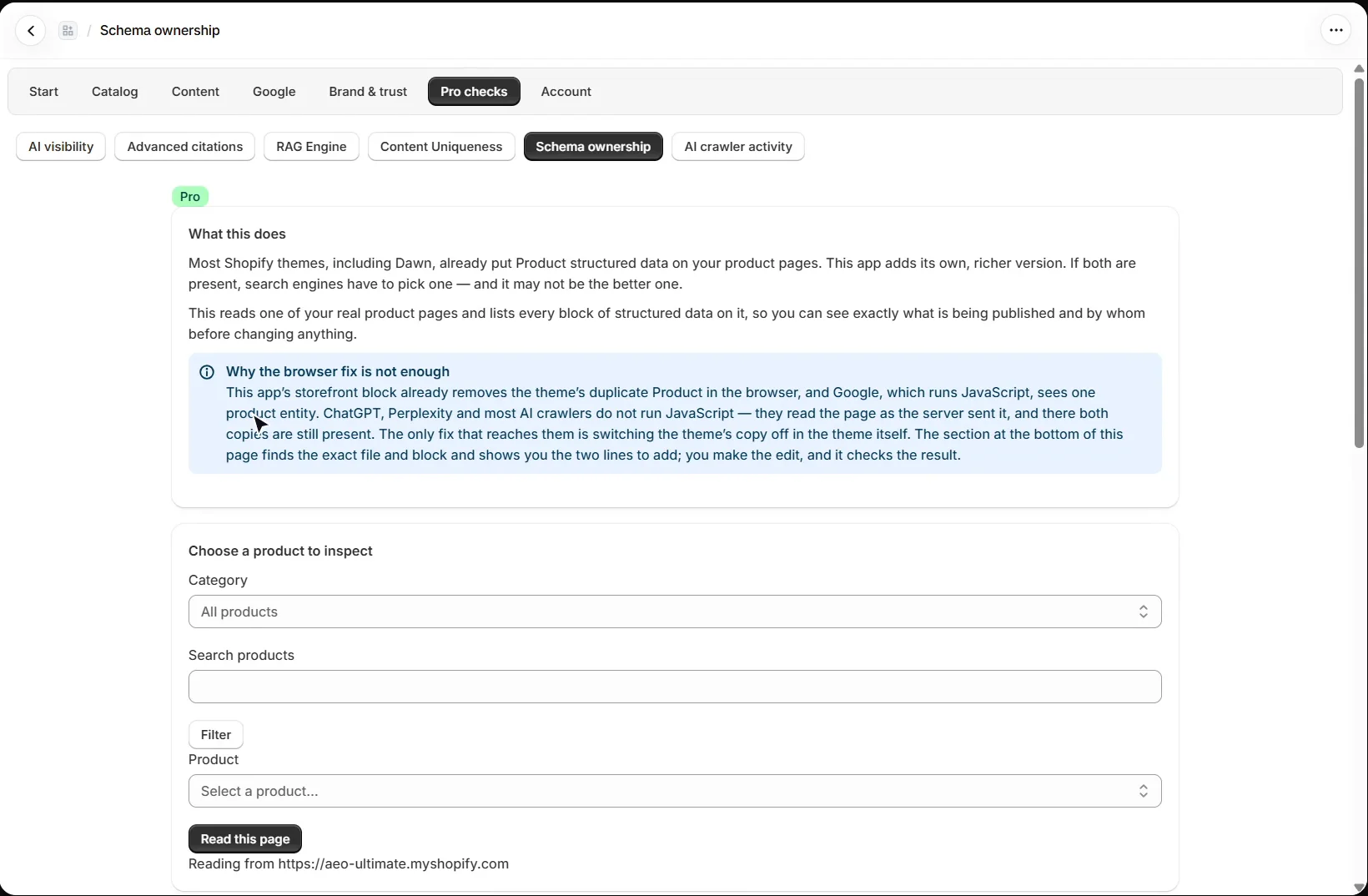
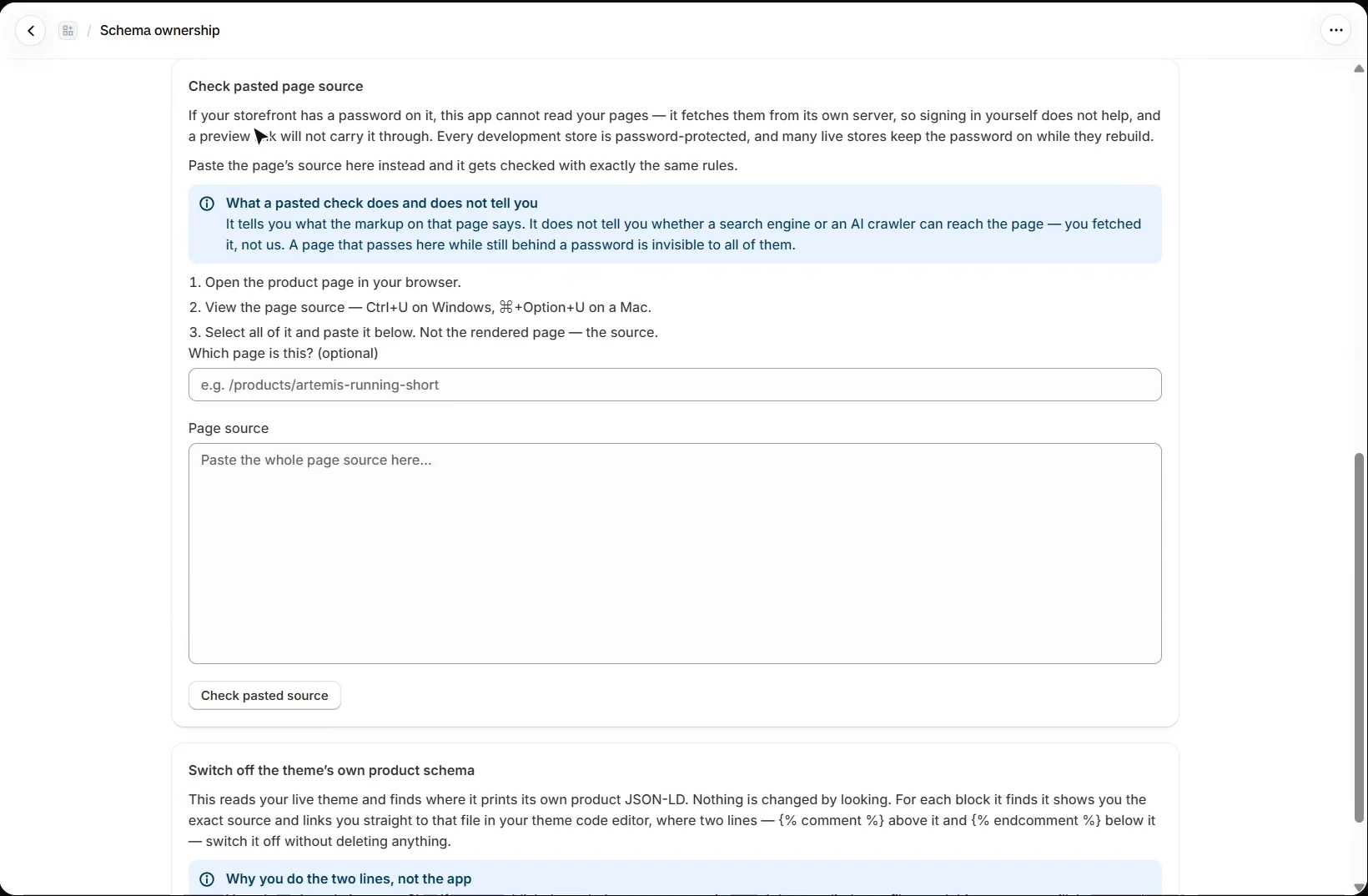
Pick a product and the app reads its page and lists every block of structured data and who publishes it. A store behind a password cannot be read from the app’s server, so paste the page source instead and it is checked with the same rules. A pasted check says what the markup says, not whether crawlers can reach the page.
How do I switch off my theme’s product schema?
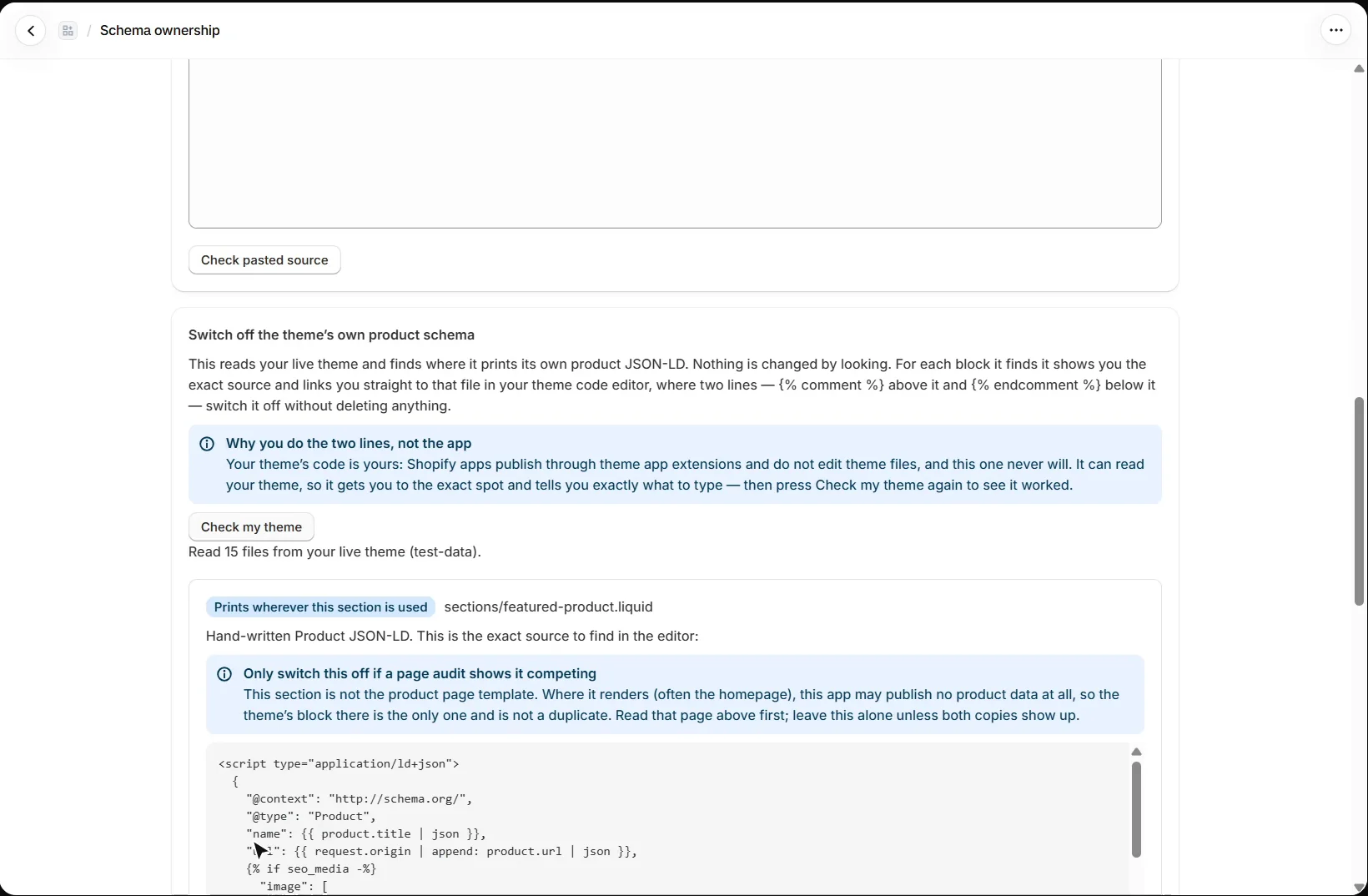
Check my theme reads your live theme and finds where it prints its own product JSON-LD. For each block it shows the exact source and links straight to that file in your theme code editor, where two lines, {% comment %} above and {% endcomment %} below, switch it off without deleting anything. You make the edit; then press Check my theme again to confirm it worked.
What should I set up next?
Next is the RAG Engine. Every walkthrough is listed in the Shopify video tutorials.
Still stuck?
Message me directly — free tier included. Most replies land within the hour during Tampa working hours. Get support →