Docs / for Magento / AEO Ultimate for Magento: product overview
AEO Ultimate for Magento
A tour of AEO Ultimate for Magento
Shoppers now ask AI assistants what to buy. AEO Ultimate helps those assistants read your Magento store accurately, and shows you whether they cite it. This tour covers every part of the extension on a demo store with sample products. Watch the walkthrough, or read the guide below.
Read the transcript
0:00 Introduction
Shoppers now ask AI assistants what to buy. AEO Ultimate helps those assistants read your Magento store accurately, and shows you whether they cite it. This is a quick tour on a demo store with sample products. Nothing reaches your storefront until you switch it on for a store view.
0:19 Agent Ready
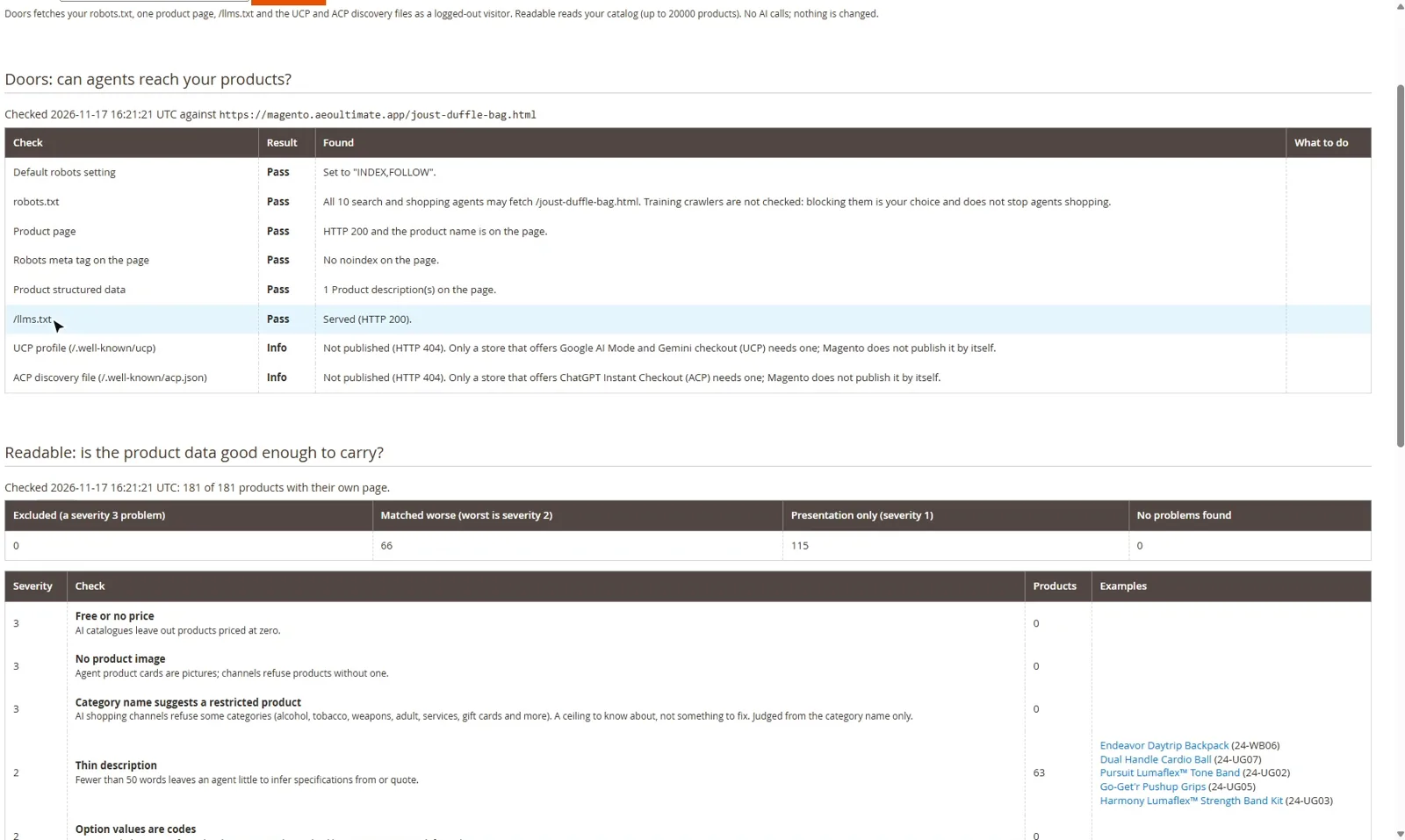
Start with Agent Ready. It answers two questions. Can AI shopping agents reach your product pages? And is each product's data good enough to carry? It checks your robots rules, page access, structured data and llms file, then shows what to fix. It makes no AI calls, so it costs nothing to run.
0:41 Structured data
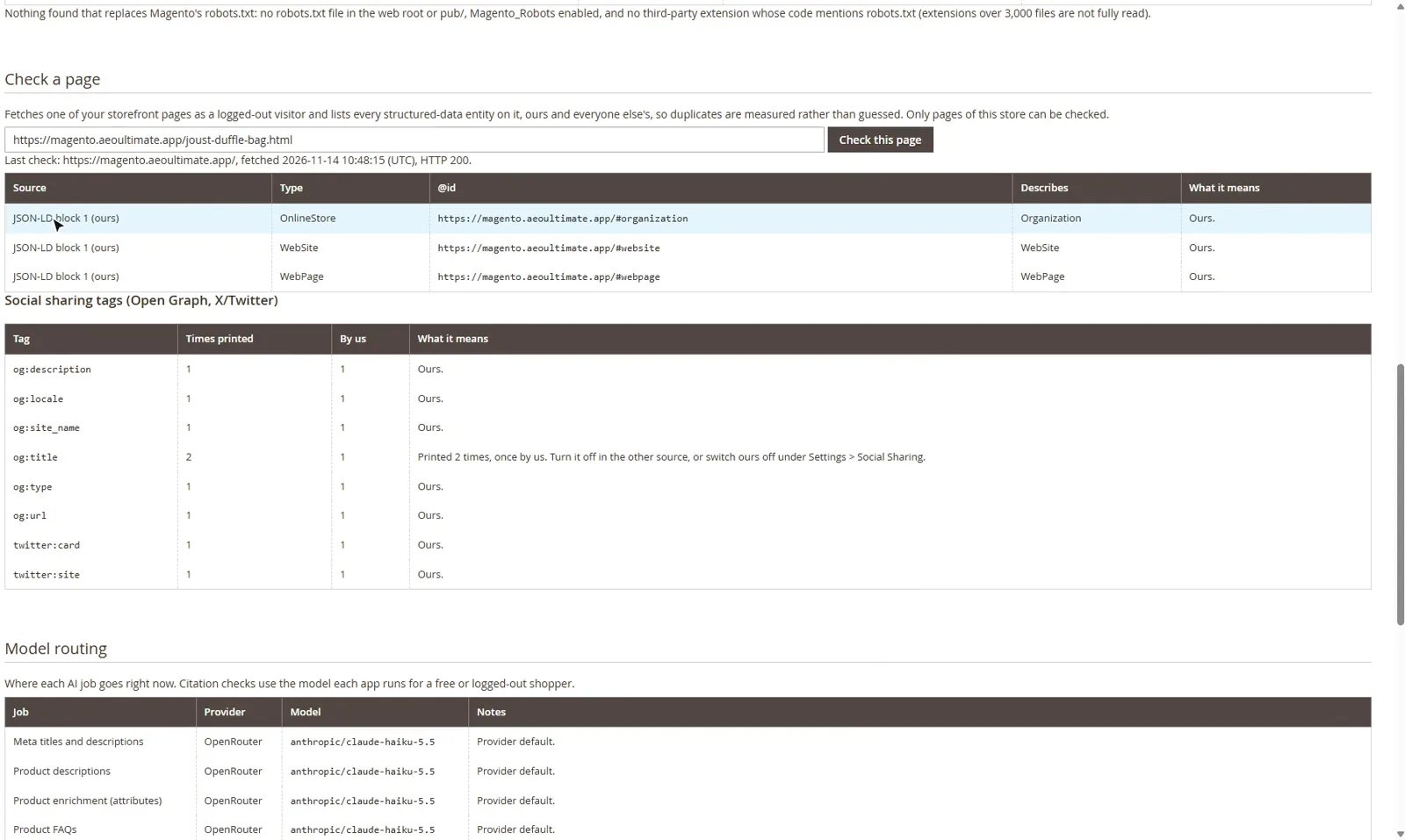
Every page gets one connected structured data graph, built separately for each store view. Prices are the final prices a signed-out shopper sees, so customer group and B2B prices are never published. The page check shows what your theme and other extensions already publish, so you can keep one source for each type of data.
1:03 AI Crawlers
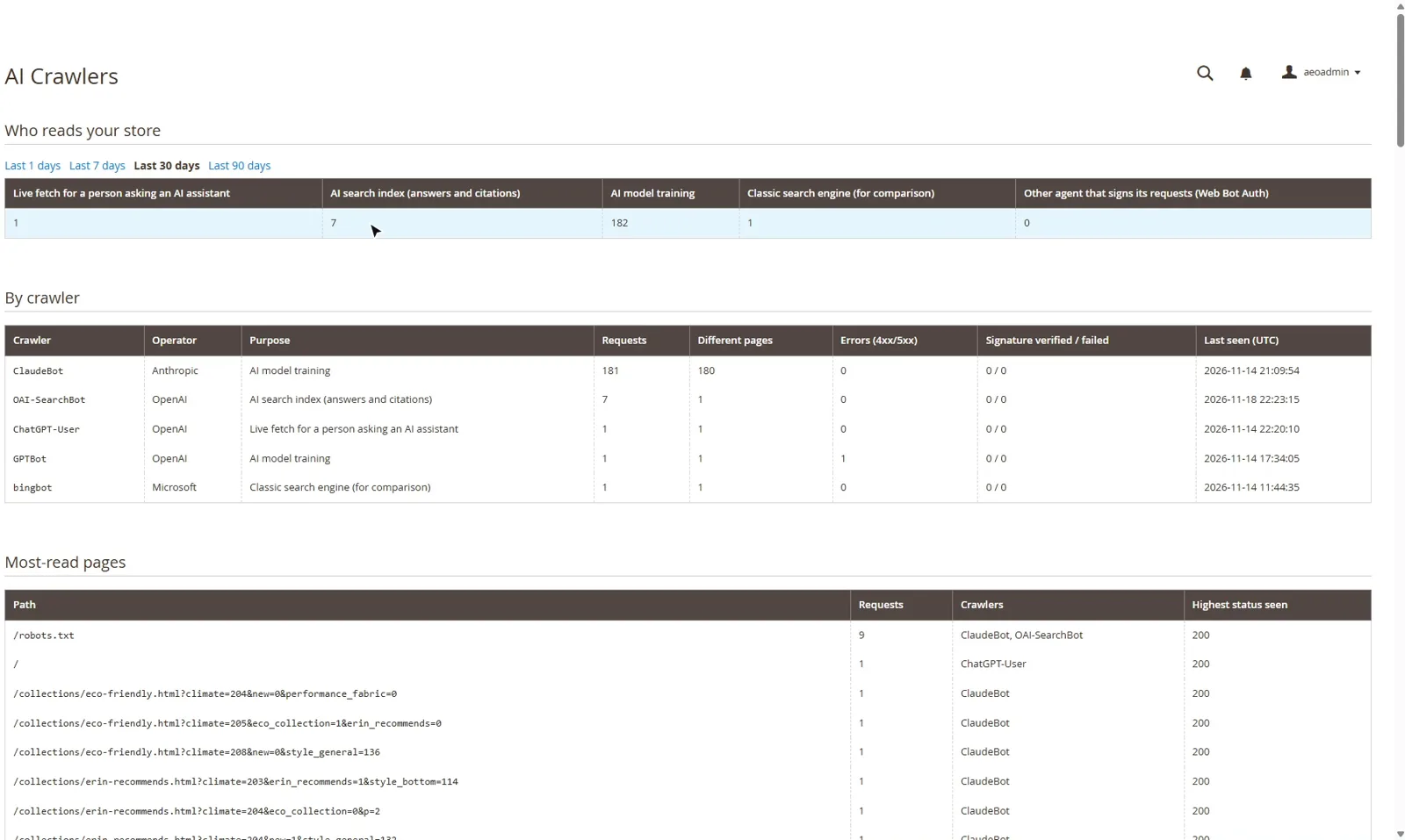
AI Crawlers shows who is reading your store. You can see each crawler, what it is for, how often it visits and which pages it reads. From the settings, you can add AI crawler rules to robots.txt, serve llms files, publish a sitemap, and announce changed pages through IndexNow.
1:24 AI Citations
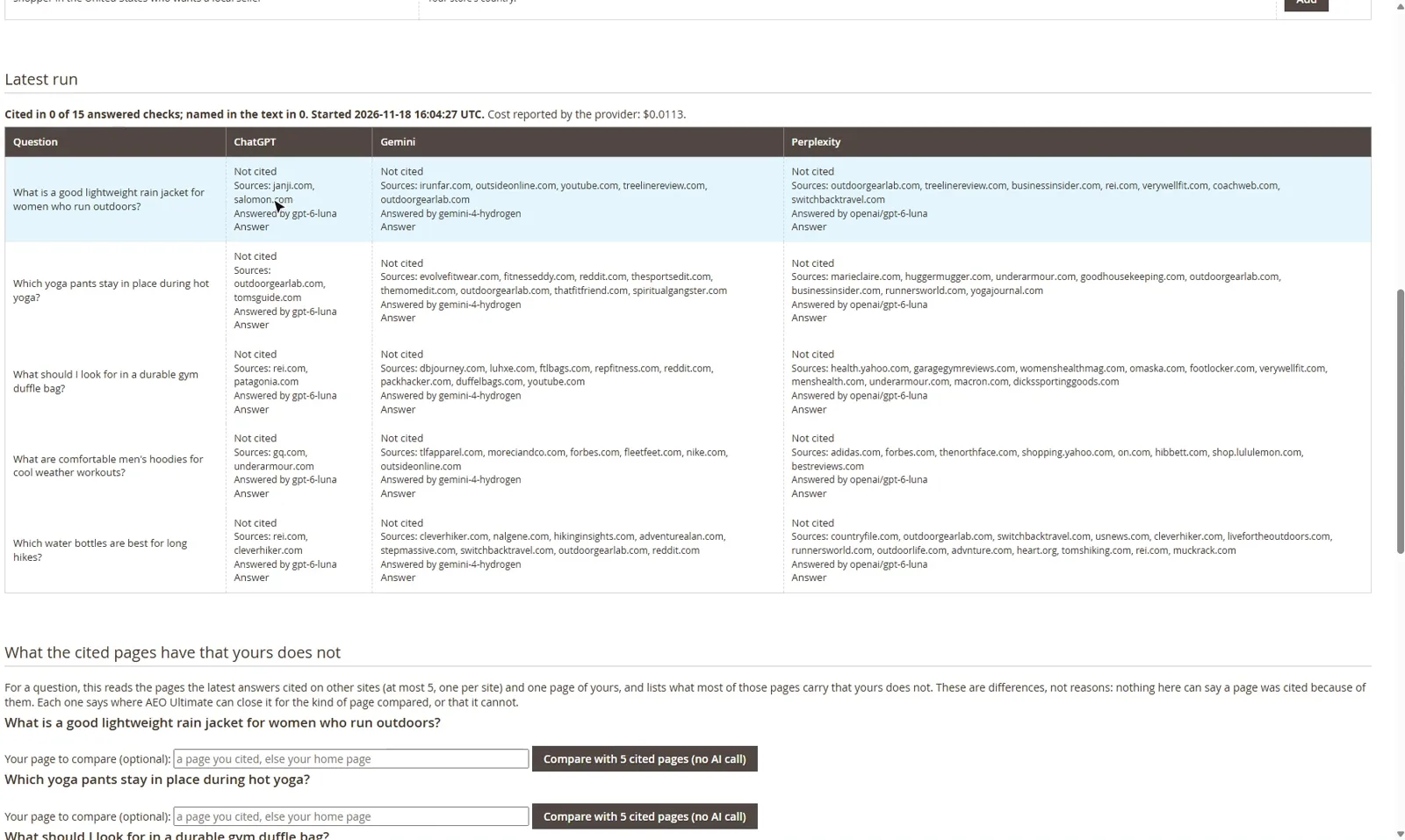
AI Citations shows whether answer engines mention your store. Add the questions your shoppers ask, choose your engines, and press Run. Here, five questions on three engines made fifteen checks. This demo store was not cited, and that is an honest baseline. You can see which sources the engines used instead, then compare your page with theirs.
1:47 AI Content
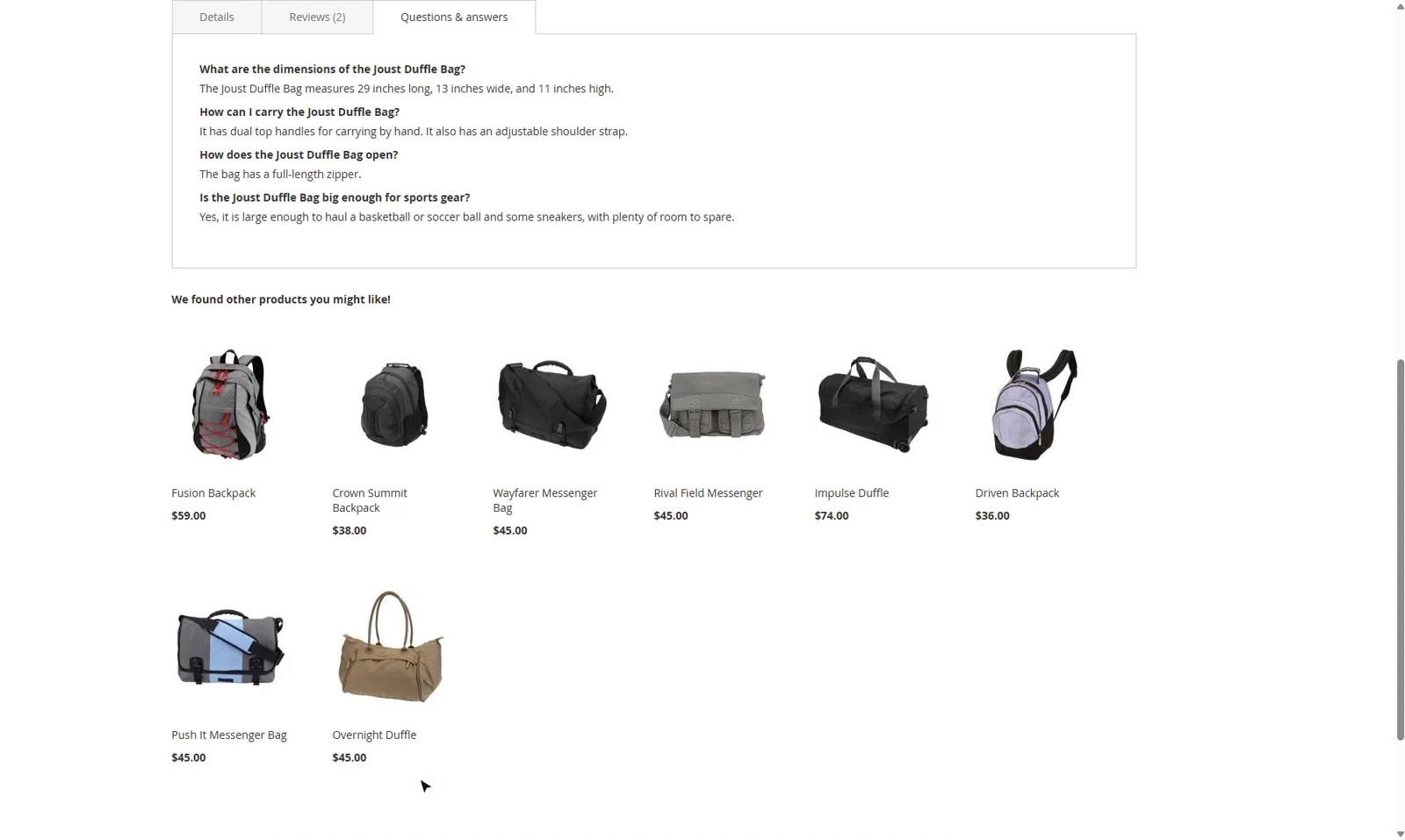
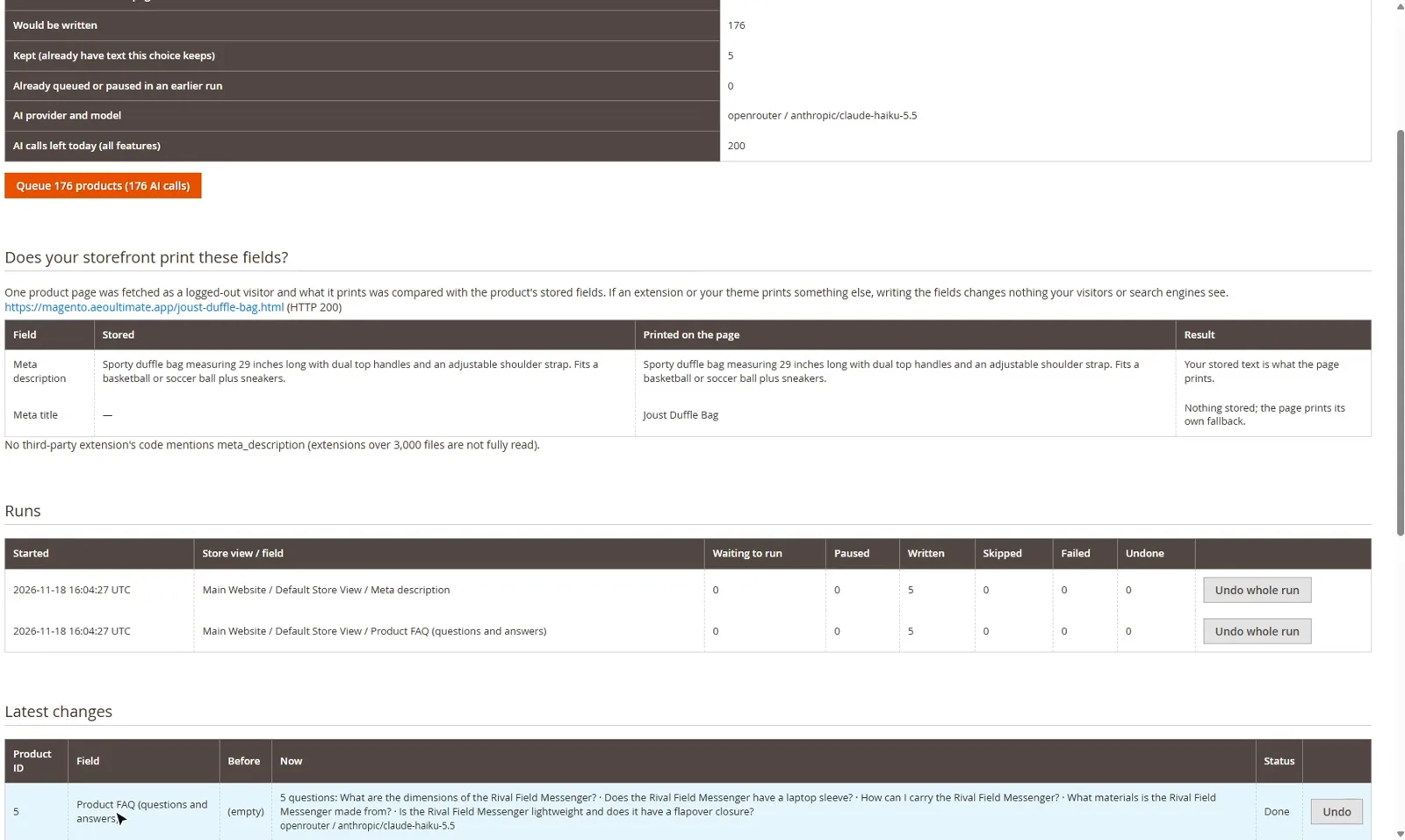
AI Content writes meta descriptions, product descriptions and FAQs using your own AI provider key. Work is queued one product at a time, a daily limit controls your spending, and changes can be undone. These five products received new meta descriptions and FAQs, and the FAQs appear right on the product page.
2:08 See what to improve
Next, see what to improve. Store Trust reviews the signals that show a store is safe to buy from. Feed Readiness checks your products against Google's product data rules. Passage Check shows whether your pages split into passages AI can quote. Content Uniqueness finds copied descriptions. Each one explains how its result is measured, and all four are free to run.
2:32 AI shopping agents
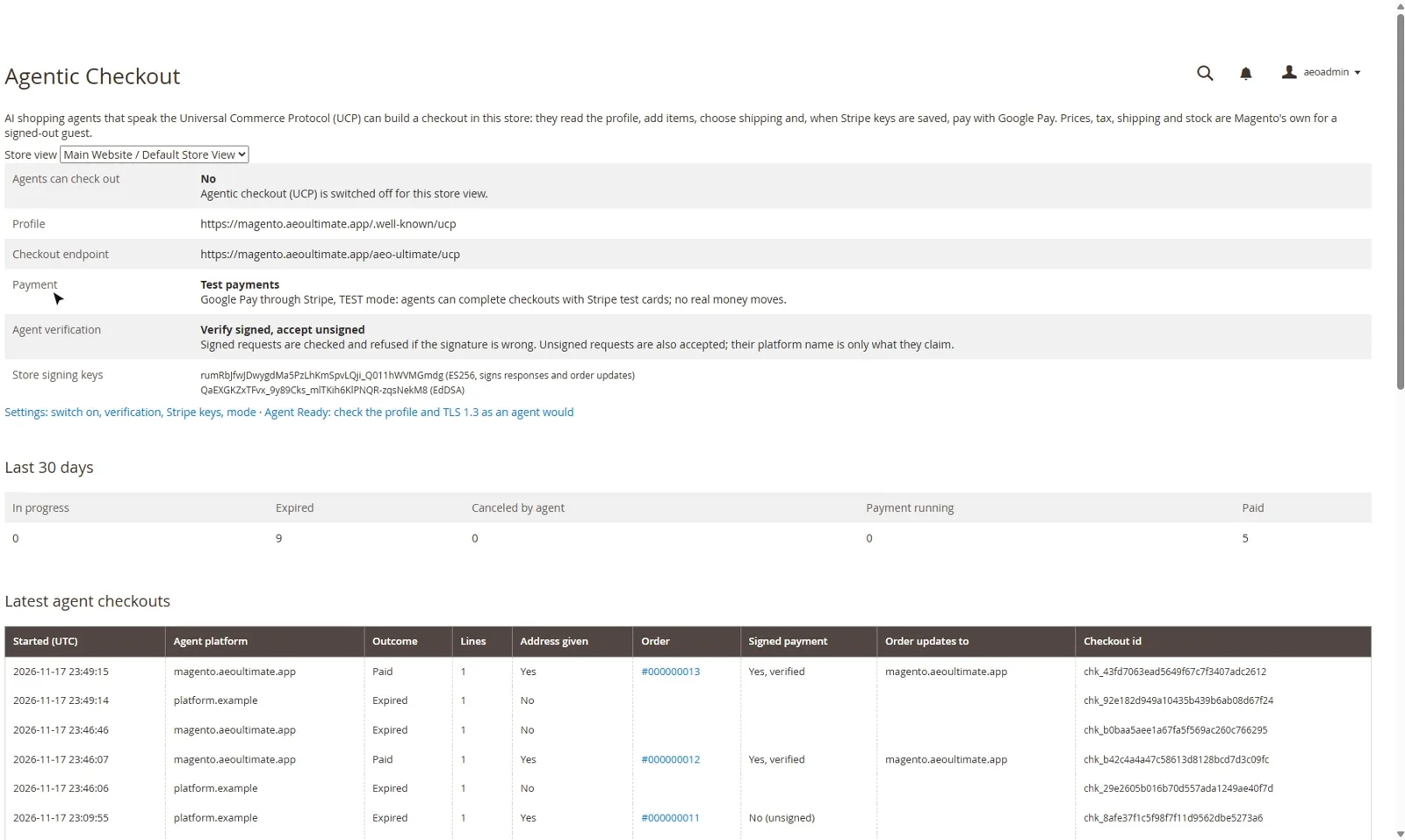
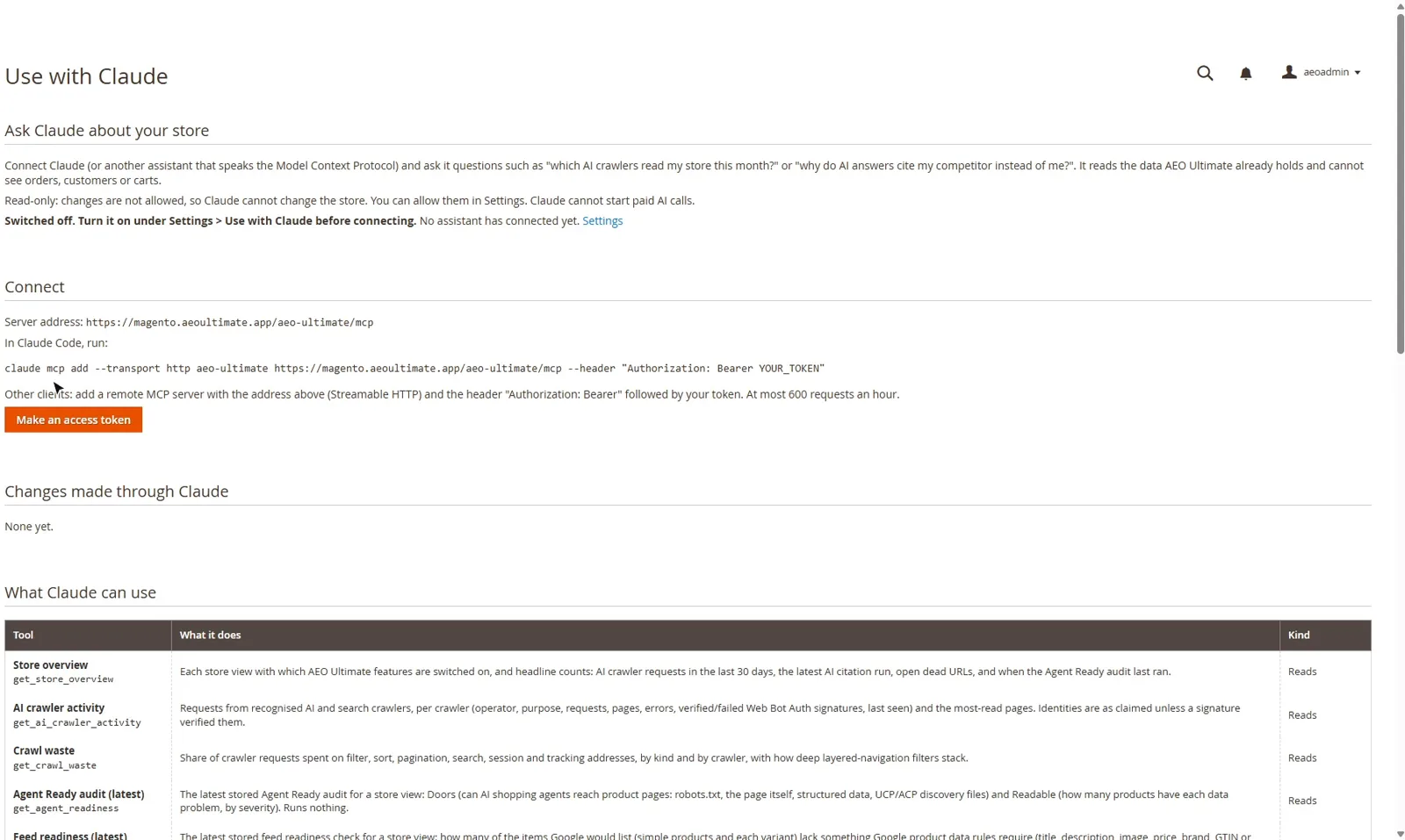
When you are ready, Agentic Checkout lets AI shopping agents that use the Universal Commerce Protocol build a cart in your store. The shopper can finish at your own checkout, or pay with Google Pay through Stripe when you add your Stripe keys. You can also connect Claude to read your AEO Ultimate data, with your approval required before any change.
2:54 Get started
AI, payment and agent features are optional and off by default. Scheduled reports can send your results by email or Slack. To get started, install AEO Ultimate from the Commerce Marketplace, enable it for one store view, and run your first Agent Ready audit.
Does AEO Ultimate change my storefront when I install it?
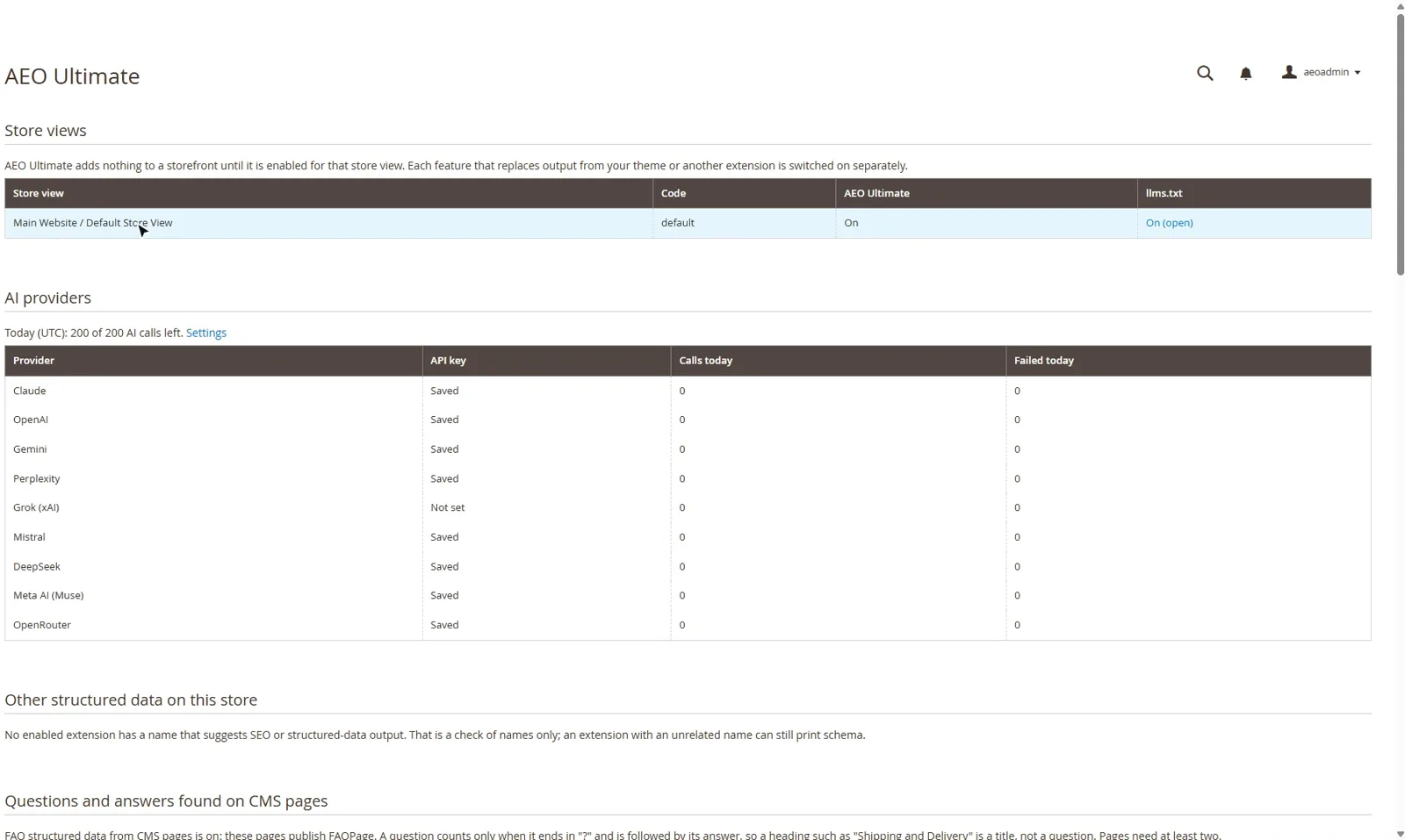
No. Nothing reaches your storefront until you switch AEO Ultimate on for a store view, in AEO Ultimate → Dashboard. Each feature that replaces output from your theme or another extension is switched on separately.
How do I know if AI shopping agents can reach my products?
Run Agent Ready. It answers two questions. Doors: can AI shopping agents reach your product pages? Readable: is each product’s data good enough to carry? It checks your robots rules, page access, structured data and llms file, then shows what to fix. It makes no AI calls, so it costs nothing to run.
What structured data does AEO Ultimate publish?
Every page gets one connected structured data graph, built separately for each store view. Prices are the final prices a signed-out shopper sees, so customer group and B2B prices are never published. Check a page shows what your theme and other extensions already publish, so you can keep one source for each type of data.
Which AI crawlers read my store?
AI Crawlers shows each crawler, what it is for, how often it visits and which pages it reads. From the settings, you can add AI crawler rules to robots.txt, serve llms files, publish a sitemap, and announce changed pages through IndexNow.
Do answer engines cite my store?
AI Citations shows whether answer engines mention your store. Add the questions your shoppers ask, choose your engines, and press Run. Here, five questions on three engines made fifteen checks. This demo store was not cited, and that is an honest baseline. You can see which sources the engines used instead, then compare your page with theirs.
Can AEO Ultimate write product content for me?
Yes. AI Content writes meta descriptions, product descriptions and FAQs using your own AI provider key. Work is queued one product at a time, a daily limit controls your spending, and changes can be undone. On the demo store, five products received new meta descriptions and FAQs, and the FAQs appear right on the product page.
What else does AEO Ultimate check?
Store Trust reviews the signals that show a store is safe to buy from. Feed Readiness checks your products against Google’s product data rules. Passage Check shows whether your pages split into passages AI can quote. Content Uniqueness finds copied descriptions. Each one explains how its result is measured, and all four are free to run. The store readiness guide covers them in detail.
Can AI shopping agents buy from my Magento store?
When you are ready, Agentic Checkout lets AI shopping agents that use the Universal Commerce Protocol build a cart in your store. The shopper can finish at your own checkout, or pay with Google Pay through Stripe when you add your Stripe keys.
You can also connect Claude to read your AEO Ultimate data, with your approval required before any change.
How do I get started?
AI, payment and agent features are optional and off by default. Scheduled reports can send your results by email or Slack. To get started, install AEO Ultimate from the Adobe Commerce Marketplace, enable it for one store view, and run your first Agent Ready audit.
Next is the store readiness guide: four free checks that show whether AI shoppers can reach, read and trust your store.
Magento® is a registered trademark of Adobe Inc. AEO Ultimate is made by Tampa Web Technologies Inc. and is not affiliated with Adobe.
Still stuck?
Message me directly — free tier included. Most replies land within the hour during Tampa working hours. Get support →