Docs / for Magento / Magento 2 Product Documents: spec sheets answer engines can quote
AEO Ultimate for Magento
Turn Magento 2 spec sheets into facts answer engines can quote
Spec sheets, manuals, size charts and data sheets often state facts a product page never does: a weight, a fabric, a capacity, a care instruction. An answer engine asked about the product can only quote what the page says. Product Documents in AEO Ultimate reads your documents the way a retrieval (RAG) system does, matches them to your Magento 2 products, and lists each fact the product page is missing. The two documents in the examples are samples we wrote for the demo store’s sample products.
Read the transcript
0:00 Introduction
Spec sheets, manuals and size charts often state facts a product page never does: a weight, a fabric, a capacity. But an answer engine can only quote what the page says. Product Documents reads your documents the way a retrieval system does, and finds those missing facts. No AI is used, and nothing is sent anywhere.
0:24 Upload a document
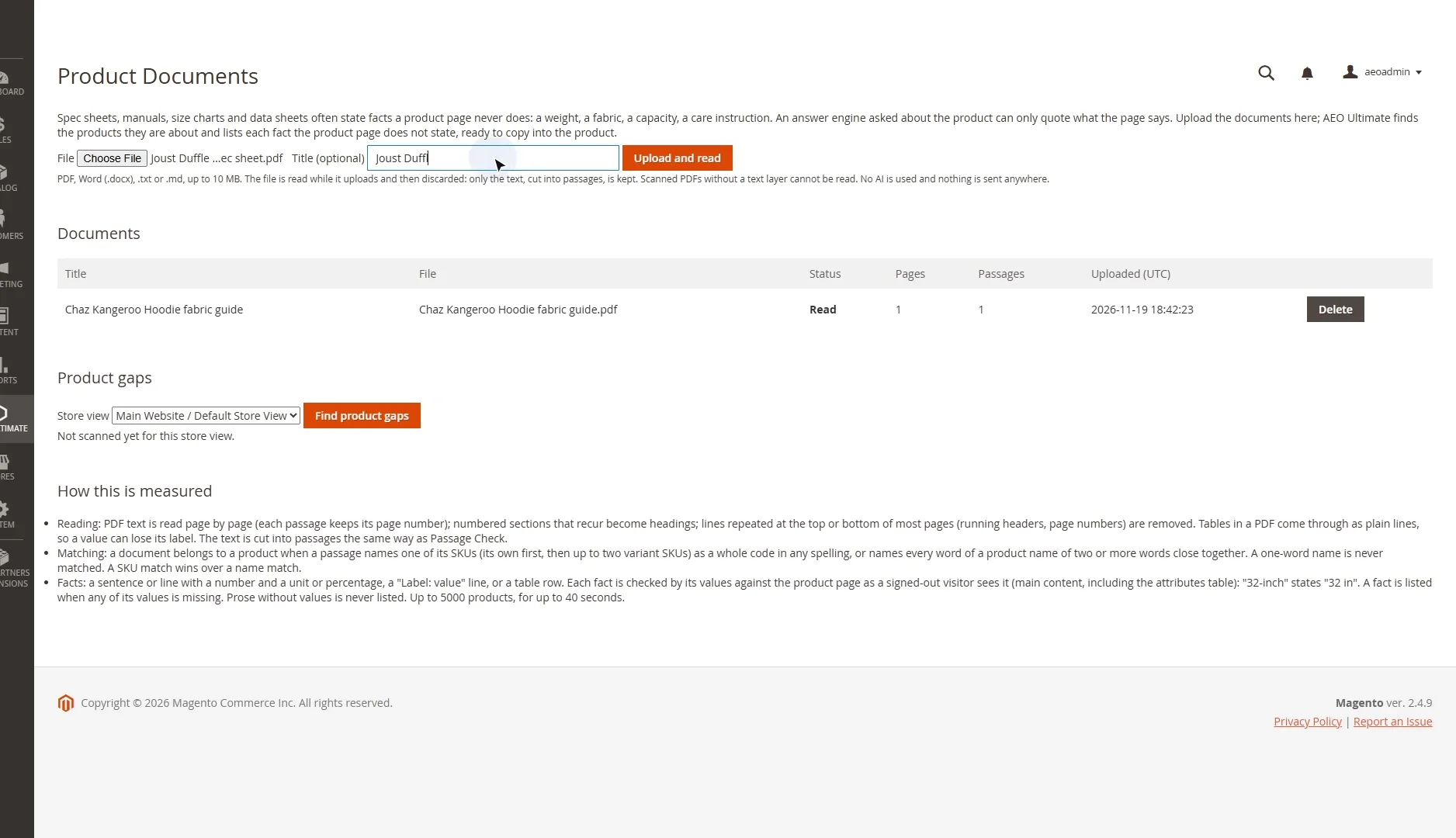
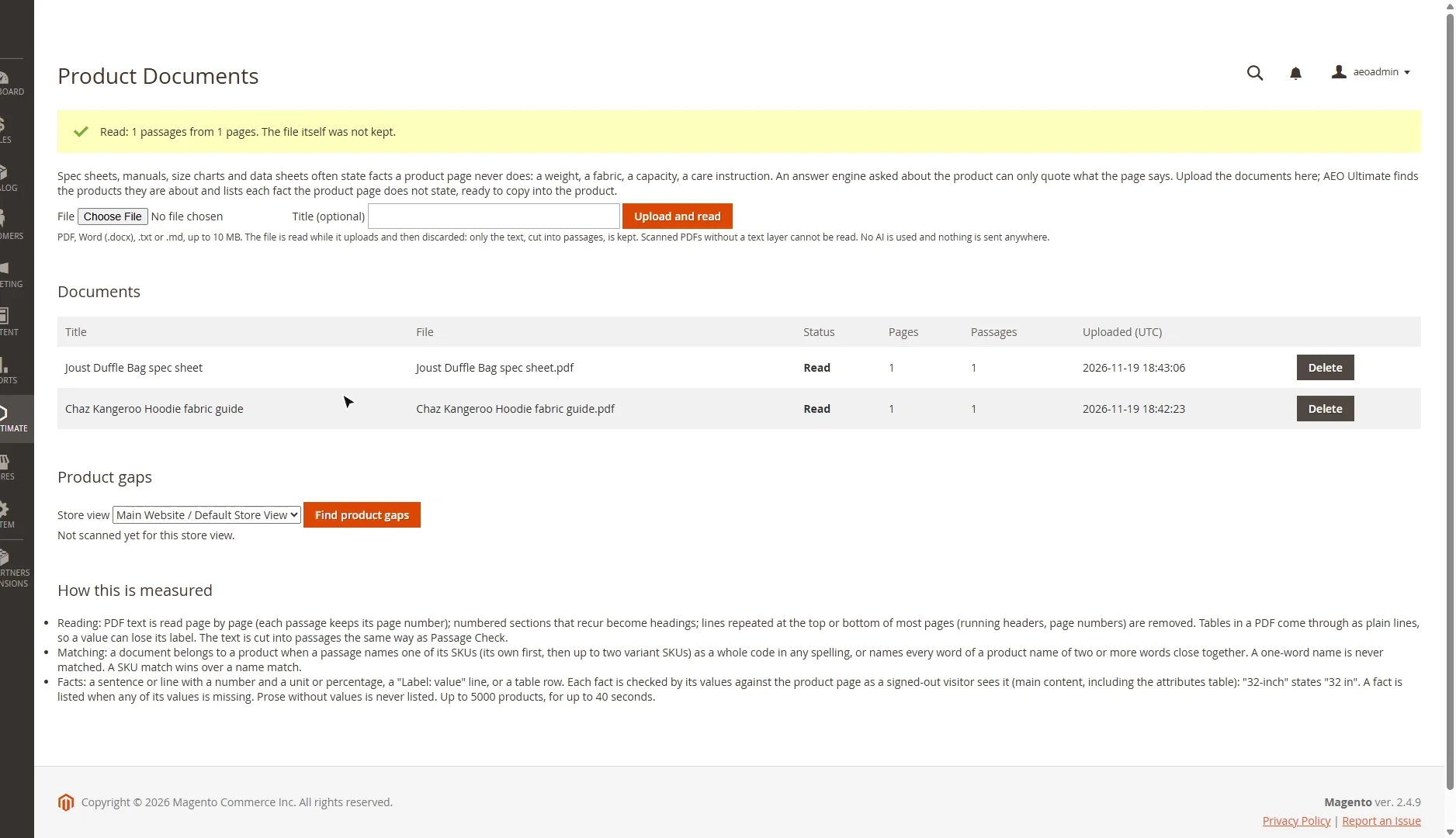
Upload a PDF, Word, text or Markdown file. This is a sample spec sheet we wrote for one of the demo store's products. A second sample, for a hoodie, is already uploaded. Press Upload and read. The file itself is never kept: only its text is stored, cut into passages.
0:45 Reading the document
Each document was read page by page, and every passage keeps its page number. Scanned, encrypted or renamed files are refused, with a sentence that says what to do.
0:57 Matching products
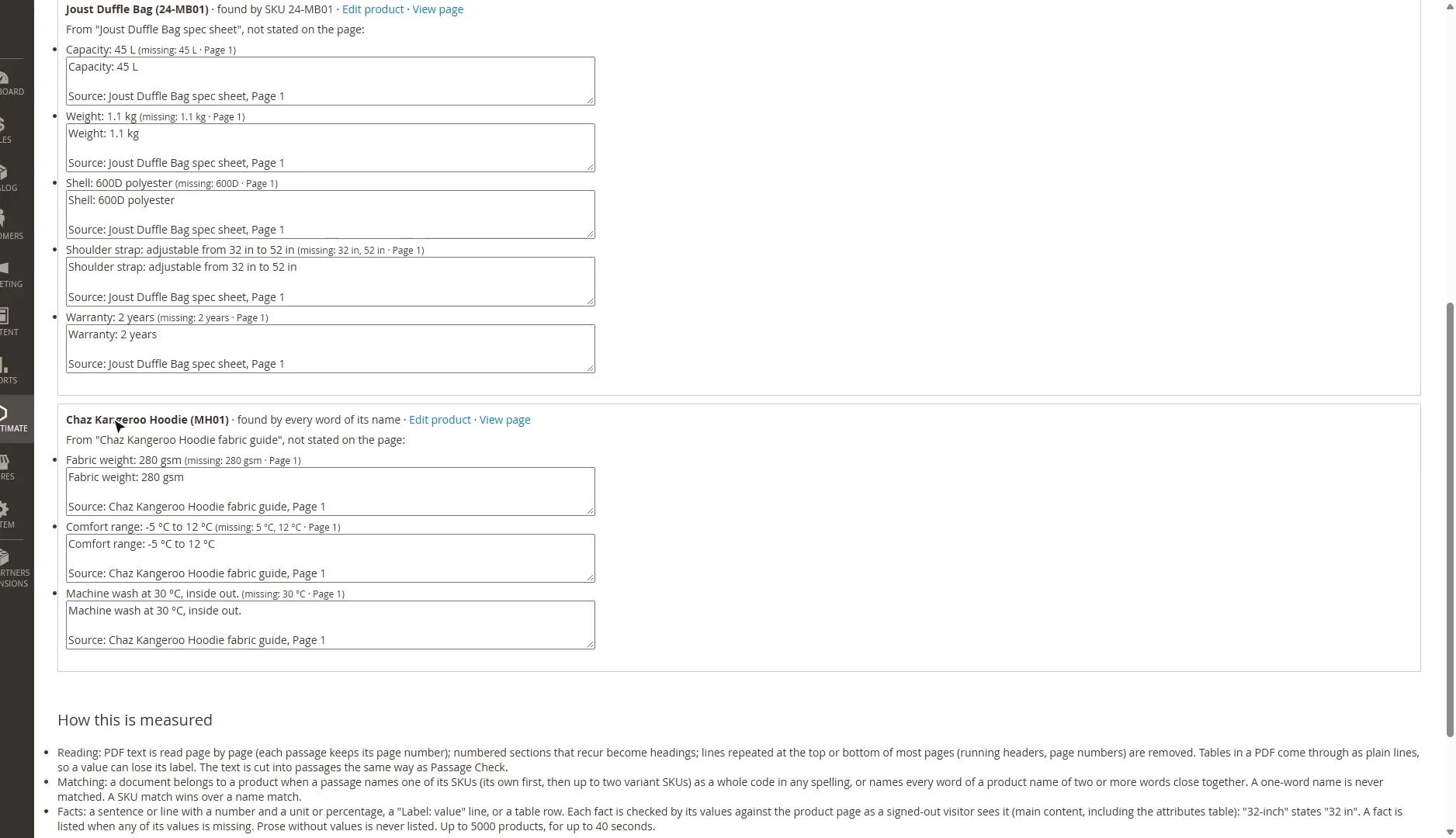
Now press Find product gaps. A document belongs to a product when it names one of the product's SKUs, or every word of its name, close together. Here, the duffle bag was found by its SKU, and the hoodie by its full name.
1:13 Missing facts
For the duffle bag, the capacity, weight, shell fabric, strap length and warranty are listed, because the product page states none of them. The dimensions are not listed: the page already says them.
1:27 Copy-ready text
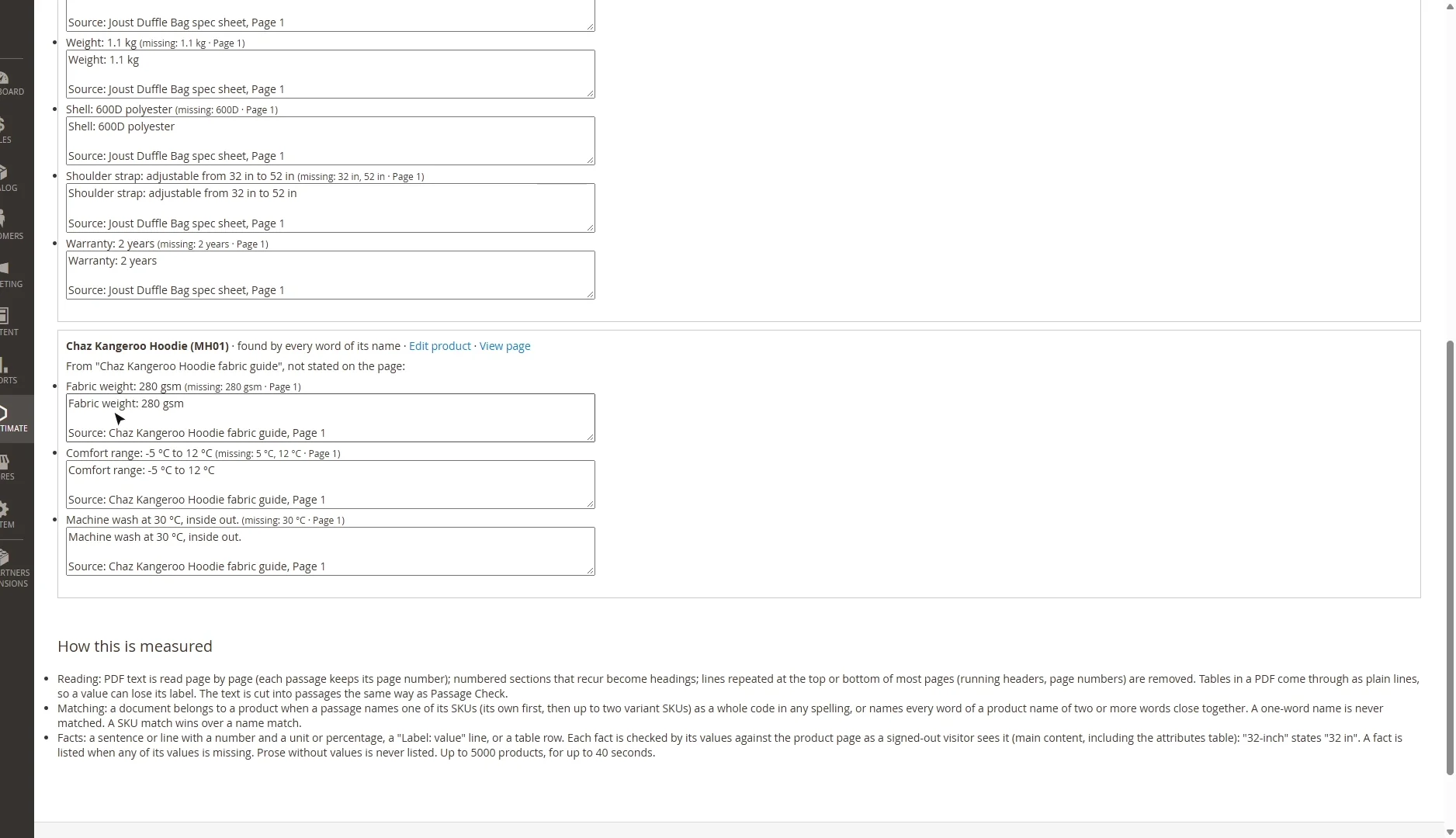
Each fact comes with copy-ready text that cites the document and its page. Add it to the product, and answer engines can quote it.
1:37 Name matches
For the hoodie, the fabric weight, the comfort range and the washing temperature are missing from its page. Its material is not listed, because the page's attributes already say wool.
1:50 How it is measured
Facts are checked by their values against the product page a signed-out shopper sees, and the method is explained on the page. Claude can read these gaps through the connector, too. Upload your own spec sheets, and fill the gaps.
Which documents can I upload?
Open AEO Ultimate → Product Documents and upload a PDF, Word (.docx), text or Markdown file of up to 10 MB, with an optional title. Press Upload and read. The file itself is never kept: it is read while it uploads, and only its text, cut into passages, is stored. No AI is used and nothing is sent anywhere. One document per product, such as a spec sheet or a care guide, gives the clearest results.
How does AEO Ultimate read a PDF?
PDF text is read page by page, and each passage keeps its page number. Numbered sections that recur become headings, and lines repeated at the top or bottom of most pages, such as running headers and page numbers, are removed. Tables in a PDF come through as plain lines, so a value can lose its label. Scanned PDFs without a text layer, encrypted files and renamed files are refused, with a sentence that says what to do.
How does a document get matched to a product?
Press Find product gaps. A document belongs to a product when a passage names one of its SKUs (its own first, then up to two variant SKUs) as a whole code in any spelling, or names every word of a product name of two or more words close together. A one-word name is never matched, and a SKU match wins over a name match. On the demo store, the duffle bag was found by its SKU and the hoodie by its full name.
Which facts does it list?
A fact is a sentence or line with a number and a unit or percentage, a “Label: value” line, or a table row. Each fact is checked by its values against the product page as a signed-out visitor sees it, including the attributes table, so “32-inch” counts as stating “32 in”. A fact is listed when any of its values is missing; prose without values is never listed. For the duffle bag, the capacity, weight, shell fabric, strap length and warranty were listed, but not the dimensions, which the page already states.
How do I add the missing facts to my product?
Each listed fact comes with copy-ready text that cites the document and its page. Use the Edit product link beside it and add the text to the product, and answer engines can quote it. Run the scan again afterwards: facts the page now states drop off the list.
How big a catalog can it scan?
A scan checks up to 5,000 products for up to 40 seconds; if it stops early, the page says so. The demo store’s 181 products took about two seconds. The latest scan is stored, and Claude can read it through the Claude connector with the product content gaps tool.
Next is Promotions: where your sales and coupons end up for answer engines and Google.
Magento® is a registered trademark of Adobe Inc. AEO Ultimate is made by Tampa Web Technologies Inc. and is not affiliated with Adobe.
Still stuck?
Message me directly — free tier included. Most replies land within the hour during Tampa working hours. Get support →