Docs / for Magento / Magento 2 AI content: descriptions, meta tags and FAQs
AEO Ultimate for Magento
Magento 2 AI content: descriptions, meta tags and FAQs
AI Content writes product text for your Magento 2 store with your own AI provider key: meta descriptions, meta titles, product descriptions, product FAQs, and specifications for structured data. Every change is logged, and every change can be undone. The examples come from a demo store with sample products, written with a real AI provider.
Read the transcript
0:00 Introduction
AI Content writes product text with your own AI provider key: meta descriptions, meta titles, product descriptions, product FAQs, and specifications for structured data. Every change is logged, and every change can be undone. This guide uses a demo store with sample products.
0:23 Start a run
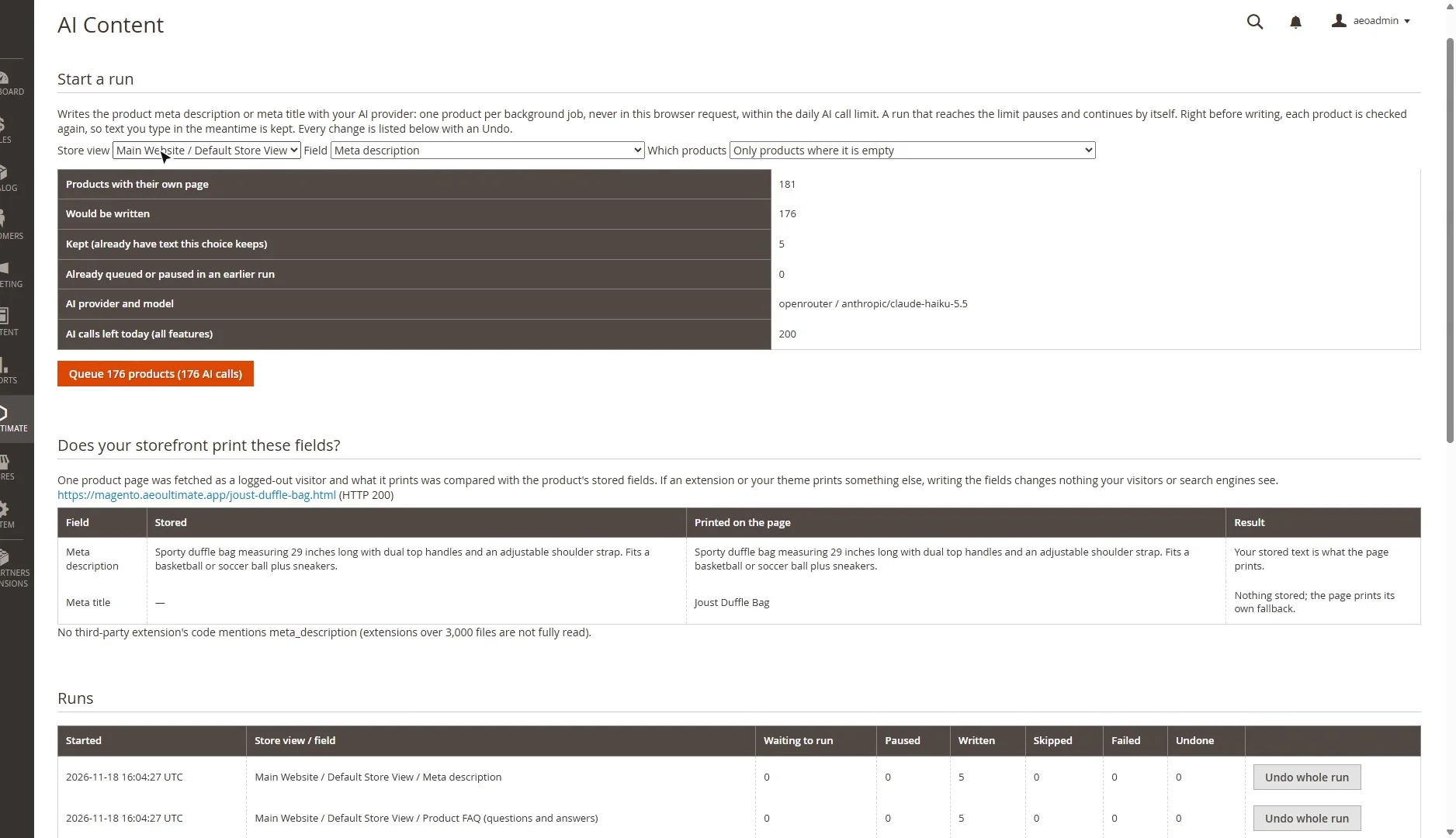
To start a run, choose a store view, the field to write, and which products. By default, only products where the field is empty are written. You can also replace Magento's automatic text, or rewrite every product.
0:39 Before you spend
Before anything is queued, the preview shows what would happen: how many products would be written, how many are kept, which AI model is used, and how many AI calls are left today. Nothing is spent until you press Queue.
0:53 How runs work
Each product is written in its own background job, never in your browser. A run that reaches the daily limit pauses, and continues by itself. Right before writing, each product is checked again, so text you type in the meantime is kept.
1:09 Does your storefront print it?
Does your storefront print these fields? AEO Ultimate fetches a product page as a signed-out visitor, and compares it with what is stored. If your theme or another extension prints something else, writing the field would change nothing that visitors or search engines see.
1:28 Undo any change
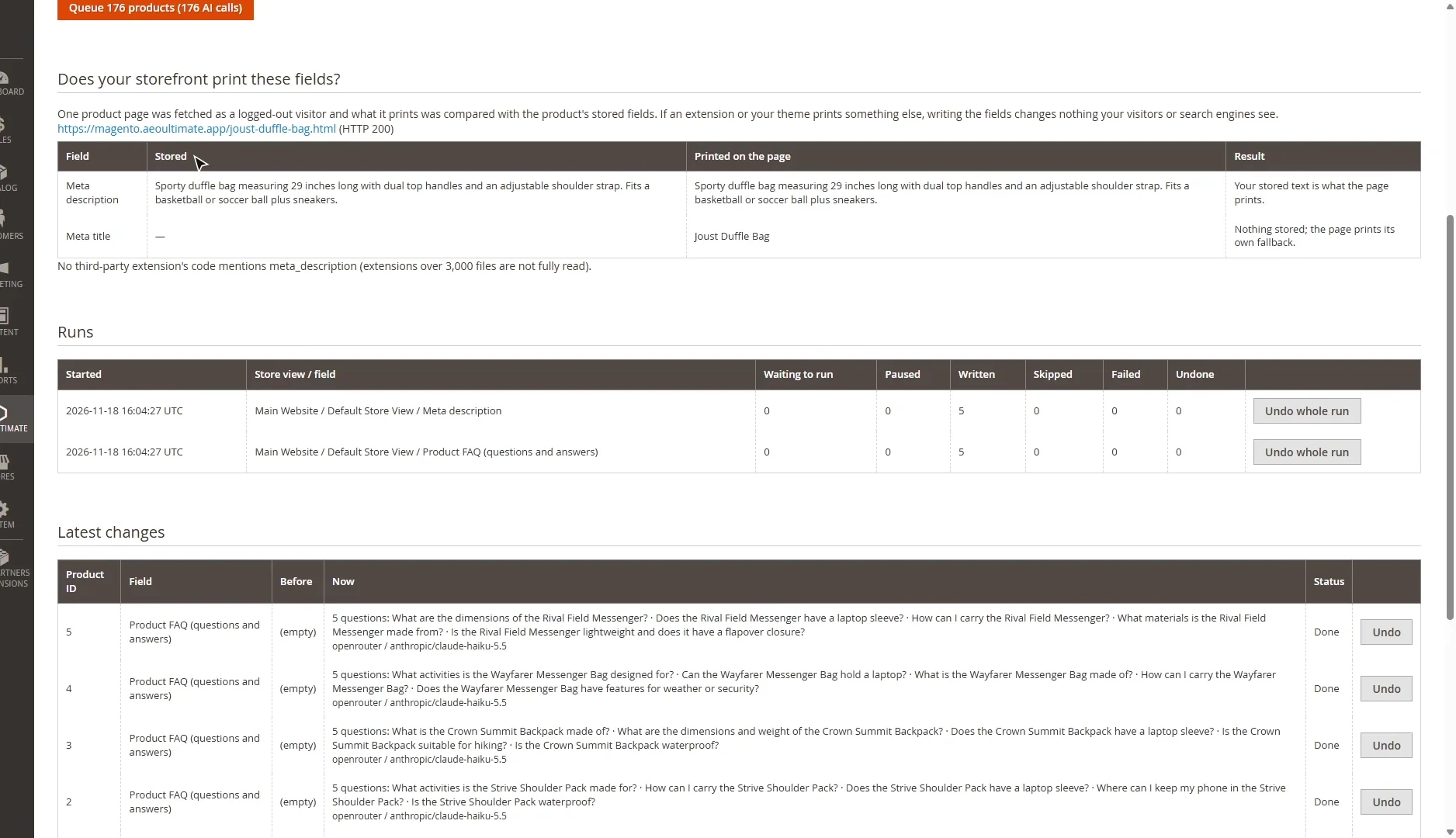
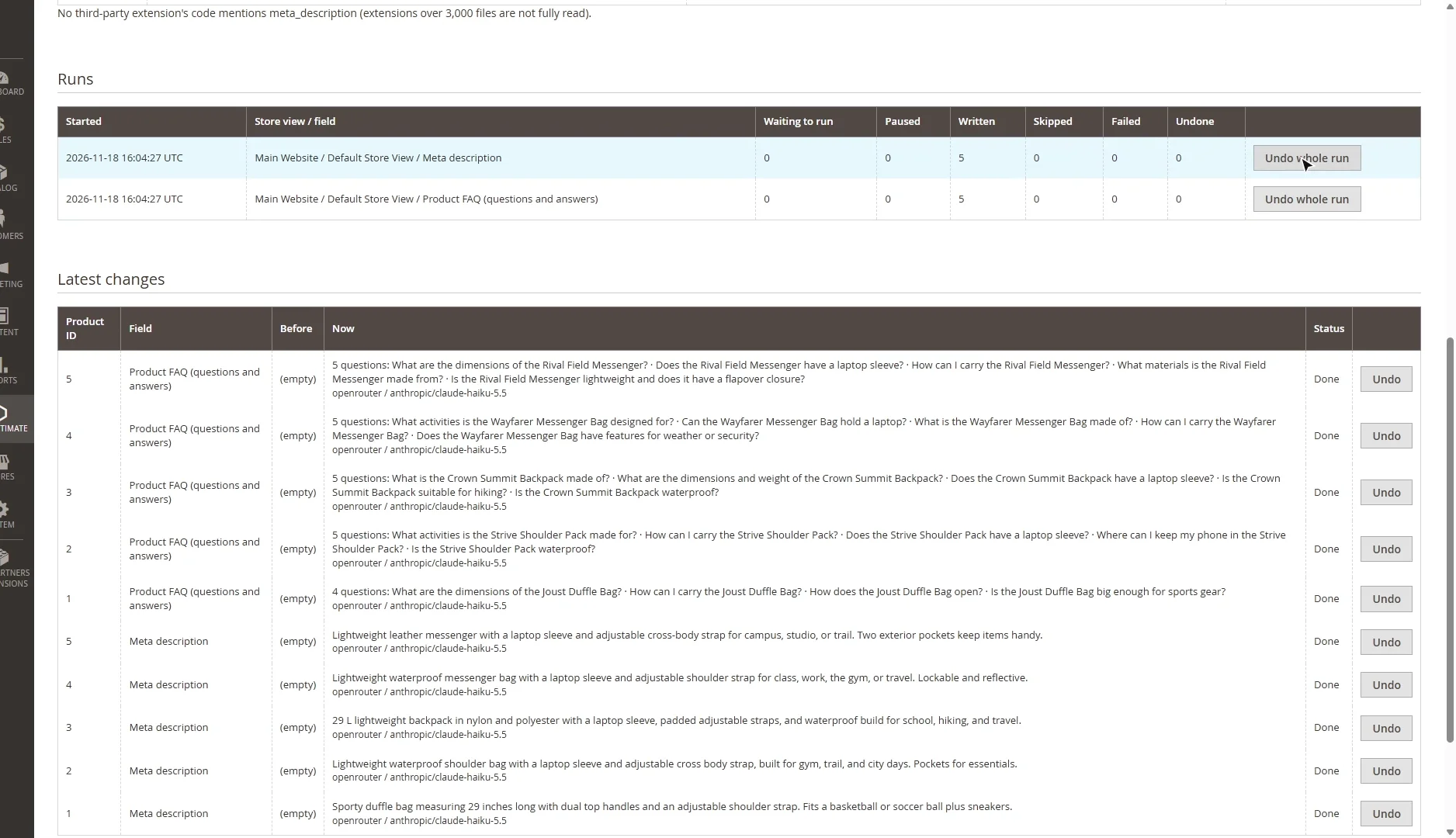
Every run and every change is listed. Here, one run wrote meta descriptions for five products, and another wrote their FAQs. Each change shows the text before and after, with an Undo button, and you can undo a whole run at once.
1:44 FAQs on the product page
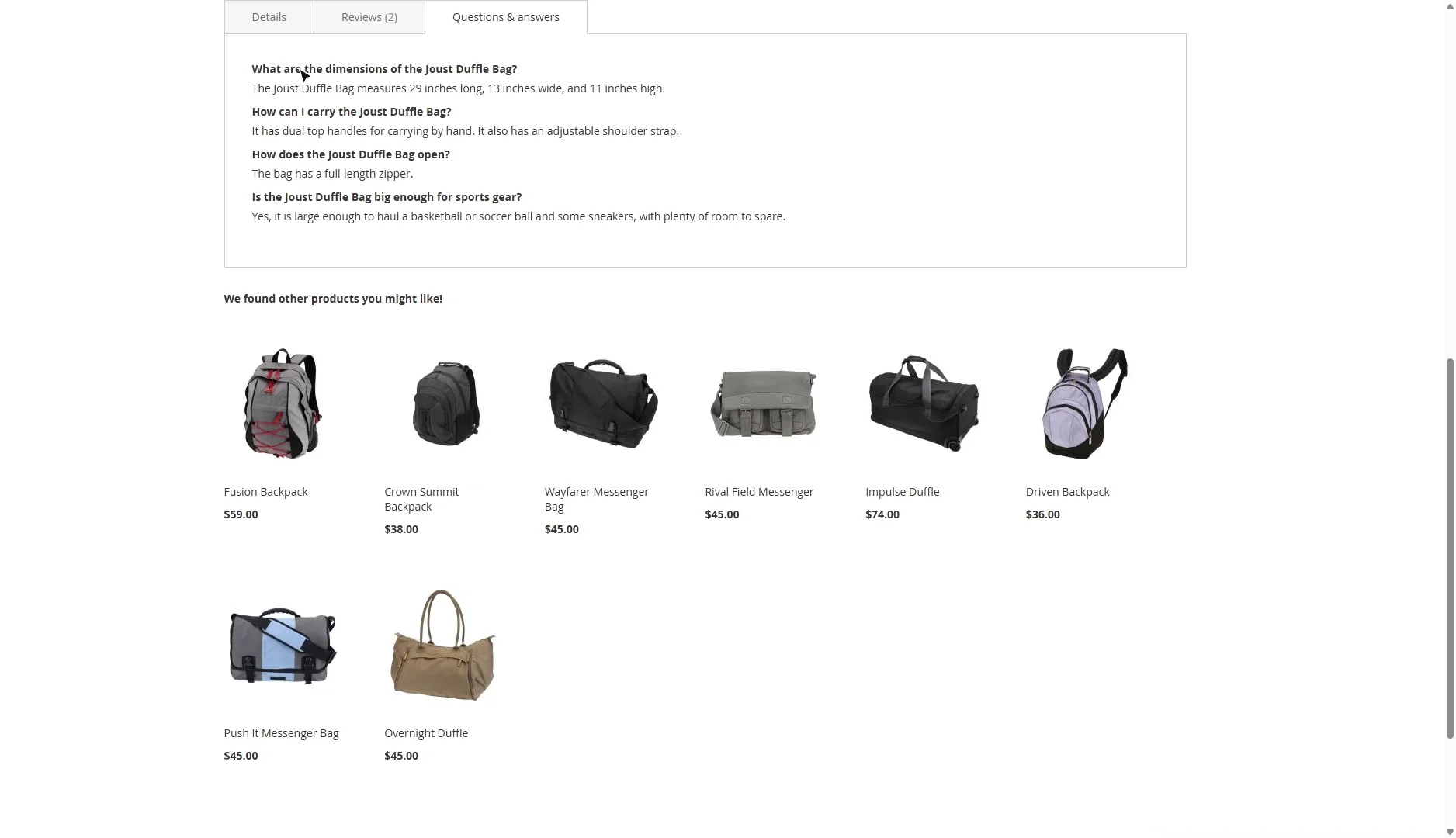
Product FAQs are written only from the product's own description and attributes, never price, stock, shipping or warranty claims. They appear as a Questions and answers tab on the product page, and their structured data is published only alongside that visible tab.
2:06 Stay in control
Nothing is sent to an AI provider until you enter your own API key and switch a feature on. Calls are billed by your provider, under a daily limit you set. Start with a small run, read the results, and undo anything you would rather write yourself.
How do I write meta descriptions for my Magento products with AI?
Open AEO Ultimate → AI Content. Under Start a run, choose a store view, the field to write and which products. By default, only products where the field is empty are written. You can also replace Magento’s automatic text, or rewrite every product, and each of those changes can still be undone.
How do I know what a run will cost before it starts?
Before anything is queued, the preview shows how many products would be written, how many are kept, which AI provider and model would be used, and how many AI calls are left today across all features. Nothing is spent until you press Queue.
What happens after I queue a run?
Each product is written in its own background job, never in your browser. A run that reaches the daily AI call limit pauses, and continues by itself. Right before writing, each product is checked again, so text you type in the meantime is kept.
Will my storefront show the new meta descriptions?
Does your storefront print these fields? fetches a product page as a signed-out visitor and compares what it prints with what is stored. If your theme or another extension prints something else, writing the field would change nothing that visitors or search engines see, so you know before you spend anything.
Can I undo AI-written product content?
Yes. Every run and every change is listed. On the demo store, one run wrote meta descriptions for five products and another wrote their FAQs. Each change shows the text before and after with an Undo button, and Undo whole run reverses a run at once.
Where do product FAQs appear on my store?
Product FAQs are written only from the product’s own description and attributes, never price, stock, shipping or warranty claims. They appear as a Questions & answers tab on the product page, and their FAQ structured data is published only alongside that visible tab.
How does AI Content avoid inventing product details?
Product descriptions are written only from the product’s own name, attributes, categories and current text, and every number in an existing description must survive or nothing is written. Specifications for structured data are kept only when every word and number appears in the product’s own text; they go into the structured data only, your product attributes are never changed, and your own attribute values always win.
Who pays for the AI calls?
You do, directly: AEO Ultimate uses your own API key, stored encrypted, and calls are billed by your provider to your account under a daily limit you set. Nothing is sent to an AI provider until you enter a key and switch a feature on. Start with a small run, read the results, and undo anything you would rather write yourself.
Next is Agentic Checkout and the Claude connector: letting AI shopping agents buy, and asking Claude about your AEO Ultimate data.
Magento® is a registered trademark of Adobe Inc. AEO Ultimate is made by Tampa Web Technologies Inc. and is not affiliated with Adobe.
Still stuck?
Message me directly — free tier included. Most replies land within the hour during Tampa working hours. Get support →