Docs / for Magento / Magento 2 llms.txt, robots.txt, XML sitemap and IndexNow
AEO Ultimate for Magento
Help AI crawlers find your Magento 2 store
Before an answer engine can cite your store, its crawlers have to find your pages. AEO Ultimate for Magento 2 helps in four ways: an llms.txt guide for AI assistants, AI crawler rules in robots.txt, an XML sitemap, and IndexNow. Nothing is written to your server’s files. On the demo store in the examples, llms.txt and the robots.txt rules are on, and the sitemap and IndexNow are switched off.
Read the transcript
0:00 Introduction
Before an answer engine can cite your store, its crawlers have to find your pages. This guide covers four ways AEO Ultimate helps: an llms dot text guide for AI assistants, AI crawler rules in robots dot text, an XML sitemap, and IndexNow. Each one is a setting you control.
0:25 llms.txt
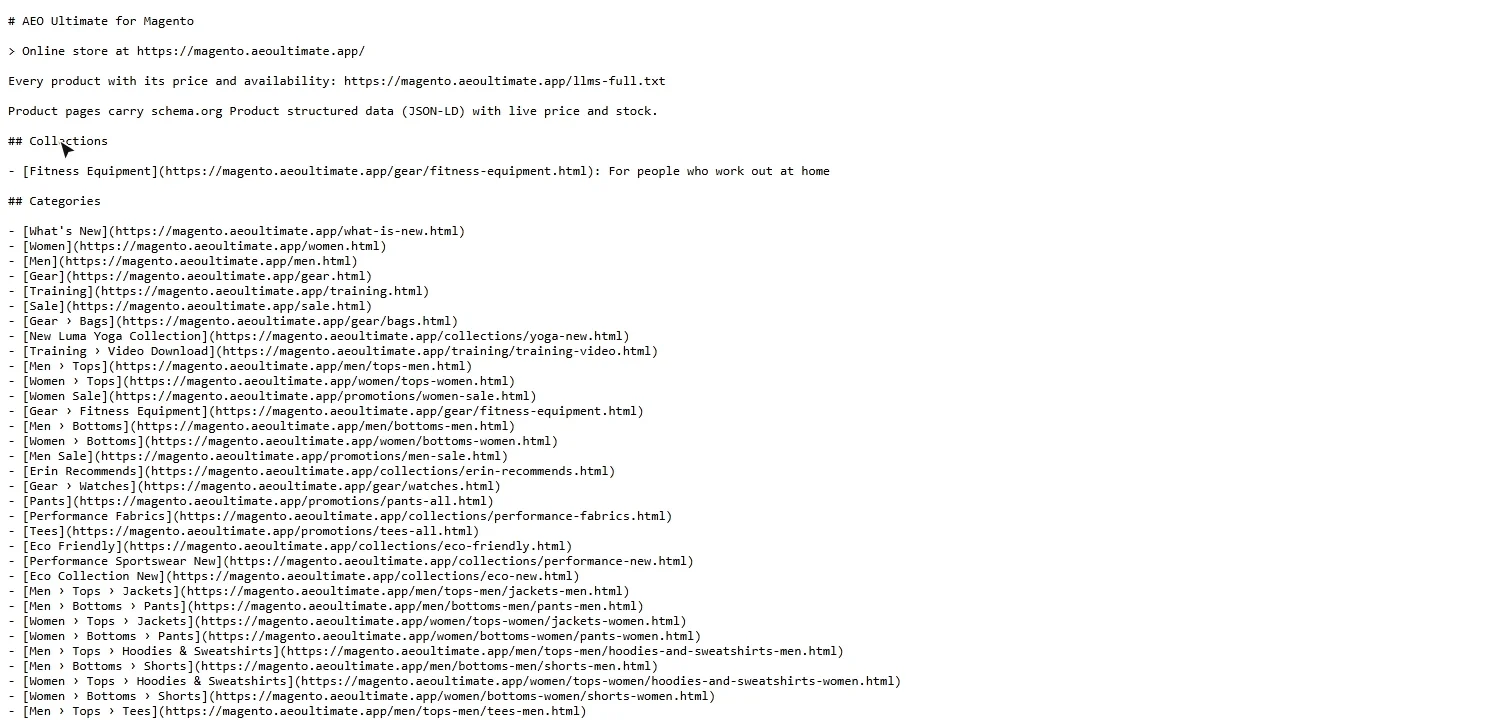
llms dot text is a plain-text guide to your store for AI assistants: your store's name, its collections, its categories and its key pages. A second file, llms-full, lists every product with its price and availability. Nothing is written to your server's files.
0:46 Who serves it
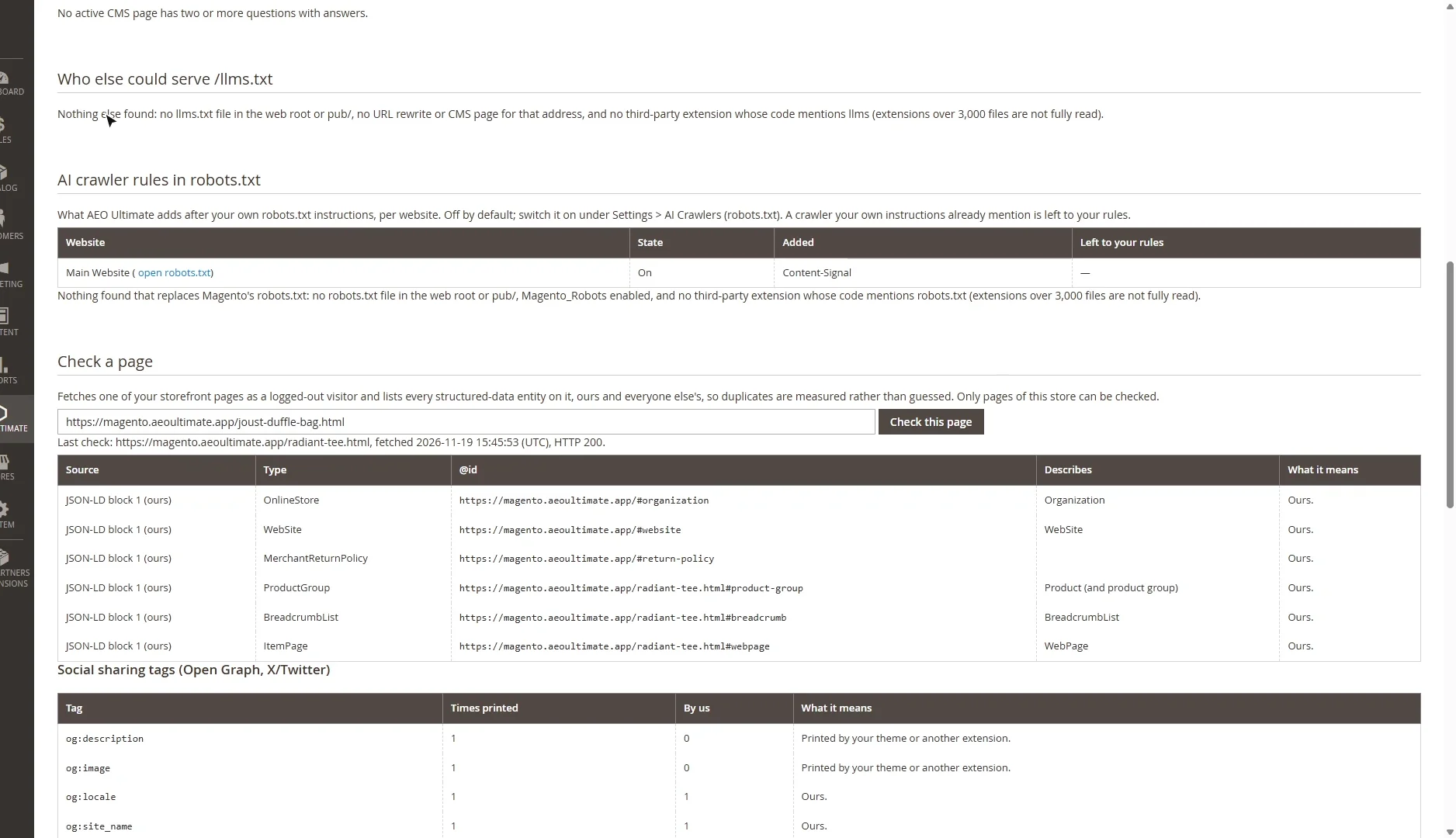
Only one thing can answer at each address. The Dashboard checks whether a file, a CMS page or another extension could serve llms dot text or robots dot text instead, and names it, so you know whose version is live.
1:01 AI crawler rules
AI crawler rules are added to the end of your robots dot text, after your own instructions. Here, a Content-Signal line says search and AI answers are welcome, but AI training is not. You can also block chosen crawlers, and a crawler your own rules already mention is left to them.
1:21 XML sitemap
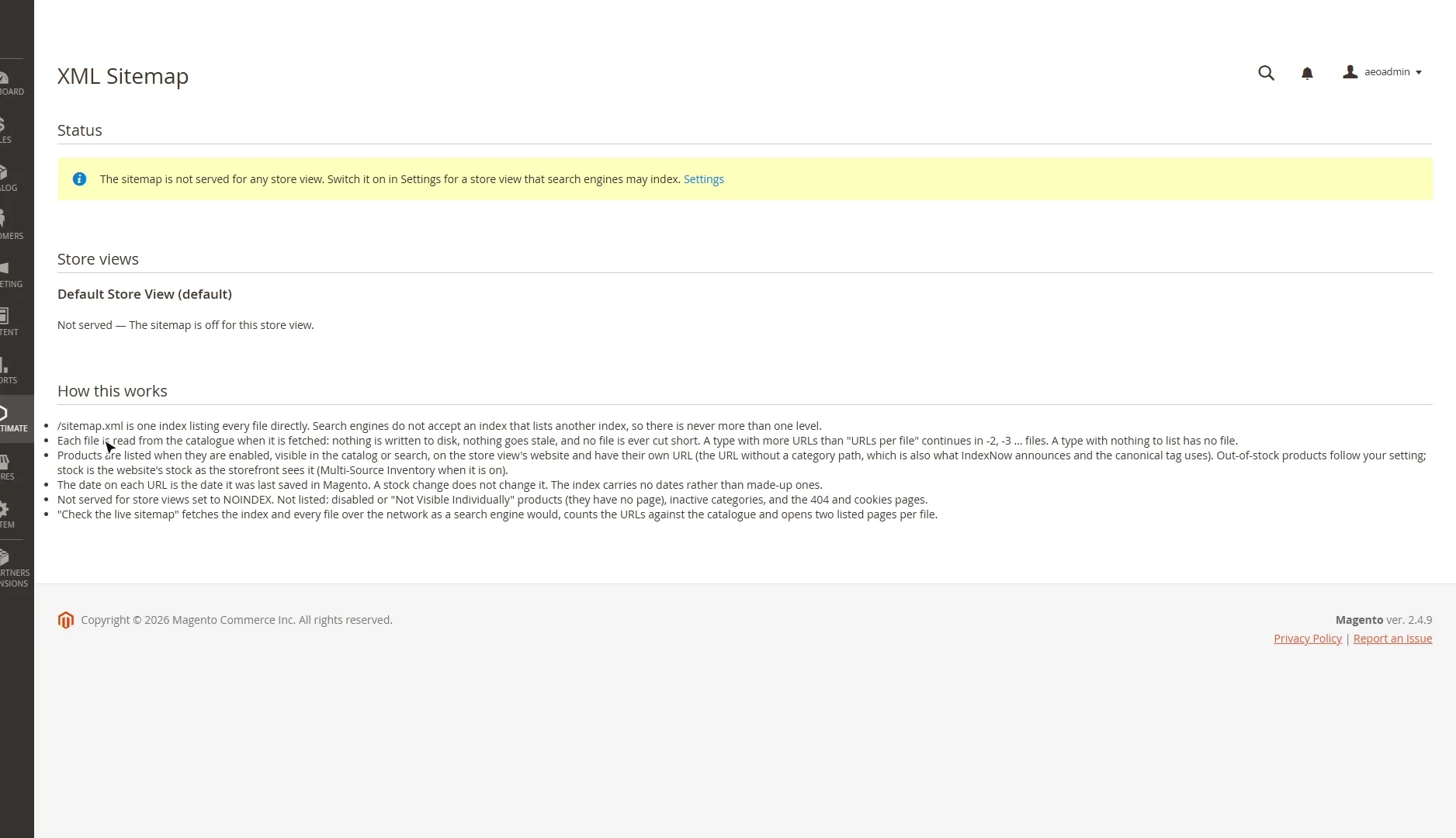
The XML sitemap is read from your catalogue each time it is fetched, so it is never out of date and never cut short. It is switched off on this demo store, and it is never served for a store view set to no-index. If another sitemap exists for the same store view, this page names it, so you keep only one.
1:43 IndexNow
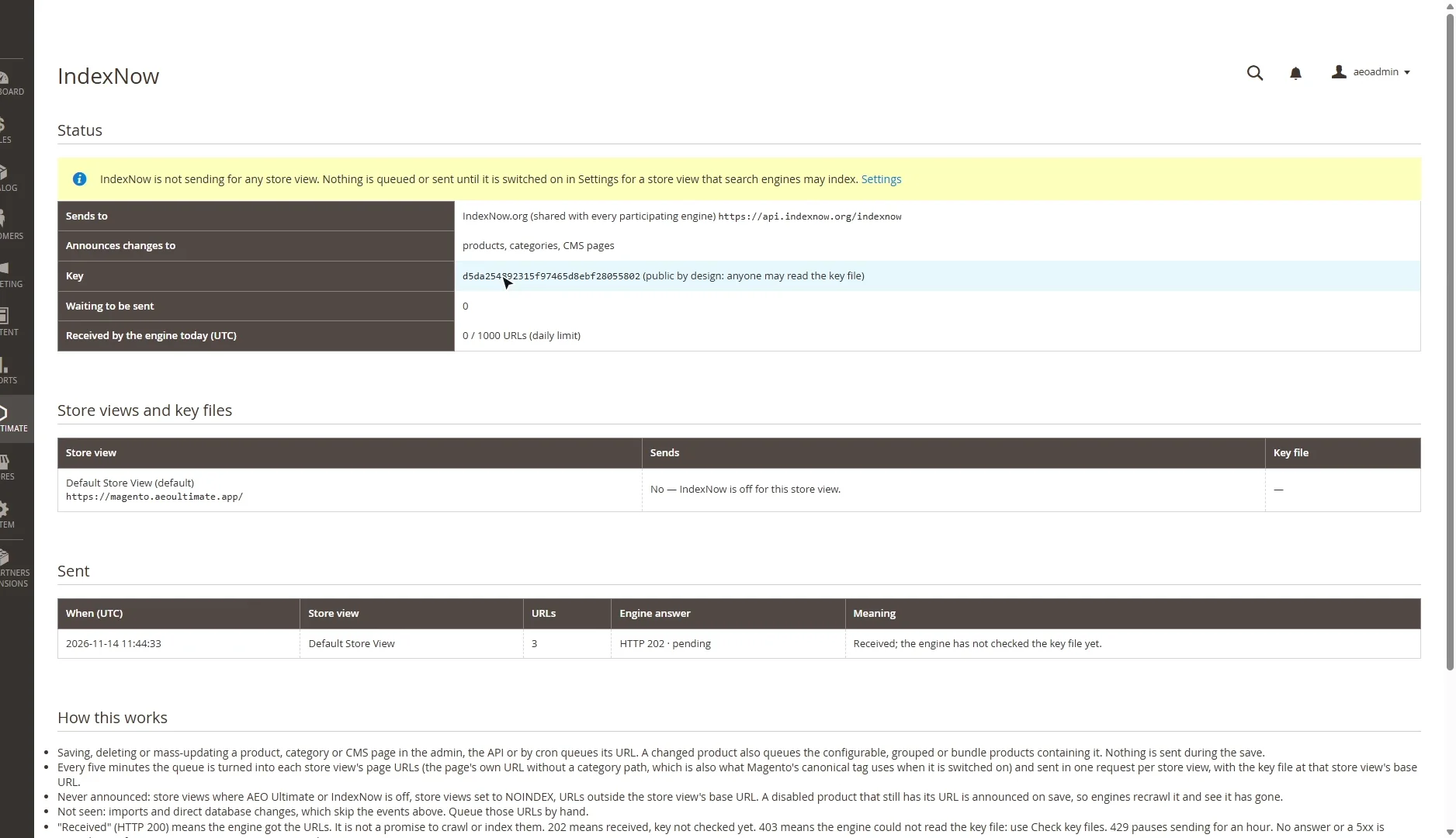
IndexNow tells Bing and other participating engines which pages changed, so they recrawl them sooner. Changes are queued and sent every five minutes, never during your save. Only the changed addresses and a public key are sent.
2:00 Engine answers
Every send is logged with the engine's answer, and what it means: received, waiting for the key check, or refused. Google does not take part in IndexNow. It reads your sitemap.
2:12 Who comes to read
Switch on what your store needs, then open AI Crawlers to see who comes to read.
What is llms.txt and how does Magento serve it?
llms.txt is a plain-text guide to your store for AI assistants, at /llms.txt on each store view’s address: your store’s name and description, your Smart Collections, your categories and key pages. A second file, /llms-full.txt, lists every product with its price and availability. Both are served by AEO Ultimate under Settings → AI Discovery (llms.txt); nothing is written to disk.
What if another extension already serves llms.txt or robots.txt?
Only one thing can answer at each address. The Dashboard checks for an llms.txt or robots.txt file on the server, a URL rewrite or CMS page at that address, and other extensions whose code mentions it, and names what it finds. To leave llms.txt to another tool, switch AEO Ultimate’s off.
How do I set AI crawler rules in robots.txt?
Under Settings → AI Crawlers (robots.txt), AEO Ultimate adds lines to the end of each website’s robots.txt, after your own instructions. A Content-Signal line can say that search and AI answers are welcome but AI training is not; you can also block chosen crawlers. Nothing is added for a crawler your own instructions already mention. It is off by default. robots.txt is a request: well-behaved crawlers follow it, and nothing forces the rest.
How does the XML sitemap work?
Switched on under Settings → XML Sitemap, /sitemap.xml is one index listing every file: pages, categories and products, numbered -2, -3 when a type has more addresses than fit in one file. Each file is read from the catalogue when it is fetched, so it is never out of date and never cut short. It is never served for a store view set to NOINDEX, and AEO Ultimate → XML Sitemap names any other sitemap for the same store view so you keep only one.
What does IndexNow send, and to whom?
IndexNow tells Bing and other participating engines, such as Yandex, Seznam, Naver and Yep, which pages changed so they recrawl them sooner. Saving a product, category or CMS page queues its address, and the queue is sent every five minutes, never during your save. Only the changed addresses and this install’s public key are sent. Google does not take part in IndexNow; it reads your sitemap.
How do I know IndexNow worked?
AEO Ultimate → IndexNow logs every send with the engine’s answer and what it means: HTTP 200 means received (not a promise to crawl), 202 means received with the key not yet checked, 403 means the engine could not read the key file, and 429 pauses sending for an hour. Imports and direct database changes are not seen, so queue those addresses by hand. Then open AI Crawlers to see who comes to read.
Every walkthrough is listed in the Magento video tutorials.
Magento® is a registered trademark of Adobe Inc. AEO Ultimate is made by Tampa Web Technologies Inc. and is not affiliated with Adobe.
Still stuck?
Message me directly — free tier included. Most replies land within the hour during Tampa working hours. Get support →