Docs / for Magento / Magento 2 agentic checkout and the Claude connector
AEO Ultimate for Magento
Magento 2 agentic checkout and the Claude connector
AI assistants are starting to shop for people. Agentic Checkout lets AI shopping agents that use the Universal Commerce Protocol (UCP) build a checkout in your Magento 2 store, and the Claude connector lets you ask Claude about your AEO Ultimate data over the Model Context Protocol (MCP). The examples come from a demo store with Stripe in test mode: no real money moved.
Read the transcript
0:00 Introduction
AI assistants are starting to shop for people. Agentic Checkout lets AI shopping agents that use the Universal Commerce Protocol build a checkout in your Magento 2 store. And the Claude connector lets you ask Claude about your AEO Ultimate data. This guide uses a demo store with Stripe in test mode.
0:21 How agents buy
An agent reads your store's profile, adds items, and chooses shipping. Prices, tax, shipping and stock are Magento's own, for a signed-out guest, and the cart is recalculated on every request. Agentic Checkout stays off until you switch it on for a store view.
0:39 Payment
Without Stripe keys, every agent checkout ends with a link to your own checkout, with the cart already filled in. With keys, the agent pays with Google Pay through Stripe. Here, Stripe is in test mode, so no real money moves.
0:54 Signed requests
Agents that sign their requests are checked against the keys they publish, and a wrong signature is refused. Every answer your store sends back is signed with the store's own key, so the agent platform knows it came from you, unchanged.
1:08 The checkout log
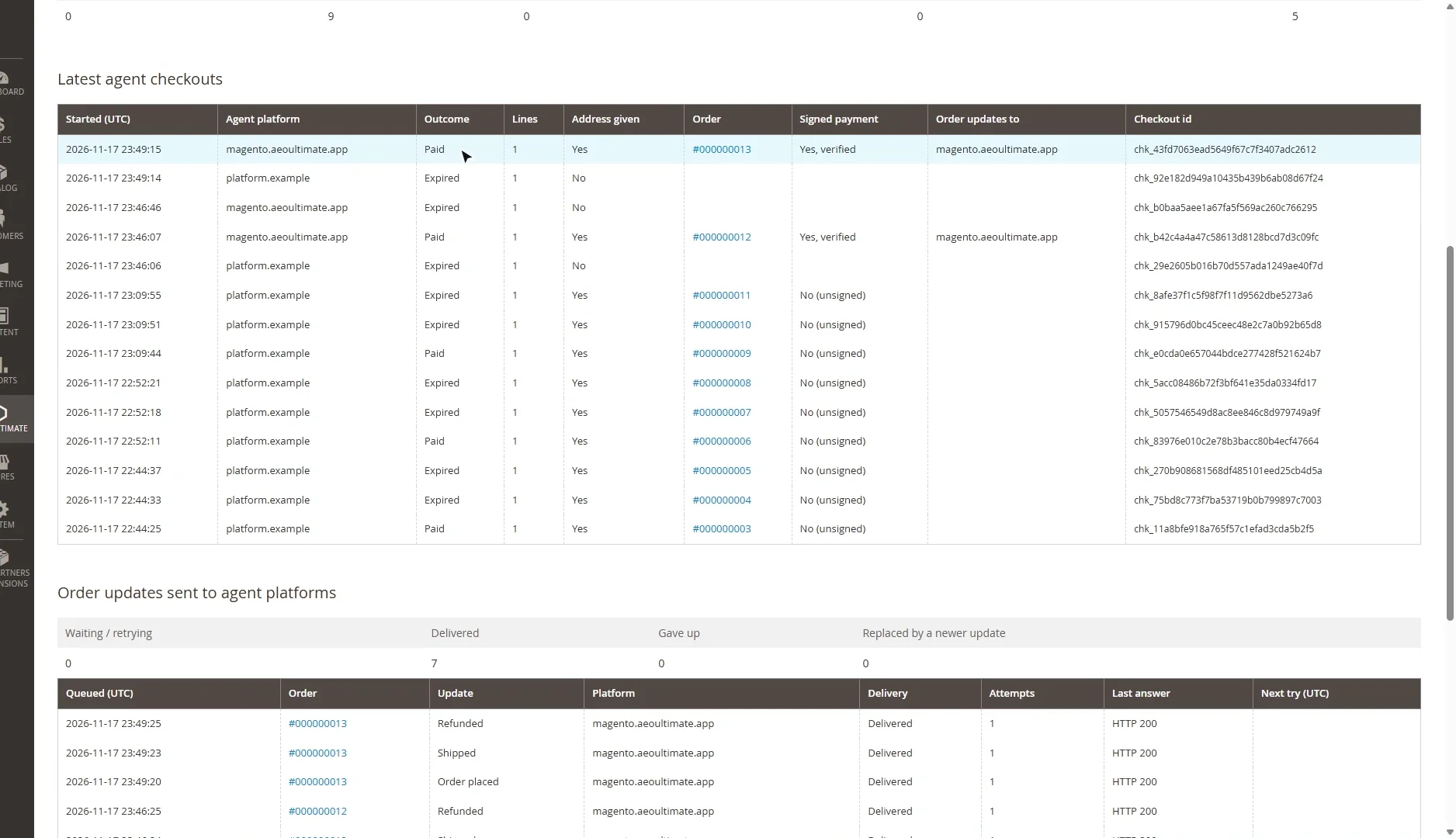
The log lists every agent checkout: the platform, the outcome, and the Magento order it placed. When an order from a verified platform is placed, shipped or refunded, the update is sent to that platform, and retried if delivery fails.
1:26 Use with Claude
Use with Claude connects Claude, or any assistant that speaks the Model Context Protocol, to the data AEO Ultimate already holds. Ask which AI crawlers read your store this month, or why answer engines cite a competitor. It cannot see orders, customers or carts.
1:46 Read-only by default
The connector is read-only by default. If you allow changes, each one takes two steps: Claude shows you a preview, and nothing changes until you approve. Every change is logged and can be undone. Paid AI runs need their own, separate permission.
2:03 Connect Claude
To connect, switch the connector on in settings, make an access token, and add the server address to Claude. Keep the token private, like a password.
How do AI shopping agents buy from a Magento store?
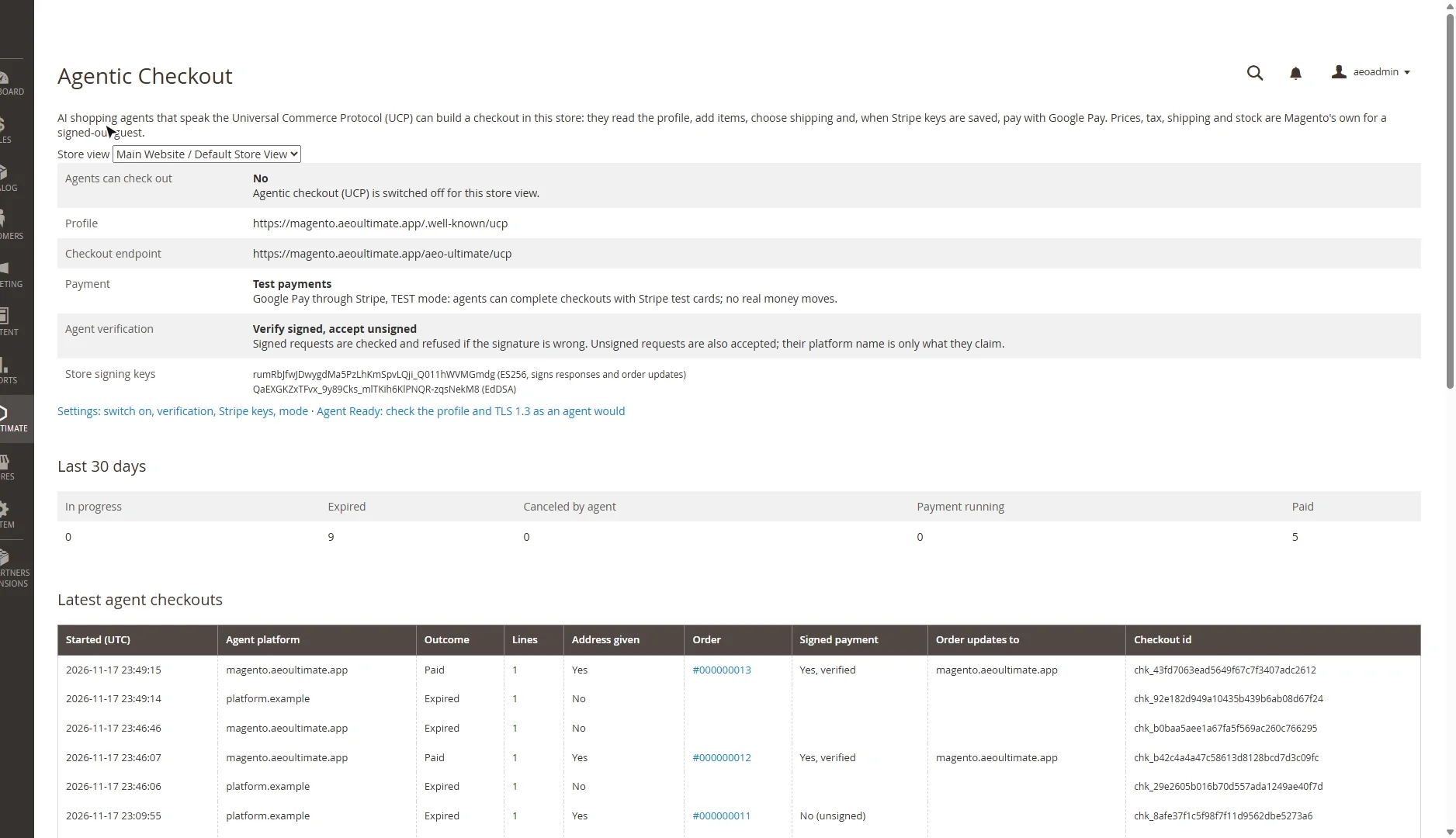
Open AEO Ultimate → Agentic Checkout. An agent that speaks the Universal Commerce Protocol reads your store’s profile, adds items and chooses shipping. Each agent checkout is a real Magento guest cart for the store view, recalculated on every request, so prices, tax, shipping and stock are always Magento’s own for a signed-out guest. Agentic Checkout is off until you switch it on for a store view.
How do agents pay?
Without Stripe keys, every agent checkout ends with a link that opens your own checkout with the cart already filled in. With keys, the agent pays with Google Pay through Stripe: the order is placed and invoiced in Magento, Magento’s order email is sent, and a credit memo refunds through Stripe. A declined card cancels the order and releases stock, and a card that needs 3-D Secure is handed to your own checkout.
How does the store know which agent it is talking to?
Agent platforms that sign their requests (HTTP Message Signatures) are checked against the keys in their own published profile, and a wrong signature is refused. Every answer your store sends back is signed with the store’s own key, published in its profile, so the platform can check it came from your store unchanged.
Where do I see agent orders?
The page lists every agent checkout with its platform, its outcome and the Magento order it placed. When an order from a verified platform is placed, shipped, refunded or canceled, the full current order is sent to the platform, signed. A failed delivery is retried after 1 minute, 5 minutes, 30 minutes, 2, 6 and 12 hours.
What can Claude do with my AEO Ultimate data?
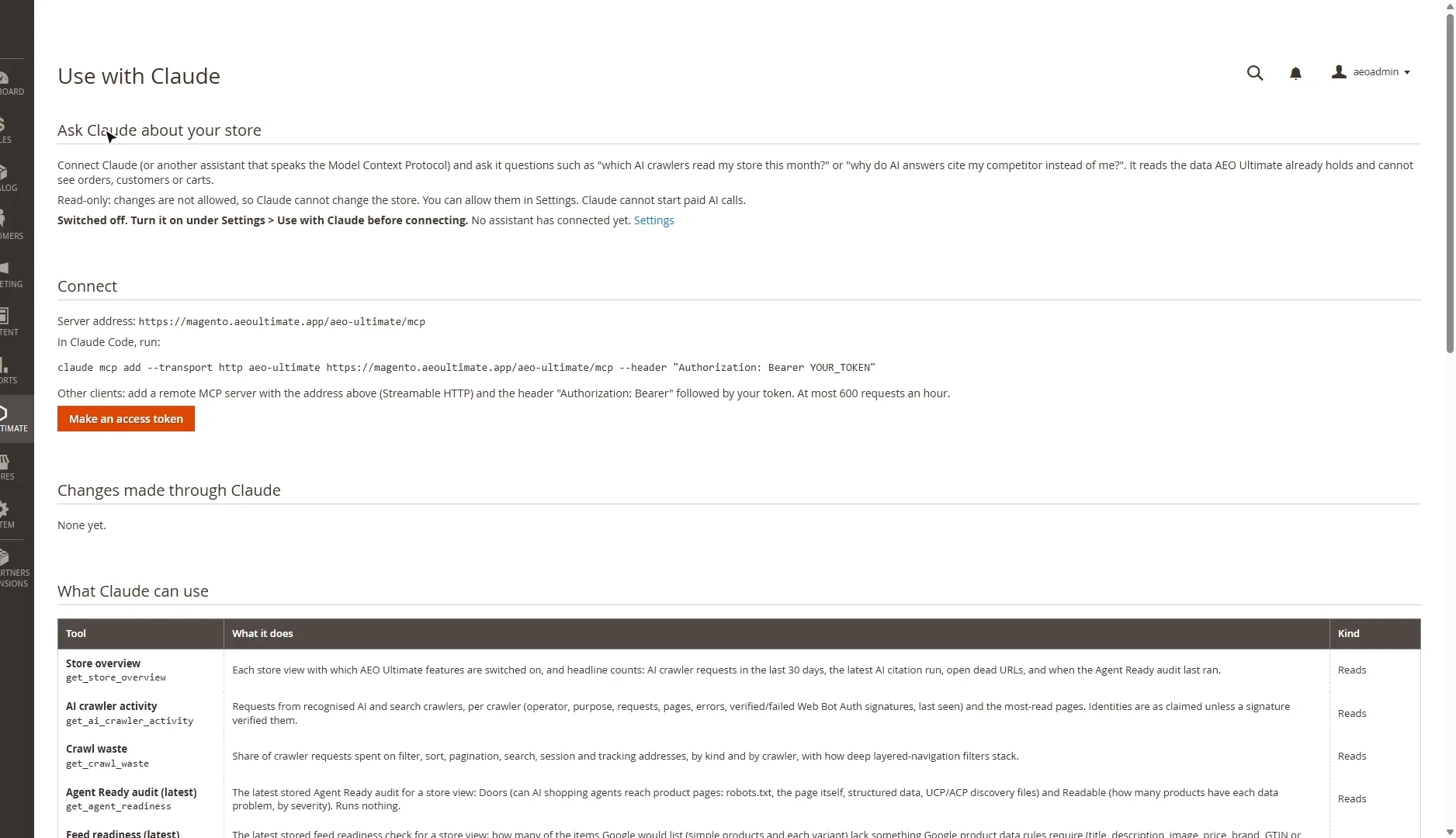
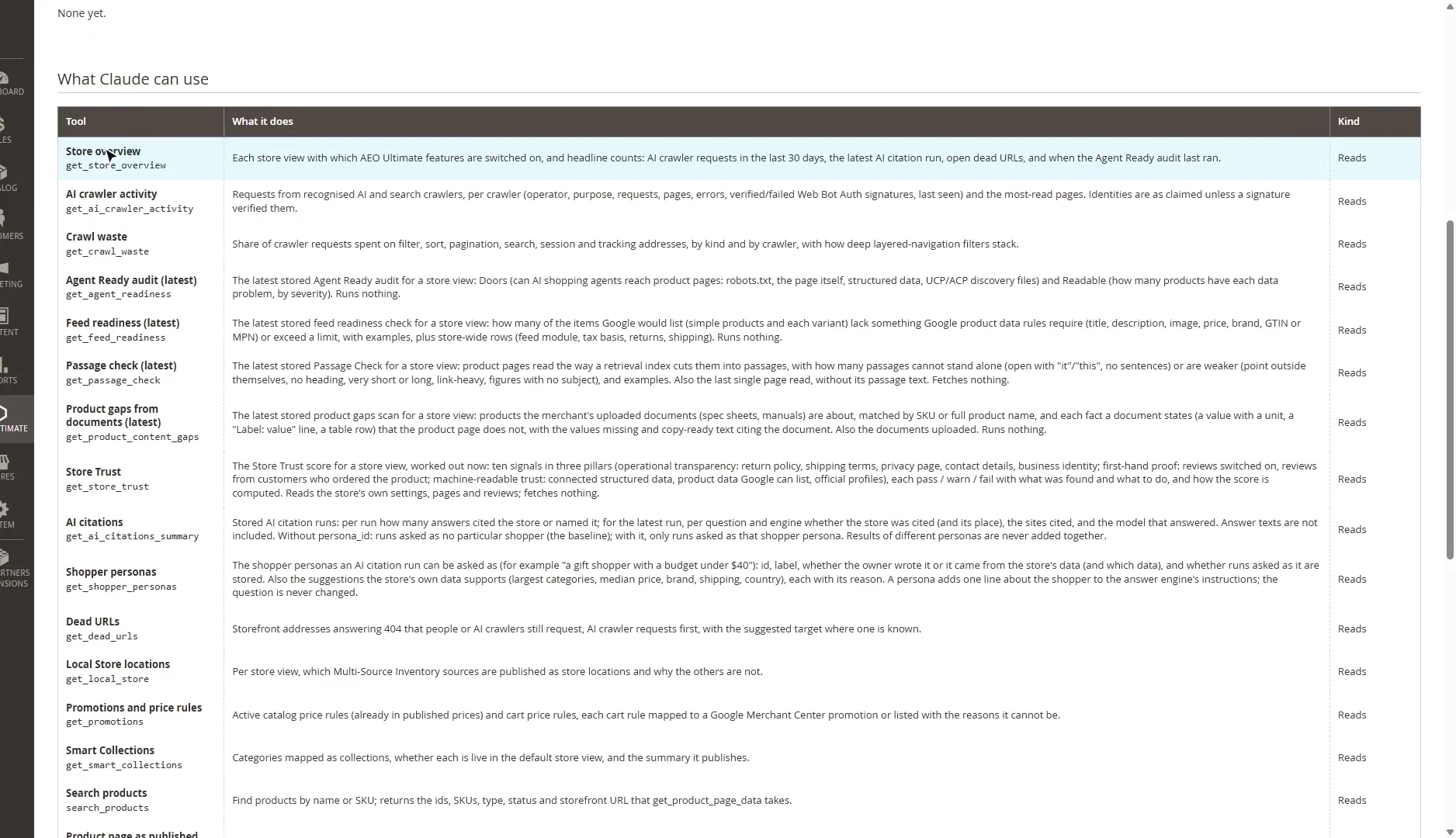
AEO Ultimate → Use with Claude connects Claude, or any assistant that speaks the Model Context Protocol, to the data AEO Ultimate already holds. Ask which AI crawlers read your store this month, or why answer engines cite a competitor instead of you. The connector cannot see orders, customers or carts.
Can Claude change my store?
Not by default: the connector is read-only. If you allow changes in settings, each one takes two steps: Claude shows you a preview, and nothing changes until you approve. Every change is logged and can be undone. Paid AI citation runs need their own, separate permission, and obey your daily limit.
How do I connect Claude to my Magento store?
Switch the connector on in Settings → Use with Claude, make an access token, and add the server address shown on the page to Claude (in Claude Code, with the claude mcp add command it gives you). Keep the token private, like a password.
Next is Smart Collections: telling answer engines who each category is for.
Magento® is a registered trademark of Adobe Inc. Claude is a product of Anthropic. AEO Ultimate is made by Tampa Web Technologies Inc. and is not affiliated with Adobe or Anthropic.
Still stuck?
Message me directly — free tier included. Most replies land within the hour during Tampa working hours. Get support →