Docs / for WordPress / AI Ready: llms.txt, Markdown pages and content signals for WordPress
AEO Ultimate for WordPress
AI Ready: make your site readable to AI
AI agents and crawlers read your site differently from people. AI Ready gives them clean Markdown versions of your pages, a guide to your site at llms.txt, and a clear statement of how AI may use your content. Watch the walkthrough, or read the guide below.
Read the transcript
0:00 What AI Ready does
AI Ready makes your site readable to AI agents and crawlers: clean Markdown versions of your pages, a guide to your site at llms. txt, and a clear statement of how AI may use your content. The safe features are on from the start. Anything that lets an agent interact with your site stays off until you switch it on.
0:31 Markdown versions of your pages
When an AI agent asks for Markdown, it gets a clean copy of the page instead of the HTML: fewer tokens, less noise. Add dot M D to any page address to see it. It opens with the title, address and dates, and names the HTML page as the original, so search engines never treat it as a duplicate.
0:56 llms.txt: a guide to your site for AI
llms. txt is a short guide to your site for AI models. It opens with your main pages, your home page and the pages in your menu, so the pages that say what you do are always first. Then come your most recent posts and pages.
1:15 Content signals: how AI may use your content
Content signals tell AI companies what they may do with your content: train their models on it, index it for search, and use it as input, which means reading your page to answer someone's question and citing you. That's the whole point of answer engine optimization, so allow it. Training is your call; we suggest no. The signals go out with every page and in robots dot text.
1:43 Breadcrumbs and discovery headers
Every page also carries breadcrumbs, so agents see where it sits on your site, and Link headers that point them to your sitemap, llms. txt and the other discovery files, even if they only ever load one page.
1:58 Advanced agent features stay off
The advanced features let agents search your site through an API, or use its tools through MCP. They're off by default. Turn one on only when you have a use for it, and set up the IP whitelist first.
2:12 Per-bot controls
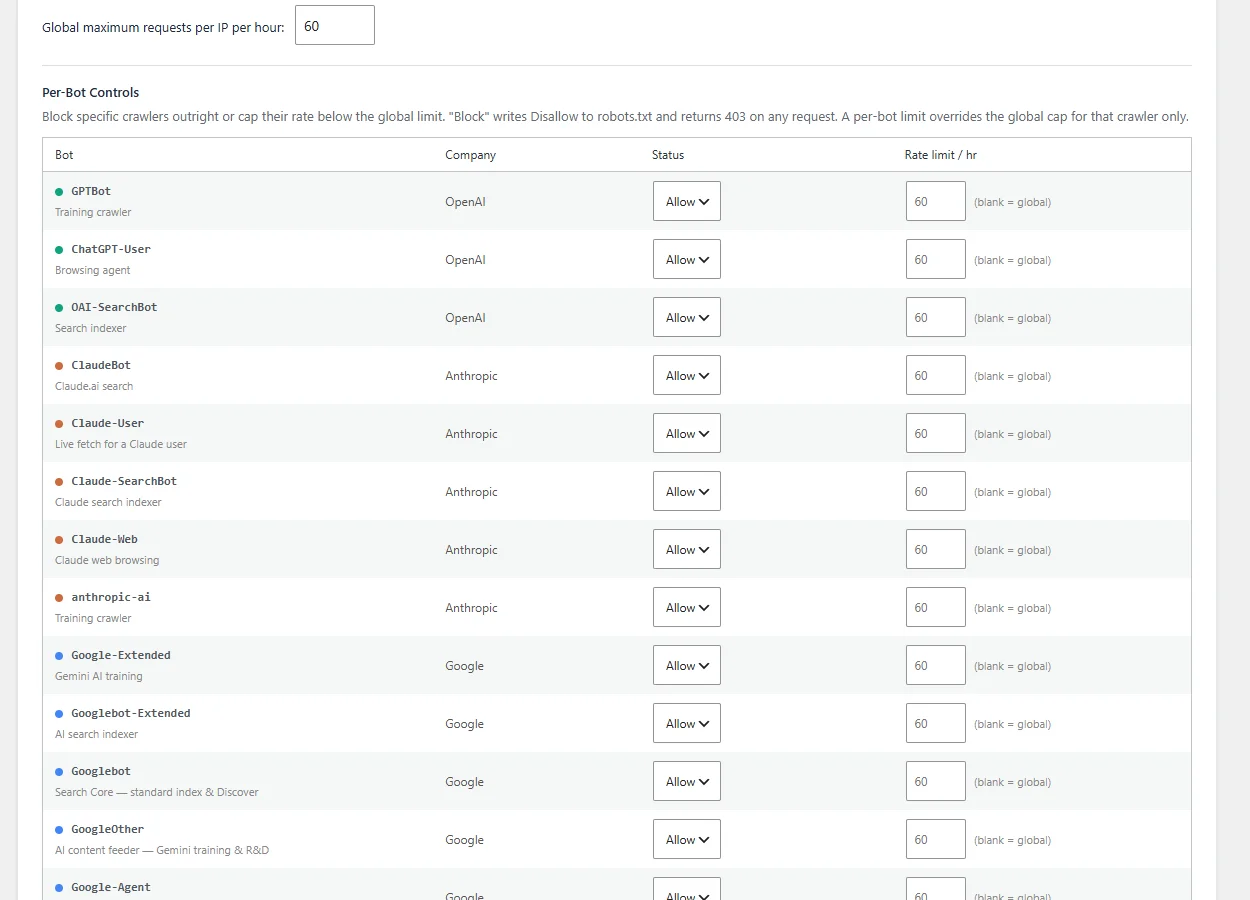
Per-bot controls let you block a single crawler outright, or give it a lower rate limit, without touching the rest. Blocking writes a disallow rule to robots dot text and turns its requests away.
2:25 Check your site
After you change these settings, save your permalinks and clear your page cache, then test your site at is it agent ready dot com. Thanks for watching.
Where is AI Ready in AEO Ultimate?
Open TWT AEO → AI Ready. Each feature has its own switch and a note on what it does, and the header shows how many are on. The zero-footprint features are on from the start: they serve AI-friendly versions of content you already publish and grant no interactive access. Anything that lets an agent query your site stays off until you switch it on.
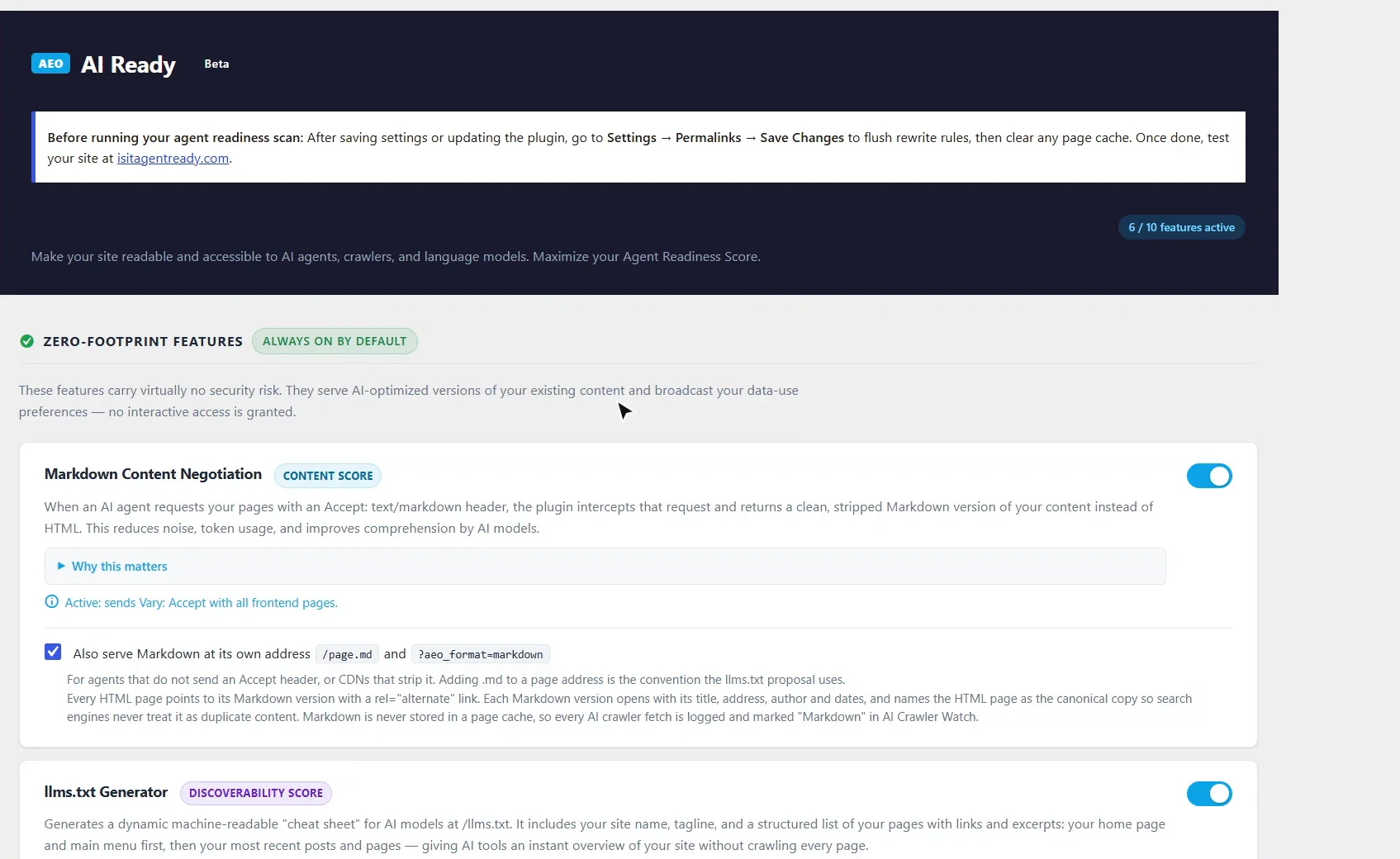
What does an AI agent see when it asks for Markdown?
When an agent asks for a page with an Accept: text/markdown header, it gets a clean Markdown version instead of the HTML: fewer tokens, less noise. Agents that do not send that header, or sit behind a CDN that strips it, can add .md to any page address (or ?aeo_format=markdown). Each Markdown version opens with a header giving the title, address, description and dates, and names the HTML page as canonical, so search engines never treat it as duplicate content. Markdown is never stored in a page cache, so every AI crawler fetch is logged in AI Crawler Watch.
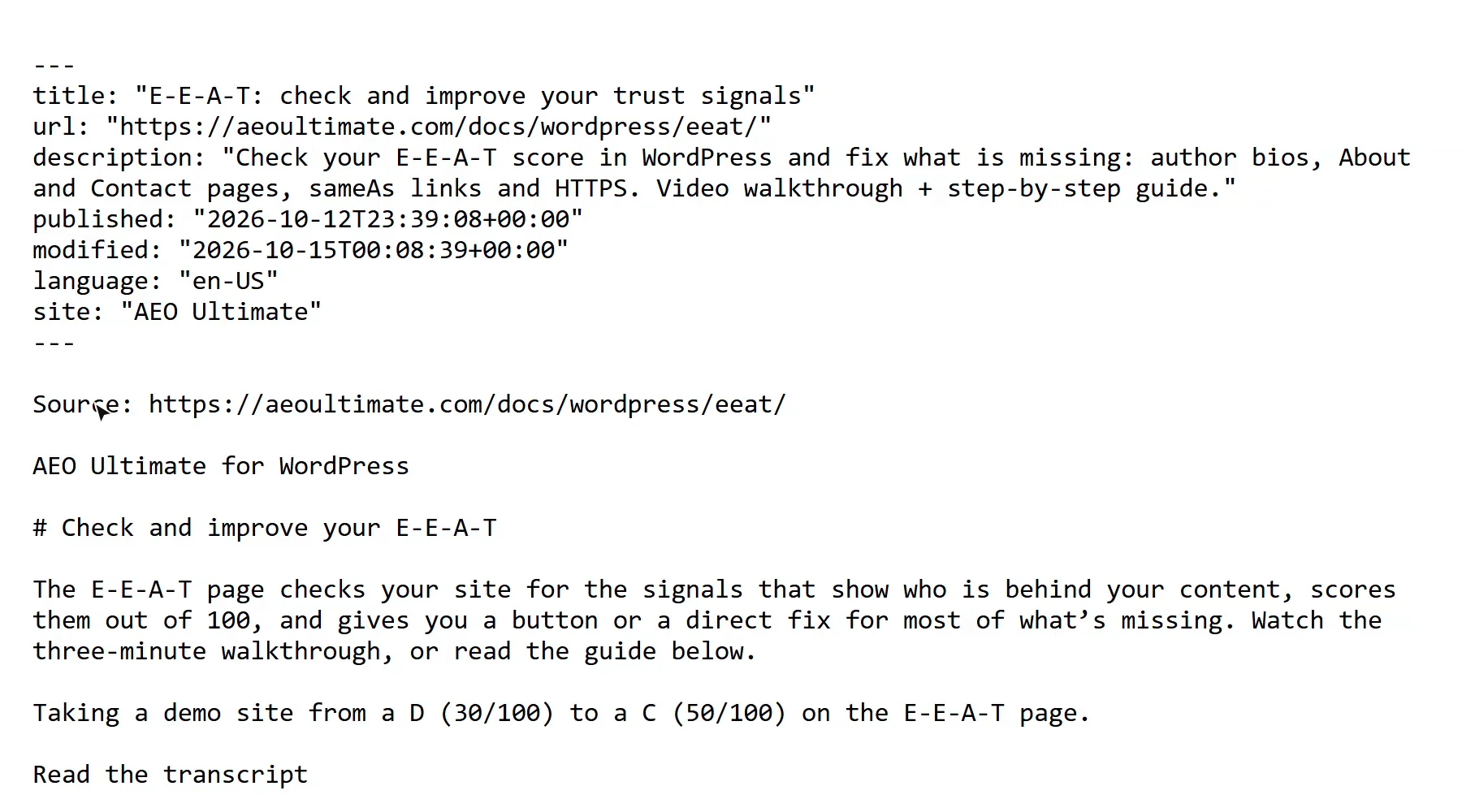
What is llms.txt, and which pages does it list?
/llms.txt is a short guide to your site for AI models. It opens with Main pages: your home page, then the pages in your header menu, in menu order, whether your theme uses classic menus or a block Navigation. Then come your Recent pages, the 20 newest posts and pages not already listed. Pages marked noindex in your SEO plugin, password-protected pages and WooCommerce cart and checkout pages are left out.
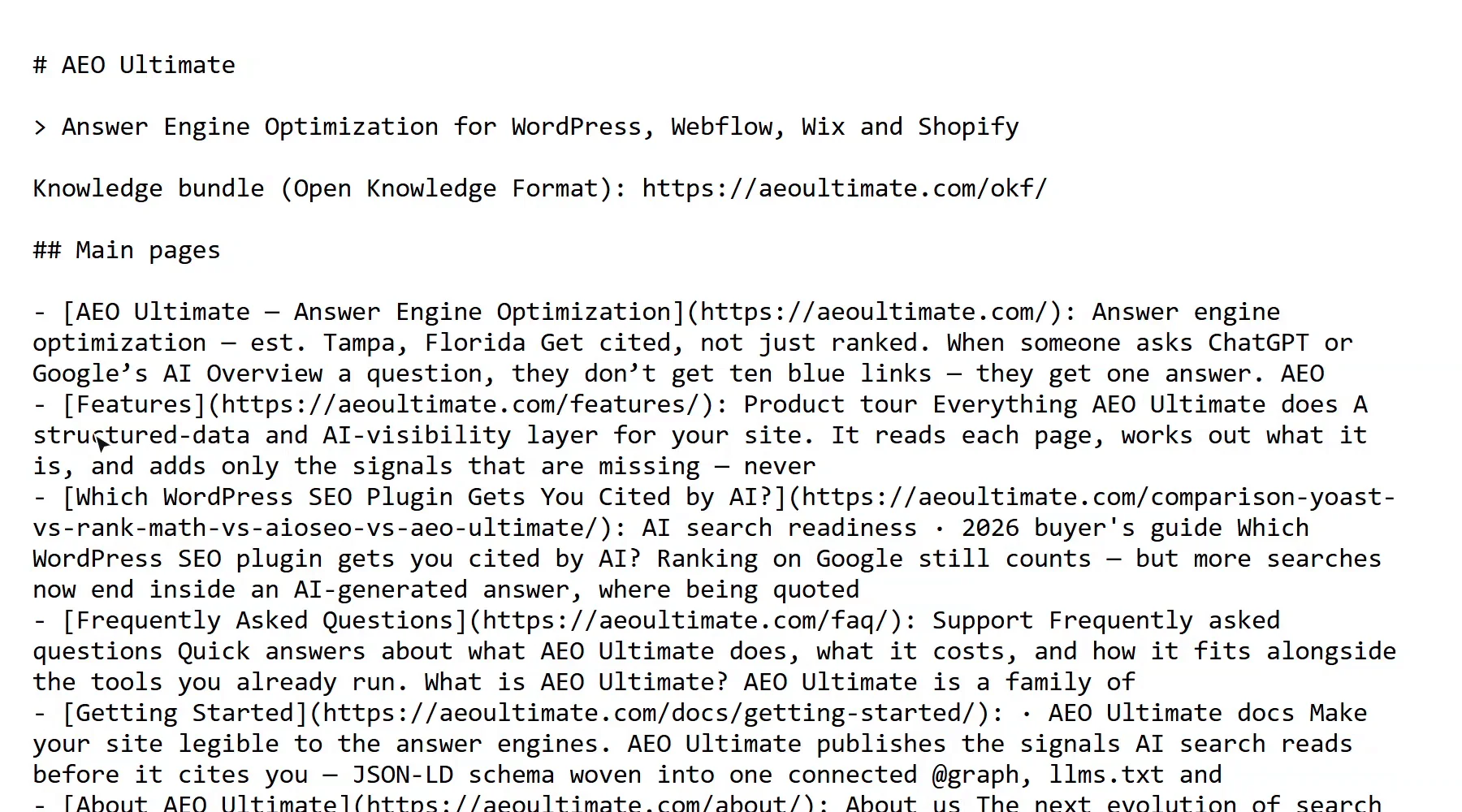
Should I let AI use my content as input?
Yes, if you want to be cited. Content signals state three separate permissions. AI training is an AI company using your content to build its models. AI search indexing is an AI search engine indexing your pages. AI input is an assistant reading your page to answer someone’s question and quoting or citing you, which is what answer engine optimization is for. AEO Ultimate recommends allowing search indexing and AI input; training is your call, and the default is do not train.
The signals are sent as a Content-Signal header with every page and written into robots.txt. You can also have AEO Ultimate write per-bot Allow and Disallow rules into robots.txt; leave that off if Yoast SEO, Rank Math or another SEO plugin already manages AI bot access.
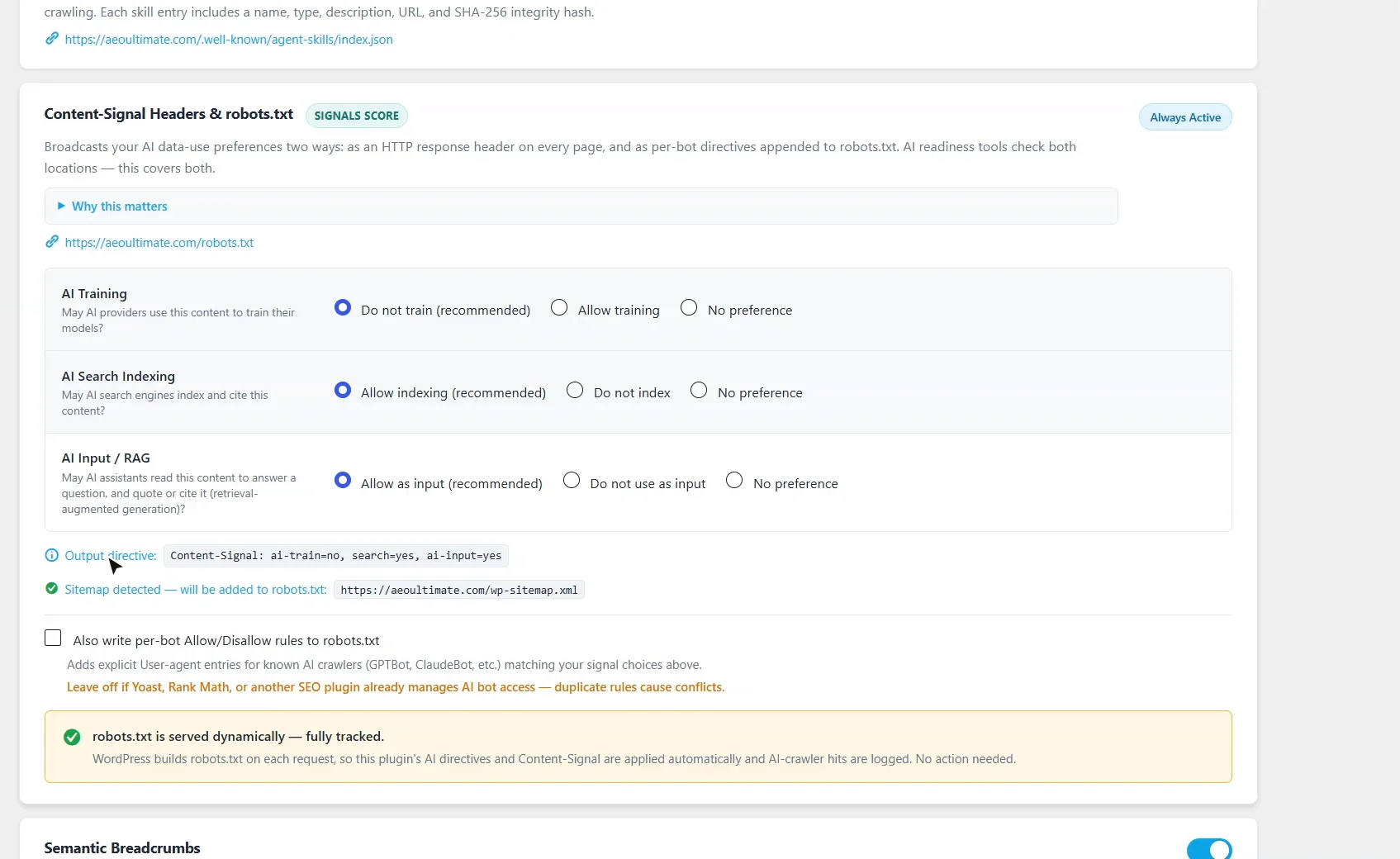
What do breadcrumbs and Link headers do for AI agents?
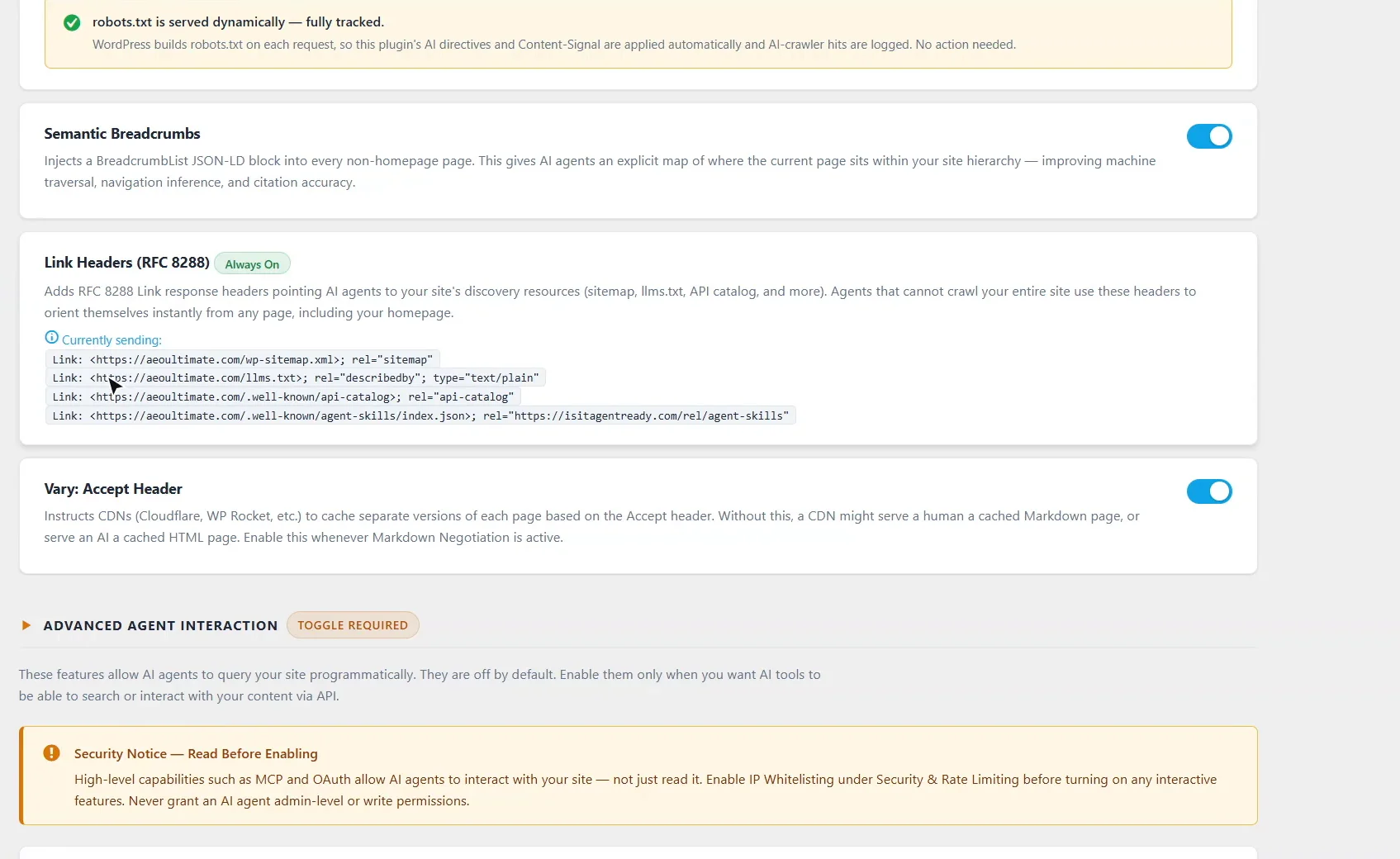
Semantic breadcrumbs add BreadcrumbList schema to every page except the home page, so an agent knows where the page sits on your site. Link headers on every response point agents to your sitemap, llms.txt and other discovery files, even if they only ever load one page. Vary: Accept tells CDNs to cache the HTML and Markdown versions separately, so a person never gets the Markdown page and an agent never gets the HTML one by mistake.
Should I turn on the Agent Search API or MCP?
Only when you have a use for them. The Agent Search API lets agents search your content through a read-only REST endpoint, and MCP Integration publishes a tool manifest so agents can use your site’s tools. Both are off by default. Before you switch on any interactive feature, set up the IP whitelist under Security & Rate Limiting, and never give an AI agent admin or write access.
How do I block one AI crawler?
Use Per-Bot Controls under Security & Rate Limiting. Set a crawler to Block and AEO Ultimate writes a Disallow rule for it into robots.txt and answers its requests with 403. To slow one down instead, give it its own rate limit; it overrides the global limit for that crawler only.
How do I check my site is agent ready?
After you change these settings or update the plugin, go to Settings → Permalinks and click Save Changes, then clear any page cache. Then test your site at isitagentready.com.
Say yes to being cited
Saying no to AI input asks assistants to leave your content out of their answers. If your goal is to be quoted and credited, allow AI input and AI search indexing, and decide on training separately.
Something not adding up? See Troubleshooting or ask in the support forum.
Still stuck?
Message me directly — free tier included. Most replies land within the hour during Tampa working hours. Get support →