Docs / for Shopify / AI visibility for Shopify: are ChatGPT and the assistants citing your store?
AEO Ultimate for Shopify
AI visibility: are the assistants sending shoppers to you?
AI visibility asks the assistants your shoppers use the questions they ask about your store, your collections and your products, and records for each engine whether your store was cited, named or absent, and who was cited instead. The video was recorded on a development store with no real results, so its results come from the app’s labelled sample run.
Which AI assistants does it check?
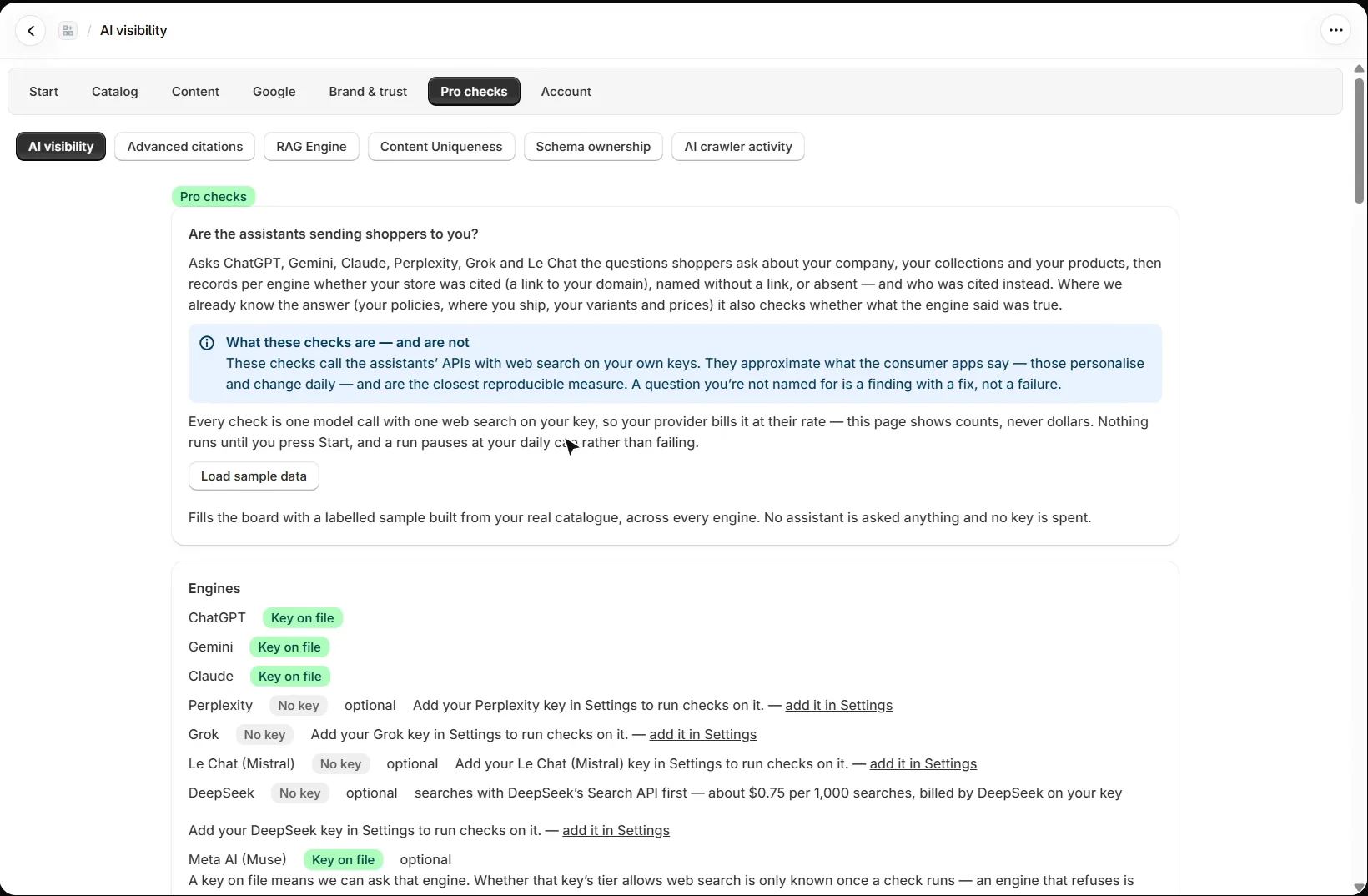
Open Pro checks → AI visibility. It can ask ChatGPT, Gemini, Claude, Perplexity, Grok, Le Chat, Meta AI and DeepSeek, each on your own API key; add keys in Settings, and an engine without one is skipped. Checks call each assistant’s API, with web search where the API offers it, so they approximate the consumer apps, which personalise and change daily, and are the closest reproducible measure. Where the app already knows the answer, such as your policies, where you ship, or your variants and prices, it also checks whether what the assistant said was true.
How are the questions chosen?
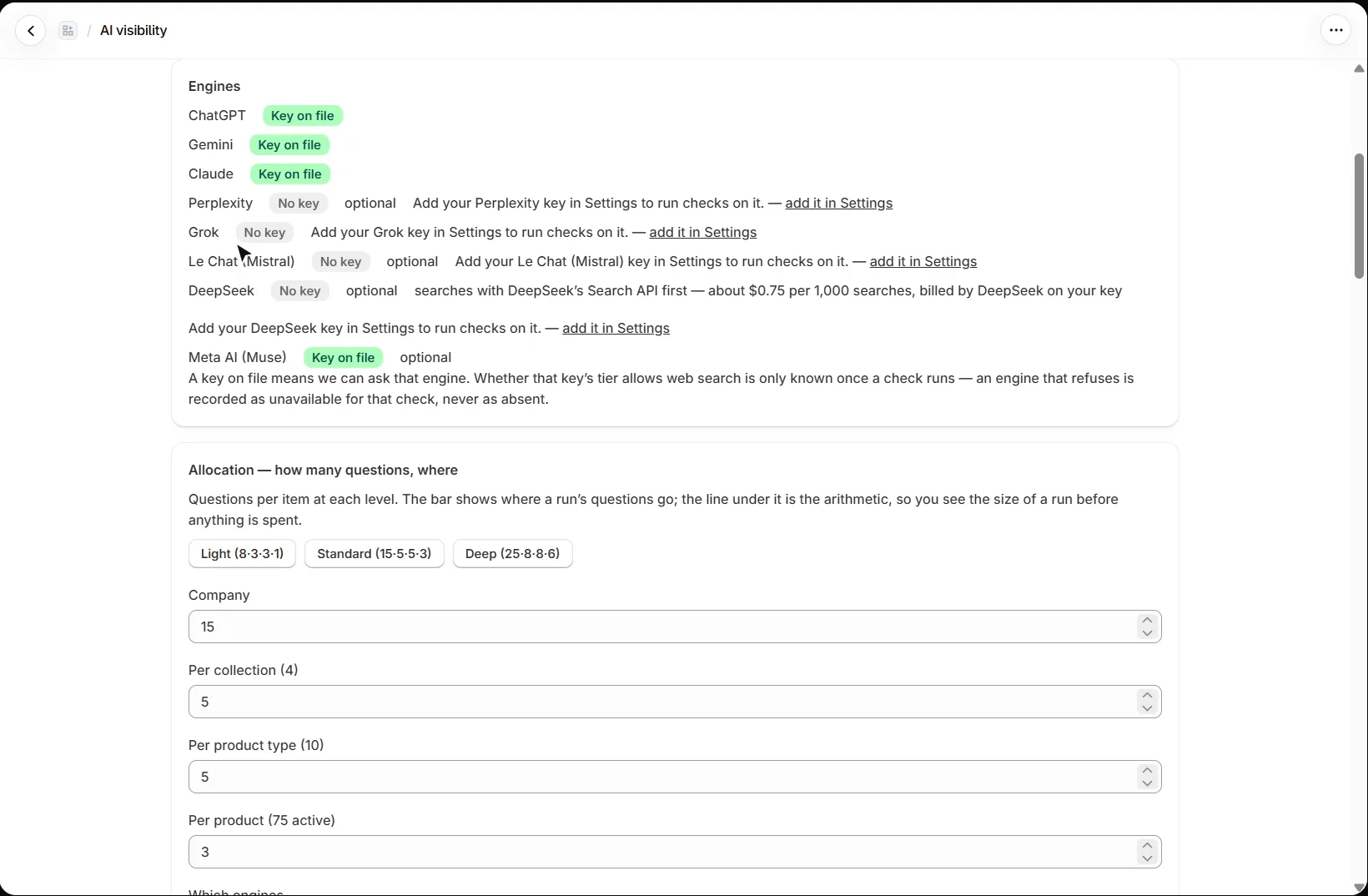
Allocation sets how many questions go to your company, each collection, each product type and each product, with Light, Standard and Deep presets, and shows the size of a run before anything is spent. Questions are filled from templates using data the app already holds (shop name, policies, collections, product types, products and variants), so runs stay comparable week to week and engine to engine. Build the question list to see every question first and untick any you do not want asked; building it spends nothing.
How do I run a check, and what does each plan get?
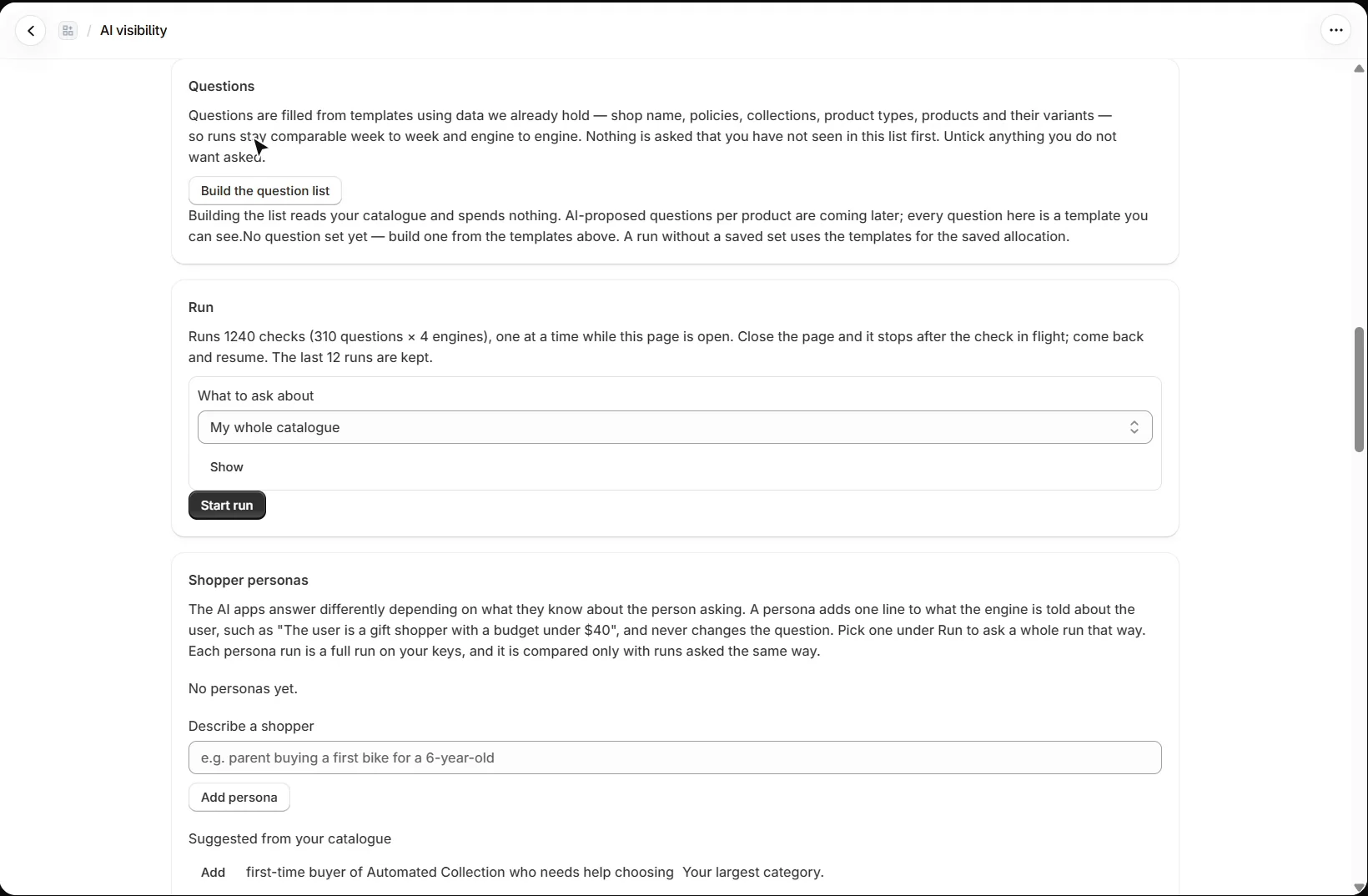
Under Run, choose your whole catalogue, one collection or specific products. Checks run one at a time while the page is open; close it and the run stops after the check in flight, then resumes when you come back. Pro runs every engine you hold a key for, keeps the last 12 runs and shows the trend across them. Free and Mid get a five-question sample on one engine, with the last 3 runs kept. Every check is billed by the provider on your key, and a daily cap in Settings paces spending.
Shopper personas add one line about who is asking, such as a gift shopper with a budget under $40, without changing the question. A persona run is compared only with runs asked the same way.
Can I see the results before running a check?
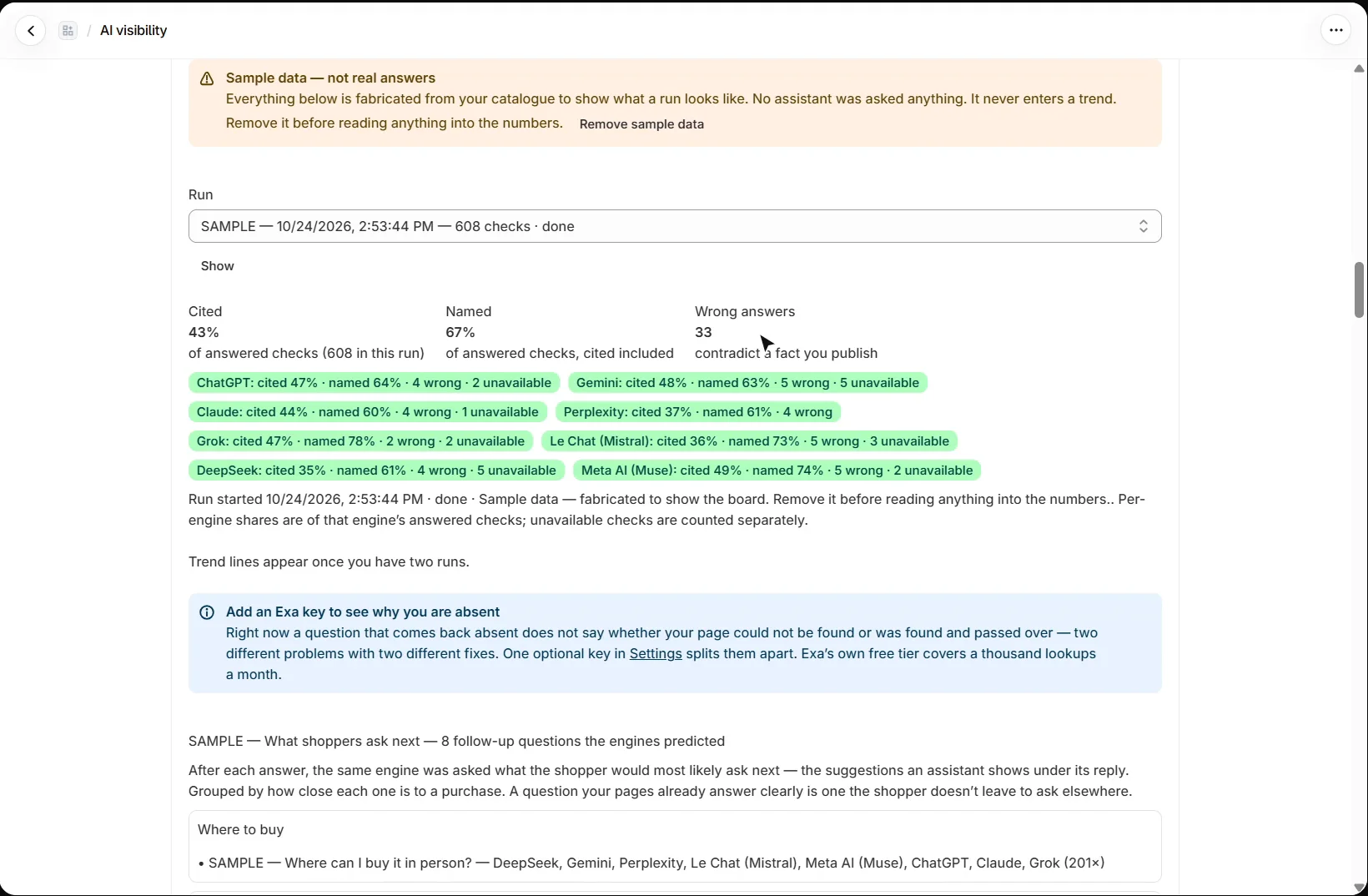
Yes. Load sample data adds a sample run built from your real catalogue, labelled sample everywhere. No assistant is asked anything, it never enters a trend, and your own runs are left alone. Remove it before reading anything into the numbers.
What do cited, named and wrong mean?
Cited means the answer linked to your store; named means it mentioned your store, with or without a link. Wrong answers are answers that contradict a fact you publish, such as your return policy or where you ship. Each engine gets its own figures. A question you are not named for is a finding with a fix, not a failure; the app reports presence and citations, never a ranking.
What will shoppers ask next?
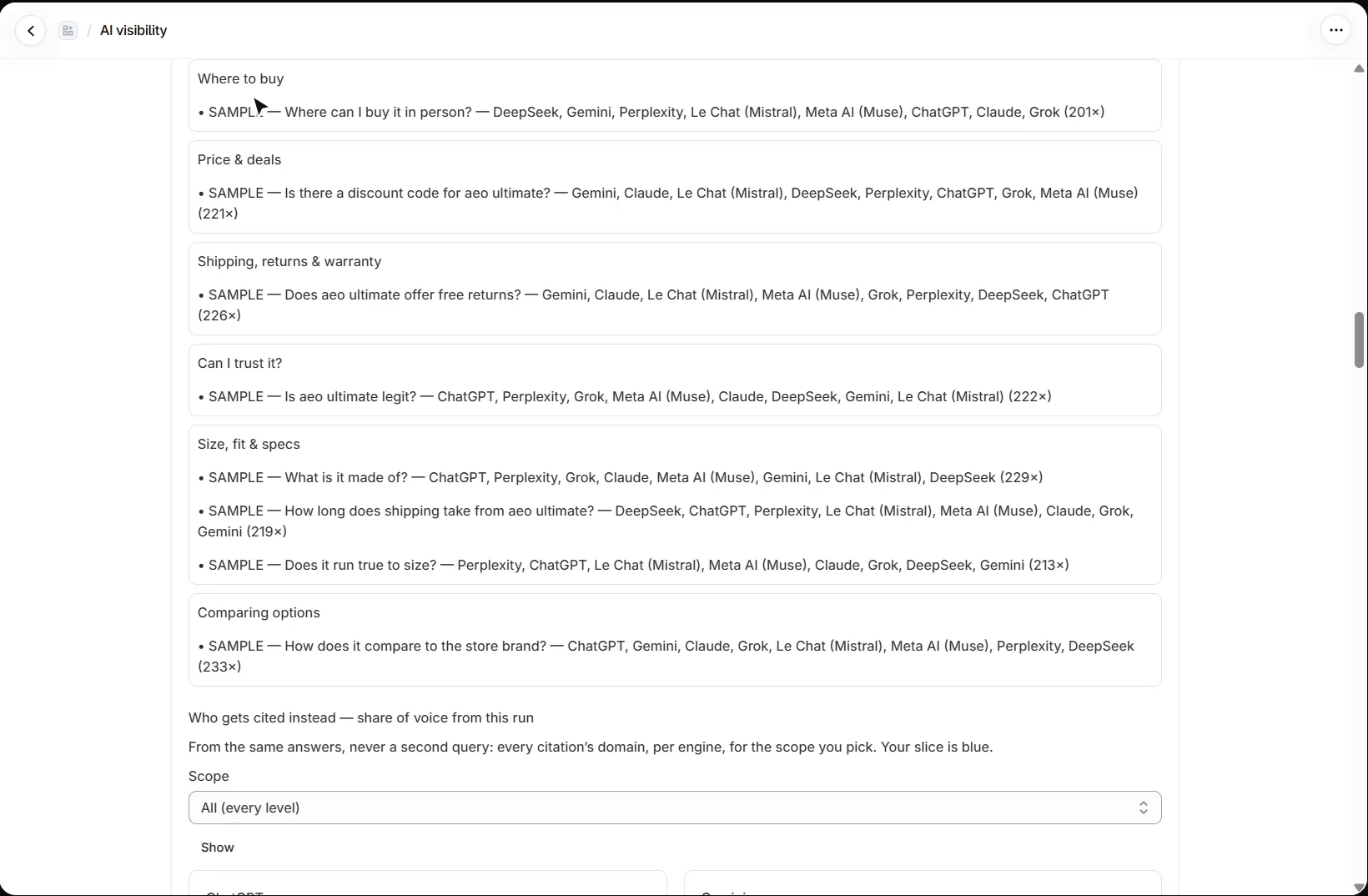
After each answer, the same engine is asked what the shopper would most likely ask next. The follow-ups are grouped by how close each one is to a purchase: where to buy, price and deals, shipping, returns and warranty, whether the store can be trusted, size, fit and specs, and comparing options. A question your pages already answer clearly is one the shopper does not leave to ask elsewhere.
Who gets cited instead of my store?
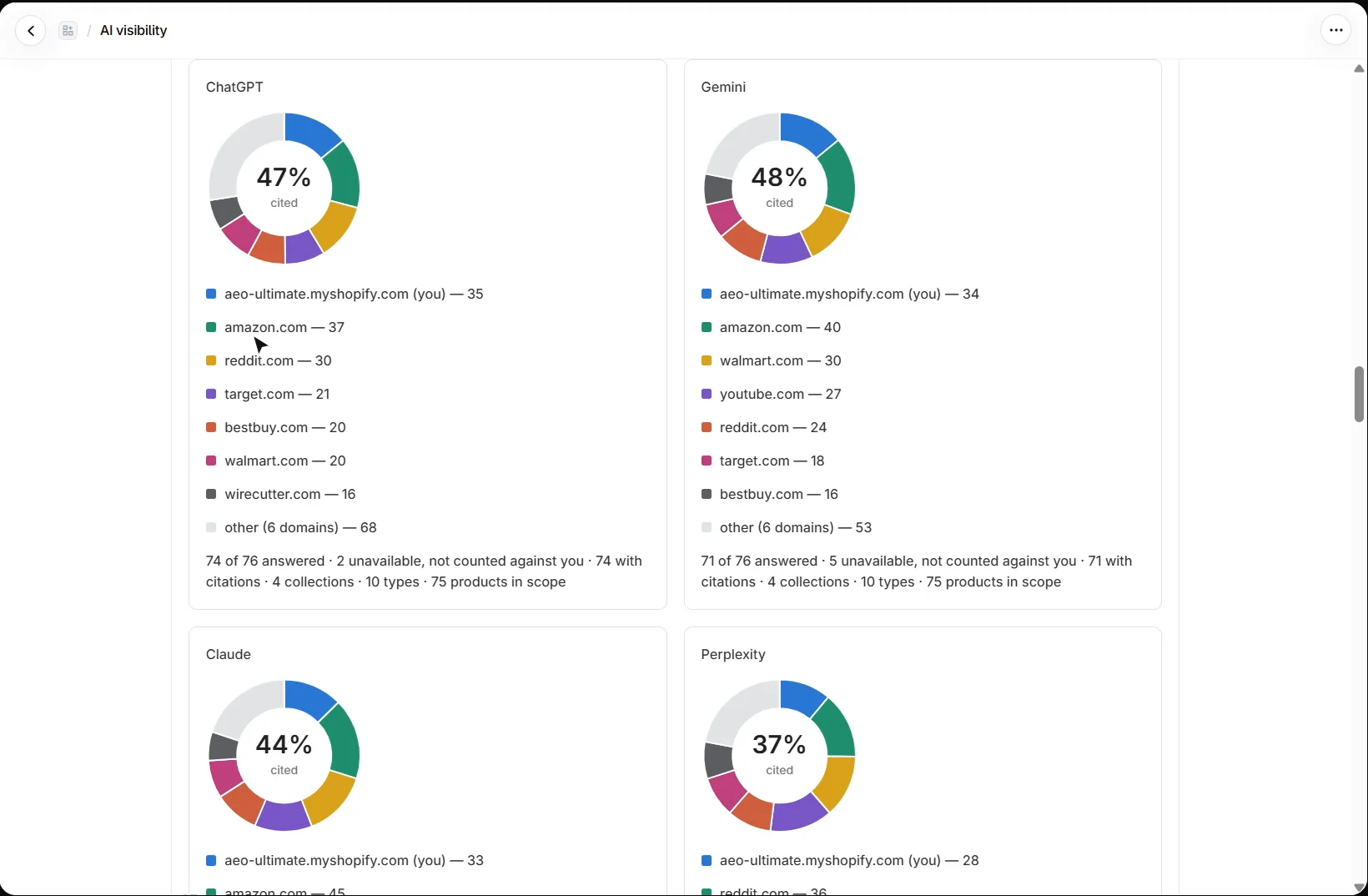
Who gets cited instead shows, for each engine, the share of citations by domain across the run, with your store beside the marketplaces, forums and retailers each assistant sends shoppers to. Below it, every question lists each engine’s verdict and what to fix. An optional Exa key in Settings splits an absent answer into “your page could not be found” and “found and passed over”, two problems with different fixes.
What should I set up next?
Next is advanced citations. Every walkthrough is listed in the Shopify video tutorials.
Still stuck?
Message me directly — free tier included. Most replies land within the hour during Tampa working hours. Get support →