Docs / for Shopify / Organization schema, Store Trust and reviews for Shopify
AEO Ultimate for Shopify
Organization, Store Trust and reviews: be a shop assistants can trust
AI assistants recommend shops they can trust. Three pages help: Organization and Store Trust, in the Brand and trust group, and Review summary, under Content.
How do I publish my store as an Organization entity?
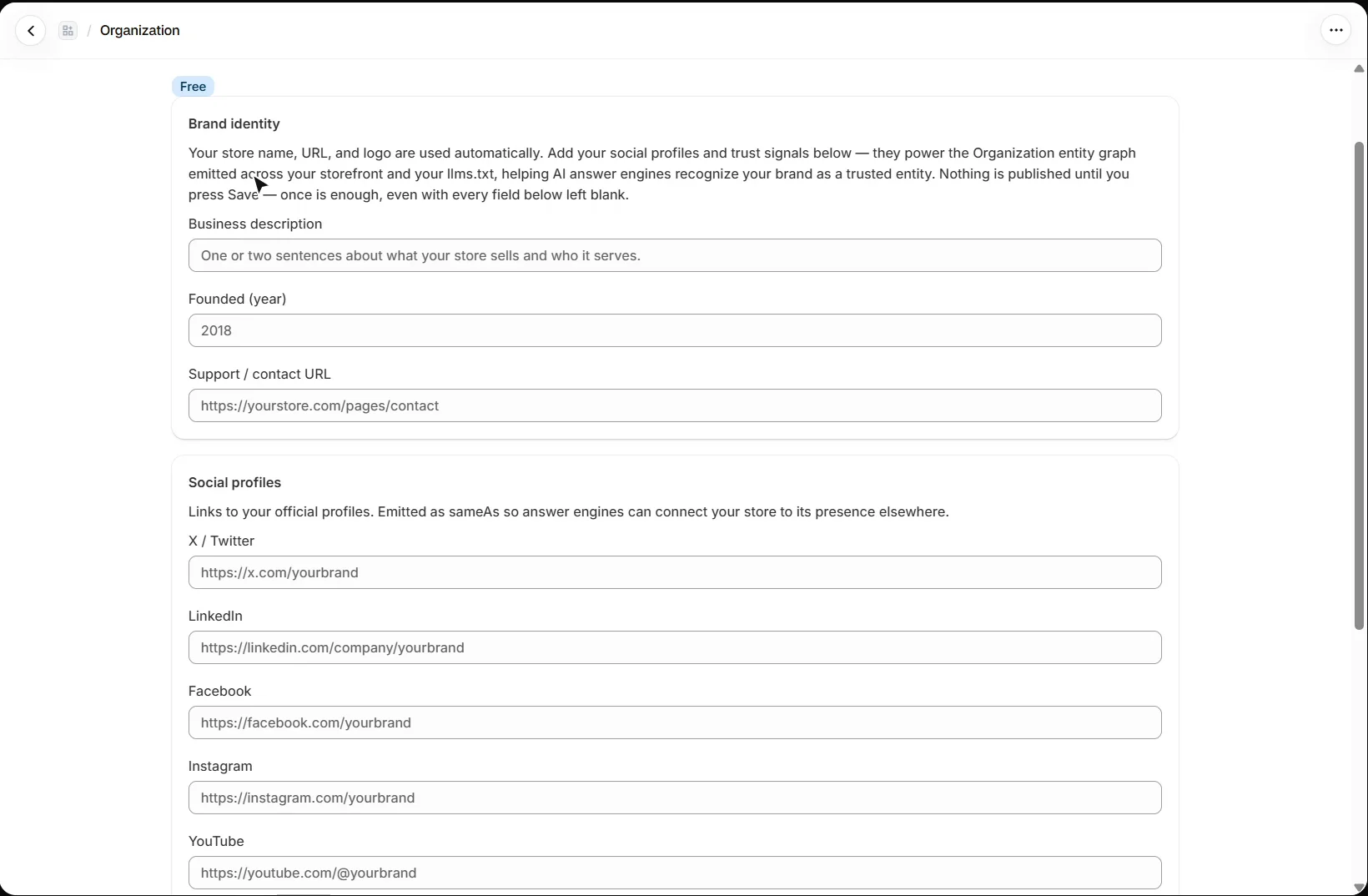
Open Brand & trust → Organization, on every plan. It publishes your store as one Organization entity, across your storefront and in your llms.txt, so answer engines can connect your products to the business that sells them. Your store name, web address and logo are used automatically; add a short description, the year you were founded and your support or contact page. Nothing is published until you press Save.
Social profiles are published as sameAs, so answer engines can connect your store to its presence elsewhere.
Should I add a physical storefront?
Only if shoppers can actually visit you. Physical storefront adds your address, phone and opening hours to the same Organization entity, typed as a store: the signals behind “near me” and “can I visit” questions. If you sell online and ship from a warehouse, leave it off. That is the normal setup, and a storefront nobody can walk into hurts trust instead of helping it.
What does Store Trust check?
Open Brand & trust → Store Trust. It scores the signals search engines and AI assistants weigh before recommending a shop they have not seen before, in three groups: operational transparency (your policies and contact details), first-hand proof (customer ratings) and machine-readable trust (structured data, a published Organization entity and off-site records). Every check reads real data from your store. The scorecard shows on every plan; saving changes on this page is Pro.
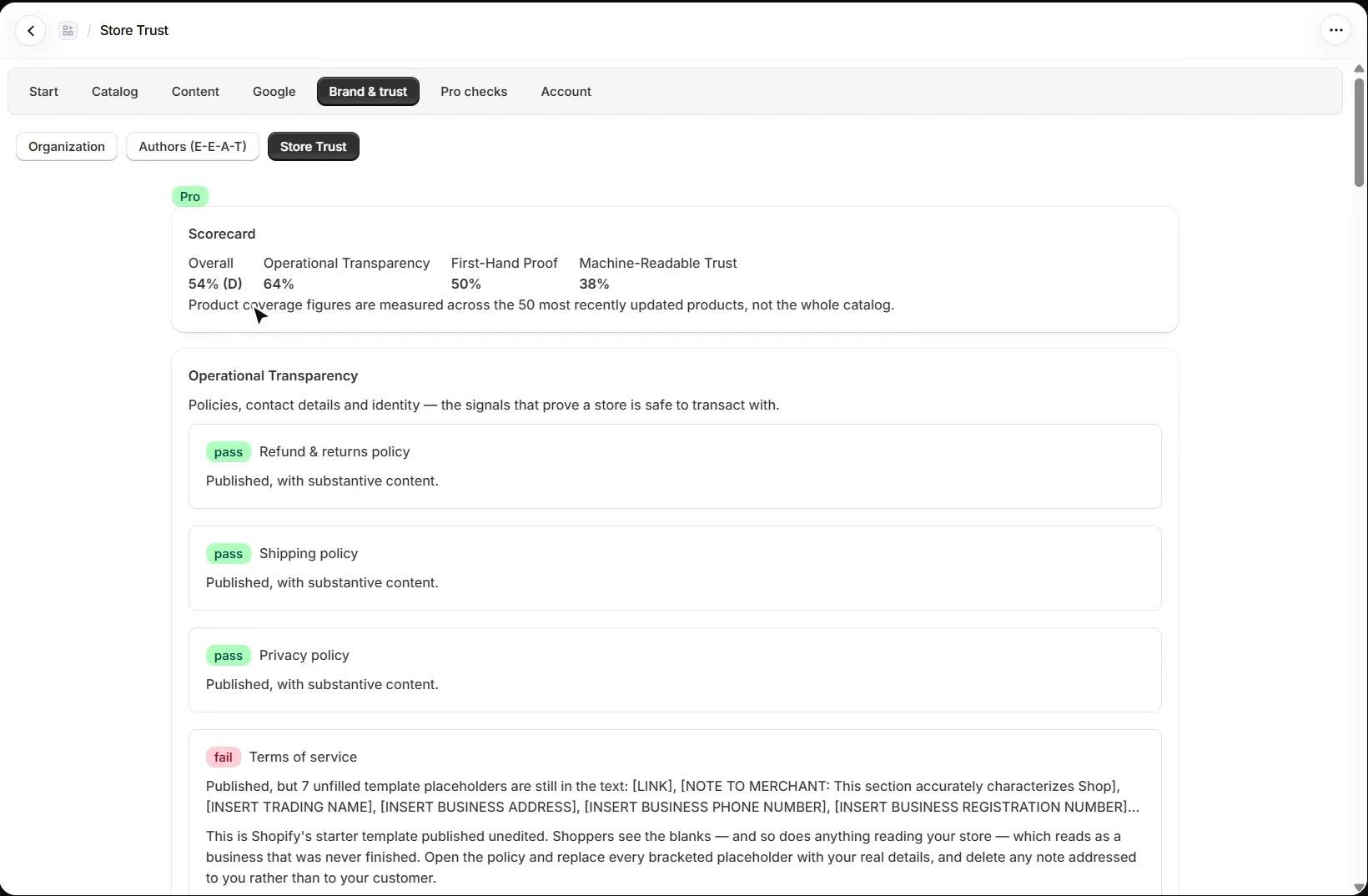
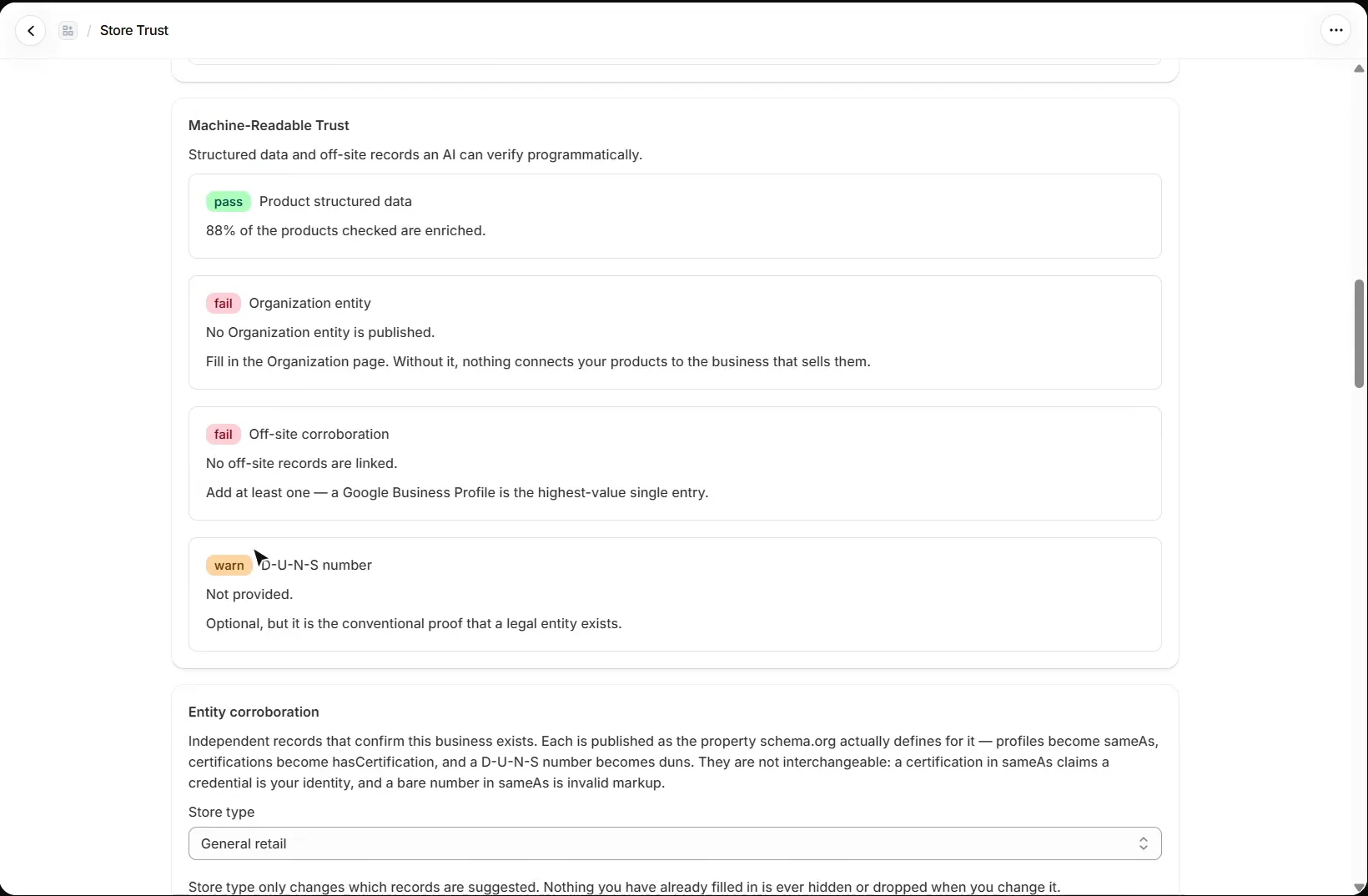
Each check says what it found and how to fix it. Common findings: terms of service still carrying Shopify’s template placeholders, no reviews app writing the standard rating fields, and no Organization entity published yet.
What is entity corroboration?
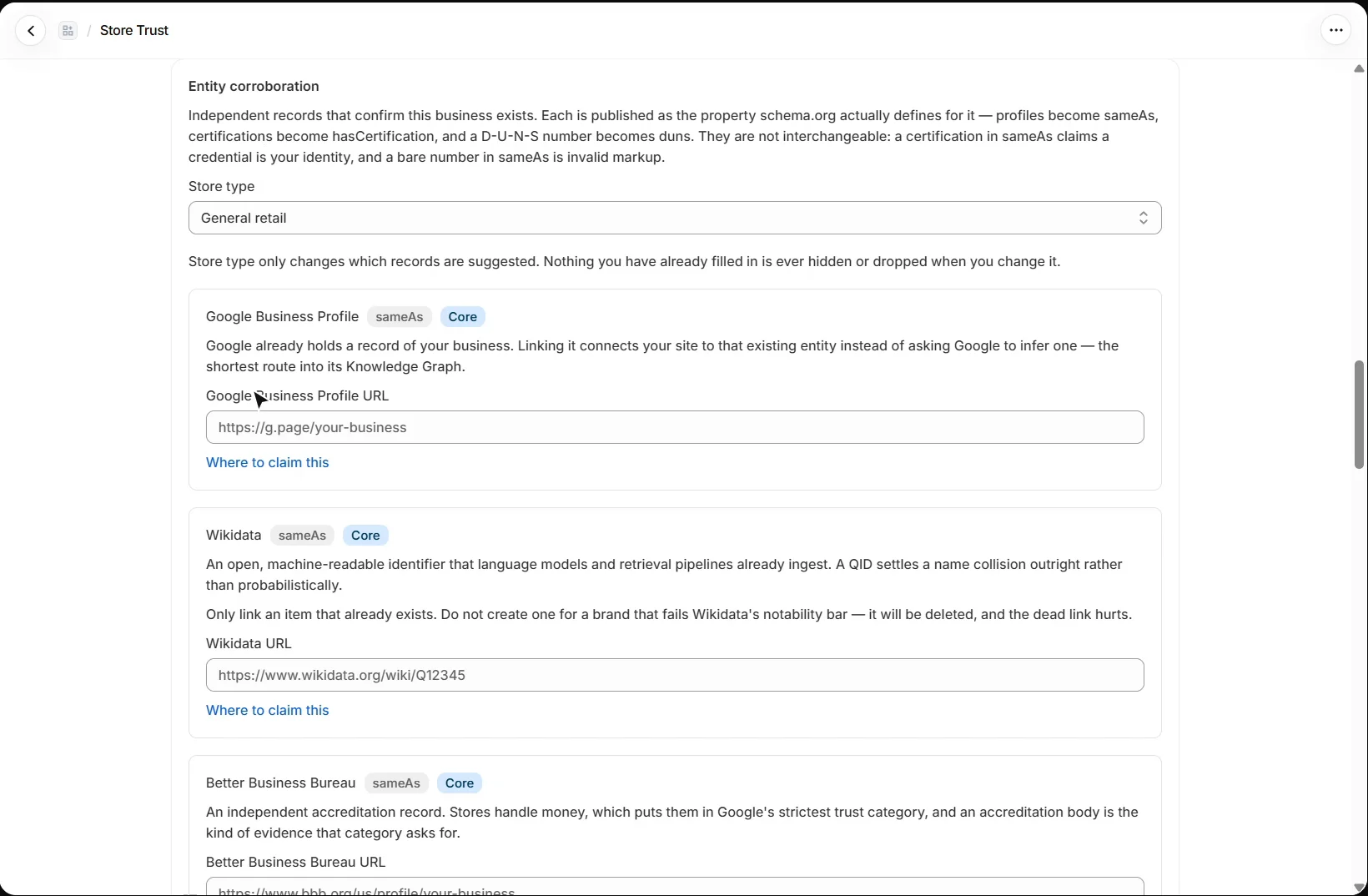
Entity corroboration links independent records that confirm your business exists, such as a Google Business Profile, Wikidata or the Better Business Bureau. Each is published as the property schema.org defines for it: profiles as sameAs, certifications as hasCertification, and a D-U-N-S number as duns. A link on the wrong website is saved but held back, so it never publishes a false identity claim. Store type only changes which records are suggested.
How does the review summary work?
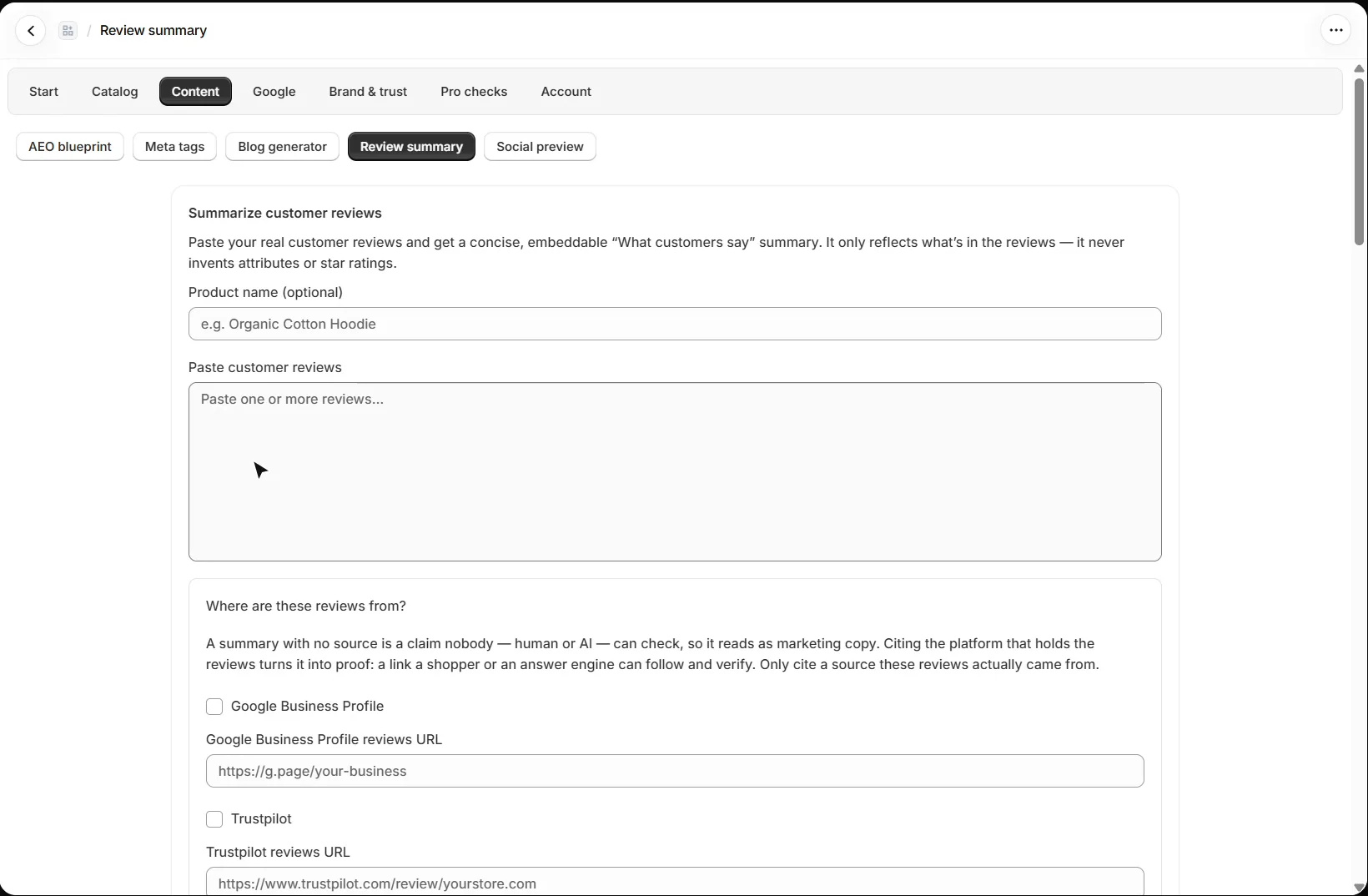
Open Content → Review summary. On Mid, paste real customer reviews and get a short “What customers say” summary, on your own AI key. It only reflects what is in the reviews and never invents attributes or star ratings. Tick where the reviews came from and it cites that source, so a shopper or an answer engine can follow the link and check.
Where do star ratings in my product schema come from?
Only from a reviews app. The product schema reads Shopify’s standard rating metafields, reviews.rating and reviews.rating_count, which review apps such as Judge.me, Loox, Okendo and Yotpo write, and publishes an aggregateRating only when the count is above zero. This app never writes a rating. Google requires ratings to come from your own customers about that product, and a rating typed in by hand can cost rich results across your whole site.
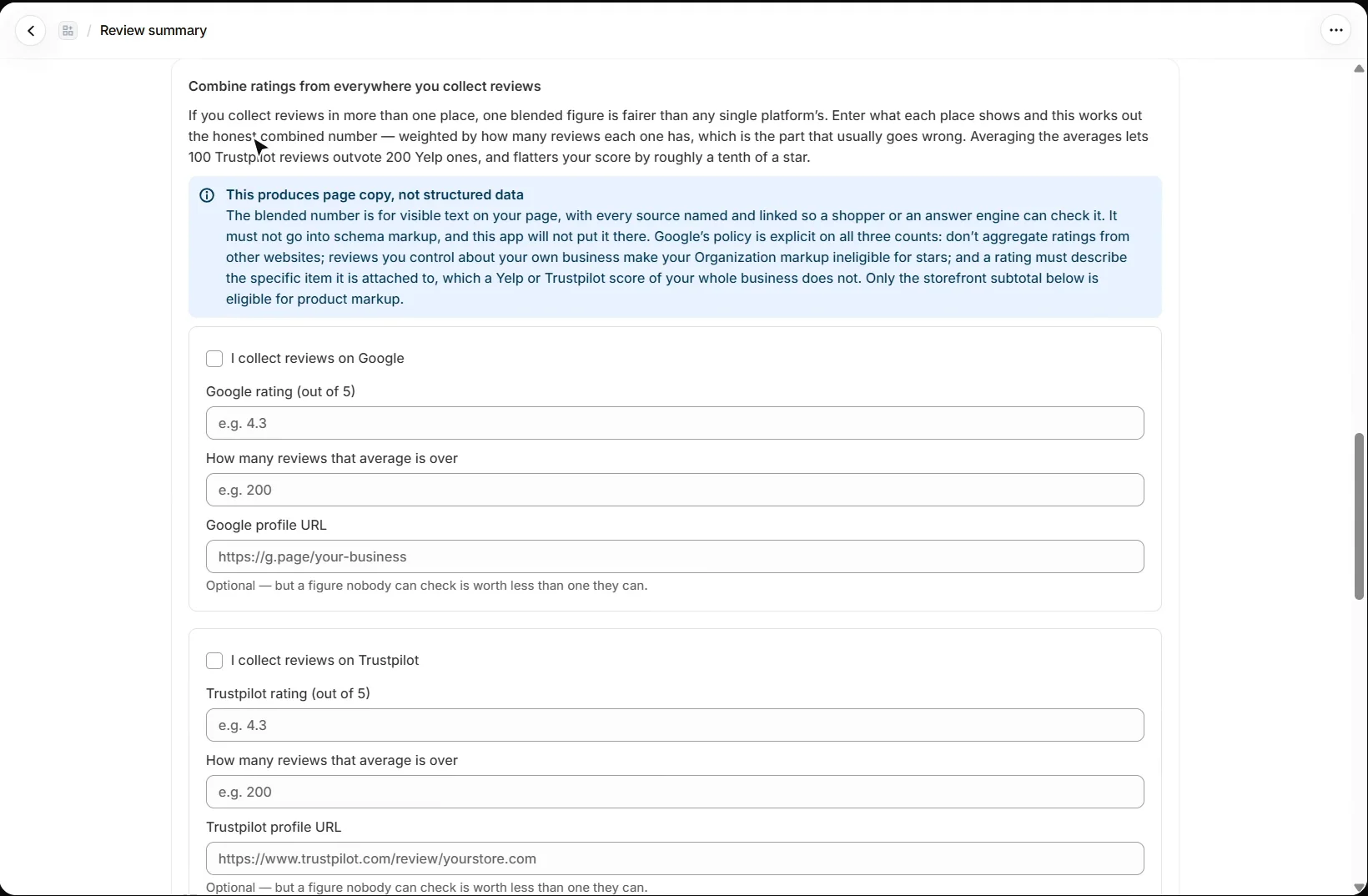
If you collect reviews in several places, the Combine ratings calculator, on every plan, blends them weighted by how many reviews each has. The result is for visible page copy with every source named, not for structured data.
What should I set up next?
Next is Google Search Console, Lost links, IndexNow and Bing. Every walkthrough is listed in the Shopify video tutorials.
Still stuck?
Message me directly — free tier included. Most replies land within the hour during Tampa working hours. Get support →