Docs / for Shopify / Agent Ready: can AI shopping agents reach your Shopify products?
AEO Ultimate for Shopify
Agent Ready: can AI shopping agents reach your products?
AI shopping agents in ChatGPT, Copilot, Gemini and Meta AI find and buy from Shopify stores through Shopify Catalog. Agent Ready checks whether those agents can reach each of your products, and whether they can read the facts shoppers filter on. It is on every plan, uses no AI, and changes nothing in your store. Watch the walkthrough, or read the guide below.
What does Agent Ready check about my store?
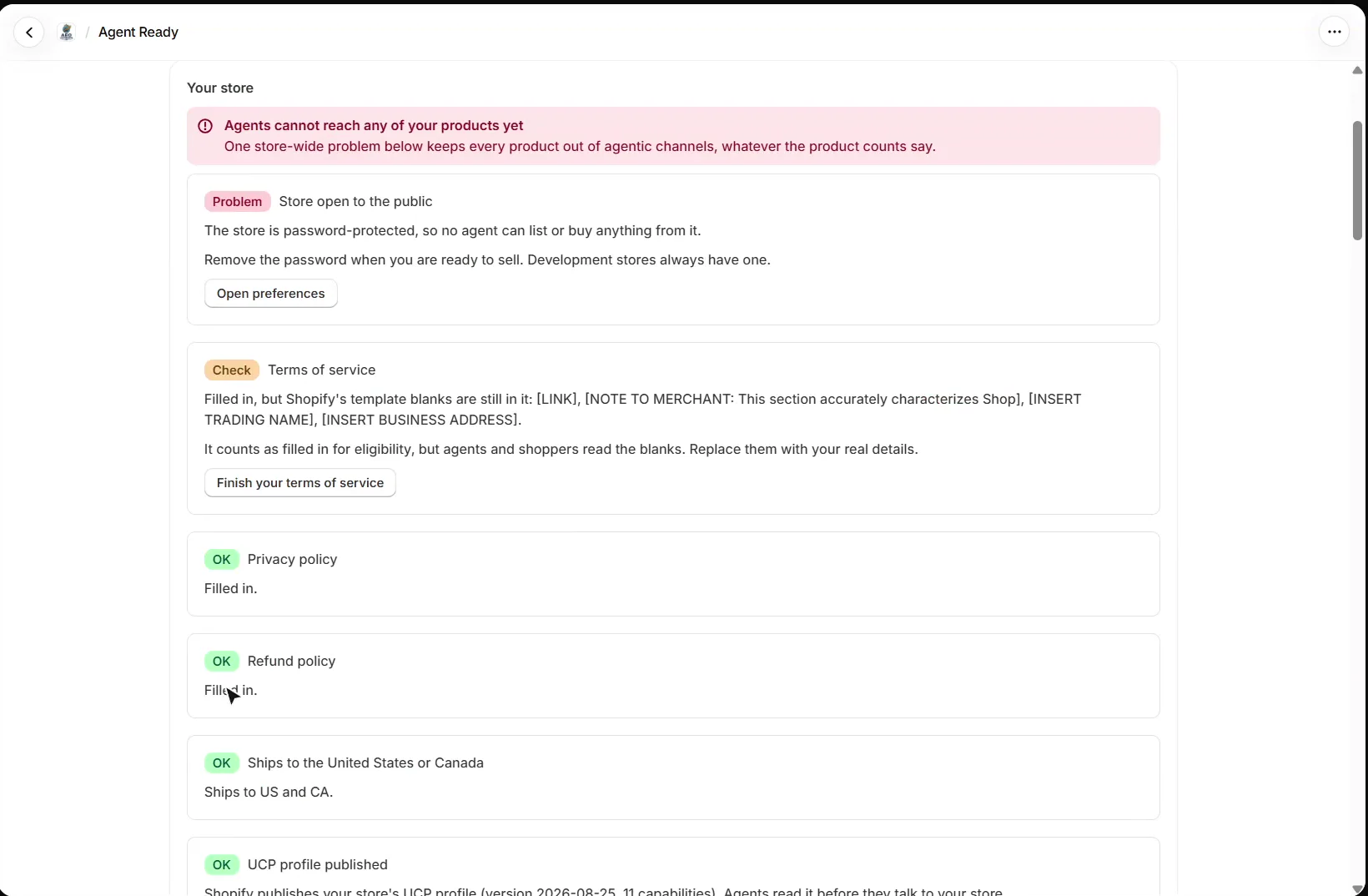
Open Catalog → Agent ready. Your store comes first, because one store-wide problem keeps every product out of agentic channels, whatever the product counts say. It checks that the store is open to the public (no storefront password), that the terms of service, privacy and refund policies are filled in, that you ship to the United States or Canada, and that Shopify publishes your store’s UCP profile. A policy that still has Shopify’s template blanks counts as filled in for eligibility, but agents and shoppers read the blanks, so it is flagged.
Shopify does not let apps read whether each AI channel is switched on. Check that yourself under Sales channels → Agentic, where each channel has its own Catalog access and Direct checkout switch.
How do I check my products?
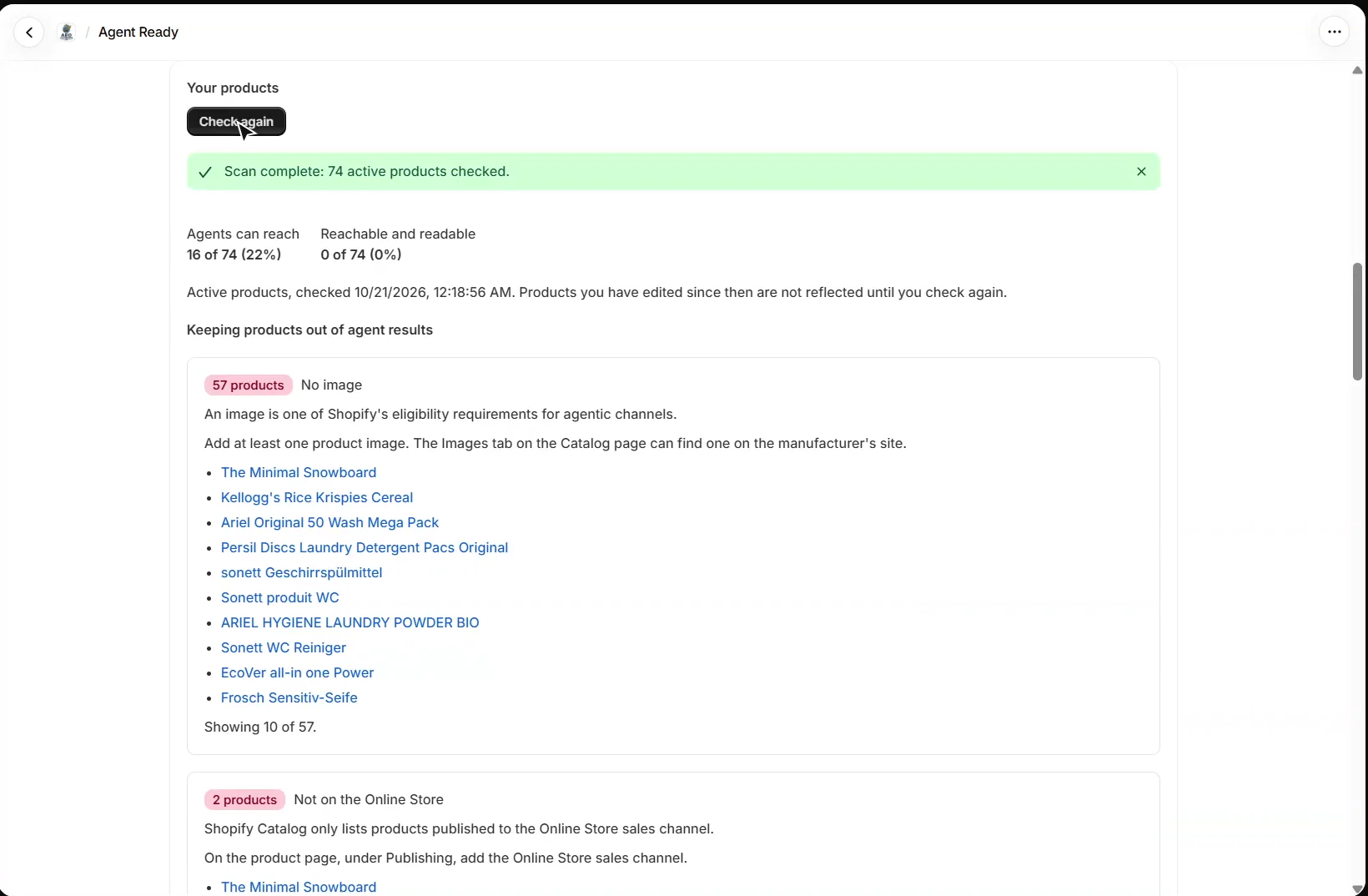
Under Your products, press Check my products. It reads every active product and keeps two counts apart: how many products agents can reach at all, and how many of those also carry the facts agents filter on. Reach means published to the Online Store, not hidden from search, with an image, a price above zero and not subscription-only. Readable means, among other things, a Shopify category, option values a shopper would say, an image per colour, a barcode and a description with substance.
Below the counts, each problem lists the products it affects and how to fix it. Agent Ready reports eligibility only: Shopify does not publish how agents rank products.
How do I see what an agent sees?
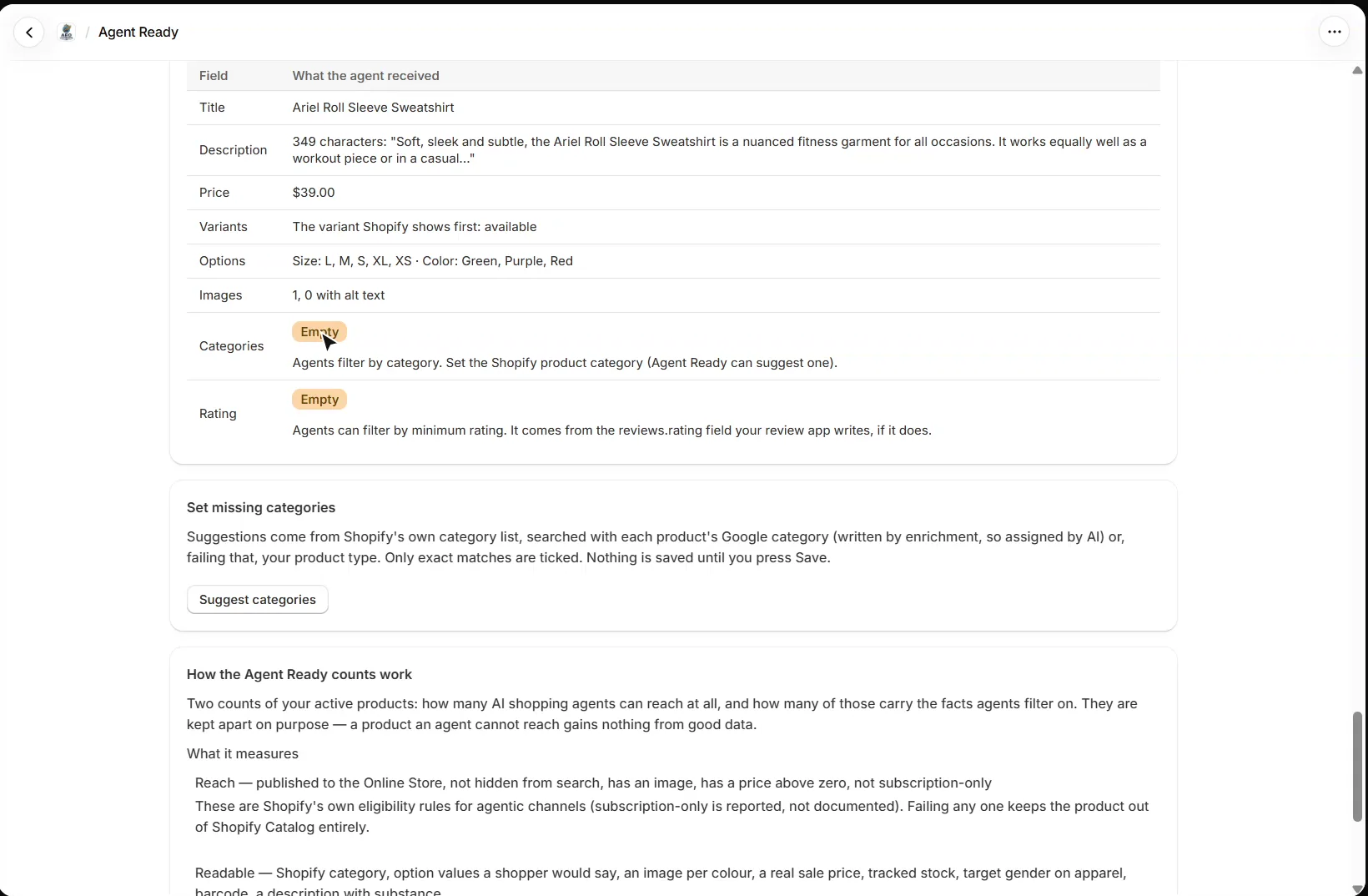
What an agent sees asks Shopify Catalog for one product, exactly as a shopping agent would. Press Pick a product and the table shows what came back: title, description, price, variants, options, images and alt text. Empty fields agents filter on, such as the category or a rating, are flagged with why they matter.
How do I set missing product categories?
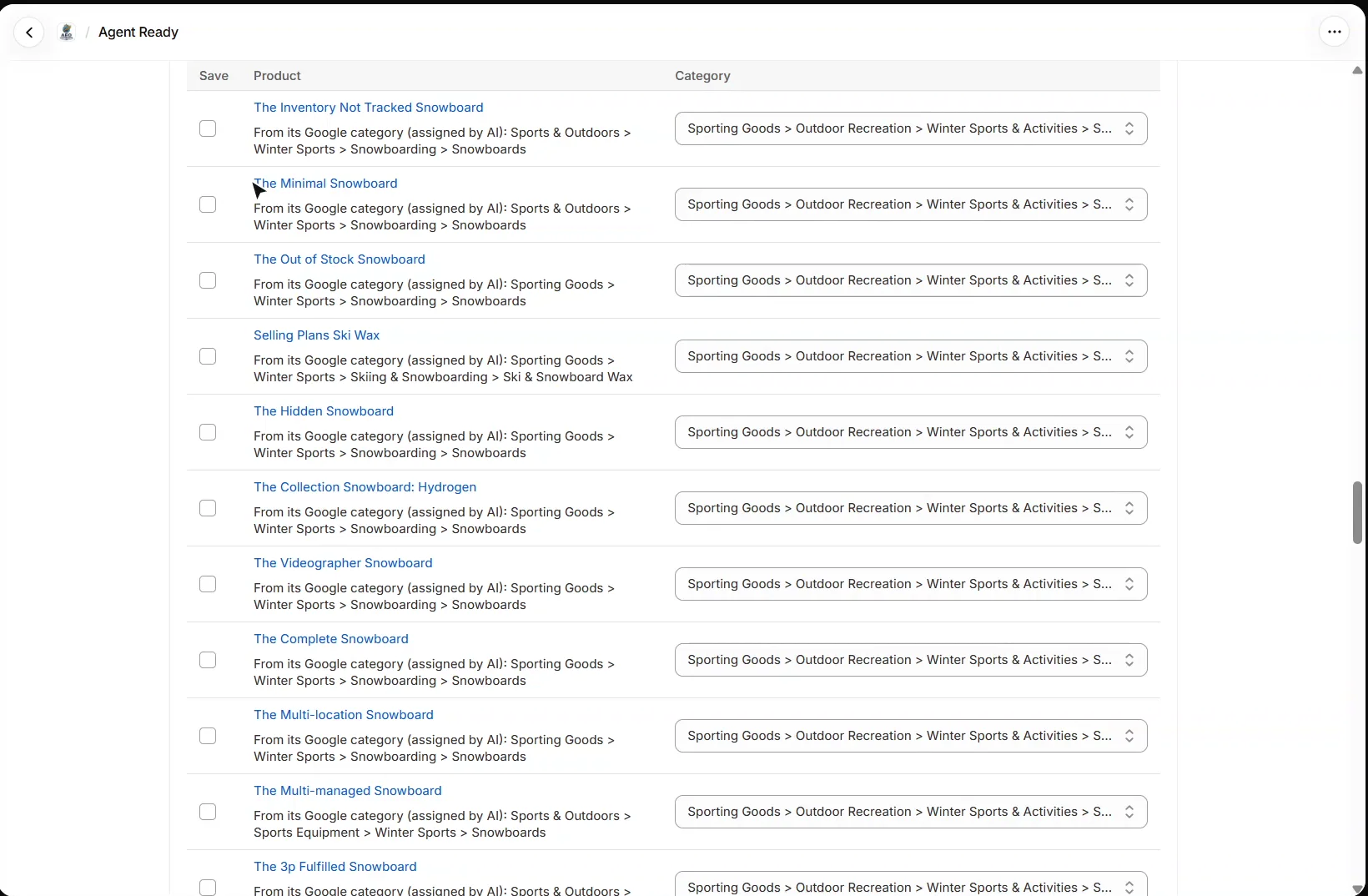
Set missing categories searches Shopify’s own category list for active products that have none, using each product’s Google category from enrichment, or failing that its product type. Only exact matches are ticked, you can change any suggestion, and nothing is saved until you press Save. Suggestions are free; saving them is on the Mid plan.
What should I set up next?
Next is Meta tags: SEO titles and meta descriptions for every product. Every walkthrough is listed in the Shopify video tutorials.
Still stuck?
Message me directly — free tier included. Most replies land within the hour during Tampa working hours. Get support →