Docs / for Shopify / Getting started with AEO Ultimate for Shopify
AEO Ultimate for Shopify
Getting started with AEO Ultimate for Shopify
AEO Ultimate helps AI assistants and search engines understand your Shopify store, so they can recommend it and cite it. This first guide tours the app: turning on the storefront blocks, AEO coverage, What to fix, Your results, your own AI key and the plans. Watch the walkthrough, or read the guide below.
What does AEO Ultimate for Shopify do?
It publishes your products, collections and organization as structured data (JSON-LD), checks what search engines and AI assistants can read on your store, and shows you what to fix first. Every screen sits in one of the groups across the top of the app: Start, Catalog, Content, Google, Brand & trust, Pro checks and Account. Every plan covers unlimited products.
How do I turn on the storefront blocks?
Everything the app publishes reaches your storefront through Shopify’s theme app extension, so nothing is written into your theme’s code. On Start → Home, Turn on the storefront blocks lists the five blocks: AEO Merchant Listing (product schema, the one to start with), Collection Schema, Organization Schema, Social Preview Tags and Product FAQs. Each Enable in theme editor link opens Shopify’s theme editor in a new tab with that block already switched on. Press Save there and it is live.
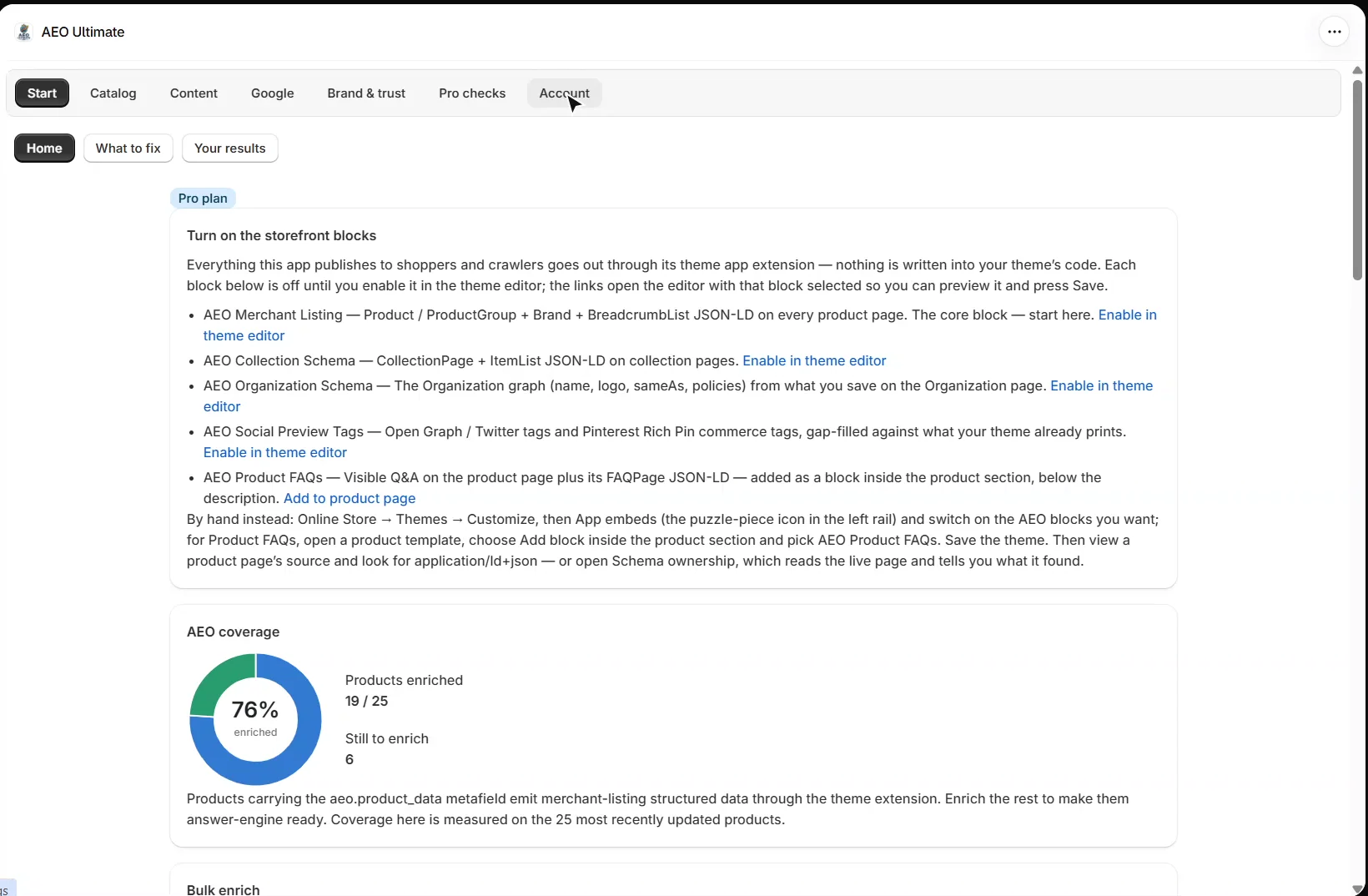
What does AEO coverage show?
AEO coverage shows how many products carry the app’s product data, which feeds the structured data on each product page. It is measured on your most recently updated products. Enrich products one at a time from the product list below it, or all at once with Bulk enrich on Pro. Enrichment runs on your own AI key, on the Mid plan and above.
What should I fix first?
Start → What to fix lists everything the app can check for free, ranked by how serious each problem is and how many products it touches. You see the top ten; fix one or choose Not now and the next takes its place. Each finding says what was found, why it matters and where to fix it. The ranking is by severity and reach, not revenue, because the app cannot see which products make you money.
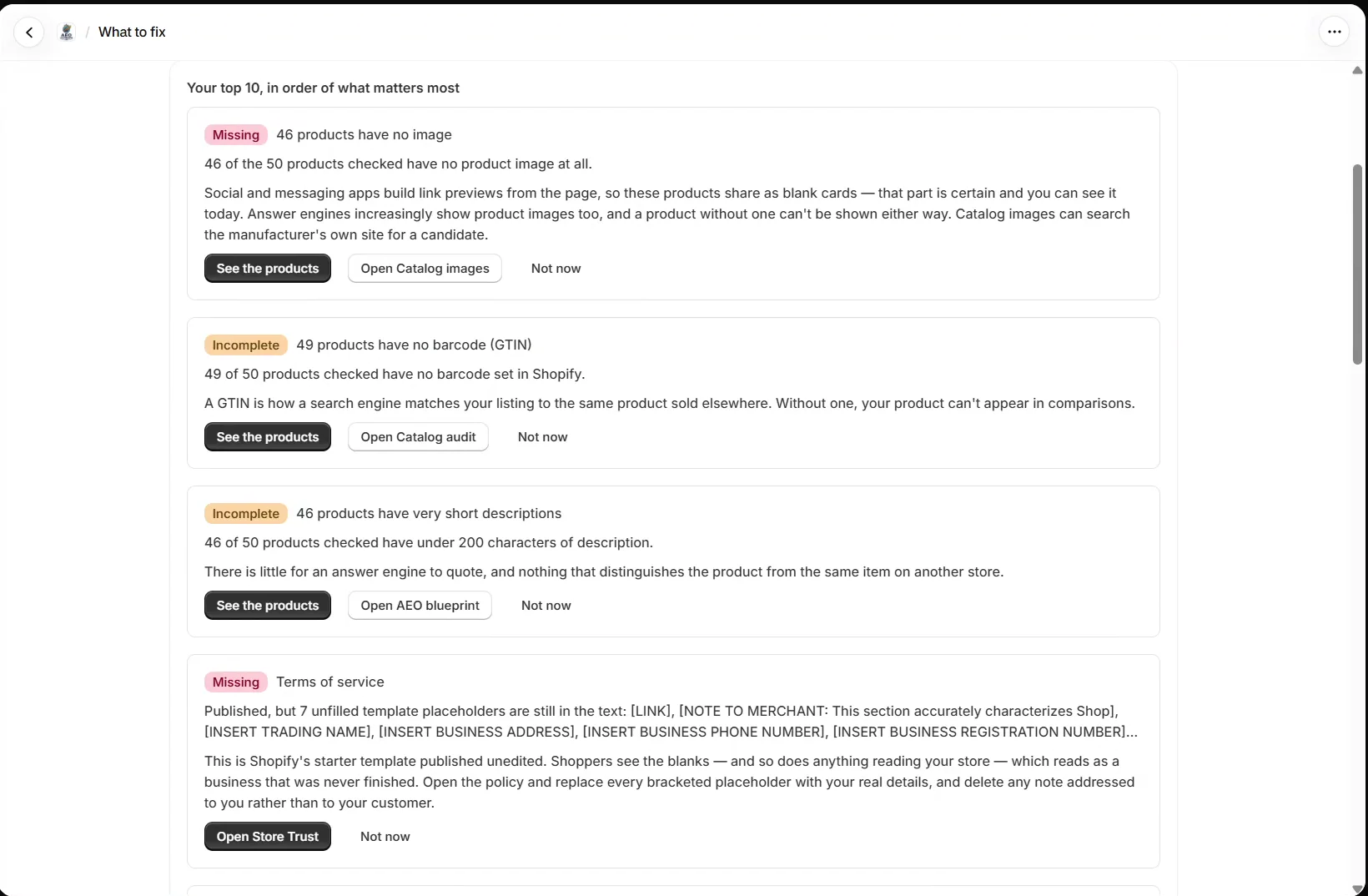
Further down, Share this report builds a short summary you can copy anywhere, or send to a Slack channel on Mid and above. Each part says what it can and cannot tell whoever reads it.
How do I see what the app published?
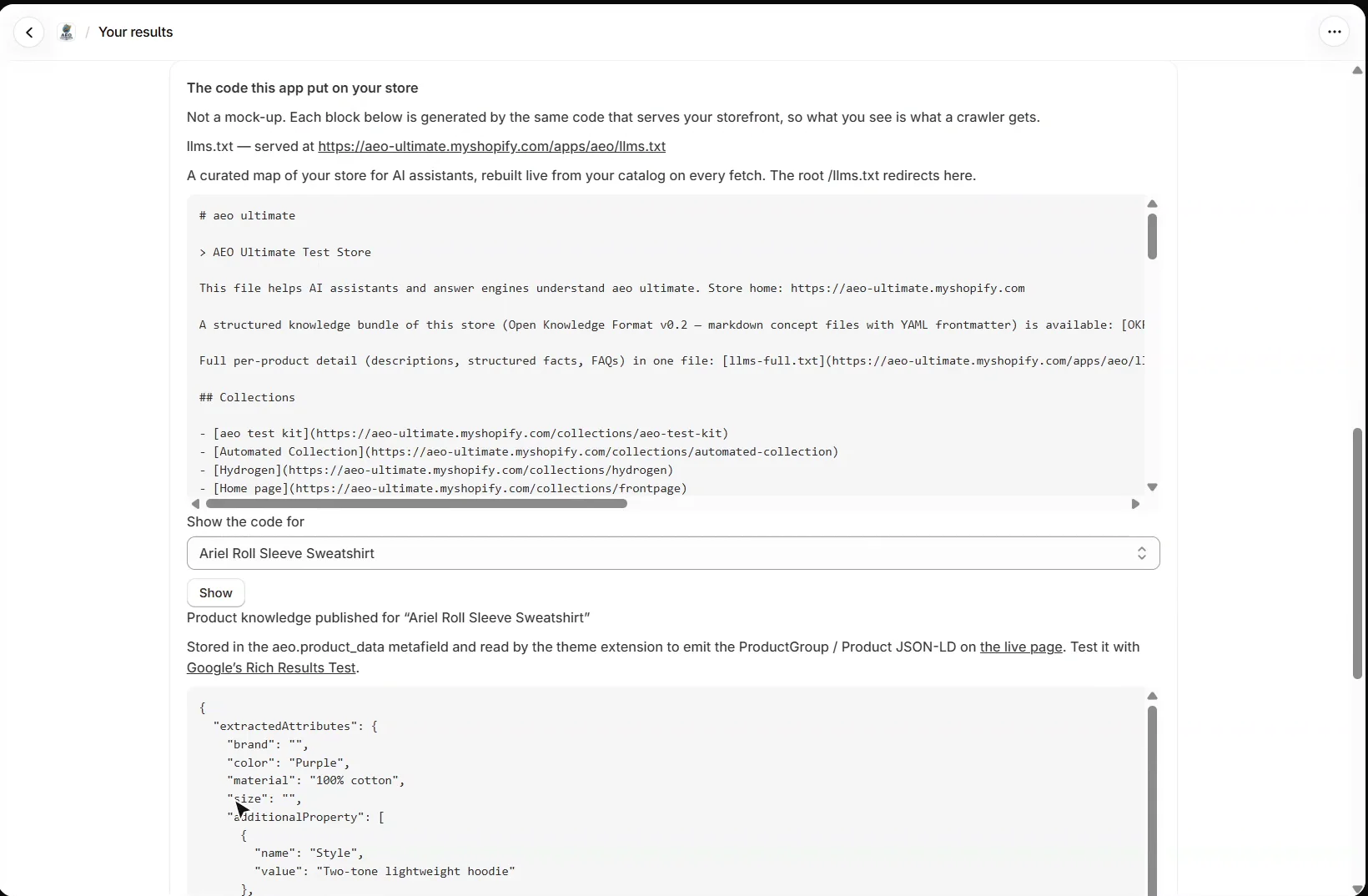
Start → Your results shows what is live on your store: products carrying rich product schema, published FAQs and the store-wide layers. The code this app put on your store shows the real output, not a mock-up: your llms.txt, and the product knowledge stored for any product you pick, with a link to test the live page in Google’s Rich Results Test.
Which AI key does it use, and what does it cost?
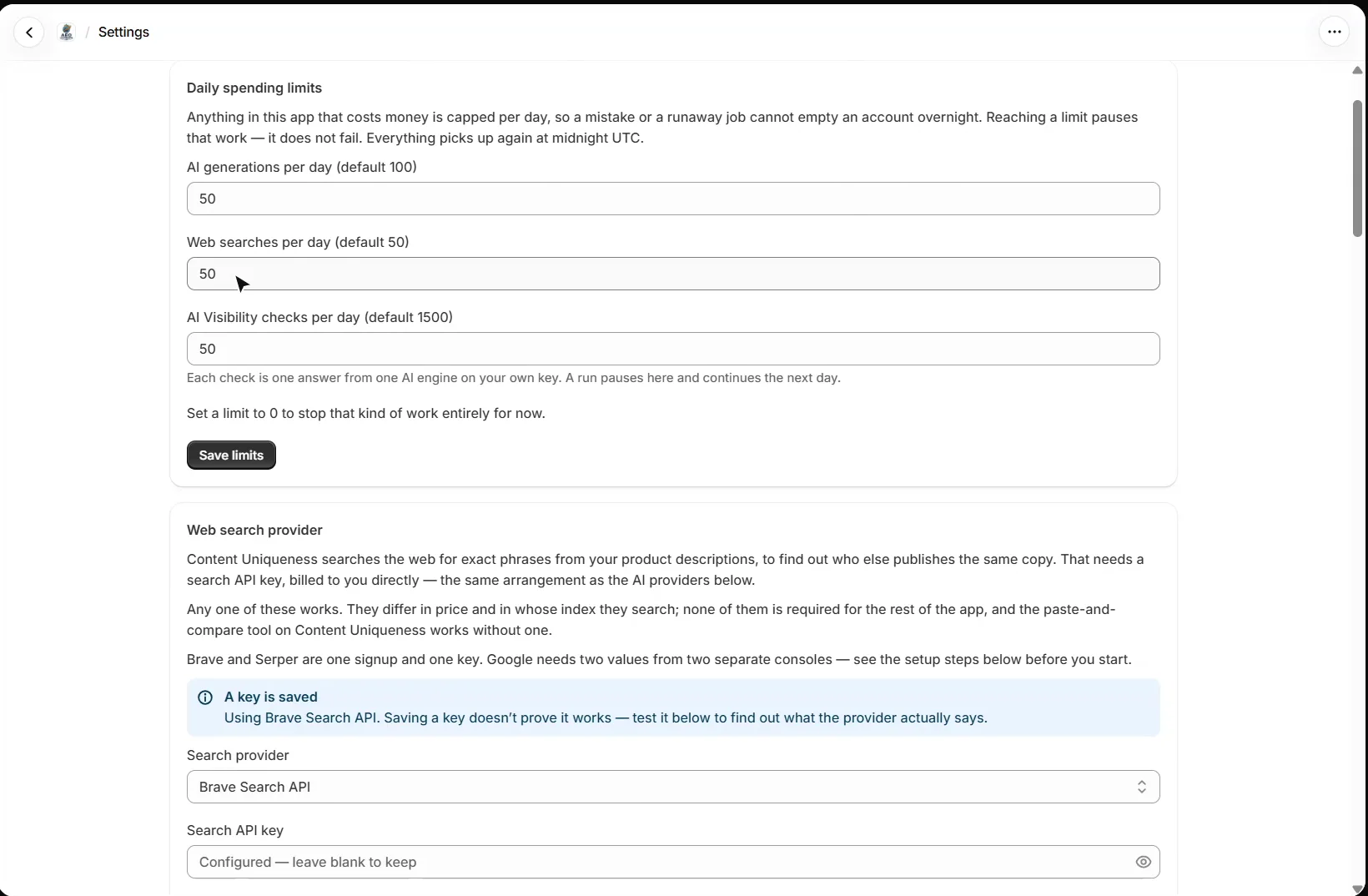
Your own. In Account → Settings you add a key for Claude, ChatGPT, Gemini or Grok, and the AI features run on it, billed by your provider directly. The app never resells AI usage. Daily spending limits cap how many AI generations, web searches and AI visibility checks any feature can use in a day; reaching a limit pauses the work rather than failing it, and it picks up again at midnight UTC.
Which plan do I need?
Every plan covers unlimited products. Free includes the product and collection structured data, the organization graph, Pinterest Rich Pin tags, llms.txt, meta title and description templates, the catalog audit and a sample AI visibility run. Mid ($9.95 a month) adds the AI tools, such as product enrichment and the blog generator, plus Google Search Console and Merchant Center. Pro ($19.95 a month) adds AI visibility checks across every engine you hold a key for, and the bulk runs. Paid plans start with a 14-day free trial.
What should I set up next?
Next is product schema and the storefront blocks: what the AEO Merchant Listing block publishes on every product page, and how to fill the gaps behind it. Every walkthrough is listed in the Shopify video tutorials.
Still stuck?
Message me directly — free tier included. Most replies land within the hour during Tampa working hours. Get support →