Docs / Store for Wix / Wix link previews: publish Open Graph tags for your products
AEO Ultimate Store for Wix
Wix link previews: publish Open Graph tags for your products
When someone shares one of your products on Facebook, LinkedIn, Slack or iMessage, the preview card is built from the page’s Open Graph tags. This guide covers Link Previews in AEO Ultimate Store for Wix: publishing the title and description enrichment already wrote, checking the result in the page source, and taking it back off. Watch the walkthrough, or read the guide below.
Read the transcript
0:00 What Link Previews does
When someone shares one of your products on Facebook, LinkedIn, Slack or iMessage, the preview card comes from the page's Open Graph tags. Enrichment already wrote that copy for each product, so publishing it costs no AI.
0:15 How it works
Those apps read the raw HTML and never run JavaScript, so the tags go into each product's own Wix SEO settings. If a product already has its own tags, the app leaves them alone: your copy wins.
0:31 Before: Wix's default tags
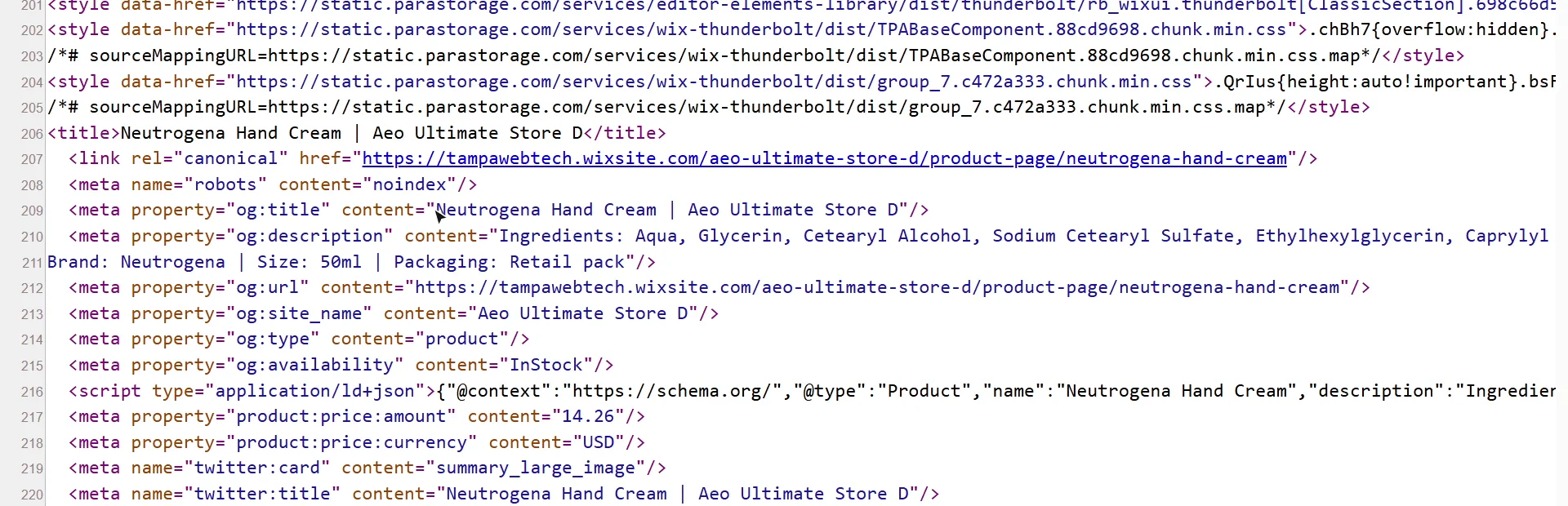
Here's this hand cream's page source right now. The Open Graph title is Wix's default: the product name, then the store name.
0:42 Publish one product
Back in Link Previews, this is the copy enrichment wrote for it: a title with the size, and a description that names the ingredients. Click Publish.
0:54 After: your product's own copy
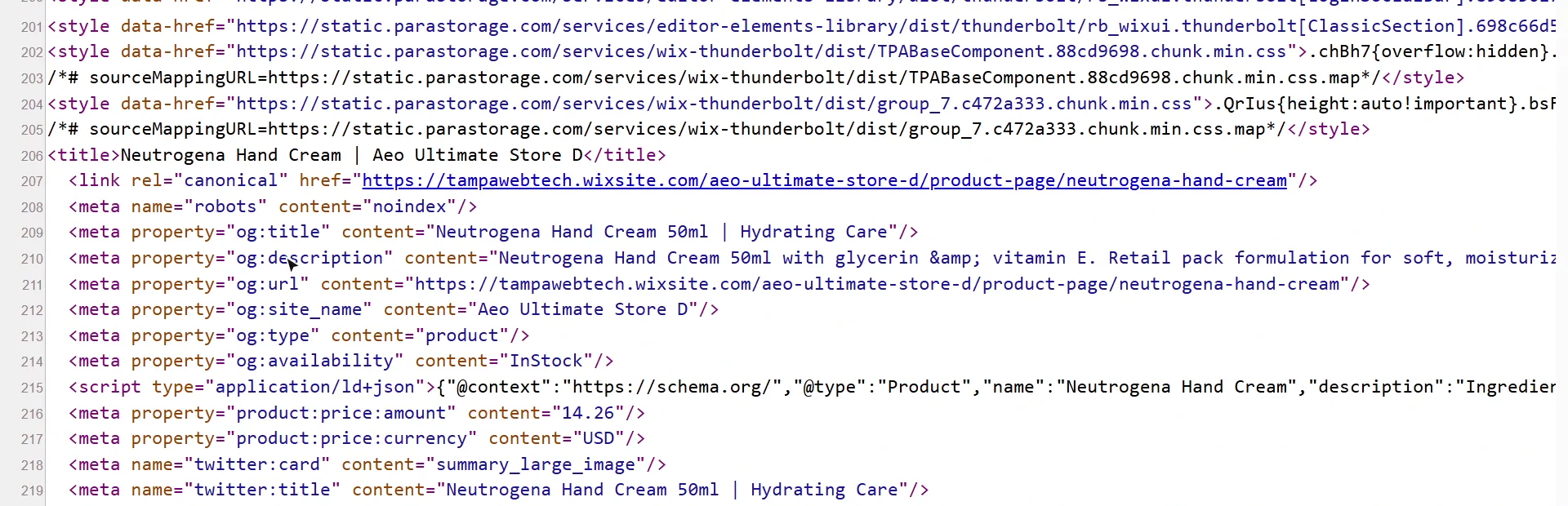
And the page source now carries the new title and description. That's what a shared link will show.
1:04 Remove takes it back off
Changed your mind? Remove takes the tags back off, on any plan, and Wix's defaults return.
1:11 Publish all, and products without copy
On Pro, Publish all does every product that isn't published yet. Products with no copy here haven't been enriched, so enrich them in Catalog first.
1:21 What's next
Next: your business identity, who answer engines should say is behind the store.
What does Link Previews do?
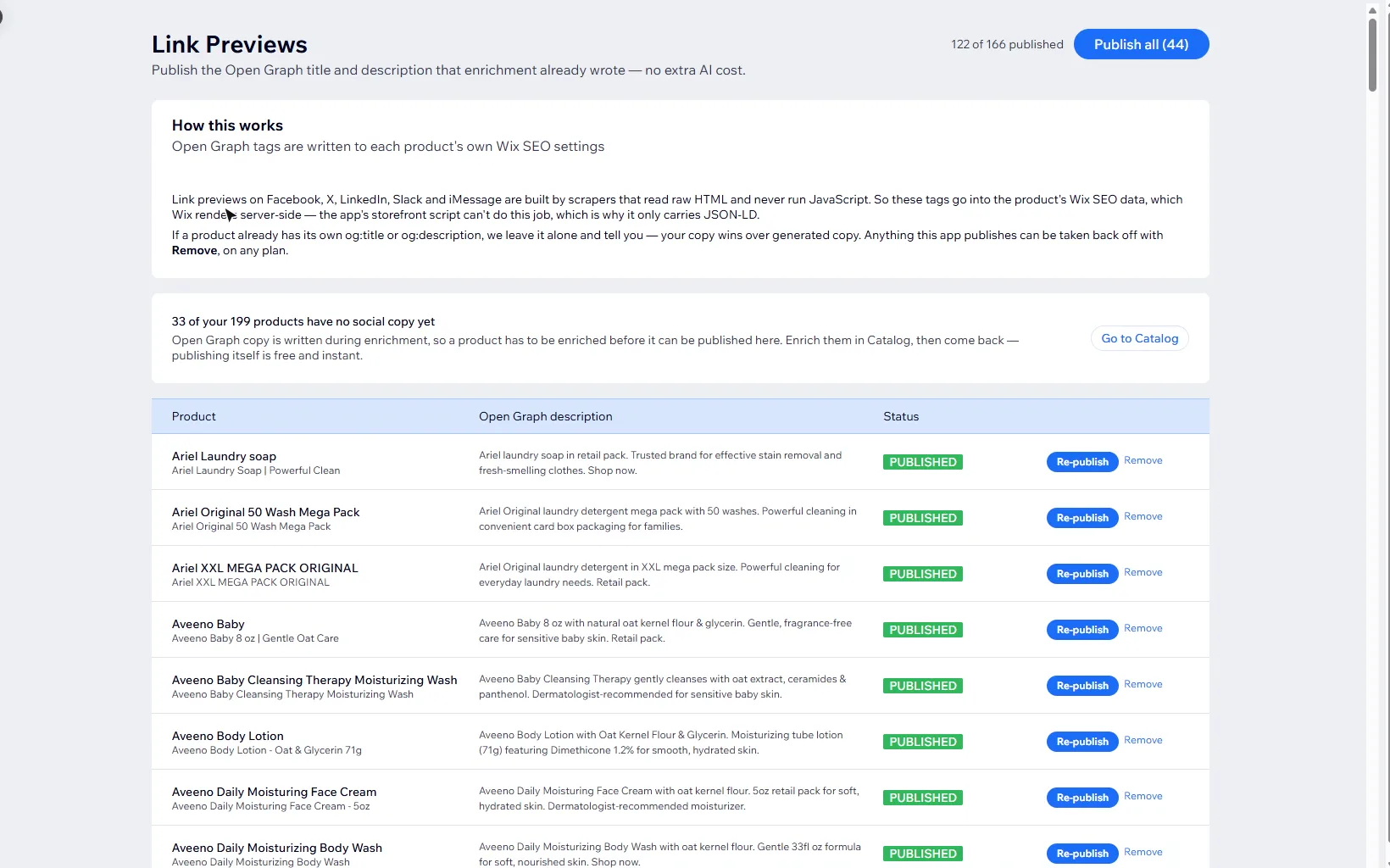
It publishes each product’s Open Graph title and description (og:title and og:description), the tags social and messaging apps read to build a link preview. The copy was written when the product was enriched, so publishing it costs no AI. The page header shows how many products are published, for example 122 of 166 published.
Why are the tags written into Wix SEO settings?
Link scrapers read the raw HTML and never run JavaScript. So the tags go into each product’s own Wix SEO settings, which Wix renders into the page itself. The app’s storefront script can’t do this job, which is why it only carries JSON-LD.
If a product already has its own og:title or og:description, the app leaves it alone and tells you: your copy wins over generated copy.
What does a product share as before I publish?
Wix’s defaults. In the video, the hand cream’s og:title is the product name followed by the store name, and its og:description is whatever the description field says, which for this product is the ingredient list.
How do I publish one product’s link preview?
Each row shows the product, the title and description enrichment wrote, and its status. Read the copy, then click Publish. Publishing single products is on Mid. A few seconds later the product’s page source carries the new tags, and the matching twitter:title and twitter:description change with them.
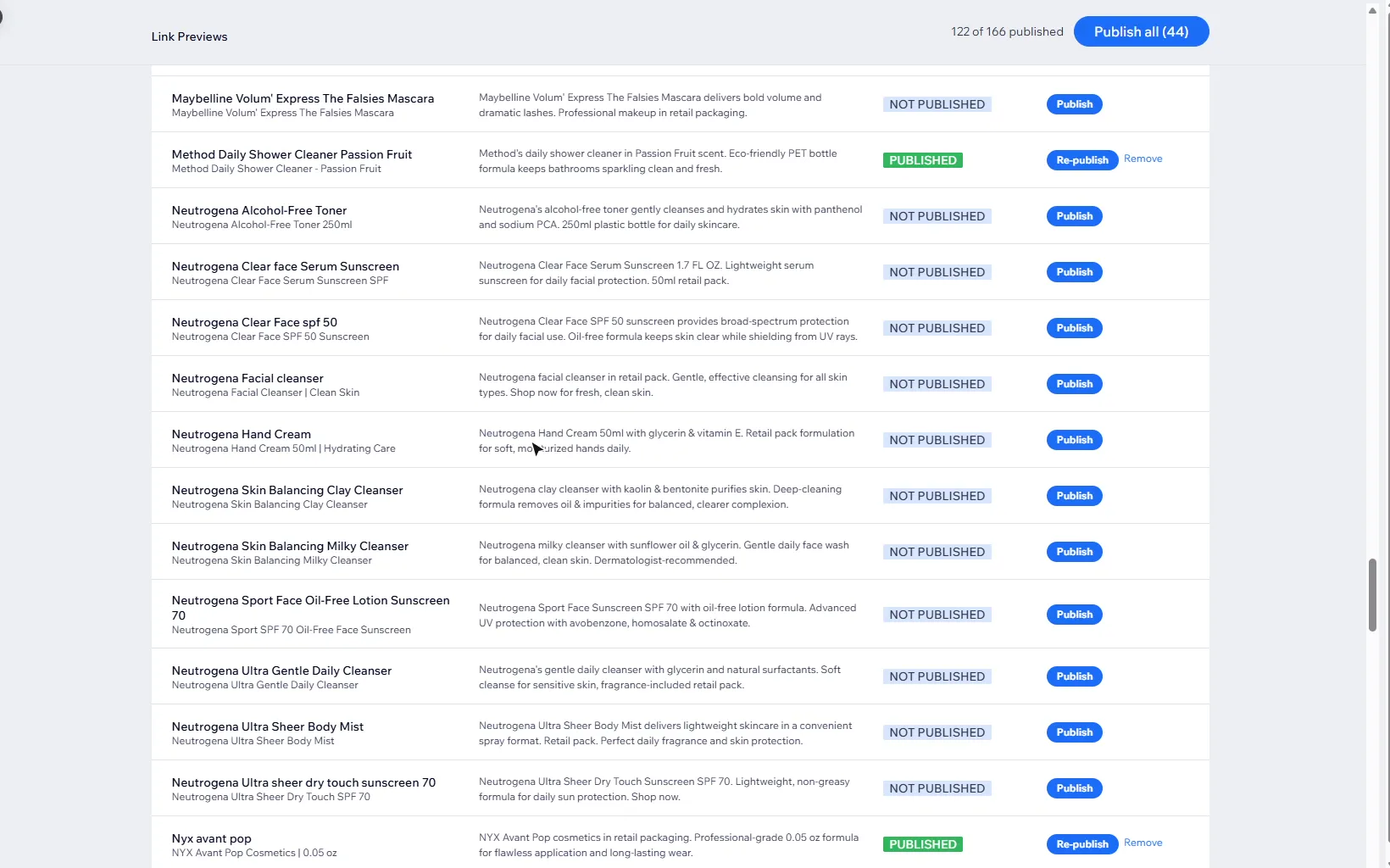
Read the copy before you publish it. It’s generated from the product’s data, and on some products it adds claims such as “dermatologist-recommended” that the product data doesn’t support.
Can I take a link preview back off?
Yes. Remove takes the tags back off on any plan, and Wix’s defaults return. A product whose copy changed after it was published shows Needs re-publishing; click Re-publish to update it.
How do I publish every product at once?
On Pro, Publish all publishes every product that isn’t published yet or needs re-publishing, one product per request from your browser, so keep the page open until it finishes. Products with no copy haven’t been enriched yet: the page says how many, with a Go to Catalog button to enrich them first.
What should I read next?
Link previews come from enrichment, so start with Catalog and Catalog Health if your products aren’t enriched yet. Product schema covers the structured data answer engines read. Next is your business identity: who answer engines should say is behind the store.
Still stuck?
Message me directly — free tier included. Most replies land within the hour during Tampa working hours. Get support →