Docs / Store for Wix / Wix product schema for AI: JSON-LD, page source and FAQs
AEO Ultimate Store for Wix
Wix product schema for AI: JSON-LD, page source and FAQs
Product schema is the structured data answer engines read to understand what you sell. This guide covers the Product Schema page in AEO Ultimate Store for Wix: the storefront script, putting the same markup in your page source, previewing a product’s JSON-LD, and generating FAQs from the product’s own data. Watch the walkthrough, or read the guide below.
Read the transcript
0:00 What Product Schema does
Product Schema publishes what enrichment found as schema.org Product markup, the structured data answer engines read. Basic schema works on every plan, and enrichment is what makes it detailed.
0:14 The storefront script
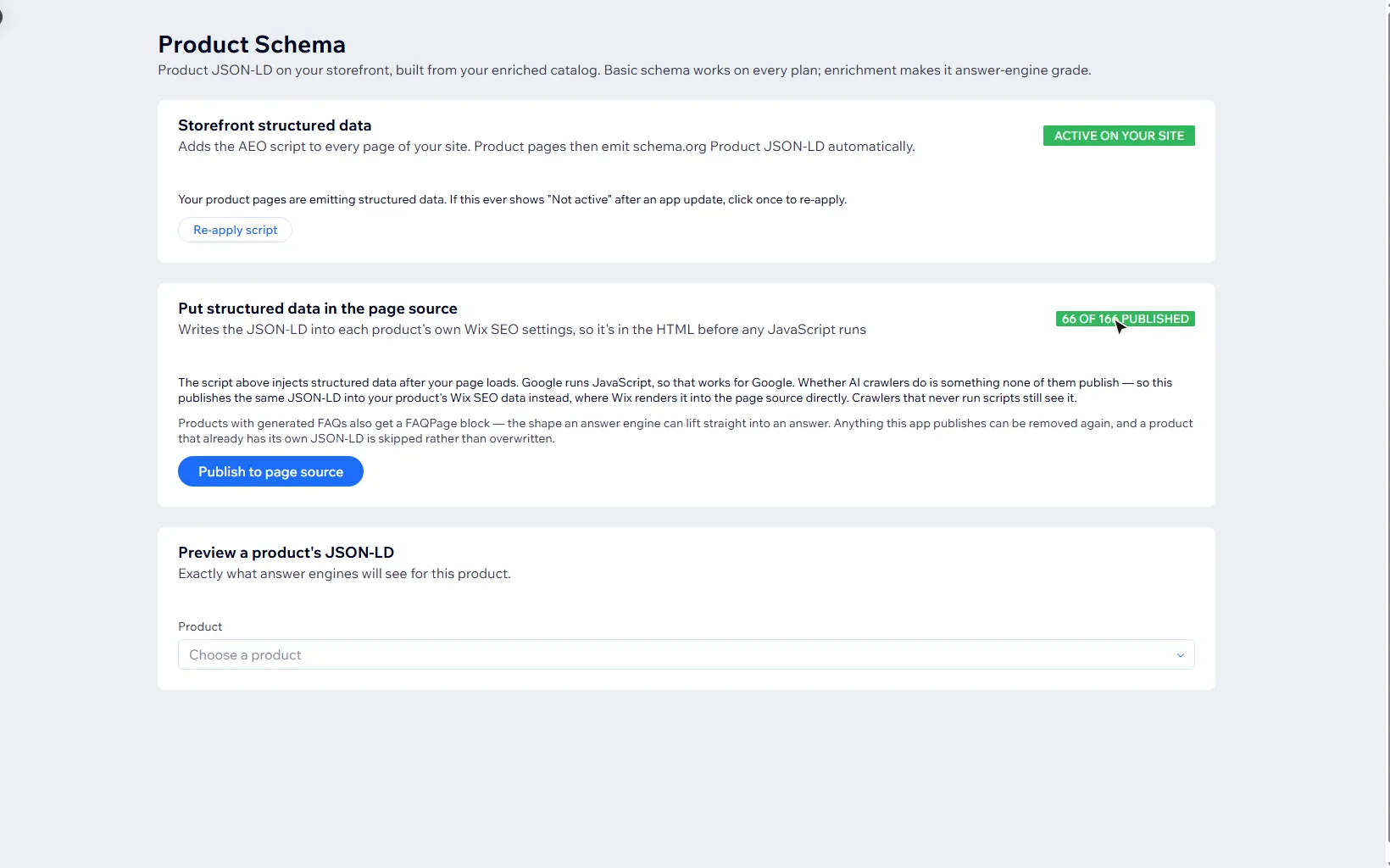
First, the storefront script, which adds the markup to every product page. It should say active on your site. After an app update it can drop back to not active, because each new version of the app runs from a new address.
0:28 Re-apply after an update
If that happens, open this page and click Re-apply script once. It's the most common reason structured data stops showing.
0:36 Put it in the page source
That script adds the markup after the page loads. Google runs JavaScript, but no AI crawler says whether it does. So Publish to page source writes the same markup into each product's own Wix SEO settings, where it's in the HTML from the start.
0:53 Skipped, never overwritten
A product that already has its own markup is skipped, never overwritten, and anything the app publishes can be removed again. Publishing the whole catalog at once is a Pro feature.
1:04 Preview a product
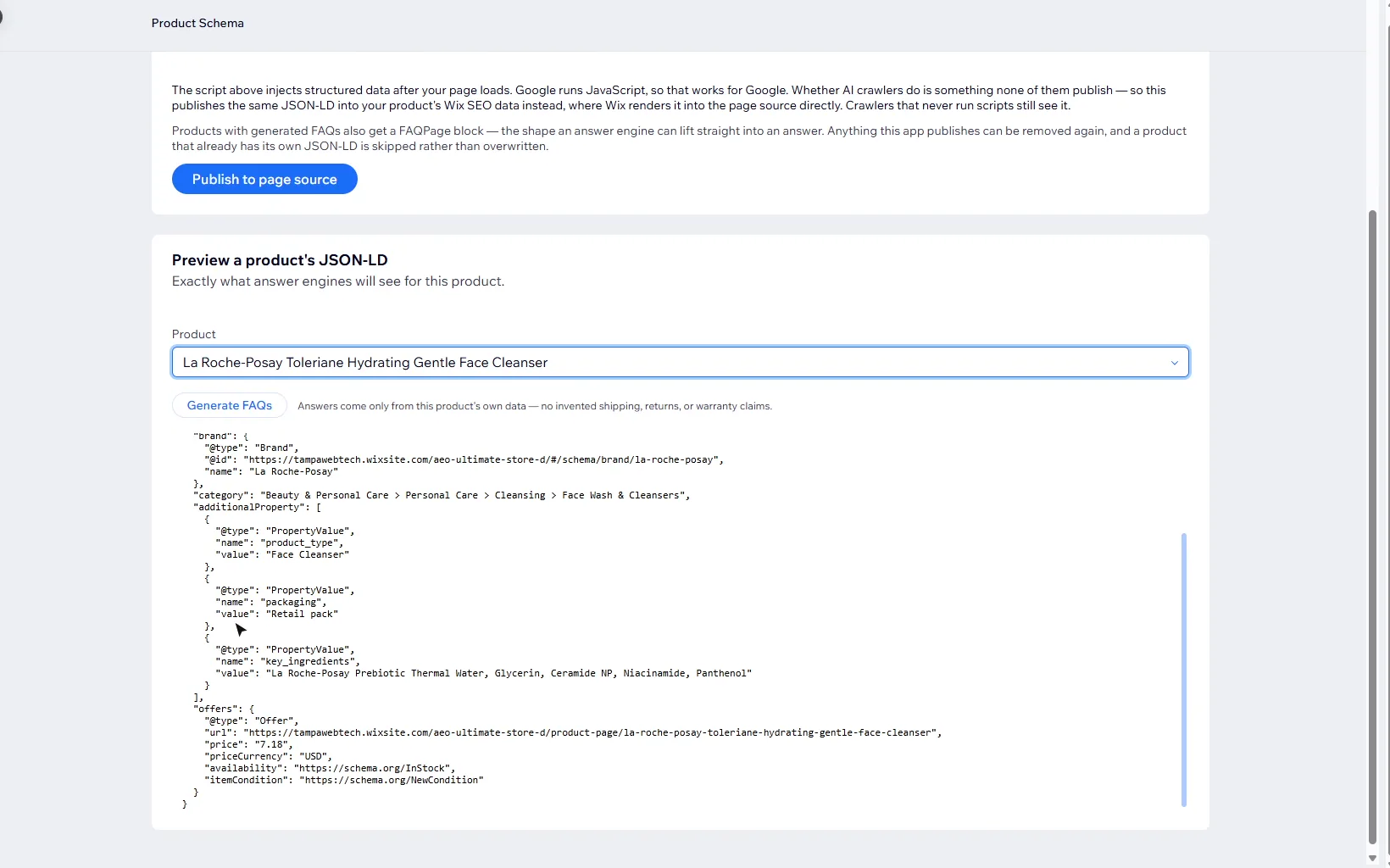
Below that, you can preview any product's markup, exactly as answer engines will see it. Let's pick this face cleanser.
1:13 Reading the markup
There's the product's name, price and availability, and what enrichment added: the brand, a Google product category, and key ingredients pulled from the description.
1:24 Generate FAQs
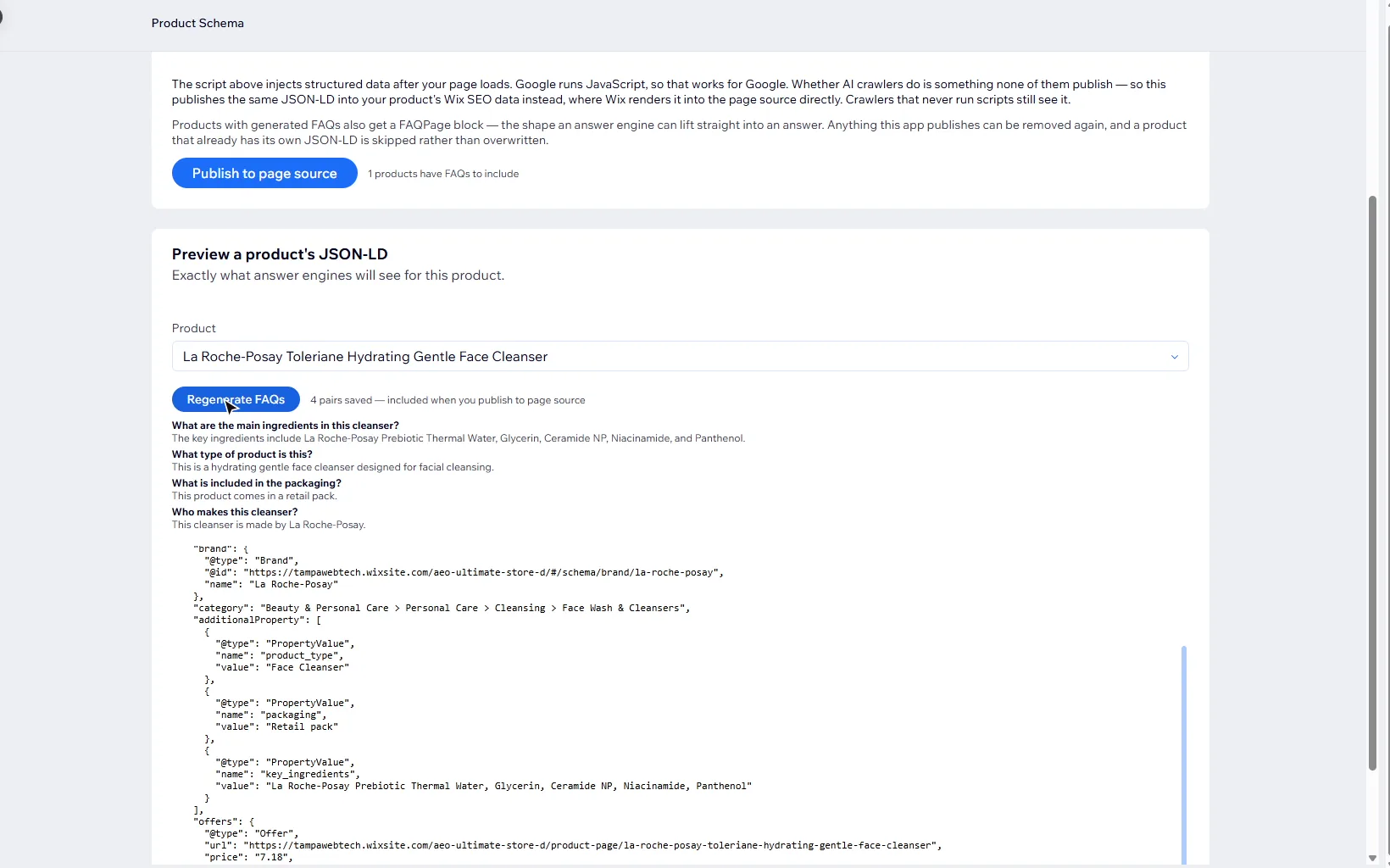
You can also generate FAQs for a product. The answers come only from the product's own data, with no invented shipping, returns or warranty claims.
1:34 FAQs in your markup
They're saved in the app and added as a FAQPage block the next time you publish to page source. Question and answer pairs are the shape answer engines answer in.
1:44 What's next
That's Product Schema. Next, link previews: what your products look like when someone shares them.
What does the Product Schema page do?
It publishes what the app knows about each product as schema.org Product markup (JSON-LD): name, description, price and availability from your Wix product, plus what enrichment added, such as attributes, a Google product category and the brand. Basic schema from your product’s own fields works on every plan; enrichment is what makes it detailed.
What is the storefront script, and why does it say Not active?
The storefront script adds the markup to every product page of your site. The card should read Active on your site. After an app update it can drop back to Not active yet, because each new version of the app runs from a new address and your site is still pointing at the old one.
If that happens, open Product Schema and click Re-apply script (or Activate structured data) once. It is the most common reason structured data stops showing.
Why publish structured data to the page source?
The storefront script adds the markup after the page loads, which needs JavaScript to run. Google runs JavaScript, so that works for Google. No AI crawler publishes whether it does. Publish to page source writes the same JSON-LD into each product’s own Wix SEO settings, where Wix puts it in the HTML from the start, so crawlers that never run scripts still see it.
- A product that already has its own JSON-LD is skipped, never overwritten.
- Anything the app publishes can be removed again.
- The card shows how many products are published, for example 66 of 166 published.
- Publishing runs from your browser, one product per request, about a second each, so keep the page open.
- Publishing the whole catalog at once is a Pro feature.
How do I see what answer engines will read for a product?
Under Preview a product’s JSON-LD, choose a product. The preview is exactly the markup answer engines will see for it. A product that isn’t enriched yet shows basic schema from its own fields, with a note to enrich it from the Catalog page.
How do product FAQs work?
With a product chosen, click Generate FAQs. The questions and answers come only from that product’s own data, with no invented shipping, returns or warranty claims, and it uses one AI generation on your key. The pairs are saved in the app and added to the product’s markup as a FAQPage block the next time you publish to page source. Question-and-answer pairs are the shape answer engines answer in.
What should I read next?
If your products aren’t enriched yet, start with Catalog and Catalog Health. Every screen, and what your plan unlocks covers the rest of the app. Next is link previews: what your products look like when someone shares them.
Still stuck?
Message me directly — free tier included. Most replies land within the hour during Tampa working hours. Get support →